
ASUS Chromebook C223NA
Updated on

Note: This Chromebook is no longer sold new, but Google has set its Auto Update Expiration date to June 2027, so units still in service continue to receive Chrome OS security updates until then.
The ASUS Chromebook C223NA (also marketed as the Chromebook 12) arrived in late 2018 as an entry point into the Chromebook market. Priced at around $229-249, this compact 11.6-inch laptop targeted students and users who needed a basic, portable machine for web browsing, document editing, and light media consumption. ASUS hit that price with the 2016-era Intel Celeron N3350 processor and a basic TN display panel.
| Pros | Cons |
|---|---|
| Lightweight at just 2.2 pounds | Poor TN display with terrible viewing angles |
| Completely silent fanless operation | Processor struggles with more than a handful of tabs |
| Solid 7-8 hours real-world battery life | Display exhibits ripple effect when moved |
| Red color option in addition to the usual grey | No touchscreen or convertible functionality |
| 45W USB-C fast charging support | Mushy keyboard with noticeable deck flex |
| 802.11ac WiFi and Bluetooth 4.0 | Limited 32GB internal storage |
ASUS Chromebook C223NA Comparison Chart
 ASUS Chromebook C223NA | 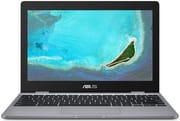 ASUS Chromebook C223NA | |
| Price | List Price: $249.00 Amazon Prices: | List Price: $249.00 Amazon Prices: |
| Model number | C223NA-DH02 | C223NA-DH02 |
| Performance Rating | 2.8 | 2.8 |
| Chromebook Plus | No | No |
| Processor | Dual-core 1.10 Ghz (max 2.40 Ghz) Intel Celeron N3350 | Dual-core 1.10 Ghz (max 2.40 Ghz) Intel Celeron N3350 |
| RAM | 4 GB | 4 GB |
| Internal Storage | 32 GB eMMC | 32 GB eMMC |
| Screen Size | 11.6" | 11.6" |
| Screen Resolution | 1366x768 | 1366x768 |
| Screen Type | LED-backlit anti-glare | LED-backlit anti-glare |
| Touch Screen | No | No |
| Stylus / Pen | No Stylus Support | No Stylus Support |
| Dimensions width x length x thickness | 11.3 x 7.8 x 0.7 inches (287.02 x 198.12 x 17.78 mm) | 11.3 x 7.8 x 0.7 inches (287.02 x 198.12 x 17.78 mm) |
| Weight | 2.2 lbs (1 kg) | 2.2 lbs (1 kg) |
| Backlit Keyboard | No | No |
| Webcam | HD | HD |
| WiFi | 802.11 b/g/n/ac | 802.11 b/g/n/ac |
| Bluetooth | Bluetooth 4.0 | Bluetooth 4.0 |
| Ethernet | No | No |
| Cellular Modem | No | No |
| HDMI | No HDMI | No HDMI |
| USB Ports | 1 USB 3, 2 USB-C (USB 3.1 Type C Gen 1 with display and power delivery) | 1 USB 3, 2 USB-C (USB 3.1 Type C Gen 1 with display and power delivery) |
| Thunderbolt Ports | No | No |
| Card Reader | microSD Card Reader | microSD Card Reader |
| Battery | 2 cell, 38 Whrs, Li-ion | 2 cell, 38 Whrs, Li-ion |
| Battery Life | 10.0 hours | 10.0 hours |
| Fanless | Yes | Yes |
| Auto Update Expiration Date | June, 2027 | June, 2027 |
Related Chromebooks
-
 ASUS Chromebook C203XAThe ASUS Chromebook C203XA is a rugged 11.6-inch education laptop with a MediaTek MT8173C, an…
 -
 ASUS Chromebook C423The ASUS Chromebook C423 pairs a 14-inch 1366x768 display with a dual-core Celeron N3350, 4GB of…
 -
 Acer Chromebook 311 (AMD)The Acer Chromebook 311 (CB311-10H) is an 11.6-inch ChromeOS laptop on an AMD A4-9120C with 4GB of…
 -
 Acer Chromebook Spin 11 CP311The Acer Chromebook Spin 11 combines functionality and portability with its 11.6-inch touch IPS…
 -
 Lenovo Flex 3 ChromebookThe Lenovo Flex 3 Chromebook is a fanless 11.6-inch convertible with an IPS touchscreen, a MediaTek…
 -
 Dell Chromebook 3120The Dell Chromebook 3120 is a fanless 11.6-inch education Chromebook with an Intel N100, sold in…
A 2016 Celeron limits it to a handful of tabs
Clocked at 1.1 GHz with burst speeds up to 2.4 GHz, the dual-core Intel Celeron N3350 dates to 2016 and was already showing its age by the time this laptop launched. It handled basic tasks but became a bottleneck once users pushed beyond light web browsing. Android Police’s testing found the C223NA “quick to boot, and as long as you stick to only a handful of Chrome tabs, it’s not a bad experience,” but noted that performance degraded noticeably with additional workloads.
Beebom ran Speedometer 2.0 on the C223, which scored 24.1 points. Chrome OS is lighter than Windows, and the reviewer observed that “the Chromebook kept everything in memory, which is pretty impressive given it has only 4GB of RAM.” The fanless design meant completely silent operation, an advantage for students working in quiet environments like libraries or classrooms.
Gaming was off the table, with Beebom noting that titles like BGMI and Asphalt 9 were “unplayable.” Android app performance was inconsistent, and the system froze during intensive multitasking. For basic web tasks and document editing, the N3350 delivered acceptable responsiveness.
The TN panel is the weakest part of a light, sturdy design
The 11.6-inch 1366x768 LED-backlit anti-glare panel achieved 200 nits of brightness, which Install or Not called “super bright” and “suitable for outdoor use.” Viewing angles are the limit of TN technology, and Android Police called the display “easily the worst part about the C223,” noting a visible ripple effect when the laptop was moved.
Beebom observed a color cast: “The display has this slight bluish tinge that makes all the content on the screen look cooler.” That shift, plus the limited viewing angles, ruled out color-sensitive work and made it awkward to share the screen with someone sitting beside you.
At 2.2 pounds (approximately 1 kg) and measuring 11.3 x 7.8 x 0.7 inches, this is a machine you can carry all day without noticing it. The all-plastic chassis felt sturdy for the price, and ASUS sold it in a red finish as well as the usual grey. Android Police found the typing experience adequate, while Beebom and Install or Not both criticized the mushy key feel and noticeable deck flex during typing sessions.
Two USB-C ports and 7 to 8 hours from a 38Wh battery
The microSD card slot allowed storage expansion up to 2TB, which takes some of the sting out of the 32GB of internal eMMC storage. Both USB-C ports (USB 3.1 Gen 1) handled charging and display output, and a single USB Type-A 3.0 port accommodated legacy peripherals. Wireless runs on 802.11ac WiFi and Bluetooth 4.0. There is no built-in Ethernet port, but users who needed wired networking could connect a USB Ethernet adapter through the USB-A port.
The 38Wh two-cell lithium-ion battery delivered 7-8 hours of mixed real-world usage, with ASUS claiming up to 10 hours under ideal conditions. Beebom’s testing achieved consistent all-day performance, and Arjun Sha noted that the 45W USB-C fast charging could quickly restore battery levels during brief breaks.
Reviewer Insights
Android Police
Corbin Davenport’s launch review is titled “A step backwards.” He wrote that while previous ASUS Chromebooks had earned strong reputations, the C223NA made too many compromises. Davenport called the display “easily the worst part about the C223,” and allowed that for users with modest requirements, “as long as you stick to only a handful of Chrome tabs, it’s not a bad experience.”
Beebom
Arjun Sha’s 2021 review looked at the C223 as a budget option for Indian students attending online classes. He found excellent memory management despite only 4GB RAM, and an aging processor that hadn’t been updated since 2018. Sha praised the Rs. 17,999 price but cautioned that “Chrome OS works very well… similar to the i5 Windows laptop” only for basic tasks. Heavy multitasking and any gaming were beyond the hardware’s capabilities.
Install or Not
Parth Suthar’s review calls the C223 “the budget laptop for everyone.” He credited the sturdy build quality and portability, and marked down the display’s poor viewing angles and mediocre 74% screen-to-body ratio. Suthar concluded the C223 was worth its price for buyers who put battery life and basic functionality ahead of performance.
A 2016 chip in a 2018 laptop
The Celeron N3350 had already powered Chromebooks for two years when the C223NA shipped in 2018, and the 4GB of RAM and 32GB of eMMC storage were fixed at purchase. What the machine kept from that era is the 2.2-pound fanless chassis, the two USB-C ports, and a 38Wh battery good for 7 to 8 hours, with Chrome OS updates running through June 2027.
Later ASUS Chromebooks like the CX1 series and CX14 shipped updated processors and better displays at competitive prices.
If you are weighing this against other options, the Chromebook Comparison Chart lets you sort by specs side by side.
Frequently Asked Questions
Q: Can I still use the ASUS Chromebook C223NA in 2026?
A: The C223NA continues to receive Chrome OS security updates through its June 2027 Auto Update Expiration date. These extended updates focus on security and may reduce Android (Google Play) app support. After June 2027 it will no longer receive updates, at which point using it for sensitive activities like online banking is not recommended.
Q: What was the difference between the C223NA and C223?
A: The C223NA was primarily marketed in North America, while the C223 designation was used in other markets like India. The specifications were essentially identical across regions, with only minor regional variations in available configurations.
Q: Why did reviewers criticize the C223NA display?
A: It used a TN (Twisted Nematic) panel rather than an IPS display, and TN panels shift color and contrast when viewed from the side. Beebom also saw a bluish tinge, and Android Police a visible ripple effect when the laptop was moved.
Q: Could you upgrade the RAM or storage in the C223NA?
A: No, both the 4GB RAM and 32GB eMMC storage were soldered to the motherboard and not user-upgradeable. However, the microSD card slot allowed storage expansion up to 2TB for files and media.
Q: Was the C223NA good for students?
A: For Google Docs, web research, and video calls, it was adequate. The 2.2-pound weight, 7-8 hours of battery, and silent fanless operation suited classroom use, though students running several applications at once or leaning on Android apps would have found it limiting.
Q: How did the C223NA compare to other budget Chromebooks of its era?
A: The C223NA competed with devices like the Acer Chromebook 11 and Lenovo Chromebook S330. Its main advantages were the stylish design options and excellent portability, while its weaknesses included the older processor and poor TN display. Competitors with IPS displays generally offered a better viewing experience, even at similar price points.