
ASUS Chromebook C300SA
Updated on

The ASUS Chromebook C300SA reached its Chrome OS Auto Update Expiration in June 2022 (Google lists the device alongside the C301SA on the official Chrome Enterprise AUE list). The hardware still powers on and the catalog entry below is preserved for owners researching their existing devices, but the device no longer receives Chrome OS updates or security patches, and Starry Hope does not recommend it for new purchases. All six retail SKUs ASUS shipped (DS02, DS02-LB, DS02-RD, DH02, DH02-LB, DH02-RD; all 4 GB RAM / 16 GB eMMC at $229) are listed below for historical reference; we no longer link to any live retail listings for this model.
Overview
The ASUS Chromebook C300SA was the 2016 refresh of ASUS’s 13.3-inch budget Chromebook line. It kept the original C300’s plastic chassis, anti-glare matte 1366x768 display, and fanless design, and swapped the older Bay Trail Celeron N2830 for the slightly newer Braswell Celeron N3060 (dual-core, 1.6 to 2.48 GHz, with Intel HD Graphics 400). ASUS sold it in three colors: black (DS02 / DH02), light blue (DS02-LB / DH02-LB), and red (DS02-RD / DH02-RD), all at the same $229 list price with 4 GB of LPDDR3-1866 and 16 GB of eMMC.
It was never going to feel fast, even by 2016 standards. The N3060 has a Passmark CPU mark in the four-figure range and no hyper-threading, and the 4 GB of soldered RAM was already snug for Chrome’s multi-tab habit at launch. What the C300SA traded that for was a bigger-than-typical screen at its price, completely silent operation, and ten hours of real battery life. Six years later, when Chrome OS support ended in June 2022, the hardware was still doing the same thing it always did; the operating system was the part that retired.
ASUS Chromebook C300SA Comparison Chart
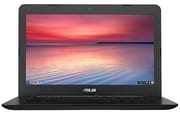 ASUS Chromebook C300SA | ASUS Chromebook C300SA | ASUS Chromebook C300SA | ASUS Chromebook C300SA | ASUS Chromebook C300SA | ASUS Chromebook C300SA | |
| Price | List Price: $229.00 Amazon Prices: | List Price: $229.00 Amazon Prices: | List Price: $229.00 Amazon Prices: | List Price: $229.00 Amazon Prices: | List Price: $229.00 Amazon Prices: | List Price: $229.00 Amazon Prices: |
| Model number | C300SA-DS02-LB | C300SA-DS02-RD | C300SA-DH02-LB | C300SA-DS02 | C300SA-DH02 | C300SA-DH02-RD |
| Performance Rating | 2.4 | 2.4 | 2.4 | 2.4 | 2.4 | 2.4 |
| Chromebook Plus | No | No | No | No | No | No |
| Processor | Dual-core 1.60 Ghz (max 2.48 Ghz) Intel Celeron Processor N3060 | Dual-core 1.60 Ghz (max 2.48 Ghz) Intel Celeron Processor N3060 | Dual-core 1.60 Ghz (max 2.48 Ghz) Intel Celeron Processor N3060 | Dual-core 1.60 Ghz (max 2.48 Ghz) Intel Celeron Processor N3060 | Dual-core 1.60 Ghz (max 2.48 Ghz) Intel Celeron Processor N3060 | Dual-core 1.60 Ghz (max 2.48 Ghz) Intel Celeron Processor N3060 |
| RAM | 4 GB | 4 GB | 4 GB | 4 GB | 4 GB | 4 GB |
| Internal Storage | 16 GB eMMC | 16 GB eMMC | 16 GB eMMC | 16 GB eMMC | 16 GB eMMC | 16 GB eMMC |
| Screen Size | 13.3" | 13.3" | 13.3" | 13.3" | 13.3" | 13.3" |
| Screen Resolution | 1366x768 | 1366x768 | 1366x768 | 1366x768 | 1366x768 | 1366x768 |
| Screen Type | Anti-Glare Matte LCD | Anti-Glare Matte LCD | Anti-Glare Matte LCD | Anti-Glare Matte LCD | Anti-Glare Matte LCD | Anti-Glare Matte LCD |
| Touch Screen | No | No | No | No | No | No |
| Stylus / Pen | No Stylus Support | No Stylus Support | No Stylus Support | No Stylus Support | No Stylus Support | No Stylus Support |
| Dimensions width x length x thickness | 13 x 9.1 x 0.8 inches (330.2 x 231.14 x 20.32 mm) | 13 x 9.1 x 0.8 inches (330.2 x 231.14 x 20.32 mm) | 13 x 9.1 x 0.8 inches (330.2 x 231.14 x 20.32 mm) | 13 x 9.1 x 0.8 inches (330.2 x 231.14 x 20.32 mm) | 13 x 9.1 x 0.8 inches (330.2 x 231.14 x 20.32 mm) | 13 x 9.1 x 0.8 inches (330.2 x 231.14 x 20.32 mm) |
| Weight | 2.98 lbs (1.35 kg) | 2.98 lbs (1.35 kg) | 2.98 lbs (1.35 kg) | 2.98 lbs (1.35 kg) | 2.98 lbs (1.35 kg) | 2.98 lbs (1.35 kg) |
| Backlit Keyboard | No | No | No | No | No | No |
| Webcam | HD | HD | HD | HD | HD | HD |
| WiFi | 802.11 b/g/n/ac | 802.11 b/g/n/ac | 802.11 b/g/n/ac | 802.11 b/g/n/ac | 802.11 b/g/n/ac | 802.11 b/g/n/ac |
| Bluetooth | Bluetooth 4.2 | Bluetooth 4.2 | Bluetooth 4.2 | Bluetooth 4.2 | Bluetooth 4.2 | Bluetooth 4.2 |
| Ethernet | No | No | No | No | No | No |
| Cellular Modem | No | No | No | No | No | No |
| HDMI | Full-Size HDMI | Full-Size HDMI | Full-Size HDMI | Full-Size HDMI | Full-Size HDMI | Full-Size HDMI |
| USB Ports | 2 USB 3 | 2 USB 3 | 2 USB 3 | 2 USB 3 | 2 USB 3 | 2 USB 3 |
| Thunderbolt Ports | No | No | No | No | No | No |
| Card Reader | SD/SDHC/SDXC | SD/SDHC/SDXC | SD/SDHC/SDXC | SD/SDHC/SDXC | SD/SDHC/SDXC | SD/SDHC/SDXC |
| Battery | 3 cell, 48 Whrs, Lithium-ion | 3 cell, 48 Whrs, Lithium-ion | 3 cell, 48 Whrs, Lithium-ion | 3 cell, 48 Whrs, Lithium-ion | 3 cell, 48 Whrs, Lithium-ion | 3 cell, 48 Whrs, Lithium-ion |
| Battery Life | 10.0 hours | 10.0 hours | 10.0 hours | 10.0 hours | 10.0 hours | 10.0 hours |
| Fanless | Yes | Yes | Yes | Yes | Yes | Yes |
| Auto Update Expiration Date | June, 2022 | June, 2022 | June, 2022 | June, 2022 | June, 2022 | June, 2022 |
Related Chromebooks
-
 ASUS Chromebook C423The ASUS Chromebook C423 pairs a 14-inch 1366x768 display with a dual-core Celeron N3350, 4GB of…
 -
 ASUS Chromebook C523The ASUS Chromebook C523 is a fanless 15.6-inch Chromebook with an anti-glare display, an Intel…
 -
 HP Chromebook 14 (AMD)The HP Chromebook 14 (AMD) is a fanless 14-inch Chromebook built on the AMD A4-9120C APU with…
 -
 Acer Chromebook 315The Acer Chromebook 315 (CB315-4H) is a fanless 15.6-inch FHD IPS Chromebook with an Intel Celeron…
 -
 Acer Chromebook 15 CB315 (AMD)The Acer Chromebook 15 CB315 (AMD) is a 15.6-inch budget Chromebook built around AMD's 7th-gen…
 -
 Lenovo Flex 3 ChromebookThe Lenovo Flex 3 Chromebook is a fanless 11.6-inch convertible with an IPS touchscreen, a MediaTek…
Hardware and Performance
The Intel Celeron N3060 inside the C300SA is a 6-watt, dual-core Braswell SoC clocked at 1.6 GHz with a 2.48 GHz burst. Brad Linder’s launch piece at Liliputing framed the change pragmatically: “The Celeron N3060 is a slightly updated version of Intel’s Celeron N3050 chip that launched in 2015. It has the same 1.6 GHz base clock speed, but has a maximum burst speed of 2.48 GHz (up from 2.16 GHz).” That is the size of the generational jump in CPU terms: a turbo bump and incremental power-efficiency improvements over the prior Braswell stepping, not a major architectural shift.
In day-to-day Chrome OS use, the C300SA handles the workloads it was built for. The Electronics Critique review (published July 6, 2016) summarized this directly, calling the C300SA a “decent entry level computer if all you’ll do is surf the net, watch movies, listen to music” and observing that “the modern Celeron processor and 4GB memory give you enough power to switch between browsers and apps smoothly.” The same review put the N3060’s Passmark CPU mark at 1054, which is in line with budget Braswell chips of the era and below the ARM and Apollo Lake chips that arrived in Chromebooks a year later.
The 4 GB of RAM and the 16 GB of eMMC are both soldered to the motherboard, so there is no aftermarket upgrade path. Heavy Chrome tab users would feel the RAM ceiling quickly; light single-task users would not. Chrome OS itself is small, but the 16 GB eMMC fills up faster than the spec sheet suggests once Android app caches and downloaded Google Drive files accumulate. ASUS bundled a two-year, 100 GB Google Drive promotion at launch to ease the storage squeeze; that promotion has long since expired.
Display and Design
The C300SA shipped with a 13.3-inch, 1366x768 LED-backlit panel with a matte anti-glare finish. At that resolution, pixel density on a 13.3-inch screen is noticeably lower than the same panel resolution on an 11-inch device; Electronics Critique put it plainly: the resolution “would be adequate for a small display Chromebook at this price level but don’t expect outstanding crystal clear image quality of Full HD with IPS panel.” The matte coating, however, is the bigger story. Glossy budget displays of the era were often unusable near a window. The C300SA’s anti-glare finish solved that practical problem at the cost of looking a bit washed out indoors.
ASUS built the chassis from plastic with no metal lid, weighing in at 2.98 pounds (Electronics Critique measured a black unit at 3.1 pounds) and measuring 13.0 by 9.1 by 0.8 inches. The build is described in the EC review as “made of solid plastic” and “certainly well built.” It feels and looks like a budget device, but the panel does not flex unduly and the keyboard deck stays planted while typing. ASUS gave the C300SA an “upgraded chiclet style keyboard with nicely spaced out keys, no numeric keypad and a rather large multi-touch precision touchpad” (Electronics Critique’s wording).
The three color options (black, light blue, red) were the C300SA’s main aesthetic concession to consumer buyers; education channels mostly bought the black model.
Battery Life
ASUS rated the 48 Wh, 3-cell lithium-ion battery at up to 10 hours. Electronics Critique noted that the figure is “for video playback at default brightness” and that “you can be outdoors all day long without worrying about battery recharge.” That maps reasonably to typical Chromebook battery behavior: mixed productivity use lands a couple of hours short of the marketing figure, but the device lasts a school or work day on one charge. Combined with the fanless design, the result was a quiet machine that did not need to be near a power outlet during normal classroom use.
The C300SA charged over a small barrel-style DC adapter rather than USB-C. USB-C charging would not become standard on budget Chromebooks for another year or two, so this was a generational limitation, not an ASUS-specific compromise.
Connectivity
Port selection on the C300SA is straightforward and reflects its 2016 design point. There are two USB 3.0 Type-A ports, one full-size HDMI output, a full-size SD card reader (SD / SDHC / SDXC), a combo 3.5 mm headphone and microphone jack, and the charging port. There is no USB-C, no Ethernet (a USB Ethernet adapter covers that), and no Thunderbolt. The wireless side is 802.11ac with Bluetooth 4.2, which is enough to keep the device usable on modern Wi-Fi networks even years after launch.
The full-size SD card slot is worth calling out because it gives the 16 GB internal eMMC a low-friction expansion path: a 64 GB or 128 GB card sits flush enough to leave in permanently and is a reasonable way to host downloaded media without filling the system drive.
Reviewer Insights
The C300SA never picked up the volume of major-outlet review coverage that mainstream Chromebooks of its era enjoyed; it was an incremental refresh of an already-established product line. What follows is what was published.
Brad Linder at Liliputing covered the device at the leaked-spec stage on March 31, 2016. His framing of the N3060 itself (quoted in the Performance section above) is the cleanest description of what the generational change actually was: a small turbo bump on the existing Braswell platform, not a redesign.
Electronics Critique (July 6, 2016) is the most substantive consumer-facing review of the C300SA that is still online. The piece tested the light blue C300SA-DS02-LB and landed on the verdict that the device is a “decent entry level computer” for web browsing, light media, and music, with the Celeron N3060 plus 4 GB of RAM offering enough headroom to “switch between browsers and apps smoothly.” The review also called out the build quality (“solid plastic, not aluminium but is certainly well built”), the keyboard layout (“upgraded chiclet style keyboard with nicely spaced out keys, no numeric keypad and a rather large multi-touch precision touchpad”), and the matte display caveat (“don’t expect outstanding crystal clear image quality of Full HD with IPS panel”). It scored the C300SA as worth its $229 price, not a high performer.
The YouTube reviewer channels we track (Chrome Unboxed, Lon.TV, Liliputing, 9to5Google, and the rest of the Chromebook coverage list in research/chromebooks/youtube-channels.csv) do not have a verifiable review of the C300SA specifically. The closest result was Robby Payne’s Chrome Unboxed review of the original C300, published September 26, 2014, which covers the prior Bay Trail Celeron N2830 generation and is therefore a different product. We have intentionally not appended that video to this page.
Who Was the C300SA For?
The C300SA was a price-driven device. Its appeal was a 13.3-inch screen, a matte panel that worked under most lighting, and a full school day of battery life, at the entry price point of the 2016 Chromebook market. Education-focused buyers got the black DS02 / DH02 SKUs for fleet deployments where the larger screen was easier for students writing longer documents than the typical 11.6-inch classroom Chromebook allowed. Consumer buyers got the light blue and red variants, which were the C300SA’s main differentiator against an otherwise interchangeable wave of N3060-equipped budget Chromebooks.
It was never the right pick for anyone who needed a touchscreen, a backlit keyboard, USB-C charging, or sustained multi-tab Chrome performance. ASUS positioned the C301SA (a sibling model with a Full HD panel and 64 GB of storage) for buyers who wanted those features on the same platform.
For a broader look at current options, the Chromebook Comparison Chart lists specs side by side across models to help you find a better fit.
Frequently Asked Questions
When did the ASUS Chromebook C300SA reach its Chrome OS Auto Update Expiration date?
June 2022. Google’s official Chrome Enterprise Auto Update Expiration list groups the C300SA with the C301SA on a single line with a June 2022 AUE. After that date, Chrome OS no longer ships updates or security patches to the device. The browser still loads, but it should not be used for accounts that involve payment, banking, or anything else where a current browser security sandbox matters.
Is the C300SA the same as the original ASUS C300?
No, they are two separate generations. The original C300 (C300M / C300MA) shipped in 2014 with a Bay Trail Intel Celeron N2830 and reached its Chrome OS AUE in September 2021. The C300SA was the 2016 refresh on the Braswell platform with a Celeron N3060 and reached its AUE in June 2022. The chassis, display, and most ports look identical between the two generations, but the internals are a half-step apart.
What configurations did ASUS ship?
All six retail SKUs shipped with the same internals: an Intel Celeron N3060, 4 GB of LPDDR3-1866 (soldered), and 16 GB of eMMC (soldered), at a $229 list price. The only difference between them is color and a minor packaging variant: DS02 / DS02-LB / DS02-RD and DH02 / DH02-LB / DH02-RD are the black, light blue, and red colorways of two near-identical retail bundles. There was no 32 GB or 64 GB version of the C300SA itself; that storage tier was reserved for the C301SA sibling.
Can the RAM or storage be upgraded?
No. Both the 4 GB of RAM and the 16 GB of eMMC are soldered to the motherboard. Storage can be effectively extended with an SD card in the full-size SD slot, but the system drive itself cannot be replaced.
Does the C300SA have a touchscreen?
No. The 13.3-inch matte LED-backlit panel is non-touch across all six SKUs. ASUS sold convertibles and touch-equipped Chromebooks under the Flip line; the C300 / C300SA were clamshell-only.
Should I buy a used C300SA today?
For daily browsing, no: the AUE has passed and Chrome OS will no longer be patched on this hardware. If the alternative is no Chromebook at all and the device is being used for very light offline tasks (basic typing into Google Docs cached for offline use, light reading), it can still function. Used pricing should reflect that the operating system is end-of-life; current entry-level Chromebooks deliver a better experience and several more years of updates.