
ASUS Chromebook CR11 (CR1104C)
Published on

The ASUS Chromebook CR11 (CR1104C) is a ruggedized 11.6-inch Chromebook purpose-built for classrooms and students who need a device that can survive the daily rigors of school life. Powered by the Intel Processor N100 with four cores running at up to 3.4 GHz, this compact machine handles web browsing, Google Workspace applications, and light multitasking without breaking a sweat. What sets the CR11 apart from typical budget Chromebooks is its MIL-STD 810H military-grade durability certification, ASUS Antimicrobial Guard coating on high-touch surfaces, and a spill-resistant keyboard designed to withstand up to 66cc of liquid. The fanless design means completely silent operation during class time, and WiFi 6E connectivity ensures fast wireless performance in dense school network environments. Whether you are equipping a classroom fleet or outfitting a student for homework and research, the CR11 delivers practical durability and reliable performance with ChromeOS updates guaranteed through June 2033.
Pros and Cons of the ASUS Chromebook CR11 (CR1104C)
| Pros | Cons |
|---|---|
| MIL-STD 810H durability with antimicrobial guard for classroom environments | 1366x768 TN display with poor viewing angles and limited color |
| Fanless design for completely silent operation during class | No backlit keyboard makes typing difficult in dim environments |
| WiFi 6E and Bluetooth 5.4 for modern wireless connectivity | Only 4GB RAM in the base variant limits multitasking |
| Comprehensive port selection with 2x USB-C, 2x USB-A, and HDMI | 720p webcam falls behind competitors offering 1080p |
| Large 50Wh battery for all-day classroom use | eMMC storage is slower than NVMe SSD alternatives |
| Lightweight at 2.89 lbs for easy carrying in backpacks | 11.6-inch screen feels cramped for extended productivity work |
ASUS Chromebook CR11 (CR1104C) Comparison Chart
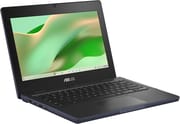 ASUS Chromebook CR11 (CR1104C) | |
| Price | List Price: Amazon Prices: Loading prices... |
| Model number | CR1104CGA-AS44 |
| Perfomance Rating | 3.5 |
| Chromebook Plus | No |
| Processor | Quad-core 3.40 Ghz (max 3.40 Ghz) Intel Processor N100 |
| RAM | 4 GB |
| Internal Storage | 64 GB eMMC |
| Screen Size | 11.6" |
| Screen Resolution | 1366x768 |
| Screen Type | TN |
| Touch Screen | No |
| Stylus / Pen | No Stylus Support |
| Dimensions width x length x thickness | 11.69 x 8.39 x 0.83 inches (296.93 x 213.11 x 21.08 mm) |
| Weight | 2.89 lbs (1.31 kg) |
| Backlit Keyboard | No |
| Webcam | 720p |
| WiFi | Wi-Fi 6E (802.11ax) |
| Bluetooth | Bluetooth 5.4 |
| Ethernet | No |
| Cellular Modem | No |
| HDMI | Full-Size HDMI |
| USB Ports | 2 USB 3, 2 USB-C 2x USB 3.2 Gen 1 Type-C (DisplayPort, Power Delivery), 2x USB 3.2 Gen 1 Type-A, HDMI 1.4b |
| Thunderbolt Ports | No |
| Card Reader | No Card Reader |
| Battery | 50Wh |
| Battery Life | Unknown |
| Fanless | Yes |
| Auto Update Expiration Date | June, 2033 |
Related Chromebooks
-
 ASUS Chromebook CX1 (CX1101)The ASUS Chromebook CX1 combines a sleek form factor with practical features: an 11.6” anti-glare…
 -
 ASUS Chromebook Flip C214The ASUS Chromebook Flip C214 combines versatility with a 360° hinge, 11.6-inch anti-glare…
 -
 Acer Chromebook 311 C723Maximize your study sessions with the Acer Chromebook 311. MIL-STD durability, anchored keys, and a…
 -
 Acer Chromebook 311 (CO731)The Acer Chromebook 311 (CO731) delivers fanless, silent operation in a compact 11.6-inch package,…
 -
 Dell Chromebook 3120A rugged and affordable 11.6-inch Chromebook with Intel N100 processor, available in clamshell and…
 -
 Lenovo Chromebook 3 11"Get to know the Lenovo Chromebook 3: lightweight, affordable, and designed for basic tasks. It…
Detailed Insights into the ASUS Chromebook CR11 (CR1104C)

The ASUS Chromebook CR11 measures 11.69 x 8.39 x 0.83 inches and weighs just 2.89 pounds, making it one of the more compact and portable Chromebooks available for education deployments. The chassis is built to withstand the kind of abuse that comes with daily student use, having passed MIL-STD 810H testing for drops, vibration, and extreme temperatures. ASUS applies their Antimicrobial Guard treatment to the keyboard and palm rest areas, which helps inhibit bacterial growth on the surfaces students touch most frequently throughout the day. The spill-resistant keyboard can handle up to 66cc of liquid, giving teachers and parents peace of mind when drinks inevitably find their way near the device. The 180-degree lay-flat hinge adds flexibility for collaborative work, allowing students to share their screen easily by folding the display completely flat on a desk.
The Intel Processor N100 at the heart of the CR11 delivers competent performance for its intended use case, scoring approximately 5,643 on PassMark’s CPU benchmark. With four efficiency cores running at up to 3.4 GHz and paired with LPDDR5 memory, the N100 handles Chrome tabs, Google Docs, and educational web applications smoothly for typical single-user workflows. The fanless thermal design means zero noise during quiet study periods or testing environments, though it also means the processor may throttle slightly under sustained heavy loads. For the target audience of K-12 students primarily running web-based applications, the N100 provides more than enough headroom for comfortable day-to-day use without the stuttering that plagued older Celeron-based Chromebooks.
Connectivity stands out as a genuine strength of the CR11, particularly for a device at this size and price tier. The port layout includes two USB 3.2 Gen 1 Type-C ports supporting both DisplayPort output and Power Delivery charging, two USB 3.2 Gen 1 Type-A ports for connecting mice, flash drives, or other peripherals, a full-sized HDMI 1.4b port for presenting to classroom projectors, and a 3.5mm combo audio jack for headphones. WiFi 6E (802.11ax) support paired with Bluetooth 5.4 ensures the CR11 can take advantage of modern tri-band wireless networks, reducing congestion in schools where dozens of devices share the same access points. The only notable omission is a microSD card reader, which would have been useful for students needing to expand the 64GB eMMC storage. Users needing wired networking can connect a USB Ethernet adapter through one of the USB-A ports.
Customer Reviews of the ASUS Chromebook CR11 (CR1104C)

Amazon customers have rated the ASUS Chromebook CR11 4.2 out of 5 stars based on over 4,200 reviews, reflecting strong satisfaction among its target audience of parents and educators. The most praised aspects center on the device’s durability and suitability for children, with one IT professional describing it as “absolutely the best choice for a kid who needs a computer for school” and highlighting the water resistance and tactile keyboard as standout features. Multiple homeschooling parents report the Chromebooks being fast enough on slow internet connections and sturdy enough to withstand minor accidents, calling them a cost-effective alternative to more expensive options for elementary-aged students.
However, some customers note that the keyboard requires more force than expected for comfortable typing, which can slow down fast typists and younger students still developing their keyboarding skills. The lack of a dedicated Delete key also draws occasional complaints from users accustomed to Windows keyboards. A programmer who otherwise rates the device highly for its exceptional battery life and Android app support specifically criticizes the keyboard feel as the main drawback. Several reviewers in Spanish-language markets praise the device as a light, fast, and stable alternative to heavier traditional laptops for mobility-focused educational use.
Overall, the customer sentiment is solidly positive, with most buyers finding the ASUS Chromebook CR11 delivers exactly what they need for student and basic home computing. The combination of durability, long battery life, and ChromeOS simplicity resonates strongly with parents who want a low-maintenance device their children can use for schoolwork without the complexity and security concerns of a full Windows laptop.
Conclusion
The ASUS Chromebook CR11 (CR1104C) fills a well-defined niche as a ruggedized education Chromebook that prioritizes durability, silent operation, and reliable connectivity over raw performance or display quality. Its MIL-STD 810H certification, antimicrobial surfaces, and spill-resistant keyboard make it genuinely classroom-ready rather than just marketing claims, and the comprehensive port selection including HDMI and four USB ports ensures compatibility with school peripherals and projectors. The Intel N100 processor paired with WiFi 6E delivers smooth performance for web-based learning platforms, Google Workspace, and educational Android apps without any fan noise to distract classmates during quiet work periods.
That said, users who need a Chromebook for content consumption, creative work, or extended productivity sessions should consider alternatives with better displays and more RAM. The 1366x768 TN panel and 4GB RAM configuration are clearly designed for functional classroom tasks rather than media enjoyment or heavy multitasking. Students in high school or college who regularly work with many browser tabs, write lengthy documents, or use Linux development tools would benefit from stepping up to a Chromebook better suited for college with more RAM and a 1080p IPS display.
For those comparing options, see our Chromebook Comparison Chart to find the best match for your needs. The CR11 earns its place as a solid choice for school districts, parents of younger students, and anyone who values toughness and longevity over screen quality in their daily Chromebook.
Frequently Asked Questions
What processor does the ASUS Chromebook CR11 use?
The ASUS Chromebook CR11 is powered by the Intel Processor N100, featuring 4 cores and 4 threads with a boost clock up to 3.4 GHz. This processor handles web browsing, Google Workspace applications, and educational software efficiently, scoring approximately 5,643 on PassMark’s CPU benchmark. The fanless design means it operates completely silently during use.
Can I upgrade the RAM or storage on the ASUS Chromebook CR11?
No, the ASUS Chromebook CR11 uses soldered LPDDR5 memory and eMMC storage that cannot be upgraded after purchase. The base configuration includes 4GB RAM and 64GB eMMC storage. If you anticipate needing more memory for multitasking, consider one of the 8GB RAM variants available in the CR1104C series, which pair the additional memory with a touchscreen display.
What ports does the ASUS Chromebook CR11 have?
The CR11 includes two USB 3.2 Gen 1 Type-C ports (both supporting DisplayPort output and Power Delivery charging), two USB 3.2 Gen 1 Type-A ports, one full-sized HDMI 1.4b port for connecting to monitors or projectors, a 3.5mm combo headphone/microphone jack, and a Kensington lock slot for physical security. This four-USB-port arrangement is generous for an 11.6-inch Chromebook.
How long will the ASUS Chromebook CR11 receive software updates?
The ASUS Chromebook CR11 (CR1104CGA) receives ChromeOS updates through June 2033, according to Google’s official Auto Update Expiration schedule. This provides approximately seven to eight years of security patches, feature updates, and compatibility with new web standards from its release date.
Is the ASUS Chromebook CR11 good for students?
Yes, the CR11 is specifically designed for students and classroom environments. It features MIL-STD 810H military-grade durability testing for drop and vibration resistance, a spill-resistant keyboard that handles up to 66cc of liquid, and ASUS Antimicrobial Guard on high-touch surfaces to reduce bacterial growth. The lightweight 2.89-pound design, fanless silent operation, and all-day battery capacity make it practical for carrying between classes and using during lessons without distraction.
Does the ASUS Chromebook CR11 support Android apps?
Yes, the ASUS Chromebook CR11 fully supports Android apps through the Google Play Store. It also supports Linux applications via the built-in Crostini container environment. This gives students and users access to educational Android apps alongside standard web applications and optional Linux development tools, though the 4GB RAM configuration may limit how many apps you can run simultaneously.
Does the ASUS Chromebook CR11 have a touchscreen?
The base CR1104CGA model with 4GB RAM and 64GB storage (including the variant sold on Amazon as CR1104CGA-AS44) does not have a touchscreen. ASUS offers touchscreen versions in the CR1104C series with 8GB RAM configurations, which feature a Wide View panel with Corning Gorilla Glass instead of the standard TN display. If touch input is important for your use case, look for the 8GB touchscreen variants.