
ASUS Chromebook CX9
Updated on

The ASUS Chromebook CX9 (CX9400) is a premium business Chromebook from 2021, built around the 11th Gen Intel Core i7-1165G7 with 16GB of RAM and a 512GB SSD, which put it near the top of the Chromebook spec sheet at launch. It pairs that with a lightweight all-aluminum body (rated to the MIL-STD 810H durability standard), a 14-inch 400-nit FHD touchscreen, dual Thunderbolt 4 ports, a USB-A port, a full-size HDMI port, and a microSD slot. ChromeOS updates run through June 2031.
The recurring theme across reviews is that the hardware outruns the experience. Reviewers praised the build, screen, and performance, but consistently flagged the high price, the short battery life, a trackpad that feels cheap, and ChromeOS limits that make a $1,000-plus Chromebook a hard sell for personal use.
Pros and Cons of ASUS Chromebook CX9
| Pros | Cons |
|---|---|
| Top-tier i7-1165G7, 16GB RAM, 512GB SSD | Expensive (around $1,000+) |
| Lightweight all-aluminum, MIL-STD 810H build | Short battery life (reviewers’ common complaint) |
| 14-inch 400-nit FHD touchscreen | Trackpad reviewers found wobbly and cheap-feeling |
| Dual Thunderbolt 4, USB-A, HDMI, microSD | Aluminum shows fingerprints; boxy styling |
| Backlit keyboard; long support to June 2031 | ChromeOS limits the value of this much hardware |
Related Videos
ASUS Chromebook CX9 Comparison Chart
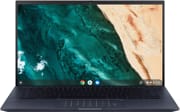 ASUS Chromebook CX9 | |
| Price | List Price: $1146.99 Amazon Prices: Loading prices... |
| Model number | CX9400CEA-DS762T |
| Performance Rating | 8.4 |
| Chromebook Plus | No |
| Processor | Quad-core 2.80 Ghz (max 4.70 Ghz) Intel Core i7-1165G7 |
| RAM | 16 GB |
| Internal Storage | 512 GB SSD |
| Screen Size | 14" |
| Screen Resolution | 1920x1080 |
| Screen Type | Glossy, LED Backlit, 400nits |
| Touch Screen | Yes |
| Stylus / Pen | Supported |
| Dimensions width x length x thickness | 12.69 x 8.07 x 0.71 inches (322.33 x 204.98 x 18.03 mm) |
| Weight | 2.54 lbs (1.15 kg) |
| Backlit Keyboard | Yes |
| Webcam | 720p HD |
| WiFi | Wi-Fi 6 (802.11ax) |
| Bluetooth | Bluetooth 5.2 |
| Ethernet | No |
| Cellular Modem | No |
| HDMI | Full-Size HDMI |
| USB Ports | 1 USB 3 |
| Thunderbolt Ports | 2 |
| Card Reader | microSD Card Reader |
| Battery | 3 cell, 50Whrs, Li-ion |
| Battery Life | Unknown |
| Fanless | No |
| Auto Update Expiration Date | June, 2031 |
Related Chromebooks
-
 ASUS Chromebook Vibe CX34 FlipThe ASUS Chromebook Vibe CX34 Flip is a cloud-gaming convertible Chromebook with a 12th Gen Intel…
 -
 ASUS Chromebook Flip CX1 (CX1400)The ASUS Chromebook Flip CX1 (CX1400) is a 14-inch convertible 2-in-1 with a 360-degree FHD…
 -
 Acer Chromebook Spin 314 (2024)A 14-inch convertible Chromebook with a 16:10 WUXGA touch display, 360-degree hinge, and software…
 -
 Acer Chromebook Vero 514The Acer Chromebook Vero 514 blends sustainability with performance. Sporting a Full HD IPS…
 -
 Dell Latitude 5430 Chromebook 2-in-1Elevate your productivity with the Dell Latitude 5430 Chromebook, featuring a high-resolution…
 -
 Acer Chromebook Plus 514A 14-inch Chromebook Plus line sold in three board configurations: the AMD Ryzen 3 7320C CB514-3H,…
Specs and Build
The CX9’s hardware is the headline: an 11th Gen Intel Core i7-1165G7, 16GB of RAM, and a 512GB SSD, which is well beyond what most Chromebooks ship. The all-aluminum body is light and rated to the MIL-STD 810H durability standard, the 14-inch FHD touchscreen reaches 400 nits, and it supports a USI stylus. For ports it has two Thunderbolt 4 (USB-C), a USB-A port, a full-size HDMI port, and a microSD slot, plus a backlit keyboard and a large glass trackpad.
The flip side, which the reviews dig into below, is that the aluminum shows fingerprints, the styling is boxy, the battery does not last as long as the spec sheet would suggest, and ChromeOS caps what all this hardware can actually do.
Reviewers’ Opinions on ASUS Chromebook CX9
Reviews of the CX9 land in the same place: great hardware, an experience that does not quite match it. Four reviews make the point well.
Chrome Unboxed titled their review “All The Specs, None Of The Charm.” They credited the i7, 16GB of RAM, and 512GB of storage, but called the machine “less than gravitational,” said it “picks up fingerprints worse than any Chromebook I think I’ve ever used,” and concluded: “Is it the best Chromebook you can buy on paper? Yeah, it is, but just like I said with the Asus Flip CX5400 review, there are spec sheets and then there are user experiences.”
Eric Grevstad at PCMag was more positive, praising the lightness, durability, and the screen and keyboard, while noting the battery does not last as long as comparable Windows ultraportables.
Kent Duke at Android Police called it premium and top-tier on specs but “too expensive to wholeheartedly recommend it for personal use, especially when the hardware feels bottlenecked by the limited software.” He also panned the trackpad, which “wobbles whenever pressing down” and “feels cheap.”
Andrew Myrick at Android Central titled his review “Overwhelming power, underwhelming battery,” praising the hardware and design but flagging the underwhelming battery life and the weak bottom-firing speakers, which limit it for tasks like music production.
Who is the ASUS Chromebook CX9 For?
The CX9 fits a specific buyer: someone who lives in the browser and ChromeOS but wants a genuinely premium laptop to do it on, with an aluminum MIL-STD build, a bright touchscreen, Thunderbolt 4, and support running through June 2031. For heavy browser-based work, Linux apps, and a machine that will last years, the hardware delivers.
It is harder to justify for personal use. As the reviewers note, you are paying laptop money (around $1,000 or more) for a Chromebook, and the trade-offs are real: short battery life, a trackpad that feels cheap, and ChromeOS limits that mean a lot of this power goes unused. If those matter, compare it against other Chromebooks with Starry Hope’s Chromebook Comparison Chart.
Frequently Asked Questions
Q: What is the screen size of the ASUS Chromebook CX9?
A: The ASUS Chromebook CX9 comes with a 14-inch display. This size offers ample screen real estate for multitasking and enjoying media content.
Q: What type of processor does the ASUS Chromebook CX9 have?
A: The ASUS Chromebook CX9 is powered by an Intel Core i7-1165G7 processor. This is a powerful 11th Gen Intel processor that provides excellent performance for a wide range of tasks.
Q: How much RAM and storage does the ASUS Chromebook CX9 have?
A: The ASUS Chromebook CX9 comes with 16GB of RAM and a 512GB SSD. This combination of RAM and storage allows for fast and smooth performance, even when running demanding applications.
Q: Does the ASUS Chromebook CX9 have a backlit keyboard?
A: Yes, the ASUS Chromebook CX9 features a backlit keyboard. This feature makes it easier to type in low-light conditions.
Q: What ports does the ASUS Chromebook CX9 have?
A: The ASUS Chromebook CX9 comes with a variety of ports, including two Thunderbolt 4 USB Type-C ports, a USB Type-A port, a full-size HDMI port, and a microSD card slot. This selection of ports allows for versatile connectivity options.
Q: Does the ASUS Chromebook CX9 have a touchscreen?
A: Yes, the ASUS Chromebook CX9 features a touchscreen. This feature allows for more interactive and intuitive navigation and control.
Q: How long does the battery last on the ASUS Chromebook CX9?
A: The battery life on the ASUS Chromebook CX9 can vary depending on usage. However, some reviewers have noted that the battery life can be somewhat underwhelming, lasting around 5 to 7 hours under normal use.
Q: Is the ASUS Chromebook CX9 durable?
A: Yes, the ASUS Chromebook CX9 is quite durable. It has an all-aluminum alloy body and has passed MIL-STD 810H torture tests for shock, vibration, and environmental extremes.
Q: Does the ASUS Chromebook CX9 have a webcam?
A: Yes, the ASUS Chromebook CX9 features a 720p HD webcam. This feature is useful for video conferencing and online meetings.
Q: What operating system does the ASUS Chromebook CX9 use?
A: The ASUS Chromebook CX9 runs on Chrome OS. This operating system is known for its simplicity, stability, and security.