
ASUS Chromebook Plus CM34 Flip (CM3401)
Published on

The ASUS Chromebook Plus CM34 Flip (CM3401) delivers a premium-adjacent 2-in-1 experience for users who prioritize durability and features over slim aesthetics. Powered by the AMD Ryzen 3 7320C processor, this 14-inch convertible carries Chromebook Plus certification and includes standout features like a garaged USI stylus, fingerprint reader, and 1080p webcam with physical privacy shutter. The chassis inherits its design DNA from the more expensive ASUS Vibe CX34 Flip, resulting in tank-like build quality that feels enterprise-grade. Whether you need a reliable workhorse for productivity, a versatile 2-in-1 for note-taking with the included stylus, or a dependable Chromebook with updates through June 2033, the CM34 Flip offers compelling value especially when found on sale.
Pros and Cons of the ASUS Chromebook Plus CM34 Flip
| Pros | Cons |
|---|---|
| Tank-like build quality with minimal chassis flex | Heavy at 4.08 lbs for a 14-inch device |
| Garaged USI stylus included in the box | Display brightness limited to 300 nits |
| Exceptional battery life (10-15 hours real-world) | Thick chassis at 0.81 inches |
| Full HDMI 2.1 port eliminates need for dongles | Only one USB-A port |
| 1080p webcam with physical privacy shutter | Glossy screen produces glare outdoors |
| Fingerprint reader and Harman Kardon speakers | Fan noise under heavy processor loads |
Related Videos
ASUS Chromebook Plus CM34 Flip (CM3401) Comparison Chart
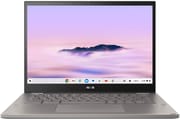 ASUS Chromebook Plus CM34 Flip (CM3401) | |
| Price | List Price: $499 Amazon Prices: Best Buy: Loading price... |
| Model number | CM3401FFA-YZ388T-S |
| Performance Rating | 3.5 |
| Chromebook Plus | Yes |
| Processor | Quad-core 2.40 Ghz (max 4.10 Ghz) AMD Ryzen 3 7320C |
| RAM | 8 GB |
| Internal Storage | 128 GB NVMe SSD (upgradable) |
| Screen Size | 14" |
| Screen Resolution | 1920x1200 |
| Screen Type | IPS |
| Touch Screen | Yes |
| Stylus / Pen | Supported |
| Dimensions width x length x thickness | 12.58 x 9.26 x 0.81 inches (319.53 x 235.2 x 20.57 mm) |
| Weight | 4.08 lbs (1.85 kg) |
| Backlit Keyboard | Yes |
| Webcam | 1080p |
| WiFi | Wi-Fi 6 (802.11ax) |
| Bluetooth | Bluetooth 5.4 |
| Ethernet | No |
| Cellular Modem | No |
| HDMI | Full-Size HDMI |
| USB Ports | 1 USB 3, 2 USB-C 2x USB-C 3.2 Gen 2 with DisplayPort and Power Delivery, 1x USB-A 3.2 Gen 2, 1x HDMI 2.1 |
| Thunderbolt Ports | No |
| Card Reader | microSD Card Reader |
| Battery | 63Wh, Li-ion |
| Battery Life | 13 hours |
| Fanless | No |
| Auto Update Expiration Date | June, 2033 |
Related Chromebooks
-
 ASUS Chromebook Plus CX34 (CX3402)The ASUS Chromebook Plus CX34 balance power and affordability, featuring an Intel Core i3, 8GB RAM,…
 -
 ASUS ExpertBook CX54 Chromebook PlusThe ASUS ExpertBook CX54 Chromebook Plus is a premium business Chromebook featuring Intel Core…
 -
 Acer Chromebook Plus 514The Acer Chromebook Plus 514 delivers impressive value with its Intel Core i3-N305 processor,…
 -
 Acer Chromebook Spin 714Master productivity with the Acer Chromebook Spin 714, featuring a 14-inch touchscreen, potent…
 -
 Dell Latitude 5430 Chromebook 2-in-1Elevate your productivity with the Dell Latitude 5430 Chromebook, featuring a high-resolution…
 -
 HP Chromebook Plus x360 14cThe HP Chromebook Plus x360 14c combines a 12th-gen Intel Core i3-1215U processor with a 16:10…
Detailed Insights into the ASUS Chromebook Plus CM34 Flip

The ASUS Chromebook Plus CM34 Flip measures 12.58 x 9.26 x 0.81 inches and weighs 4.08 pounds, making it notably substantial for a 14-inch convertible. The build quality feels enterprise-grade with excellent screen flag resistance and a rigid keyboard deck that multiple reviewers describe as “tank-like.” The left side houses one USB-C port, microSD card reader, and headphone jack, while the right side provides the second USB-C port, USB-A 3.2 Gen 2 port, and full-size HDMI 2.1 output. Active cooling keeps the system running well during demanding tasks, though the fan can become audible under sustained processor loads.
At the heart of this Chromebook Plus lies the AMD Ryzen 3 7320C processor featuring 4 cores and 8 threads with boost speeds up to 4.1GHz. This Zen 2-based Mendocino chip paired with DDR5 memory handles Chrome tabs, Android apps, and Linux containers without breaking a sweat, scoring approximately 8614 on PassMark benchmarks. Real-world performance impressed reviewers with benchmarks like Speedometer 2.1 outperforming expectations for a Ryzen 3 chip. The internal M.2 SSD is user-replaceable, an increasingly rare feature that extends the device’s useful life.
Connectivity options include WiFi 6 (802.11ax) wireless and Bluetooth 5.4 for peripherals and accessories. The dedicated HDMI 2.1 port is a standout feature that eliminates the need for USB-C adapters for presentations or external displays. Both USB-C 3.2 Gen 2 ports support DisplayPort output and Power Delivery, with one on each side allowing flexible charging orientation. The microSD card slot provides expandable storage, and the 63Wh battery delivers exceptional longevity that reviewers consistently praised as a highlight.
Reviewer Insights on the ASUS Chromebook Plus CM34 Flip

Chrome Unboxed’s Perspective
Chrome Unboxed delivered a detailed hands-on review highlighting the exceptional value proposition, especially at its frequent sale price. They praised the build quality, noting that “it comes off a bit like a tank weighing in at just over four pounds making it heavier than something as big as the 16 inch Acer Chromebook 516 GE.” The chassis rigidity impressed them throughout testing.
The reviewer found performance exceeded expectations: “This Ryzen 3 has really impressed me and even with benchmarks it does far better than I was expecting.” Battery life testing revealed 10-11 hours of actual usage with the screen at near-maximum brightness. They specifically called out the speakers as a highlight: “ASUS has been putting nice speakers in their Chromebooks for years and the CM34 Flip is no exception to that rule. The sound is loud, it’s clear, and it’s really full.” Their overall assessment strongly recommended the device, declaring “at a reduced price of three hundred dollars multiple times since its launch this device is wildly great and it really should be on your short list.”
Zafran’s One-Year Review
Zafran provided valuable long-term perspective after a full year of daily use. His testing measured impressive battery life of “15.8 hours with the display at 50% brightness during my time testing this running a standard benchmark test,” with real-world use yielding 13-15 hours. He praised the enterprise-grade construction: “The build I would say feels like something out of an Enterprise laptop and that’s a good thing like there’s good screen flag resistance and a strong keyboard deck.”
The weight remained his consistent concern throughout the year: “WTF this thing weighs like a ton of bricks. I mean it’s fantastic for like self-defense.” He also noted the 300-nit display brightness limitation, explaining “I would have liked to see a brighter display… 300 nits on this it’s good enough when sitting by a window on a sunny day I guess but definitely not for outdoors.” Despite these caveats, his year-long experience confirmed the device’s reliability and longevity as a daily driver.
DGTL David’s Perspective
DGTL David reviewed the CM34 Flip after several months of regular use, praising ChromeOS efficiency and the device’s reliability. He highlighted the Chromebook Plus certification ensuring baseline performance standards and the long software support life: “updates until 2033.” The convertible functionality worked well for his workflow, particularly the flip design enabling tablet and stand modes.
He observed some practical concerns including the chunky form factor compared to ARM-based competitors and the touchpad material that “could be smoother.” The downward-firing speakers can be muffled in certain positions, though sound quality remained acceptable for the price. His conclusion positioned it as “a practical choice for users seeking a dependable secondary device or a student laptop that prioritizes utility over aesthetics.”
Across multiple reviews, the consensus points to exceptional build quality, outstanding battery life, and solid value (especially on sale) as primary strengths, while the significant weight, 300-nit brightness limit, and substantial thickness appear consistently as trade-offs. Reviewers agree this Chromebook Plus punches above its weight class in durability and endurance.
Customer Reviews of the ASUS Chromebook Plus CM34 Flip
The ASUS Chromebook Plus CM34 Flip is a newer release with limited customer feedback available on Amazon at this time. The listing shows the device is currently unavailable, suggesting strong initial demand or supply constraints. Early impressions from the tech community have been positive, particularly regarding the build quality and included accessories.
Based on reviewer testing, buyers can expect a device that prioritizes durability and battery life over slim portability. The garaged stylus and fingerprint reader add tangible value that competing devices at this price point typically lack. The Harman Kardon-branded speakers and 1080p webcam with privacy shutter demonstrate attention to features beyond basic specifications.
Overall, the early sentiment from professional reviewers suggests buyers seeking a rugged, well-equipped Chromebook Plus with extensive software support should find the CM34 Flip compelling, particularly when purchased during the frequent promotional pricing.
Conclusion
The ASUS Chromebook Plus CM34 Flip stands out as a uniquely durable option in the Chromebook Plus category for users who value build quality and battery endurance over slim aesthetics. Its combination of the enterprise-grade chassis, included garaged stylus, full HDMI port, and exceptional 10-15 hour battery life makes it well-suited for students, mobile professionals, and anyone who needs a convertible that can handle daily punishment. The June 2033 AUE date ensures nearly a decade of ChromeOS support.
That said, users who prioritize portability should consider lighter alternatives, as the 4.08-pound weight makes extended tablet-mode use fatiguing. Those needing outdoor visibility will want to look at models with brighter displays. Power users requiring faster processing should consider the Ryzen 5 7520C variant with 16GB RAM if available.
For those comparing options, see our Chromebook Comparison Chart to find the best match for your needs.
Frequently Asked Questions
What processor does the ASUS Chromebook Plus CM34 Flip use?
The ASUS Chromebook Plus CM34 Flip is powered by the AMD Ryzen 3 7320C, a Zen 2-based processor from the Mendocino family featuring 4 cores and 8 threads. It runs at a base clock of 2.4GHz with boost speeds up to 4.1GHz, scoring approximately 8614 on PassMark. This processor handles Chromebook Plus workloads including heavy Chrome tabs, Android apps, and Linux containers efficiently.
Can I upgrade the RAM or storage in the ASUS Chromebook Plus CM34 Flip?
The RAM is soldered and cannot be upgraded, so the 8GB configuration is permanent. However, the internal M.2 SSD is user-replaceable, which is an increasingly rare feature in modern Chromebooks. You can upgrade the storage drive to a larger NVMe SSD if 128GB proves insufficient for your needs.
What ports does the ASUS Chromebook Plus CM34 Flip have?
The CM34 Flip includes two USB-C 3.2 Gen 2 ports with DisplayPort and Power Delivery support (one on each side), one USB-A 3.2 Gen 2 port, a full-size HDMI 2.1 port, a microSD card slot, and a 3.5mm combo audio jack. The dedicated HDMI port is a notable inclusion that eliminates the need for adapters when connecting to external displays.
Does the ASUS Chromebook Plus CM34 Flip include a stylus?
Yes, the ASUS Chromebook Plus CM34 Flip includes a garaged USI 1.0 stylus that stores inside the chassis. This is a standout feature compared to most competitors that either lack stylus support entirely or require purchasing one separately. The garaged design ensures the stylus is always available and charges automatically when stored.
How long will the ASUS Chromebook Plus CM34 Flip receive ChromeOS updates?
The ASUS Chromebook Plus CM34 Flip has an Auto Update Expiration (AUE) date of June 2033, providing nearly a decade of ChromeOS updates and security patches. This extended support period reflects Google’s commitment to longer Chromebook lifespans and makes the device a sound long-term investment.
How heavy is the ASUS Chromebook Plus CM34 Flip?
The CM34 Flip weighs 4.08 pounds (1.85 kg), which is notably heavier than most 14-inch Chromebooks. Multiple reviewers describe it as “tank-like,” which reflects both its substantial weight and its exceptional build quality. The weight makes extended tablet-mode use tiring, but contributes to the rigid, durable chassis that defines this device.
What is the battery life on the ASUS Chromebook Plus CM34 Flip?
Battery life is a standout strength of the CM34 Flip. The large 63Wh battery delivers 10-15 hours depending on usage patterns. Chrome Unboxed measured 10-11 hours with the screen near maximum brightness, while Zafran’s testing achieved 13-15 hours in regular use and over 15 hours in battery benchmark tests. This exceptional endurance makes it ideal for all-day use without carrying a charger.