
ASUS ExpertBook CX54 Chromebook Plus
Published on

The ASUS ExpertBook CX54 Chromebook Plus represents the first Chromebook to feature Intel’s Core Ultra processors, bringing AI-capable silicon to ChromeOS for the first time. Built on ASUS’s professional ExpertBook line, this 14-inch notebook delivers a premium experience with its rigid all-aluminum chassis, stunning 500-nit 120Hz display, and comprehensive Thunderbolt 4 connectivity. The device targets business professionals and demanding users who want the reliability of ChromeOS combined with hardware typically reserved for premium Windows ultrabooks. With an 8MP webcam, fingerprint reader, and support through June 2034, the ExpertBook CX54 makes a compelling case as the best Chromebook money can buy.
Pros and Cons of the ASUS ExpertBook CX54 Chromebook Plus
| Pros | Cons |
|---|---|
| Exceptional 14-inch 2560x1600 120Hz display with 500 nits | Battery life falls short of advertised 10 hours |
| Rock-solid all-aluminum chassis with premium build quality | Gray keyboard legends difficult to see with backlighting |
| Industry-leading 8MP webcam with privacy shutter | Sharp chassis edges uncomfortable when using on lap |
| Dual Thunderbolt 4 ports plus full-size HDMI 2.1 | Speakers unremarkable compared to HP Dragonfly Pro |
| First Chromebook with Intel Core Ultra processors | Base model lacks touchscreen at $699 price point |
| WiFi 6E, fingerprint reader, and 10-year update support | Bottom right side can get warm during extended use |
Related Videos
ASUS ExpertBook CX54 Chromebook Plus Comparison Chart
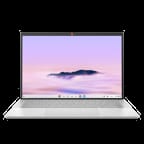 ASUS ExpertBook CX54 Chromebook Plus | ASUS ExpertBook CX54 Chromebook Plus | |
| Price | List Price: $699 Amazon Prices: Loading prices... Best Buy: Loading price... | List Price: $799 Amazon Prices: Best Buy: Loading price... |
| Model number | CX5403CMA-DB588 | CX5403CMA-U516256 |
| Performance Rating | 8.3 | 9.2 |
| Chromebook Plus | Yes | Yes |
| Processor | Octa-core 1.50 Ghz (max 4.20 Ghz) Intel Core Ultra 5 115U | Octa-core 1.50 Ghz (max 4.20 Ghz) Intel Core Ultra 5 115U |
| RAM | 8 GB | 16 GB |
| Internal Storage | 128 GB NVMe SSD | 256 GB NVMe SSD |
| Screen Size | 14" | 14" |
| Screen Resolution | 2560x1600 | 2560x1600 |
| Screen Type | IPS | IPS |
| Touch Screen | No | Yes |
| Stylus / Pen | No Stylus Support | No Stylus Support |
| Dimensions width x length x thickness | 12.35 x 8.77 x 0.67 inches (313.69 x 222.76 x 17.02 mm) | 12.35 x 8.77 x 0.67 inches (313.69 x 222.76 x 17.02 mm) |
| Weight | 2.87 lbs (1.3 kg) | 2.87 lbs (1.3 kg) |
| Backlit Keyboard | Yes | Yes |
| Webcam | 8MP | 8MP |
| WiFi | Wi-Fi 6E (802.11ax) | Wi-Fi 6E (802.11ax) |
| Bluetooth | Bluetooth 5.2 | Bluetooth 5.2 |
| Ethernet | No | No |
| Cellular Modem | No | No |
| HDMI | Full-Size HDMI | Full-Size HDMI |
| USB Ports | 2 USB 3 2x Thunderbolt 4 USB-C with DisplayPort and Power Delivery, 2x USB-A 3.2 Gen 2, HDMI 2.1 | 2 USB 3 2x Thunderbolt 4 USB-C with DisplayPort and Power Delivery, 2x USB-A 3.2 Gen 2, HDMI 2.1 |
| Thunderbolt Ports | 2 | 2 |
| Card Reader | microSD Card Reader | microSD Card Reader |
| Battery | 3 cell, 63Wh, Li-polymer | 3 cell, 63Wh, Li-polymer |
| Battery Life | 10 hours | 10 hours |
| Fanless | No | No |
| Auto Update Expiration Date | June, 2034 | June, 2034 |
Related Chromebooks
-
 ASUS Chromebook Plus CX34 (CX3402)The ASUS Chromebook Plus CX34 balance power and affordability, featuring an Intel Core i3, 8GB RAM,…
 -
 Acer Chromebook Spin 714Master productivity with the Acer Chromebook Spin 714, featuring a 14-inch touchscreen, potent…
 -
 Acer Chromebook Vero 514The Acer Chromebook Vero 514 blends sustainability with performance. Sporting a Full HD IPS…
 -
 Lenovo Chromebook Plus 2-in-1 14The Lenovo Chromebook Plus 2-in-1 14 combines premium aluminum build quality with versatile…
 -
 Lenovo IdeaPad Flex 5i Chromebook PlusThe Lenovo IdeaPad Flex 5i Chromebook Plus combines Chromebook Plus certification, Intel Core…
 -
 HP Chromebook Plus x360 14cThe HP Chromebook Plus x360 14c combines a 12th-gen Intel Core i3-1215U processor with a 16:10…
Detailed Insights into the ASUS ExpertBook CX54 Chromebook Plus

The ASUS ExpertBook CX54 measures 12.35 x 8.77 x 0.67 inches and weighs just 2.87 pounds, making it remarkably thin and light for a premium Chromebook. The all-aluminum chassis delivers exceptional rigidity that reviewers compare favorably to the HP Dragonfly Pro, with virtually no flex in the keyboard deck or display. An ErgoLift hinge design raises the keyboard at a comfortable angle while improving airflow for the active cooling system. The port selection is generous for such a thin device, featuring two Thunderbolt 4 USB-C ports (one on each side for flexible charging), two USB-A 3.2 Gen 2 ports, full-size HDMI 2.1, a microSD card reader, and a combo audio jack.
At the heart of the ExpertBook CX54 lies the Intel Core Ultra 5 115U processor, representing a significant milestone as the first Core Ultra chip in a Chromebook. This processor features Intel’s integrated NPU for AI workloads and delivers strong performance for ChromeOS tasks with an 8-core, 10-thread configuration and boost speeds up to 4.2 GHz. Chrome Unboxed noted that “the configuration you’ll find at Best Buy is plenty fast with performance headroom to spare,” handling multitasking, web applications, and Linux development with ease. The active cooling system keeps thermals in check, though fans become audible during sustained workloads.
Connectivity options include WiFi 6E (802.11ax) for the latest wireless performance across 2.4GHz, 5GHz, and 6GHz bands, paired with Bluetooth 5.2 for peripherals. The Thunderbolt 4 ports support external displays, high-speed data transfer, and power delivery, while HDMI 2.1 enables direct connection to high-refresh-rate monitors. Storage uses fast PCIe Gen 4 NVMe SSDs, though the memory is soldered and not upgradeable after purchase, making it important to choose the right configuration upfront.
Reviewer Insights on the ASUS ExpertBook CX54 Chromebook Plus

Chrome Unboxed’s Perspective
Chrome Unboxed reviewed the ExpertBook CX54 extensively, praising the display as “one of the best screens we’ve ever had on a Chromebook.” The 14-inch 2560x1600 panel delivers 500 nits of brightness with a smooth 120Hz refresh rate that makes scrolling and general use feel exceptional. They highlighted the massive port selection and premium build quality, calling it “sleek, thin, light, all metal and just a Chromebook that feels great to hold and to look at.”
However, the review identified several concerns. The gray keycaps with gray lettering create visibility issues with backlighting, forcing users to either crank brightness to maximum or turn it off entirely. More significantly, the reviewer found the device uncomfortable for lap use: “The discomfort really does set in just about immediately… if those nubs don’t get you, the sharp edges of the top panel will.” The downward-firing speakers were described as “unremarkable” compared to previous premium Chromebooks.
Chrome Unboxed Early Hands-On
In an early hands-on preview, Chrome Unboxed emphasized the ExpertBook CX54’s position as “the first Chromebook with a Core Ultra chip inside of it.” The reviewer was particularly impressed by the chassis rigidity, comparing it to the “Dragonfly Pro, solid piece of metal kind of firm which I love.” The combination of extreme thinness (0.67 inches), light weight (sub-3 pounds), and comprehensive ports was called “insane” for a device of this class.
Chrome Unboxed Unboxing and B2B Review
The detailed unboxing video examined the higher-spec B2B Enterprise model with 16GB RAM and 512GB storage. The 8MP webcam received particular praise as “one of the better, if not the best camera I’ve seen on a Chromebook,” capturing sharp, well-balanced video. The large glass trackpad and fingerprint scanner add to the premium experience. The reviewer noted that while the consumer model is $300 cheaper, the enterprise version “gets much closer to something like the Dragonfly Pro.”
Android Police
According to Android Police’s Steve Smith, the ExpertBook CX54 earns an 8/10 rating as “a performance monster” among Chromebooks. The review praised the “bright, beautiful, fluid display” and comfortable keyboard with 1.4mm key travel, along with the fast and accurate fingerprint reader. The Harman Kardon speakers were deemed “decent” though not exceptional.
The main criticism focused on battery life: “I was mainly disappointed with the battery life on this $700 Chromebook,” with real-world usage falling to 6-7 hours rather than the advertised 10 hours. The touchpad also exhibited “odd behavior” with a “tinny click sound” and pressure sensitivity issues that could cause it to stop functioning as a button.
IT Pro
According to IT Pro’s Stuart Andrews, the ExpertBook CX54 is “the best Chromebook that money can buy.” The review praised the Core Ultra processor’s integrated Arc GPU and NPU for AI workloads, the “brilliant screen with superb color,” and the classy, comfortable design. The webcam was noted to capture “impressively sharp and well-balanced video.”
Minor complaints included the device being “not as thin and light as other premium laptops,” a small split Shift key, and audio that “is a little lacking in terms of mid-range warmth and low-end power.” Overall, IT Pro found it “a genuine attempt to redefine the high-end business Chromebook” with AI-ready hardware.
Across all reviews, the consensus highlights the exceptional display, premium build quality, and outstanding webcam as primary strengths. Battery life falling short of claims and keyboard backlight visibility emerge as consistent areas for improvement.
Customer Reviews of the ASUS ExpertBook CX54 Chromebook Plus
Best Buy customers have rated the 16GB/256GB touch model 4.6 out of 5 stars based on 67 reviews, while the 8GB/128GB base model holds 4.7 stars from a smaller sample. The most praised aspects include the stunning display quality, premium aluminum construction, and smooth performance for productivity tasks. Buyers particularly appreciate the bright, high-refresh-rate screen and solid build that rivals much more expensive laptops.
Customer feedback confirms that the Thunderbolt 4 ports and comprehensive connectivity options serve business users well, enabling easy docking and external display setups. The 8MP webcam receives consistent praise for video conferencing quality, and the fingerprint reader provides convenient biometric security. The overall premium feel and long 10-year update support make customers feel confident in their investment.
Common complaints mirror professional reviews, with battery life being the most frequent concern. Several customers note that actual runtime falls short of the 10-hour claim, particularly under heavier workloads. The lack of touchscreen on the base $699 model disappoints some buyers who expected it at that price point. Overall, customer sentiment is strongly positive, with most finding the ExpertBook CX54 an excellent premium Chromebook for productivity and business use.
Conclusion
The ASUS ExpertBook CX54 Chromebook Plus stands out as the premier choice for users who want the absolute best ChromeOS hardware currently available. Its combination of Intel Core Ultra performance, an exceptional 500-nit 120Hz display, and rock-solid aluminum construction delivers a premium computing experience rarely seen in Chromebooks. The comprehensive port selection with dual Thunderbolt 4 and HDMI 2.1 makes it ideal for desk-bound productivity with external displays and accessories.
This Chromebook is ideal for business professionals who need reliable video conferencing (the 8MP webcam excels here), users who prioritize display quality for long working sessions, and anyone seeking a long-term ChromeOS investment backed by support through 2034. Those who frequently work on their lap may find the sharp chassis edges uncomfortable, and battery-dependent road warriors should temper expectations for runtime.
For those comparing options, see our Chromebook Comparison Chart to find the best match for your needs.
Frequently Asked Questions
What processor does the ASUS ExpertBook CX54 Chromebook Plus use?
The ASUS ExpertBook CX54 is powered by the Intel Core Ultra 5 115U processor, featuring 8 cores and 10 threads with a base clock of 1.5 GHz and boost up to 4.2 GHz. This represents a milestone as the first Intel Core Ultra processor in any Chromebook, bringing integrated NPU capabilities for AI workloads. The processor scores approximately 12,771 on PassMark’s CPU benchmark.
Can I upgrade the RAM in the ASUS ExpertBook CX54?
No, the ASUS ExpertBook CX54 uses soldered LPDDR5X memory that cannot be upgraded after purchase. The base model includes 8GB RAM while the higher-spec touch model includes 16GB. Choose the configuration that meets your needs at purchase time, as RAM cannot be added later.
What ports does the ASUS ExpertBook CX54 have?
The ExpertBook CX54 includes two Thunderbolt 4 USB-C ports (one on each side) with DisplayPort and Power Delivery support, two USB-A 3.2 Gen 2 ports, full-size HDMI 2.1 for high-refresh-rate external displays, a microSD card reader, and a 3.5mm combo audio jack. The Thunderbolt ports support charging from either side of the device.
How long will the ASUS ExpertBook CX54 receive updates?
Google has set the Auto Update Expiration (AUE) date for June 2034, meaning the ExpertBook CX54 will receive ChromeOS updates, security patches, and new features for approximately 10 years. This extended support period makes it one of the longest-supported Chromebooks available.
Does the base model have a touchscreen?
No, the base 8GB/128GB model (CX5403CMA-DB588) does not include a touchscreen. If you need touch functionality, the 16GB/256GB model (CX5403CMA-U516256) includes a touchscreen display. Both models feature the same excellent 14-inch 2560x1600 120Hz panel with 500 nits brightness.
What is the webcam resolution?
The ExpertBook CX54 features an 8MP (approximately 4K) HDRnet camera, which reviewers consistently praise as one of the best webcams ever seen on a Chromebook. It captures sharp, well-balanced video for video conferencing and includes a physical privacy shutter for security when not in use.
What is the actual battery life?
While ASUS advertises up to 10 hours of battery life, real-world testing by reviewers consistently shows 6-7 hours of typical use. The 63Wh battery provides solid runtime for most workdays but falls short of the manufacturer’s claims, which is a common criticism in reviews.
Does the ASUS ExpertBook CX54 support Android and Linux apps?
Yes, as a Chromebook Plus certified device, the ExpertBook CX54 fully supports Android apps from the Google Play Store and Linux apps through the Linux development environment (Crostini). The Intel Core Ultra processor provides ample performance for running demanding Android apps and Linux development tools.