
Dell Inspiron Chromebook 11 3181
Updated on

Dell’s Inspiron Chromebook 11 3181 2-in-1 reached its Chrome OS Auto Update Expiration in June 2022, the same date as the rest of the 3180/3181 family. The hardware still powers on, but it no longer receives Chrome OS updates or security patches, and Starry Hope does not recommend it for new purchases. Dell shipped two configurations: 4 GB / 32 GB at $279.99 and 4 GB / 64 GB at $299.99.
A durable classroom convertible with a slow Celeron
The Dell Inspiron Chromebook 11 3181 2-in-1 was a budget convertible aimed squarely at the K-12 classroom. Released in late 2018, it paired Dell’s experience building rugged education hardware with a stripped-down configuration: an 11.6-inch IPS touchscreen, an Intel Celeron N3060 (Braswell, dual-core, 1.6 to 2.48 GHz), 4 GB of LPDDR3 RAM, and 32 GB or 64 GB of eMMC storage. The chunky bezels and rubberized edges were there so the device could survive being passed between students for three or four school years.
Inside the textured polycarbonate chassis, the fanless N3060 was enough to run Chrome OS, Google Workspace, and lightweight Android apps from the Play Store. It was never going to feel fast, but it lasted a long, quiet school day. NotebookCheck measured 12 hours and 52 minutes of WiFi web browsing, well past Dell’s claimed 10 hours, and the fanless design meant the chassis was silent throughout. The build is plasticky, the textured trackpad is small, and the panel is bright enough for the classroom but useless outside it.
Related Videos
Dell Inspiron Chromebook 11 3181 Comparison Chart
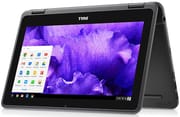 Dell Inspiron Chromebook 11 3181 | Dell Inspiron Chromebook 11 3181 | |
| Price | List Price: $279.99 Amazon Prices: | List Price: $299.99 Amazon Prices: |
| Model number | 3181-2-in-1 | 3181-2-in-1 |
| Performance Rating | 2.4 | 2.4 |
| Chromebook Plus | No | No |
| Processor | Dual-core 1.60 Ghz (max 2.48 Ghz) Intel Celeron Processor N3060 | Dual-core 1.60 Ghz (max 2.48 Ghz) Intel Celeron Processor N3060 |
| RAM | 4 GB | 4 GB |
| Internal Storage | 32 GB eMMC | 64 GB eMMC |
| Screen Size | 11.6" | 11.6" |
| Screen Resolution | 1366x768 | 1366x768 |
| Screen Type | IPS | IPS |
| Touch Screen | Yes | Yes |
| Stylus / Pen | No Stylus Support | No Stylus Support |
| Dimensions width x length x thickness | 11.96 x 8.18 x 0.82 inches (303.78 x 207.77 x 20.83 mm) | 11.96 x 8.18 x 0.82 inches (303.78 x 207.77 x 20.83 mm) |
| Weight | 3.16 lbs (1.44 kg) | 3.16 lbs (1.44 kg) |
| Backlit Keyboard | No | No |
| Webcam | 1280x720 | 1280x720 |
| WiFi | 802.11 a/b/g/n/ac (Intel Dual Band Wireless-AC 7265) | 802.11 a/b/g/n/ac (Intel Dual Band Wireless-AC 7265) |
| Bluetooth | Bluetooth 4.2 | Bluetooth 4.2 |
| Ethernet | No | No |
| Cellular Modem | No | No |
| HDMI | Full-Size HDMI | Full-Size HDMI |
| USB Ports | 2 USB 3 | 2 USB 3 |
| Thunderbolt Ports | No | No |
| Card Reader | microSD Card Reader | microSD Card Reader |
| Battery | 3 cell, 42 WHr, Lithium-ion | 3 cell, 42 WHr, Lithium-ion |
| Battery Life | 10.0 hours | 10.0 hours |
| Fanless | Yes | Yes |
| Auto Update Expiration Date | June, 2022 | June, 2022 |
Related Chromebooks
-
 Acer Chromebook Spin 11 CP311The Acer Chromebook Spin 11 combines functionality and portability with its 11.6-inch touch IPS…
 -
 Lenovo Flex 3 ChromebookThe Lenovo Flex 3 Chromebook is a fanless 11.6-inch convertible with an IPS touchscreen, a MediaTek…
 -
 Dell Chromebook 3120The Dell Chromebook 3120 is a fanless 11.6-inch education Chromebook with an Intel N100, sold in…
 -
 Acer Chromebook 311An 11.6-inch Chromebook with an Intel Celeron N4000, 4GB of RAM, a fanless chassis, and up to 10…
 -
 Dell Chromebook 11 (3100)The Dell Chromebook 11 (3100) is a ruggedized 11.6-inch education Chromebook with rubber bumpers, a…
 -
 ASUS Chromebook Flip CR1The ASUS Chromebook Flip CR1 (CR1100FKA) is a rugged 11.6-inch education convertible on an Intel…
Rubber edges and wide bezels do the protecting
The textured polycarbonate shell, rubberized edges, and large bezels absorb the drops of daily student use, and the wide screen border doubles as a grip when the device is folded into tablet mode. Dell put durability ahead of looks, and NotebookCheck wrote, “While the case is ugly, it is durable. The base cannot be twisted or depressed at all, and the lid only slightly bends.”
The 360-degree hinge enables the four convertible modes Chromebook buyers expect. Laptop mode handles typing; tablet mode flips the keyboard behind the display; tent mode sits the device upright on a desk; stand mode props the screen up and tucks the keyboard out of the way. TechRadar’s Michelle Rae Uy noted that “the keyboard automatically disengages while it’s in the last three modes,” which spares anyone using the device as a tablet from random key presses against a tabletop.
At 3.16 pounds (1.43 kg) and 0.82 inches thick, it is heavier than a thin-and-light ultrabook but light enough for a backpack. The bottom edge has rubberized feet that keep it planted on a desk, and Dell included a Noble lock slot for school cart anchoring. A rear-mounted activity LED, driven by Dell’s Activity Light Chrome extension, gave students a way to flag a teacher without raising a hand.
A dim IPS panel at 1366 by 768
The non-convertible sibling, the plain 3181, used a TN display; this model’s 11.6-inch 1366 by 768 touchscreen is IPS, which gives better viewing angles for collaborative work and helped it outscore the plain 3181 at NotebookCheck.
NotebookCheck measured average brightness at 218 cd/m² (peak 225.5) with a contrast ratio of 1014:1 and an out-of-the-box average DeltaE 2000 of 3.52 against sRGB. That is acceptable indoors and poor outdoors. NotebookCheck wrote that “the biggest drawback of the screen is its dim backlight… the display is all but useless outdoors.” Color accuracy is fine for slide decks and documents; it is not suitable for photo or video work.
The touchscreen accepts taps, swipes, and pinch gestures, and the panel is rated for use with a stylus (sold separately) for basic handwriting input. There is no included pen and no stylus garage, so it works as a touch-first convertible rather than an inking device.
The Celeron N3060 lags once a few tabs are open
The Intel Celeron N3060 is a 6-watt, dual-core Braswell SoC clocked at 1.6 GHz with a 2.48 GHz burst, paired here with 4 GB of LPDDR3-1600 and Intel HD Graphics 400. It was an entry-level chip even by the standards of 2018, and Chrome OS has moved on since.
For light classroom workloads (Google Docs, Google Slides, web research, a YouTube tab in the background), Chrome OS feels responsive enough. Push it harder and it stumbles. Reviewing the device for Techaeris, Alex Hernandez observed “a bit of lag when it came to typing this review up or working on something else in a few other Chrome tabs while listening to music in the background,” and described the experience as fine for “small tasks in a classroom or at work or home” but liable to stutter with “some serious multitasking.” NotebookCheck’s standardized Google Octane V2 result of 7,341 puts the N3060 below the ARM-based MediaTek processors that Chromebooks moved toward shortly after this device shipped.
Because the system is fanless, sustained loads warm the chassis instead of spinning up a fan, but NotebookCheck recorded surface temperatures in the 30 to 35 degrees Celsius range. Android apps from the Play Store run, with the usual caveats about touchscreen-first interfaces and apps that simply do not detect a Chromebook as a supported device.
Springy keys and a small, stiff trackpad
The keyboard is a standard Chromebook layout with a Chrome OS-style top row (back, forward, refresh, full-screen, overview, brightness, volume, power). NotebookCheck described it as practical: “The keys are a bit small but feel springy. Feedback is firm, and typing feels good overall.” There is no keyboard backlight, which is reasonable for a device designed for well-lit classrooms.
The trackpad is small and gets less praise. NotebookCheck called it “forgettable” and noted that “the plastic surface feels decent, if a bit cheap.” TechRadar’s review echoed this, observing that it is “responsive enough for scrolling and tapping, although if you are a trackpad presser, you might find it a tad too stiff.” It handles scrolling and tapping; precision selection is where the small surface gets frustrating, and an external mouse solves that for a few dollars.
No USB-C, so charging needs the Dell barrel adapter
The 3181 2-in-1 carries two USB 3.0 Type-A ports, a full-size HDMI output, a microSD slot, a combo 3.5 mm headphone/microphone jack, and a Noble lock slot. The charging connector is a Dell barrel plug; there is no USB-C, which TechRadar called out as “disappointing as that seems to be the direction most new devices are moving towards these days.” That choice locks the device to its bundled 65 W AC adapter and means current USB-C laptop chargers are not an option.
Wireless runs on an Intel Dual Band Wireless-AC 7265 module, with Bluetooth 4.2 for peripherals. The 7265 is a 2x2 802.11ac radio with both antennas wired to the card individually, which the unboxing video by ThisBytesForYou calls out as a reason wireless range is decent. There is no built-in Ethernet, but the USB 3.0 ports work with a USB Ethernet adapter for wired classrooms.
Battery tests beat the 10-hour rating
Dell rated the 42 WHr 3-cell battery at up to 10 hours, and independent testing generally beat that figure. NotebookCheck measured 12 hours and 52 minutes in their WiFi web browsing test, and Techaeris reported getting “just shy of 10 hours” while actively typing a review, watching YouTube, and streaming video. TechRadar tested with a movie loop at half brightness and half volume and recorded 11 hours and 36 minutes.
The combination of a 6-watt Braswell SoC, a 1366x768 panel that does not demand much power, and a battery sized to last a school day produced these results. Multimedia drains the pack faster than text editing.
Reviewer Insights
NotebookCheck (Sam Medley, October 16 2018) tested the 2-in-1 alongside the non-convertible 3181 and gave the convertible the higher score of the pair (81% vs 77% for the plain 3181). The verdict was that the IPS panel on the 2-in-1 is a meaningful upgrade over the TN display on the standard model, that battery life is long at this price, and that the case, while cheap-feeling, is rigid enough to survive classroom use. The display measurements (218 cd/m² average brightness, 1014:1 contrast, average DeltaE 2000 of 3.52, peak DeltaE 2000 of 18.36) cited above are theirs.
TechRadar (Michelle Rae Uy, April 10 2019) framed the device as “a little Chromebook that could, with a rugged design, multi-tasking capabilities and a longer than average battery life.” The published pros and cons were: positives for “Solid and durable,” “Decent multi-tasking capabilities,” “Split-screen functionality,” and “Better than average battery life”; negatives for “Can be sluggish,” “Not future-proof,” and “Heavy for its size.” On ruggedness, the review observed that the design is “supposed to be rugged. That is, it’s made to be splash- and impact-resistant, making it ideal for kids, travelers and users who are, let’s just say, more carefree.”
Techaeris (Alex Hernandez, January 29 2019) reviewed a Dell-supplied unit and landed on a similar conclusion. The performance observation that this is fine for “basic web, word processing, and school work” came from there, as did the close-to-10-hour real-use battery figure with active mixed use.
The unboxing video by ThisBytesForYou walks through the chassis, ports, and out-of-box Chrome OS setup but is not a long-term review.
Features that only make sense on a device cart
Dell pitched the Inspiron Chromebook 11 3181 2-in-1 at K-12 IT departments deploying carts of identical devices for several grade levels at once. The rear activity LED, the Noble lock slot, the rubberized edges, the deliberately spill-resistant keyboard, and the fanless silent operation all read as accommodations to that environment. The convertible hinge let the same device serve as a writing surface, a video player, and a tent-mode display for group work without the school buying multiple form factors. Teachers managing a classroom of similar devices may also run into the Chromebook magnet trick, where students discover they can use a magnet to trigger a neighboring Chromebook’s lid sensor and put it to sleep mid-lesson.
For individual buyers, the 3181 2-in-1 was a cheap secondary device for couch browsing, kid-proof homework, and travel where the consequences of a drop mattered more than the consequences of a slow browser tab. At $250 to $300 depending on the configuration and the year of purchase, it slotted in well below mid-range Chromebooks of the era.
Our Chromebook Comparison Chart covers the current lineup side by side for anyone shopping for a newer convertible.
Frequently Asked Questions
When did the Dell Inspiron Chromebook 11 3181 2-in-1 reach its Chrome OS Auto Update Expiration date?
The 3181 family reached its Chrome OS Auto Update Expiration date in June 2022 (the same AUE Google lists for the closely related Chromebook 11 3180 base platform). After that point, Chrome OS no longer ships updates or security patches to the device. The hardware still powers on and the existing Chrome OS image continues to run, but it should not be used for anything sensitive (school accounts with payment data, banking, healthcare logins) since the browser sandbox is no longer being patched.
Is the Dell Inspiron Chromebook 11 3181 2-in-1 the same as the regular 3181?
No, they were sold as two separate models. The plain 3181 was a non-convertible clamshell with a TN display and no touchscreen. The 3181 2-in-1 added a 360-degree hinge, a touchscreen, and an IPS panel. The two share the rest of their internals (Celeron N3060, 4 GB RAM, eMMC storage, fanless chassis, 42 WHr battery, 802.11ac WiFi, Bluetooth 4.2, dual USB 3.0 ports, HDMI). NotebookCheck reviewed both and rated the 2-in-1 higher mostly on the strength of the IPS display upgrade.
What configurations did Dell sell?
Two: a 32 GB eMMC model at $279.99 and a 64 GB eMMC model at $299.99. Both used 4 GB of LPDDR3-1600 RAM, both used the Intel Celeron N3060, and both shipped with the same 65 W Dell barrel-plug AC adapter. RAM was not user-upgradeable, and the eMMC was not removable.
Can it still get Chrome OS updates?
No. AUE was June 2022, and Google does not extend support past that date on this hardware. A handful of third-party projects can install ChromeOS Flex, Linux, or alternative builds onto a device of this generation. Treat the 3181 2-in-1 as a fixed-image classroom machine rather than a daily browser.
Should I buy one used today?
Probably not for daily browsing. The Celeron N3060 is slow for modern web pages, and the AUE has already passed. If the alternative is no Chromebook at all and the device is being used offline or for very light tasks (worksheet typing in Google Docs, simple homework), it can still be useful, but the price needs to be very low to justify it given how cheap current entry-level Chromebooks are.