
Dell Chromebook 3120
Updated on

The Dell Chromebook 3120 is an education-focused laptop designed for students and institutions that need a durable, no-frills ChromeOS device. Powered by the Intel N100 processor, this 11.6-inch Chromebook delivers reliable performance for everyday tasks like web browsing, document editing, and video calls. Dell offers two configurations: a traditional clamshell and a convertible 2-in-1 with touchscreen, giving buyers flexibility based on their needs. With an Auto Update Expiration (AUE) date of June 2033, this Chromebook will receive ChromeOS updates for years to come. The fanless design ensures silent operation, making it well-suited for classroom environments where noise can be a distraction.
Pros and Cons of the Dell Chromebook 3120
| Pros | Cons |
|---|---|
| Long AUE date until June 2033 | Only 4GB RAM with no upgrade option |
| Fanless design for silent operation | 64GB eMMC storage is limited |
| Dual USB-C ports with DisplayPort and Power Delivery | TN display on clamshell has poor viewing angles |
| WiFi 6 and Bluetooth 5.2 connectivity | No backlit keyboard |
| Rugged construction for educational use | 720p webcam is basic |
| 2-in-1 variant offers IPS touchscreen | No HDMI port or card reader |
Dell Chromebook 3120 Comparison Chart
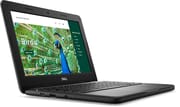 Dell Chromebook 3120 | Dell Chromebook 3120 | |
| Price | List Price: $339 Amazon Prices: Best Buy: Loading price... | List Price: $459 Amazon Prices: Best Buy: Loading price... |
| Model number | 51R7C | J78DN |
| Performance Rating | 3.5 | 3.5 |
| Chromebook Plus | No | No |
| Processor | Quad-core 3.40 Ghz (max 3.40 Ghz) Intel Processor N100 | Quad-core 3.40 Ghz (max 3.40 Ghz) Intel Processor N100 |
| RAM | 4 GB | 4 GB |
| Internal Storage | 64 GB eMMC | 64 GB eMMC |
| Screen Size | 11.6" | 11.6" |
| Screen Resolution | 1366x768 | 1366x768 |
| Screen Type | TN | IPS |
| Touch Screen | No | Yes |
| Stylus / Pen | No Stylus Support | No Stylus Support |
| Dimensions width x length x thickness | 12 x 8.2 x 0.82 inches (304.8 x 208.28 x 20.83 mm) | 12 x 8.2 x 0.85 inches (304.8 x 208.28 x 21.59 mm) |
| Weight | 2.82 lbs (1.28 kg) | 3.17 lbs (1.44 kg) |
| Backlit Keyboard | No | No |
| Webcam | 720p | 720p |
| WiFi | Wi-Fi 6 (802.11ax) | Wi-Fi 6 (802.11ax) |
| Bluetooth | Bluetooth 5.2 | Bluetooth 5.2 |
| Ethernet | No | No |
| Cellular Modem | No | No |
| HDMI | No HDMI | No HDMI |
| USB Ports | 1 USB 3, 2 USB-C 2x USB-C 3.2 with DisplayPort Alt Mode and Power Delivery, 1x USB-A | 1 USB 3, 2 USB-C 2x USB-C 3.2 with DisplayPort Alt Mode and Power Delivery, 1x USB-A |
| Thunderbolt Ports | No | No |
| Card Reader | No Card Reader | No Card Reader |
| Battery | 3 cell, 42Wh, Li-ion | 3 cell, 42Wh, Li-ion |
| Battery Life | 10 hours | 10 hours |
| Fanless | Yes | Yes |
| Auto Update Expiration Date | June, 2033 | June, 2033 |
Related Chromebooks
-
 Lenovo Chromebook 3 11"Get to know the Lenovo Chromebook 3: lightweight, affordable, and designed for basic tasks. It…
 -
 Acer Gateway Chromebook 311Compact, efficient, and budget-friendly, the Acer Gateway Chromebook 311 offers 10-hour battery…
 -
 Acer Chromebook 311 C723Maximize your study sessions with the Acer Chromebook 311. MIL-STD durability, anchored keys, and a…
 -
 ASUS Chromebook CR11 (CR1104C)The ASUS Chromebook CR11 (CR1104C) is a ruggedized 11.6-inch Chromebook built for students and…
 -
 Samsung Chromebook 4The Samsung Chromebook 4 shines with its compact design, sturdy build, and budget-friendly price.…
 -
 ASUS Chromebook Flip C214The ASUS Chromebook Flip C214 combines versatility with a 360° hinge, 11.6-inch anti-glare…
Detailed Insights into the Dell Chromebook 3120

The Dell Chromebook 3120 measures 12 x 8.2 x 0.82 inches and weighs 2.82 pounds in the clamshell configuration, making it compact and portable for students carrying it between classes. The 2-in-1 variant is slightly thicker at 0.85 inches and heavier at 3.17 pounds due to the touchscreen hardware. Build quality follows Dell’s education-oriented design philosophy with reinforced corners and a spill-resistant keyboard that can handle the rigors of daily student use. The port selection includes two USB-C 3.2 ports supporting DisplayPort Alt Mode and Power Delivery, plus a single USB-A port for legacy peripherals. A combo headphone/microphone jack rounds out the connectivity options, though the absence of HDMI means you’ll need a USB-C adapter for external displays.
At the heart of the Chromebook 3120 lies the Intel N100 processor, a 4-core chip that boosts up to 3.4 GHz. With a PassMark score of approximately 5,643, the N100 handles ChromeOS tasks efficiently, from running multiple browser tabs to streaming video and using Android apps from the Play Store. The fanless thermal design means completely silent operation, which is particularly valuable in quiet testing environments or library study sessions. While the 4GB of RAM is adequate for light multitasking, power users who regularly work with many tabs open may notice some slowdown.
Connectivity is handled by WiFi 6 (802.11ax) and Bluetooth 5.2, providing modern wireless performance for both internet access and peripheral connections. Schools that need wired networking can add it via a USB Ethernet adapter connected to one of the USB ports. The dual USB-C ports are the highlight here, as both support video output and charging, giving flexibility in how you set up your workspace. Storage is limited to 64GB of eMMC, which is typical for education Chromebooks but means you’ll want to rely on cloud storage for larger files. The 42Wh battery provides approximately 10 hours of use according to Dell’s specifications, enough to get through a full school day.
Display Options

The Dell Chromebook 3120 offers two distinct display configurations that significantly impact the user experience. The standard clamshell model uses a TN (Twisted Nematic) panel, which provides adequate brightness for indoor use but suffers from the narrow viewing angles typical of this display technology. Colors shift noticeably when viewed from off-center positions, and the matte finish helps reduce glare in classroom lighting.
The 2-in-1 convertible model upgrades to an IPS panel with touch functionality, offering much better color accuracy and viewing angles. This model also includes a 360-degree hinge that allows tent, stand, and tablet modes for interactive learning applications. Additionally, the 2-in-1 variant features a world-facing 5MP camera capable of 1080p video, useful for capturing whiteboard content or participating in science projects that require photo documentation.
Who Should Buy the Dell Chromebook 3120
This Chromebook is primarily designed for K-12 education deployments and budget-conscious families seeking a reliable student laptop. Schools and districts will appreciate the rugged construction, long support window through 2033, and manageable price point across large fleet purchases. Individual buyers looking for an inexpensive secondary device for basic web tasks will also find value here.
However, this isn’t the right choice for users who need more RAM for demanding workflows, want a larger or higher-resolution display, or require extensive local storage. The TN display on the clamshell model may frustrate those accustomed to better screens, though the 2-in-1’s IPS panel addresses that concern for a higher price.
Conclusion
The Dell Chromebook 3120 delivers exactly what education environments need: a durable, affordable, and easy-to-manage ChromeOS device with long-term software support. Its Intel N100 processor provides snappy performance for typical student workloads, while the fanless design ensures silent operation in classrooms. The choice between clamshell and 2-in-1 configurations lets buyers match their needs and budgets.
That said, the 4GB RAM limitation and basic TN display on the entry model are compromises that power users won’t appreciate. Those who need more capability should consider Chromebook Plus models or devices with 8GB RAM. For its intended audience of students and educational institutions, the Dell Chromebook 3120 represents a sensible, long-lasting investment.
For those comparing options, see our Chromebook Comparison Chart to find the best match for your needs.
Frequently Asked Questions
What processor does the Dell Chromebook 3120 use?
The Dell Chromebook 3120 is powered by the Intel N100 processor, featuring 4 cores and 4 threads with a boost clock up to 3.4 GHz. This processor handles everyday ChromeOS tasks efficiently and scores approximately 5,643 on PassMark’s CPU benchmark, placing it in the capable entry-level category for Chromebooks.
Can I upgrade the RAM in the Dell Chromebook 3120?
No, the Dell Chromebook 3120 uses soldered memory that cannot be upgraded after purchase. Both configurations come with 4GB of RAM, so there is no option to expand memory capacity. If you anticipate needing more RAM for multitasking, consider a Chromebook with 8GB or more from the outset.
What ports does the Dell Chromebook 3120 have?
The Dell Chromebook 3120 includes 2x USB-C 3.2 ports with DisplayPort Alt Mode and Power Delivery support, plus 1x USB-A port for legacy devices. A combo headphone/microphone jack is also included. Note that there is no HDMI port, so connecting to external displays requires a USB-C to HDMI adapter.
When does the Dell Chromebook 3120 stop receiving updates?
The Dell Chromebook 3120 has an Auto Update Expiration (AUE) date of June 2033. Until that date, the device will continue to receive ChromeOS updates including security patches, new features, and performance improvements from Google.
What is the difference between the Dell Chromebook 3120 clamshell and 2-in-1?
The clamshell model has a TN display without touch capability, weighs 2.82 pounds, and is the more affordable option. The 2-in-1 model features an IPS touchscreen display with better viewing angles, a 360-degree hinge for tablet mode, a world-facing 5MP camera, and weighs 3.17 pounds. The 2-in-1 is better suited for interactive learning and note-taking with a stylus.
Does the Dell Chromebook 3120 support Android apps?
Yes, the Dell Chromebook 3120 fully supports Android apps from the Google Play Store. It also supports Linux apps through the Crostini container environment, giving users access to desktop Linux applications for development or specialized tasks.
Is the Dell Chromebook 3120 fanless?
Yes, the Dell Chromebook 3120 features a fanless design, meaning it operates completely silently with no moving parts for cooling. This makes it ideal for quiet environments like classrooms, libraries, and testing centers where fan noise could be disruptive.