
Dell Latitude 5430 Chromebook 2-in-1
Updated on

The Dell Latitude 5430 Chromebook 2-in-1 represents Dell’s return to the enterprise Chromebook market after a three-year hiatus, and it’s clear they spent that time wisely. This 14-inch convertible packs 12th-generation Intel power into a chassis built for business, featuring automatic enterprise enrollment, dual Thunderbolt 4 ports, and ChromeOS support extending all the way to June 2032. While the enterprise-focused design and premium pricing position it squarely for IT departments rather than consumers, those who can get their hands on one through business channels will find a capable machine for productivity-focused workflows.
| Pros | Cons |
|---|---|
| 12th-gen Intel i5-1235U with hybrid core architecture delivers strong performance | High starting price ($1,664 MSRP) limits consumer appeal |
| Dual Thunderbolt 4 ports support power delivery and DisplayPort Alt Mode | Display brightness limited to 250 nits on 2-in-1 model |
| Wi-Fi 6E and Bluetooth 5.2 for future-proof wireless connectivity | Heavier than competitors at 3.67 lbs for a 14” convertible |
| Extended ChromeOS support until June 2032 (longest available) | Limited availability outside enterprise channels |
| Premium build with reclaimed carbon fiber and bio-based materials | Only 60Hz refresh rate (90Hz available on clamshell only) |
| Automatic enterprise enrollment streamlines IT deployment | Touchscreen and backlit keyboard cost extra at MSRP |
Related Videos
Dell Latitude 5430 Chromebook 2-in-1 Comparison Chart
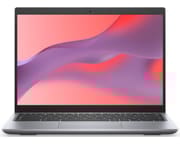 Dell Latitude 5430 Chromebook 2-in-1 | |
| Price | List Price: $478.43 Amazon Prices: Loading prices... |
| Model number | Latitude 5430 |
| Performance Rating | 9.0 |
| Chromebook Plus | Yes |
| Processor | Deca-core 3.30 Ghz (max 4.40 Ghz) Intel Core i5-1235U |
| RAM | 8 GB |
| Internal Storage | 256 GB NVMe SSD |
| Screen Size | 14" |
| Screen Resolution | 1920x1200 |
| Screen Type | IPS |
| Touch Screen | Yes |
| Stylus / Pen | No Stylus Support |
| Dimensions width x length x thickness | 12.36 x 9.15 x 0.75 inches (313.94 x 232.41 x 19.05 mm) |
| Weight | 3.67 lbs (1.67 kg) |
| Backlit Keyboard | Yes |
| Webcam | 720p HD |
| WiFi | Wi-Fi 6E (802.11ax) |
| Bluetooth | Bluetooth 5.2 |
| Ethernet | No |
| Cellular Modem | No |
| HDMI | Full-Size HDMI |
| USB Ports | 1 USB 3 (2 Thunderbolt4/USB 3.2 Gen 2 Type-C port with Power Delivery and Display port Alt mode) |
| Thunderbolt Ports | 2 |
| Card Reader | SD Card Reader |
| Battery | 4 cell, 54 Wh, Li-ion |
| Battery Life | Unknown |
| Fanless | No |
| Auto Update Expiration Date | June, 2032 |
Related Chromebooks
-
 Acer Chromebook Plus 514The Acer Chromebook Plus 514 delivers impressive value with its Intel Core i3-N305 processor,…
 -
 Acer Chromebook Spin 714Master productivity with the Acer Chromebook Spin 714, featuring a 14-inch touchscreen, potent…
 -
 HP Chromebook Plus x360 14cThe HP Chromebook Plus x360 14c combines a 12th-gen Intel Core i3-1215U processor with a 16:10…
 -
 Lenovo Chromebook Plus 2-in-1 14The Lenovo Chromebook Plus 2-in-1 14 combines premium aluminum build quality with versatile…
 -
 Lenovo IdeaPad Flex 5i Chromebook PlusThe Lenovo IdeaPad Flex 5i Chromebook Plus combines Chromebook Plus certification, Intel Core…
 -
 ASUS Chromebook Plus CX34 (CX3402)The ASUS Chromebook Plus CX34 balance power and affordability, featuring an Intel Core i3, 8GB RAM,…
Detailed Insights into the Dell Latitude 5430 Chromebook 2-in-1

The Dell Latitude 5430 Chromebook 2-in-1 showcases Dell’s commitment to enterprise-grade build quality in a ChromeOS device. The chassis incorporates reclaimed carbon fiber and bio-based materials, giving it both environmental credentials and impressive durability for daily business use. At 12.36 x 9.15 x 0.75 inches and 3.67 pounds, it’s not the lightest 14-inch convertible, but the weight reflects the robust construction that enterprise customers expect. The 360-degree hinge enables tablet mode, tent mode, and presentation configurations, though the weight makes extended tablet use less practical than with smaller convertibles.
The 14-inch FHD+ (1920x1200) IPS touchscreen adopts a productivity-friendly 16:10 aspect ratio that provides extra vertical space for documents and spreadsheets. The panel tops out at 250 nits brightness, which is adequate for office environments but may struggle in brightly lit spaces or near windows. This is one area where the 2-in-1 variant makes compromises compared to the clamshell model, which offers an optional 300-nit display and even a stunning 2560x1600 90Hz panel. The touchscreen is responsive and pairs well with the convertible form factor, though Dell doesn’t include a stylus in the box.
Under the hood, the Intel Core i5-1235U processor brings hybrid architecture with performance and efficiency cores, representing a significant upgrade from the previous-generation Latitude Chromebooks. This 12th-gen chip handles ChromeOS tasks with ease, whether you’re managing dozens of browser tabs, running Android apps, or using Linux containers for development work, or even running music production DAWs. The 8GB of LPDDR5-4800 RAM keeps up with demanding multitasking, and the 256GB PCIe NVMe Gen4 SSD delivers fast boot times and snappy app launches. Storage is limited to the M.2 2230 form factor, so upgrades require specific drive sizes.
Connectivity stands as one of the Latitude 5430’s strongest suits. Dual Thunderbolt 4 ports deliver 10Gbps speeds, Power Delivery for charging, and DisplayPort Alt Mode for external displays, all through a single cable. A traditional USB-A 3.2 Gen 1 port accommodates legacy peripherals, while the full-sized SD card slot handles memory cards without dongles. The HDMI 1.4b output connects directly to monitors and projectors, though it’s limited to HDMI 1.4 rather than the newer 2.0 standard. Intel AX211 provides Wi-Fi 6E support for the latest wireless networks, paired with Bluetooth 5.2 for accessories.
The keyboard and input experience matches the business-class positioning. A full-sized keyboard with optional backlight provides comfortable typing for extended documents and emails, with respectable key travel and tactile feedback. The precision touchpad below responds accurately to multi-finger gestures for ChromeOS navigation. For security-conscious deployments, an optional fingerprint reader integrates into the keyboard deck, and the webcam can include an optional privacy shutter for video conferencing control. The 720p HD webcam handles video calls adequately for most business purposes, though the resolution shows its age compared to the 1080p cameras increasingly common on consumer devices.
Battery life benefits from the 54Wh 4-cell lithium-ion pack, with Dell offering an optional 64Wh upgrade for users who need extended unplugged operation. The hybrid Intel architecture helps optimize power consumption, with efficiency cores handling light tasks while the device is on battery. Charging through either Thunderbolt 4 port means you can choose whichever side works best for your desk setup, and the USB Power Delivery support enables compatibility with third-party USB-C chargers for travel convenience.
Reviewer Insights on the Dell Latitude 5430 Chromebook 2-in-1

CriticalTech’s Perspective
CriticalTech provides a detailed breakdown of the Latitude 5430 Chromebook’s premium pricing and enterprise focus. The reviewer highlights the device’s build quality, noting the reclaimed carbon fiber construction and attention to durability that justifies the business-class positioning. They point out that the high MSRP of $1,664 doesn’t include features that consumers might expect as standard, like the touchscreen and backlit keyboard, which cost extra when configuring directly through Dell. The review emphasizes that this is explicitly a business device, with limited retail availability pushing most customers toward enterprise procurement channels.
CriticalTech examines the processor options spanning from i3-1251U up to i7 configurations, explaining how the 12th-gen hybrid architecture brings meaningful performance improvements over older Chromebooks. They note the Intel Iris Xe integrated graphics handle light creative tasks adequately, though this remains a productivity-focused machine rather than a content creation powerhouse. The reviewer appreciates the Titan C security chip and optional vPro support for enterprise security needs, features that distinguish this from consumer Chromebooks.
XDA Developers’ Analysis
XDA Developers emphasizes that the Latitude 5430 marks Dell’s first new Chromebook release in nearly three years, making it a significant refresh of their ChromeOS lineup. Their coverage notes the strong performance delivered by the hybrid CPU architecture and the modern connectivity options including dual Thunderbolt 4 and Wi-Fi 6E. They highlight the Chrome Enterprise Upgrade option that enables Windows application support through Parallels, expanding the device’s versatility for businesses transitioning from Windows. The article points out the impressive June 2032 auto-update expiration date, providing roughly ten years of software support from the device’s release.
However, XDA notes several limitations specific to the 2-in-1 model. The convertible variant is restricted to a single 250-nit display option without the brightness upgrades available on the clamshell, and it lacks the optional LTE modem that the non-convertible offers. At approximately $103 more than the clamshell base model, the 2-in-1 premium comes with these trade-offs that buyers should consider.
Chrome Unboxed’s Take
Chrome Unboxed focuses on the enterprise deployment angle, noting that Dell’s return to the Chromebook market targets IT administrators rather than individual consumers. They highlight the automatic enterprise enrollment feature that streamlines deployment for organizations, eliminating manual setup steps when provisioning devices at scale. The coverage expresses skepticism about consumer availability, predicting that direct Dell purchases will prove expensive compared to enterprise bulk pricing.
The review appreciates the wide processor range from Celeron 7305 through Core i7-1255U, giving organizations flexibility in configuring devices for different use cases and budgets. They note the fingerprint sensor placement on the keyboard deck provides convenient biometric authentication for security-conscious deployments.
NotebookCheck’s Specifications Analysis
NotebookCheck provides detailed technical specifications from Dell’s official announcement. Their coverage confirms the five processor options, LPDDR5-4800 memory configurations up to 16GB, and PCIe NVMe Gen4 x4 storage options reaching 512GB. They note the battery options of 54Wh or 64Wh 4-cell configurations, with Dell claiming solid battery life for all-day business use. The article highlights the optional Qualcomm Snapdragon X12 LTE modem for always-connected operation, though this feature is limited to the clamshell variant.
Customer Reviews of the Dell Latitude 5430 Chromebook 2-in-1
Customer feedback for the Dell Latitude 5430 Chromebook 2-in-1 remains limited due to its enterprise-focused distribution model. Most units ship directly to businesses through Dell’s commercial channels rather than through consumer retail outlets like Amazon. The few available listings show limited stock and zero customer reviews, reflecting the device’s positioning as an IT department procurement rather than an individual purchase.
Enterprise customers who have deployed the Latitude 5430 generally praise its build quality and performance consistency across managed fleets. The automatic enrollment feature receives positive feedback from IT administrators who appreciate the reduced deployment time compared to manual configuration. The extended ChromeOS support date through 2032 also resonates with organizations planning multi-year device lifecycles.
Those who have obtained units through secondary markets or business surplus often note the premium feel compared to consumer Chromebooks, though they sometimes express frustration with the 250-nit display brightness in variable lighting conditions. The keyboard receives praise for its comfortable typing experience, and the trackpad earns marks for precision and responsiveness.
Conclusion
The Dell Latitude 5430 Chromebook 2-in-1 excels as an enterprise-grade ChromeOS device built for business deployments rather than consumer retail. Its 12th-generation Intel performance, dual Thunderbolt 4 connectivity, and decade-long software support make it compelling for organizations standardizing on ChromeOS. The Chromebook Plus certification ensures compatibility with Google’s enhanced AI features and productivity tools, while the automatic enterprise enrollment streamlines large-scale deployment for IT departments.
However, the high MSRP starting at $1,664, limited 250-nit display brightness, and restricted availability outside business channels mean most individual buyers should look elsewhere. The 2-in-1 model makes specific compromises compared to the clamshell variant, trading away the brighter display options and LTE modem in exchange for convertible versatility. For IT departments seeking manageable, secure, and powerful Chromebooks with long-term support, the Latitude 5430 delivers exactly what enterprise customers expect from Dell’s business lineup. For consumers, the secondary market occasionally offers these machines at significant discounts, making them worth considering if you stumble across a good deal.
Frequently Asked Questions
How long will the Dell Latitude 5430 Chromebook receive ChromeOS updates?
The Dell Latitude 5430 Chromebook has an Auto Update Expiration (AUE) date of June 2032, providing approximately ten years of ChromeOS updates from its 2022-2023 release. This is among the longest support periods available for any Chromebook, making it suitable for organizations planning extended device lifecycles.
Can the Dell Latitude 5430 Chromebook run Windows applications?
Yes, with the Chrome Enterprise Upgrade option, the Latitude 5430 can run Windows applications through Parallels Desktop for Chrome Enterprise. This requires an additional subscription but enables access to Windows-only business applications without leaving ChromeOS. The Intel Core i5-1235U processor provides adequate performance for most productivity-focused Windows apps.
Is the Dell Latitude 5430 Chromebook 2-in-1 available for individual purchase?
The Latitude 5430 Chromebook is primarily sold through Dell’s enterprise channels to business customers. Individual consumers can occasionally find units on Amazon or through business surplus sellers, but availability is limited and pricing may be significantly discounted from the original MSRP of $1,664+. Dell does not actively market this model through consumer retail channels.
How does the display brightness compare to other Chromebooks?
The 2-in-1 variant is limited to a 250-nit display, which is dimmer than many consumer Chromebooks that offer 300+ nits. This brightness level works adequately in controlled office environments but may struggle in brightly lit spaces or outdoor use. The clamshell version offers optional 300-nit and even a 90Hz QHD+ display, but these upgrades aren’t available on the convertible.
What ports does the Dell Latitude 5430 Chromebook 2-in-1 have?
The Latitude 5430 2-in-1 includes two Thunderbolt 4 ports (USB-C with Power Delivery and DisplayPort Alt Mode), one USB-A 3.2 Gen 1 port, one HDMI 1.4b output, a full-sized SD card slot, and a 3.5mm audio jack. The dual Thunderbolt 4 ports provide excellent flexibility for docking, displays, and high-speed data transfer.
Can the RAM or storage be upgraded on the Latitude 5430 Chromebook?
The RAM is soldered LPDDR5 and cannot be upgraded after purchase, so choose your configuration carefully (8GB or 16GB options). The M.2 2230 NVMe SSD is technically replaceable, but the smaller 2230 form factor limits compatible drive options compared to the more common 2280 size. Most users should consider the storage size at purchase as effectively permanent.