
HP Chromebook 14 G7
Updated on

The HP Chromebook 14 G7 arrived in early 2021 as part of HP’s education lineup, shown alongside its classroom siblings at BETT 2021. The 14-inch shell pairs Intel’s Jasper Lake silicon with Wi-Fi 6, a 180-degree fold-flat hinge, and MIL-STD810H durability testing. It is aimed at teachers and the administrators who deploy for them: Chrome OS keeps setup and district-wide management light, and the port layout suits a day of video calls and projector duty.
| Pros | Cons |
|---|---|
| MIL-STD810H durability survives 4-foot drops onto wood/carpet | 1366x768 resolution looks dated compared to 1080p alternatives |
| Wi-Fi 6 and Bluetooth 5.0 deliver modern wireless connectivity | Intel Celeron N4500 offers basic performance only |
| 180-degree fold-flat hinge enables easy sharing and presentations | Non-backlit keyboard limits use in dim environments |
| 12.5-hour battery life lasts through a full school day and beyond | 32GB eMMC storage fills up quickly with Android apps |
| Spill-resistant keyboard protects against classroom accidents | RAM and storage are soldered with no upgrade path |
| Dedicated HDMI port simplifies projector connections | Screen lacks touch capability on base model |
Related Videos
HP Chromebook 14 G7 Comparison Chart
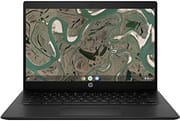 HP Chromebook 14 G7 | HP Chromebook 14 G7 | |
| Price | List Price: $379.99 Amazon Prices: | List Price: $299.99 Amazon Prices: Loading prices... |
| Model number | 3V2T8UT#ABA | 3V2U9UT#ABA |
| Performance Rating | 4.5 | 3.1 |
| Chromebook Plus | No | No |
| Processor | Dual-core 1.10 Ghz (max 2.80 Ghz) Intel Celeron Processor N4500 | Dual-core 1.10 Ghz (max 2.80 Ghz) Intel Celeron Processor N4500 |
| RAM | 8 GB | 4 GB |
| Internal Storage | 32 GB eMMC | 32 GB eMMC |
| Screen Size | 14" | 14" |
| Screen Resolution | 1366x768 | 1366x768 |
| Screen Type | Anti-glare WLED | Anti-glare WLED |
| Touch Screen | No | No |
| Stylus / Pen | No Stylus Support | No Stylus Support |
| Dimensions width x length x thickness | 12.85 x 8.93 x 0.72 inches (326.39 x 226.82 x 18.29 mm) | 12.85 x 8.93 x 0.72 inches (326.39 x 226.82 x 18.29 mm) |
| Weight | 3.4 lbs (1.55 kg) | 3.4 lbs (1.55 kg) |
| Backlit Keyboard | No | No |
| Webcam | 720p HD | 720p HD |
| WiFi | Wi-Fi 6 (802.11ax) | Wi-Fi 6 (802.11ax) |
| Bluetooth | Bluetooth 5.0 | Bluetooth 5.0 |
| Ethernet | No | No |
| Cellular Modem | No | No |
| HDMI | Full-Size HDMI | Full-Size HDMI |
| USB Ports | 2 USB 3, 1 USB-C | 2 USB 3, 1 USB-C |
| Thunderbolt Ports | No | No |
| Card Reader | microSD Card Reader | microSD Card Reader |
| Battery | 2 cell, 47Wh, Li-ion | 2 cell, 47Wh, Li-ion |
| Battery Life | 12.5 hours | 12.5 hours |
| Fanless | Yes | Yes |
| Auto Update Expiration Date | June, 2031 | June, 2031 |
Related Chromebooks
-
 HP Chromebook 14 G6The HP Chromebook 14 G6 is an education and business model with a Celeron N4020, 4GB or 8GB of RAM,…
 -
 HP Chromebook 14aThe HP Chromebook 14a (na series) is a fanless 14-inch ChromeOS laptop on Intel Celeron N4000 and…
 -
 Acer Chromebook 314The Acer Chromebook 314 (CB314) is a fanless 14-inch laptop with an Intel Celeron N4000, sold in…
 -
 Acer Chromebook 314The Acer Chromebook 314 is a 14-inch budget Chromebook with a 1920x1080 IPS display, an Intel…
 -
 Samsung Galaxy Chromebook Go 14"The Samsung Galaxy Chromebook Go 14 is a budget 14-inch Chromebook with an Intel Celeron N4500, a…
 -
 ASUS Chromebook C425The ASUS Chromebook C425 is a fanless 14-inch ChromeOS laptop on an Intel Core m3 with a 1920x1080…
A fanless body with HDMI onboard and an HD panel

The matte black finish hides fingerprints and light scratches, and the corners are reinforced against knocks in a backpack. At 3.4 pounds and 0.72 inches thick, it is manageable for a student or a teacher carrying it between rooms all day. The 180-degree hinge lays the screen flat on the table, which helps when two people share it or when a lesson gets turned toward a group.
The Intel Celeron N4500 is the dual-core entry point of Jasper Lake, running from 1.1 GHz to a 2.8 GHz turbo. A Core i-series Chromebook beats it on anything demanding. For Chrome OS work, a stack of browser tabs, a document in Google Docs, and a Google Meet call all run without stalling. There is no fan, so nothing whirs during a quiet lesson, and long stretches of heavy work push the chip into thermal throttling instead.
The HDMI port drives a projector or a display without an adapter in the way. Two USB-A 3.0 ports take a mouse or a flash drive, and the single USB-C port handles both charging and data. A microSD reader extends the 32GB of internal storage, which fills fast once Android apps and offline files pile up. There is no Ethernet jack, though a USB Ethernet adapter in a USB-A port covers a wired network. Wi-Fi 6 keeps up with newer access points, and Bluetooth 5.0 pairs mice and wireless audio.
The 14-inch anti-glare WLED panel runs at 1366x768. Text and web pages are legible, though anyone coming from a sharper screen sees the difference in small type and photos. The anti-glare coating earns its place under bright classroom lighting, where a glossy panel throws reflections back at the reader. The 16:9 shape suits video, so lesson recordings and remote classes fill the frame. Photo editing and any work where image detail matters belongs on a 1080p Chromebook.
Reviewer Insights

Chrome Unboxed covered the BETT 2021 debut
Chrome Unboxed covered the HP Chromebook 14 G7 during its BETT 2021 debut, noting that the Jasper Lake processors represent “a significant performance boost over the previous generation’s Gemini Lake chips.” Gabriel Brangers highlighted the device’s positioning within HP’s education portfolio and features like dual top-firing speakers optimized for video conferencing and the optional privacy shade for the webcam. The announcement coverage focused on how HP designed these Chromebooks specifically for “educators in Google-centric classrooms,” with attention to features that support remote learning scenarios.
Android Central weighed the drop rating and the port selection
Android Central’s Ara Wagoner described the 14 G7 as “a teacher-focused 14-inch Chromebook” designed to meet the budgets of cash-strapped school districts while delivering essential functionality. The review emphasized the MIL-STD810H certification, noting the device “should withstand repeated four-foot drops on wooden or carpeted surfaces.” Wagoner appreciated the practical port selection, particularly the combination of dedicated HDMI and USB-C, which simplifies the often-chaotic process of connecting to classroom projectors. The estimated 10-hour battery life from the 47Wh cell means teachers can work through a full school day plus after-school meetings without searching for outlets.
A teardown guide doubles as an IT repair reference
The teardown guide from ChromebookParts.com steps through unplugging the battery from the motherboard and removing the speaker assembly, then popping the screen bezel, cautioning that the bezel needs care to free without damage and that the adhesive tape beneath the LCD has to be peeled slowly to avoid cracking the panel. The device itself uses a fanless passive-cooling design and soldered RAM and eMMC, so there is no fan to service and no memory or storage upgrade path.
Dependable for classroom work, limited by the HD panel and 32GB of storage
The Jasper Lake chip keeps Chrome OS moving, HDMI reaches a projector directly, MIL-STD810H testing covers the drops that happen in a hallway, and Chrome OS updates run through June 2031, so a district buying now has years of security patches and feature releases ahead of it.
At home the decision comes down to tabs and storage. Someone who lives in a browser, handles email, and watches video will find the machine adequate, and the construction should hold up through years of that. Sharper text, more performance headroom, or the option to add RAM later means shopping the mid-range Chromebook segment instead. RAM is soldered on both builds, so the 8GB configuration is the one to pick if you keep many tabs open or run Android applications.
The Chromebook Comparison Chart sorts and filters the full catalog if you want to line this one up against the rest.
Frequently Asked Questions
Can you upgrade the RAM on the HP Chromebook 14 G7?
No. The RAM is soldered to the mainboard on both the 4GB and 8GB builds, and a teardown confirms there is no memory socket to work with. Pick the configuration you need at purchase time.
How long will the HP Chromebook 14 G7 receive Chrome OS updates?
Chrome OS updates run through June 2031 under Google’s official Auto Update Expiration schedule. Counting from 2026, that is roughly five more years of security patches and feature releases.
Is the HP Chromebook 14 G7 good for students?
Yes, it was built for classrooms and is a good choice for students. MIL-STD810H drop testing, a spill-resistant keyboard, and battery life that covers a full school day are the reasons. The 14-inch display leaves room to read and write, and Google Classroom, Google Docs, and video conferencing run reliably.
Does the HP Chromebook 14 G7 have a touchscreen?
The widely available 4GB and 8GB versions ship with a standard non-touch anti-glare WLED display. HP offered optional touchscreen configurations, so check the specific model number if touch matters to you.
Can the HP Chromebook 14 G7 connect to an external monitor?
Yes. The dedicated HDMI port drives a monitor, projector, or display directly, and the USB-C port can carry video through an adapter, which covers a multi-monitor setup or a display with a different input.
How does the HP Chromebook 14 G7 compare to newer Chromebooks?
Its Intel Jasper Lake processor dates to 2021, and newer Chromebooks with Intel N100 processors or MediaTek Kompanio chips do more per watt. Basic educational and productivity work still runs here, and update support lasts through June 2031.
Is the HP Chromebook 14 G7 a fanless Chromebook?
Yes, it uses a fanless passive cooling design. A teardown shows a passive heatsink and no active fan, so the machine makes no noise of its own. That keeps it out of the way in a quiet classroom or a library.