
HP Chromebook 14a (2022)
Updated on

The HP Chromebook 14a is a 14-inch laptop aimed at students, kids, and anyone who lives mostly in the browser. It runs on a quad-core Intel Celeron N4120 (Gemini Lake Refresh) paired with 4GB of RAM and 64GB of eMMC storage, with a claimed battery life of up to 14 hours. At 3.22 lbs it sits in the middle of the 14-inch weight range.
The 2022 model year refresh of the 14a-na0 platform covers five SKUs: 14a-na0210nr, 14a-na0226nr, 14a-na0230nr, 14a-na0240nr, and 14a-na0280nr. These all share the N4120 chip. They are not the same as the 14a-na1xxx series (which uses the Celeron N4500 or N5100) or the more recent 14a-nf0xxx generation (which uses Intel’s newer N100). If you are cross-shopping by display size, double-check the model number sticker. The full 14a family is sprawling.
Strengths and compromises
| Pros | Cons |
|---|---|
| Long battery life (HP rates up to 14 hours) | 4GB of RAM caps how many Chrome tabs run before swap pressure shows |
| Lightweight at 3.22 lbs for a 14-inch chassis | Most SKUs use a 1366x768 panel at 220 nits; dim outdoors |
| USB-C Power Delivery on both Type-C ports | 64GB of eMMC and no SD card reader limits offline media |
| One SKU, the 14a-na0280nr, ships a 1920x1080 panel | No HDMI port; external displays need a USB-C adapter |
| Chrome updates supported through June 2029 | Soldered RAM and storage; you cannot upgrade later |
HP Chromebook 14a (2022) Comparison Chart
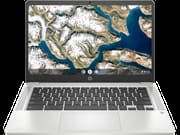 HP Chromebook 14a (2022) | HP Chromebook 14a (2022) | HP Chromebook 14a (2022) | HP Chromebook 14a (2022) | HP Chromebook 14a (2022) | |
| Price | List Price: $229.99 Amazon Prices: Loading prices... | List Price: $299.99 Amazon Prices: Loading prices... | List Price: $349.99 Amazon Prices: | List Price: $399.99 Amazon Prices: | List Price: $349.99 Amazon Prices: Loading prices... |
| Model number | 14a-na0210nr / 60F58UA | 14a-na0226nr / 677J1UA | 14a-na0230nr / 60F61UA | 14a-na0280nr / 60F98UA | 14a-na0240nr / 60F62UA |
| Performance Rating | 4.0 | 4.0 | 4.0 | 4.0 | 4.0 |
| Chromebook Plus | No | No | No | No | No |
| Processor | Quad-core 1.10 Ghz (max 2.60 Ghz) Intel Celeron Processor N4120 | Quad-core 1.10 Ghz (max 2.60 Ghz) Intel Celeron Processor N4120 | Quad-core 1.10 Ghz (max 2.60 Ghz) Intel Celeron Processor N4120 | Quad-core 1.10 Ghz (max 2.60 Ghz) Intel Celeron Processor N4120 | Quad-core 1.10 Ghz (max 2.60 Ghz) Intel Celeron Processor N4120 |
| RAM | 4 GB | 4 GB | 4 GB | 4 GB | 4 GB |
| Internal Storage | 64 GB eMMC | 64 GB eMMC | 64 GB eMMC | 64 GB eMMC | 64 GB eMMC |
| Screen Size | 14" | 14" | 14" | 14" | 14" |
| Screen Resolution | 1366x768 | 1366x768 | 1366x768 | 1920x1080 | 1366x768 |
| Screen Type | BrightView 220 nits | BrightView 220 nits | BrightView 220 nits | BrightView 220 nits | BrightView 220 nits |
| Touch Screen | No | No | Yes | No | Yes |
| Stylus / Pen | No Stylus Support | No Stylus Support | No Stylus Support | No Stylus Support | No Stylus Support |
| Dimensions width x length x thickness | 12.82 x 8.6 x 0.7 inches (325.63 x 218.44 x 17.78 mm) | 12.82 x 8.6 x 0.7 inches (325.63 x 218.44 x 17.78 mm) | 12.82 x 8.6 x 0.7 inches (325.63 x 218.44 x 17.78 mm) | 12.82 x 8.6 x 0.7 inches (325.63 x 218.44 x 17.78 mm) | 12.82 x 8.6 x 0.7 inches (325.63 x 218.44 x 17.78 mm) |
| Weight | 3.22 lbs (1.46 kg) | 3.22 lbs (1.46 kg) | 3.22 lbs (1.46 kg) | 3.22 lbs (1.46 kg) | 3.22 lbs (1.46 kg) |
| Backlit Keyboard | No | No | No | No | No |
| Webcam | 720p HD | 720p HD | 720p HD | 720p HD | 720p HD |
| WiFi | Wi-Fi 5 (802.11ac) | Wi-Fi 5 (802.11ac) | Wi-Fi 5 (802.11ac) | Wi-Fi 5 (802.11ac) | Wi-Fi 5 (802.11ac) |
| Bluetooth | Bluetooth 5.0 | Bluetooth 5.0 | Bluetooth 5.0 | Bluetooth 5.0 | Bluetooth 5.0 |
| Ethernet | No | No | No | No | No |
| Cellular Modem | No | No | No | No | No |
| HDMI | No HDMI | No HDMI | No HDMI | No HDMI | No HDMI |
| USB Ports | 1 USB 3, 2 USB-C (USB-C Power Delivery, DisplayPort 1.2) | 1 USB 3, 2 USB-C (USB-C Power Delivery, DisplayPort 1.2) | 1 USB 3, 2 USB-C (USB-C Power Delivery, DisplayPort 1.2) | 1 USB 3, 2 USB-C (USB-C Power Delivery, DisplayPort 1.2) | 1 USB 3, 2 USB-C (USB-C Power Delivery, DisplayPort 1.2) |
| Thunderbolt Ports | No | No | No | No | No |
| Card Reader | No Card Reader | No Card Reader | No Card Reader | No Card Reader | No Card Reader |
| Battery | 2 cell, 47 Wh, Li-ion | 2 cell, 47 Wh, Li-ion | 2 cell, 47 Wh, Li-ion | 2 cell, 47 Wh, Li-ion | 2 cell, 47 Wh, Li-ion |
| Battery Life | 14.0 hours | 14.0 hours | 14.0 hours | 14.0 hours | 14.0 hours |
| Fanless | No | No | No | No | No |
| Auto Update Expiration Date | June, 2029 | June, 2029 | June, 2029 | June, 2029 | June, 2029 |
Related Chromebooks
-
 HP Chromebook 14a (2023)The HP Chromebook 14a balances performance and portability with its 14-inch display, 47 Wh battery…
 -
 HP Chromebook 14 G6The HP Chromebook 14 G6 is an education and business model with a Celeron N4020, 4GB or 8GB of RAM,…
 -
 Acer Chromebook 514 (ARM)The Acer Chromebook 514 (ARM) is a 14-inch Chromebook on the MediaTek Kompanio 828, with an…
 -
 ASUS Chromebook CM14The ASUS Chromebook CM14 is a sub-$300 14-inch Chromebook built around a MediaTek Kompanio 520,…
 -
 Acer Chromebook Spin 314The Acer Chromebook Spin 314 is a budget 14-inch convertible Chromebook with a 360-degree hinge, a…
 -
 ASUS Chromebook Flip CX1 (CX1400)The ASUS Chromebook Flip CX1 (CX1400) is a 14-inch convertible 2-in-1 with a 360-degree FHD…
A dim 1366x768 panel and two charging USB-C ports
The 14a is designed for everyday tasks: web browsing, email, Google Docs, light Android apps. The 14-inch anti-glare panel is comfortable indoors at its 220-nit rating, but it is the kind of display you notice when you take it onto a patio in summer. Text on the 1366x768 panel (four of the five SKUs) is readable but never sharp, and side-by-side document work is tight. The 14a-na0280nr is the lone SKU in this generation that bumps to 1920x1080, and it is the one to chase if budget allows.
The device pairs WiFi 5 with Bluetooth 5.0, runs a 720p HD webcam for video calls, and exposes one USB 3.0 Type-A port plus two USB-C ports that both support Power Delivery and DisplayPort 1.2. There is no HDMI port and no Ethernet jack: anyone who needs a wired LAN connection will need a USB Ethernet adapter in one of the Type-A or Type-C ports. Either USB-C port can charge the laptop, so the adapter goes in whichever side is convenient.
The chassis is plastic, the lid flexes, and the keyboard is flat with no backlighting. The keys still travel well enough for long writing sessions, and the trackpad has predictable click weight. There is no number pad, and the case measures 12.82 by 8.6 by 0.7 inches.
A full-day browser laptop at the low end of the range
The 14a fits students and anyone whose day runs through Chrome, Google Docs, and a handful of Android apps. A 47 Wh battery rated at up to 14 hours covers a full class or work day away from an outlet, and 3.22 lbs is light enough to live in a backpack. Chrome OS updates run through June 2029, so a machine bought today still has years of patches ahead of it.
Heavy multitasking is where 4GB of RAM and the quad-core N4120 run out of room, and 64GB of soldered eMMC with no card reader leaves little space for offline files. If either limit matters, work through the specs on our Chromebook comparison app before you buy.
Reviewer Insights
Coverage of this 2022 N4120 generation is thin on the ground. Mainstream review outlets (TechRadar, NotebookCheck, Laptop Mag, Tom’s Guide) skipped these specific SKUs in favor of the slightly newer 14a-na1 and 14a-nf0 models.
Lon.TV: hands-on with the 14a-na0 chassis
The most useful long-form review of this chassis is still Lon Seidman’s Lon.TV walkthrough of the 14a-na0020nr, the dual-core Celeron N4000 predecessor that shares this generation’s case, display, and port layout. Seidman says the body is “made out of plastic but it doesn’t feel like a cheap plastic to me, it’s got a nice rugged feel to it,” and confirms the 14-inch panel “is running at 1366 by 768 (that is essentially a 720p display).” He flags the chassis SD card slot next to the right-side USB-C: “you could augment its onboard storage and put movies and media on there using one of those little cards.” His battery read on the underlying platform tracks with HP’s claim: “HP is rating the battery life at around 13 hours, I think you’ll get close to that in real world usage.” (HP rates the 2022 N4120 build slightly higher, at up to 14 hours.) Three things from Seidman’s unit do NOT carry over to the SKUs on this page: his review unit had a microSD card slot, a backlit keyboard, and Bang & Olufsen speakers, all of which the 2022 14a-na0210nr / 226nr / 230nr / 240nr / 280nr drop (this generation ships with no card reader). Cross-check before buying if those matter to you. The practical difference at the silicon level is that the quad-core N4120 takes the edge off the multi-tab Chrome slowdowns Seidman flagged with the dual-core N4000.
Amazon buyer ratings
As of June 2026, the 14a-na0226nr (Ash Gray, v2 on this page) sits at 4.3 out of 5 stars across roughly 3,000 Amazon reviews (3,011 as of this update), the largest sample by far in this family, pooled across the N4120 14a color variants that share its listing. The 14a-na0210nr (Mineral Silver, v1) carries 4.2 stars on a much smaller 15-review base. The Mineral Silver 14a-na0230nr, Ceramic White 14a-na0240nr, and Forest Teal 14a-na0280nr color variants have too few ratings to read into individually.
Frequently Asked Questions
Q: What is the screen size of the HP Chromebook 14a?
A: 14 inches, measured diagonally.
Q: Does the 14a have a touch screen?
A: The standard configuration does not. Two of the five SKUs ship with a touch screen.
Q: How much storage does the 14a have?
A: 64GB of eMMC.
Q: Can that storage be upgraded?
A: No. The eMMC is soldered to the board.
Q: Does the 14a have a webcam?
A: Yes, a 720p HD camera above the display.
Q: What is the battery life of the 14a?
A: HP rates the 47 Wh battery at up to 14 hours.
Q: What does the 14a weigh?
A: 3.22 lbs.
Q: Does the keyboard have a number pad?
A: No number pad, and no backlighting either.
Q: When does the 14a reach its end of life?
A: According to Google’s Auto Update Expiration database for the 14a-na0 platform, this model receives Chrome OS updates through June 2029. After that date the device keeps working but stops receiving new ChromeOS releases and security patches. See our Chromebook auto-update expiration explainer for what that means in practice.