
Acer Chromebook 514 (ARM)
Updated on

The Acer Chromebook 514 (ARM) is a 14-inch clamshell Chromebook that Acer announced in late 2021 with the MediaTek Kompanio 828 processor. The ARM chip runs cool enough that the laptop needs no fan, and Acer rates the battery at up to 15 hours. Acer sold it as the non-touch CB514-2H and the touchscreen CB514-2HT, both with 64GB of storage. Acer no longer sells it new, so today it turns up mostly as a used or refurbished machine. It still gets ChromeOS updates through August 2031, so a used unit has years of support left.
Pros and Cons
| Pros | Cons |
|---|---|
| Fanless design runs silently | No microSD card slot, and the 64GB of eMMC storage cannot be upgraded |
| Long battery life (rated up to 15 hours) | Slower than Intel Core Chromebooks from the same period |
| Large glass-covered touchpad and a backlit keyboard | External display output tops out at one 1080p 60 Hz screen |
| Two full-function USB-C ports, one on each side | Only one USB Type-A port |
| Handles Android apps and Android games well | Plastic bottom panel; only the lid is aluminum |
| ChromeOS updates through August 2031 | No stylus support and no fingerprint reader |
Related Videos
Acer Chromebook 514 (ARM) Comparison Chart
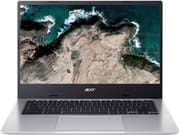 Acer Chromebook 514 (ARM) | Acer Chromebook 514 (ARM) | Acer Chromebook 514 (ARM) | |
| Price | List Price: $459.99 Amazon Prices: | List Price: $409.99 Amazon Prices: | List Price: $479.99 Amazon Prices: |
| Model number | CB514-2HT-K0FZ / NX.AS2AA.005 | CB514-2H-K7GF | CB514-2H-K2HN |
| Performance Rating | 4.4 | 4.4 | 4.4 |
| Chromebook Plus | No | No | No |
| Processor | Octa-core 2.60 Ghz MediaTek Kompanio 828 (8192T) | Octa-core 2.60 Ghz MediaTek Kompanio 828 (8192T) | Octa-core 2.60 Ghz MediaTek Kompanio 828 (8192T) |
| RAM | 8 GB | 8 GB | 8 GB |
| Internal Storage | 64 GB | 64 GB | 64 GB |
| Screen Size | 14" | 14" | 14" |
| Screen Resolution | 1920x1080 | 1920x1080 | 1920x1080 |
| Screen Type | IPS | IPS | IPS |
| Touch Screen | Yes | No | No |
| Stylus / Pen | No Stylus Support | No Stylus Support | No Stylus Support |
| Dimensions width x length x thickness | 12.7 x 8.9 x 0.66 inches (322.58 x 226.06 x 16.76 mm) | 12.7 x 8.9 x 0.66 inches (322.58 x 226.06 x 16.76 mm) | 12.7 x 8.9 x 0.66 inches (322.58 x 226.06 x 16.76 mm) |
| Weight | 2.87 lbs (1.3 kg) | 2.87 lbs (1.3 kg) | 2.87 lbs (1.3 kg) |
| Backlit Keyboard | Yes | Yes | Yes |
| Webcam | 720p HD | 720p HD | 720p HD |
| WiFi | Wi-Fi 6 (802.11ax) | Wi-Fi 6 (802.11ax) | Wi-Fi 6 (802.11ax) |
| Bluetooth | Yes | Yes | Yes |
| Ethernet | No | No | No |
| Cellular Modem | No | No | No |
| HDMI | No HDMI | No HDMI | No HDMI |
| USB Ports | 1 USB 3, 2 USB-C Two USB Type-C ports (one per side) supporting USB 3.2 Gen 1 (up to 5 Gbps), DisplayPort over USB-C, and 65 W charging; one USB 3.0 Type-A port. External display output is limited to one 1080p 60 Hz screen. | 1 USB 3, 2 USB-C Two USB Type-C ports (one per side) supporting USB 3.2 Gen 1 (up to 5 Gbps), DisplayPort over USB-C, and 65 W charging; one USB 3.0 Type-A port. External display output is limited to one 1080p 60 Hz screen. | 1 USB 3, 2 USB-C Two USB Type-C ports (one per side) supporting USB 3.2 Gen 1 (up to 5 Gbps), DisplayPort over USB-C, and 65 W charging; one USB 3.0 Type-A port. External display output is limited to one 1080p 60 Hz screen. |
| Thunderbolt Ports | No | No | No |
| Card Reader | No Card Reader | No Card Reader | No Card Reader |
| Battery | 3 cell, Li-ion | 3 cell, Li-ion | 3 cell, Li-ion |
| Battery Life | 15.0 hours | 15.0 hours | 15.0 hours |
| Fanless | Yes | Yes | Yes |
| Auto Update Expiration Date | August, 2031 | August, 2031 | August, 2031 |
Related Chromebooks
-
 Acer Chromebook 314The Acer Chromebook 314 (CB314) is a fanless 14-inch laptop with an Intel Celeron N4000, sold in…
 -
 Acer Gateway Chromebook 314The Acer Gateway Chromebook 314 is a 14-inch ChromeOS laptop on Acer's Chromebook 314 chassis with…
 -
 ASUS Chromebook CM14The ASUS Chromebook CM14 is a sub-$300 14-inch Chromebook built around a MediaTek Kompanio 520,…
 -
 HP Chromebook 14 G6The HP Chromebook 14 G6 is an education and business model with a Celeron N4020, 4GB or 8GB of RAM,…
 -
 HP Chromebook 14aThe HP Chromebook 14a (na series) is a fanless 14-inch ChromeOS laptop on Intel Celeron N4000 and…
 -
 ASUS Chromebook C425The ASUS Chromebook C425 is a fanless 14-inch ChromeOS laptop on an Intel Core m3 with a 1920x1080…
Design, Display, and Ports
The Chromebook 514 measures 12.7 x 8.9 x 0.66 inches and weighs 2.87 pounds. It pairs an aluminum lid with a plastic bottom. PCMag noted that it has no drop hinge to prop the laptop up; because the Kompanio chip runs cool, the laptop sits flat on the desk and has fewer vents on the chassis. The speakers fire upward instead of out of the bottom panel.
The 14-inch display is a 1920 x 1080 IPS panel with an anti-glare finish and a rated brightness of 250 nits. The CB514-2HT adds touch; the CB514-2H does not. Neither version works with a USI pen or any other stylus.
Ports are split across both sides. The left side has a USB-C port, a USB Type-A port, and a combination headphone and microphone jack. The right side has a second USB-C port. Both USB-C ports run at USB 3.2 Gen 1 speeds (up to 5 Gbps), carry DisplayPort video, and charge the laptop, so you can plug the charger into whichever side is closer. Video output is limited to one external display at 1080p and 60 Hz. There is no HDMI port and no card reader. Wireless is Wi-Fi 6 plus Bluetooth, and the webcam is a 720p sensor.
Performance and Battery
The MediaTek Kompanio 828 is an eight-core ARM chip with four Cortex-A76 cores at up to 2.6 GHz and four Cortex-A55 efficiency cores, paired with Mali-G57 graphics. It is quicker than the low-end chips in budget education Chromebooks, and it falls short of the Intel Core i3 and i5 models Acer sold under the same Chromebook 514 name. The 8GB of memory in the reviewed units leaves room for browser tabs, Android apps, and Linux apps running side by side. The 64GB of storage is the tighter limit, because it cannot be expanded internally or with a memory card.
Battery life is the strongest part of this machine. Acer rates it at up to 15 hours. PCMag measured an 11-hour runtime in its battery test, and Chrome Unboxed reported more than 12 hours per charge in daily use.
Reviewers’ Opinions on Acer Chromebook 514
Brian Westover of PCMag scored the touchscreen CB514-2HT at 4.0 out of 5. He wrote that it “brings to the table an elegant machine that offers much of what you want in a premium Chromebook, including stylish construction and relatively perky performance, but still sells for a budget-friendly price.” He called the aluminum construction sturdy and said the laptop “is more powerful than budget Chromebooks for kids.” His main con was that it is slower than Chromebooks with Intel Core processors. He also noted that the 720p webcam produces slightly washed-out colors.
In their YouTube review, Chrome Unboxed said the Chromebook 514 succeeds at “striking the perfect balance” of user experience, price, and performance. The reviewer praised the keyboard and said of the touchpad: “I love this trackpad it’s massive it’s gorilla glass and it has one of the most satisfying click mechanisms i’ve ever used.” They placed its speed “right on par with something like the snapdragon 7c gen2 if not a little bit snappier.” On battery life: “I was easily getting 12 plus hours on a charge even with my brighter screen settings.” Their complaints were the missing microSD slot and the 1080p limit on external monitors. In an earlier unboxing and first-look video of the touchscreen model, Chrome Unboxed ran the Octane browser benchmark and got a score of 26,381, which the host said “is right on par with what we get from the snapdragon 7c gen 2.” The same video called the glass touchpad “a really really fantastic trackpad” and described the upward-firing speakers as loud with “no bass none whatsoever,” adding that their mids and highs suit conference and video calls.
Lon Seidman of Lon.TV, in his YouTube review of the CB514-2HT, said the ARM version is the one he would choose over the Intel version, because “the performance is more than adequate for basic web browsing and i found that this one does really really well with android apps especially android gaming.” He pointed out that it is “a fanless device so it will run completely silent,” and he criticized the lack of an SD card slot and the non-upgradable 64GB of storage. His summary: “Overall, I found it to be a very good value. I think the display is really nice on it. You’ve got a nice backlit keyboard here, and the performance in particular really surprised me.”
Customer Reviews of the Acer Chromebook 514 (ARM)
Amazon buyer reviews of the Acer Chromebook 514 (ARM) are mixed, with praise for everyday performance and complaints about the touchpad and about early hardware failures. Aleks, a verified buyer, wrote “Enough to make it snappy for daily tasks but also to run Linux-Container and Android-Apps. The 8gb are really needed,” and also praised the fanless chassis and the keyboard. Two buyers complained about the touchpad. Verified buyer whoiskermit wrote that “the touch pad is very iffy (Acer seems to have trouble getting this right),” and another buyer reported that an OS update made the touchpad unusable until a full reset restored the original software.
Two verified buyers report that their units stopped working within about a year. One titled their review “Dead in 6 months. Acer quality nosedive,” and wrote “This one died in six months.” Another said it was “DEAD! No charge, won’t power on” after about a year.
Buying One Used
A used Chromebook 514 (ARM) suits everyday work: web browsing, email, documents, and Android apps. Before you buy, check that the unit powers on and charges from both USB-C ports, test the touchpad for stray or missed input, and look at the battery health in the ChromeOS diagnostics app. Plan on cloud storage or a USB drive if 64GB is not enough, since the storage cannot be expanded. The touchscreen CB514-2HT is the version the reviewers above tested. For current models, see our picks for college students, or compare specs in the Chromebook Comparison Chart.
Frequently Asked Questions
Is the Acer Chromebook 514 (ARM) still sold new?
No. Acer announced this model in late 2021 and no longer sells it new. It is now available mainly as a used or refurbished laptop.
How long will the Acer Chromebook 514 (ARM) get ChromeOS updates?
Google lists the Chromebook 514 (CB514-2H and CB514-2HT) for ChromeOS updates through August 2031.
Does the Acer Chromebook 514 (ARM) have a fan?
No. The MediaTek Kompanio 828 runs cool enough for a fanless design, so the laptop makes no fan noise.
Can I upgrade the storage on the Acer Chromebook 514 (ARM)?
No. The 64GB of eMMC storage cannot be upgraded, and there is no microSD card slot. A USB drive or cloud storage is the way to add space.
What ports does the Acer Chromebook 514 (ARM) have?
It has two USB-C ports (one on each side) that support USB 3.2 Gen 1, DisplayPort video, and charging, plus one USB Type-A port and a combination headphone and microphone jack. It has no HDMI port.
Can the Acer Chromebook 514 (ARM) drive an external monitor?
Yes, through either USB-C port, but only one external display at a time and only up to 1080p at 60 Hz.
Does the Acer Chromebook 514 (ARM) have a touchscreen?
The CB514-2HT version has a 14-inch 1080p touchscreen. The CB514-2H version has the same display without touch. Neither version supports a stylus.
What is the battery life of the Acer Chromebook 514 (ARM)?
Acer rates it at up to 15 hours. PCMag measured 11 hours in its battery test.
How much does the Acer Chromebook 514 (ARM) weigh?
It weighs 2.87 pounds and is 0.66 inches thick.