
HP Chromebook 14b
Updated on

Note: The HP Chromebook 14b is no longer available for purchase new. This page is maintained for historical reference and to help current owners of this device.
The HP Chromebook 14b represented HP’s mid-range offering in the 14-inch Chromebook segment, pairing an 11th-generation Intel Core i3-1115G4 processor with a practical feature set aimed at productivity users and students. Released as part of HP’s 2021 Chromebook lineup, this model (14b-nb0010nr) differentiated itself from budget Chromebooks with its more capable processor, backlit keyboard, and NVMe SSD storage. At its launch price of $579.99, it competed directly with other mainstream Chromebooks while offering noticeably better performance than entry-level Celeron-based alternatives. The combination of a touchscreen display, full-day battery life, and reliable build quality made it a solid choice for users who needed more than basic web browsing but didn’t require the premium features of higher-end convertibles.
| Pros | Cons |
|---|---|
| Intel Core i3-1115G4 delivers smooth Chrome OS performance for multitasking | Display limited to 1366x768 resolution - common complaint at this price |
| Wi-Fi 6 support for faster wireless speeds on compatible networks | 3.31 lbs feels heavy compared to similar 14-inch Chromebooks |
| 58 WHr battery provides genuine all-day battery life (11.5 hours rated) | No convertible hinge - standard clamshell design only |
| Backlit keyboard useful for low-light environments | 720p webcam adequate but not exceptional for video calls |
| NVMe SSD storage faster than eMMC found in cheaper Chromebooks | No fingerprint reader for quick biometric login |
| Full-size HDMI port eliminates need for adapters when presenting | Discontinued with limited availability for replacement parts |
HP Chromebook 14b Comparison Chart
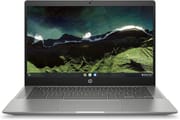 HP Chromebook 14b | |
| Price | List Price: $579.99 Amazon Prices: |
| Model number | 14b-nb0010nr / 4A6B7UA#ABA |
| Performance Rating | 5.7 |
| Chromebook Plus | No |
| Processor | Dual-core 3.00 Ghz (max 4.10 Ghz) Intel Core i3-1115G4 Processor |
| RAM | 8 GB |
| Internal Storage | 128 GB NVMe SSD |
| Screen Size | 14" |
| Screen Resolution | 1366x768 |
| Screen Type | anti-glare, 250 nits |
| Touch Screen | Yes |
| Stylus / Pen | No Stylus Support |
| Dimensions width x length x thickness | 12.74 x 8.7 x 0.65 inches (323.6 x 220.98 x 16.51 mm) |
| Weight | 3.31 lbs (1.5 kg) |
| Backlit Keyboard | Yes |
| Webcam | HP Wide Vision 720p HD |
| WiFi | Intel Wi-Fi 6 AX201 (2x2) |
| Bluetooth | Bluetooth 5.0 |
| Ethernet | No |
| Cellular Modem | No |
| HDMI | Full-Size HDMI |
| USB Ports | 2 USB 3, 2 USB-C (USB-C for charging and DisplayPort 1.2) |
| Thunderbolt Ports | No |
| Card Reader | microSD Card Reader |
| Battery | 3 cell, 58 WHr, Lithium-ion |
| Battery Life | 11.5 hours |
| Fanless | No |
| Auto Update Expiration Date | June, 2029 |
Related Chromebooks
-
 HP Chromebook x360 14aSeamlessly switch between work and play with the HP Chromebook x360 14a's versatile 360-degree…
 -
 HP Chromebook x360 14bThe HP Chromebook x360 14b, with its 14-inch WLED-backlit touch screen and 360-degree hinge, offers…
 -
 Acer Chromebook Spin 314Meet the Acer Chromebook Spin 314: a budget-friendly powerhouse with a 14-inch responsive…
 -
 ASUS Chromebook Flip CX5 (CX5400)Maximize productivity with the ASUS Chromebook Flip CX5, boasting a versatile touchscreen, backlit…
 -
 ASUS Chromebook Flip CX1 (Touchscreen)The ASUS Chromebook Flip CX1 features a 14-inch Full HD 360-degree touchscreen, Intel Celeron N4500…
 -
 Acer Chromebook Spin 713The Acer Chromebook Spin 713 boasts a vivid 13.5-inch 2256x1504 IPS touch display, versatile 2-in-1…
Performance and Everyday Use
The Intel Core i3-1115G4 processor in the HP Chromebook 14b was a meaningful upgrade over the Celeron and Pentium chips found in budget Chromebooks of the same era. With two cores, four threads, and boost speeds up to 4.1 GHz, the i3-1115G4 handled multiple browser tabs, Android apps, and Linux applications with noticeably less lag than entry-level alternatives. Chrome OS is lightweight by design, so even modest processors work well, but the i3’s extra headroom became apparent when running productivity software, editing documents in Google Workspace, or using web-based applications like Canva or Figma.
The 8GB of RAM paired well with the processor, providing enough memory to keep a dozen browser tabs open alongside a few Android apps without the system slowing down. While not as capable as the Core i5 chips in premium Chromebooks like the HP Dragonfly Pro Chromebook or Acer Chromebook Spin 714, the i3-1115G4 was more than adequate for students, remote workers, and general productivity use. The 128GB NVMe SSD provided enough local storage for offline files and downloaded Android apps, and the NVMe interface ensured the system felt responsive when launching applications or opening files.
Display and Design Considerations
HP opted for a 14-inch anti-glare touchscreen with 1366x768 resolution and 250 nits brightness. This resolution was common in this price range during 2021, though it was becoming a point of criticism as competitors began offering 1080p panels in similarly-priced devices. The lower resolution is most noticeable when working with documents or browsing websites with lots of text, where a Full HD display would show sharper text and more content without scrolling. That said, the anti-glare coating made the 14b practical for use in varied lighting conditions, and the touch capability added convenience for scrolling and navigating Chrome OS.
The overall build quality reflected HP’s mainstream positioning. At 12.74 x 8.7 x 0.65 inches and 3.31 pounds, the Chromebook 14b wasn’t trying to be an ultraportable, but it remained reasonably practical for carrying between home and office or school. The plastic chassis was durable if not premium-feeling, and the island-style keyboard with backlighting was comfortable for extended typing sessions. HP’s decision to include a full-size HDMI port was particularly useful for presentations and connecting to external displays without dongles.
Connectivity and Features
The HP Chromebook 14b offered a well-rounded port selection for a mid-range Chromebook. Two USB-C ports handled charging and video output (DisplayPort 1.2), while two USB-A 3.0 ports provided compatibility with legacy peripherals like mice, keyboards, and USB drives. The full-size HDMI port was a practical addition that many competing Chromebooks at this price point lacked. A microSD card reader allowed for storage expansion, useful for those who needed to exceed the 128GB internal storage.
Wireless connectivity included Intel Wi-Fi 6 (AX201) with 2x2 MIMO, providing fast and reliable connections on compatible networks. Bluetooth 5.0 supported wireless peripherals and audio devices. The HP Wide Vision 720p webcam was adequate for video conferencing, capturing a wider field of view than standard webcams, though the resolution felt dated even at launch as remote work normalized higher expectations for video quality. HP included dual microphones for improved audio pickup during calls.
Battery Life and Ownership Experience
HP rated the Chromebook 14b for 11.5 hours of battery life, backed by a substantial 58 WHr battery. This was among the better battery ratings in the 14-inch Chromebook category, and the efficient Core i3 processor combined with Chrome OS’s lightweight nature meant real-world usage typically came close to the rated figure for light productivity tasks. Users who pushed the processor harder with Android apps or Linux containers would see reduced battery life, but the 14b was genuinely capable of lasting through a full school or work day on a single charge.
Chrome OS updates are guaranteed through June 2029, providing continued security patches and new features for several more years. For current owners, this means the Chromebook 14b remains a functional and supported device despite no longer being available new. The Auto Update Expiration date is an important consideration for Chromebook longevity, and the 14b’s 2029 cutoff provides reasonable remaining support life.
Frequently Asked Questions
Can I still buy an HP Chromebook 14b?
The HP Chromebook 14b (14b-nb0010nr) is no longer available for purchase new from major retailers. It was discontinued as HP refreshed its Chromebook lineup with newer models. You may occasionally find used or refurbished units on secondary markets, but for new purchases, consider current alternatives like the HP Chromebook 14a or other mid-range 14-inch Chromebooks with updated specifications.
How long will the HP Chromebook 14b receive updates?
The HP Chromebook 14b will receive Chrome OS updates until June 2029. After this Auto Update Expiration (AUE) date, the device will continue to function but will no longer receive security updates or new Chrome OS features from Google. This provides several more years of supported use for current owners.
Can I upgrade the RAM or storage in the HP Chromebook 14b?
No, the HP Chromebook 14b’s RAM and storage are soldered to the motherboard and cannot be upgraded. The device comes with 8GB of RAM and 128GB of NVMe SSD storage. If you need additional storage space, you can use the microSD card slot for expansion or rely on Google Drive and other cloud storage services.
What is the difference between the HP Chromebook 14b Intel and the AMD version?
HP released multiple variants of the Chromebook 14b. The Intel version (14b-nb series) featured the Intel Core i3-1115G4 processor, while the AMD version (14b-na series) used AMD Athlon or Ryzen processors. The Intel variant generally offered better single-threaded performance and Wi-Fi 6 support via Intel’s AX201 chip, while AMD variants were often priced lower. Both shared similar chassis designs and display specifications.
Is the HP Chromebook 14b good for students?
The HP Chromebook 14b was well-suited for students thanks to its capable Intel Core i3 processor, all-day battery life, and practical 14-inch screen size. The 8GB RAM and 128GB storage handled schoolwork, web research, and Google Workspace applications comfortably. The backlit keyboard was useful for studying in dimly lit spaces. For current students looking at used units, the June 2029 update expiration provides enough remaining support life for several years of academic use.
Does the HP Chromebook 14b have a touchscreen?
Yes, the HP Chromebook 14b includes a touchscreen display. The 14-inch anti-glare panel supports touch input for navigating Chrome OS, scrolling through web pages, and interacting with Android apps. However, unlike convertible Chromebooks, the 14b does not have a 360-degree hinge, so it cannot be folded into tablet mode.