
HP Dragonfly Pro Chromebook
Updated on

The HP Dragonfly Pro Chromebook came out of a two-year HP and Google collaboration aimed at building a flagship ChromeOS machine. It launched at CES 2023, started shipping that March, and was positioned as a spiritual successor to the discontinued Pixelbook Go. The hardware is unusual for the category: a 12th Gen Intel Core i5-1235U with 16GB of LPDDR5 memory, a 14-inch 2560x1600 IPS touch panel rated at 1,200 nits, an RGB backlit haptic-feedback keyboard, quad upward-firing speakers, an 8MP webcam, a fingerprint scanner in the power button, and four Thunderbolt 4 ports as the entire port complement. HP discontinued it in 2026 and no longer lists it for sale, though Google’s Auto Update Expiration of June 2032 leaves a working unit roughly six years of official ChromeOS feature and security updates.
| Pros | Cons |
|---|---|
| 1,200-nit touch display at 2560x1600, covering 100 percent of sRGB and staying readable outdoors. | No headphone jack, microSD slot, or HDMI, so you will be carrying USB-C adapters. |
| Premium build: CNC-machined aluminum lid, aluminum keyboard deck, magnesium-alloy bottom. | No 360-degree hinge or USI stylus, so this is a clamshell only (not a convertible). |
| Quad upward-firing speakers tuned with B&O that keep their bass at high volume. | Storage is soldered at 256GB NVMe with no expansion path, which is tight on a machine that also runs Android, Linux, and Steam. |
| Four Thunderbolt 4 ports carry charging, DisplayPort 1.4 video, and 40Gbps data on every port. | Battery life lands in the 8 to 10 hour range in mixed use against HP’s 11.5 hour rating, and gaming or encoding cuts that to four or five. |
| RGB backlit haptic keyboard with auto-tinting that matches the ChromeOS material-you wallpaper. | 3.33 pounds sits at the heavier end of the 14-inch class. |
| ChromeOS updates run through June 2032, roughly six years of support left on a 2023 machine. | $999.99 list price, steep for ChromeOS unless the display and the speakers are what you are buying. |
Related Videos
HP Dragonfly Pro Chromebook Comparison Chart
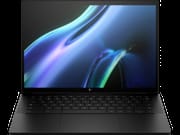 HP Dragonfly Pro Chromebook | HP Dragonfly Pro Chromebook | |
| Price | List Price: $999.99 Amazon Prices: | List Price: $999.99 Amazon Prices: |
| Model number | 7Y645UA#ABA | 7Y649UA#ABA |
| Performance Rating | 8.3 | 8.3 |
| Chromebook Plus | Yes | Yes |
| Processor | Deca-core 3.30 Ghz (max 4.40 Ghz) Intel Core i5-1235U | Deca-core 3.30 Ghz (max 4.40 Ghz) Intel Core i5-1235U |
| RAM | 16 GB | 16 GB |
| Internal Storage | 256 GB NVMe SSD | 256 GB NVMe SSD |
| Screen Size | 14" | 14" |
| Screen Resolution | 2560x1600 | 2560x1600 |
| Screen Type | 1200 nits IPS | 1200 nits IPS |
| Touch Screen | Yes | Yes |
| Stylus / Pen | No Stylus Support | No Stylus Support |
| Dimensions width x length x thickness | 12.4 x 8.7 x 0.7 inches (314.96 x 220.98 x 17.78 mm) | 12.4 x 8.7 x 0.7 inches (314.96 x 220.98 x 17.78 mm) |
| Weight | 3.33 lbs (1.51 kg) | 3.33 lbs (1.51 kg) |
| Backlit Keyboard | Yes | Yes |
| Webcam | 8MP | 8MP |
| WiFi | Intel Wi-Fi 6E AX211 (supporting gigabit data rate) | Intel Wi-Fi 6E AX211 (supporting gigabit data rate) |
| Bluetooth | Bluetooth 5.3 | Bluetooth 5.3 |
| Ethernet | No | No |
| Cellular Modem | No | No |
| HDMI | No HDMI | No HDMI |
| USB Ports | 4 USB-C 4 Thunderbolt 4 with USB Type-C 40Gbps signaling rate (USB Power Delivery, DisplayPort 1.4, HP Sleep and Charge) | 4 USB-C 4 Thunderbolt 4 with USB Type-C 40Gbps signaling rate (USB Power Delivery, DisplayPort 1.4, HP Sleep and Charge) |
| Thunderbolt Ports | 4 | 4 |
| Card Reader | No Card Reader | No Card Reader |
| Battery | 4 cell, 51.3 Wh, Li-ion | 4 cell, 51.3 Wh, Li-ion |
| Battery Life | 11.5 hours | 11.5 hours |
| Fanless | No | No |
| Auto Update Expiration Date | June, 2032 | June, 2032 |
Related Chromebooks
-
 HP Chromebook Plus x360 14cThe HP Chromebook Plus x360 14c is a Chromebook Plus convertible with a 12th Gen Intel Core…
 -
 Acer Chromebook Plus 514A 14-inch Chromebook Plus line sold in three board configurations: the AMD Ryzen 3 7320C CB514-3H,…
 -
 Lenovo Chromebook Plus 2-in-1 14The Lenovo Chromebook Plus 2-in-1 14 is an aluminum 360-degree convertible with an Intel Core 3…
 -
 Acer Chromebook Spin 714The 2023 Acer Chromebook Plus Spin 714 (CP714-2WN) is a 14-inch convertible built on a 13th-gen…
 -
 ASUS Chromebook Plus CM34 Flip (CM3401)The ASUS Chromebook Plus CM34 Flip is a 14-inch Chromebook Plus convertible with an AMD Ryzen 3…
 -
 ASUS Chromebook Plus CX34 (CX3402CVA)The ASUS Chromebook Plus CX34 (CX3402CVA) is a 14-inch Chromebook Plus for browser, Google…
Machined metal on every surface, and no 2-in-1 hinge
At 12.4 inches wide, 8.7 inches deep, 0.7 inches thick, and 3.33 pounds, this sits at the heavier end of the 14-inch class, and both the metal chassis and the 1,200-nit panel contribute to that. The lid is CNC-machined from a single piece of aluminum and resists flex enough that lifting a corner does not warp the screen. The keyboard deck is aluminum as well, and the bottom panel is a magnesium alloy chosen to hold weight down while leaving room inside for the thermals to breathe. Two colors shipped, Ceramic White and Sparkling Black. There is no 360-degree hinge and no USI stylus support, so it stays a clamshell.
The keyboard sits under that aluminum deck with full-travel keys and an RGB backlight bright enough to be useful in any lighting, and it can be configured to match the ChromeOS wallpaper. A backlit keyboard is common in the premium tier, though per-zone RGB is rare on ChromeOS. Below the keyboard is a glass haptic trackpad that does not physically depress; a small motor delivers a “click” wherever you press and adds a small bump when you snap windows between virtual desks. The fingerprint reader is built into the power button at the top right and unlocks the device with a single touch.
Outdoor-readable brightness that the battery pays for
The 14-inch panel runs at 2560x1600 in a 16:10 aspect ratio, covers 100 percent of sRGB, and tops out at 1,200 nits. Running the panel at full brightness drains the battery quickly, so indoor work at around 50 percent brightness is the practical setting. Touch is supported at all brightness levels. There is no HDR certification, so HDR streaming content plays back in SDR.
Plenty of headroom for ChromeOS, with 256GB as the ceiling
The Core i5-1235U is a 10-core (2 performance, 8 efficiency) hybrid processor with Intel Iris Xe integrated graphics, paired here with 16GB of LPDDR5 memory and a 256GB NVMe SSD on both shipping SKUs. ChromeOS work leaves it room to spare: Linux apps, Android apps from the Play Store, light Steam gaming, and the usual browser-and-web-app workflow. The fans are quiet enough that you only hear them under sustained load such as Steam games or video encoding. The SSD is the tighter constraint of the two. It is not user-upgradable, and ChromeOS, Android, Linux, and Steam all draw from the same 256GB.
Chromebook Plus features, with Steam alongside Android and Linux
The higher-tier ChromeOS feature set ships on this machine: Magic Eraser in Google Photos, video-call effects in Google Meet, the offline Workspace bundle, and the unified Google One AI features that have rolled out since launch. Android apps install through the Play Store, Linux apps run inside their own container, and Steam on ChromeOS runs alongside them. Feature drops continue on Google’s normal four-week cadence until the June 2032 update cutoff.
Quad speakers and an 8MP camera, with no face unlock
The speakers sit on either side of the keyboard, fire upward, and are tuned in collaboration with B&O. They get loud and keep enough bass not to sound tinny. The 8MP user-facing camera shoots 1080p video with reasonable low-light handling and automatic exposure correction. There is no IR camera for Windows Hello-style face unlock, so biometric login is the fingerprint reader only.
Four Thunderbolt 4 ports and nothing else
Two ports sit on each side, and all four carry USB Power Delivery, DisplayPort 1.4 video out, and 40Gbps data, so you can charge from either side, drive a 4K external display, and run a fast SSD at the same time. There is no headphone jack, no microSD slot, no HDMI, and no USB-A. Wireless is Intel’s Wi-Fi 6E AX211 chipset with Bluetooth 5.3. If you need a wired network connection, our guide to Chromebook Ethernet adapters walks through what works over USB-C. Anyone coming from a more conventional Chromebook should plan on carrying at least one USB-C hub.
Screen brightness decides whether you clear ten hours
HP rates the 51.3Wh four-cell battery at up to 11.5 hours. In Lon Seidman’s testing the figure landed at eight to ten hours of mixed use, with the bright IPS panel as the main draw on the pack; turning the screen down to 50 percent and sticking to email and browser work pushes results closer to the ten-hour mark. Steam gaming or sustained video encoding drops the figure to four or five hours. Fast charging is supported through any of the four Thunderbolt ports.
Reviewer Insights
Chrome Unboxed and Lon.TV both reviewed this model within weeks of the March 2023 retail launch.
Chrome Unboxed: the speakers beat any laptop Robby Payne had heard
Payne framed the Dragonfly Pro as the long-awaited Pixelbook spiritual successor, opening with “this is a Chromebook like no other. And in nearly every way possible, it stands head and shoulders above the rest.” His strongest praise went to the speakers and the display. The 1,200-nit panel “isn’t just a marketing term. This display is crazy bright”, and the quad speakers earned the line “the best speakers I’ve ever heard on a Chromebook or any laptop for that matter.”
Payne also credited the haptic trackpad, saying “I basically forgot the fact that this trackpad surface doesn’t actually move.” On the keyboard deck, build, and CNC-machined lid, he summarized HP’s collaboration with Google as “this isn’t just another Chromebook. This one is special.” His one substantive caveat was the form factor, where “the lack of a convertible form factor and missing USI pen support, those things are more like preferential differences than problems.” He closed with “This is as close to the perfect Chromebook that I’ve ever reviewed.”
Lon.TV on soldered storage in a $999 machine
Lon Seidman also called it a “spiritual successor to the pixel book”, and put the market for premium Chromebooks partly with school administrators and teachers who live in Google Workspace. He measured battery life at “about eight to ten hours depending on what you’re doing with it” and noted that pushing closer to the ten-hour mark required sticking “to the basics like email and web browsing and of course keeping that display brightness down.”
Seidman’s most pointed criticism was expandability. With “no user upgradable Parts in this”, the soldered 256GB SSD felt undersized for a $999 machine that supports Android, Linux, and Steam. He ran the Speedometer browser benchmark at 271 and called that “right in line with its peers in the marketplace.” On the port situation he liked that “all four ports on this device” carry full Thunderbolt 4 (power, video, and data), but he flagged the missing headphone jack and card reader as everyday inconveniences. He concluded that “from a Chromebook perspective this is a really nice high-end Chromebook they’ve packed a lot of features into this”, with the soldered storage as the main reservation.
Still capable, with six years of updates left
The 1,200-nit panel, quad-speaker audio, RGB-backlit haptic keyboard, and four Thunderbolt 4 ports are uncommon on a Chromebook, let alone all four on one chassis. The Core i5-1235U is no longer the newest Intel silicon, but ChromeOS workloads have not outgrown it; the Chromebook Plus feature set runs comfortably and Steam still installs and runs the same titles it did at launch. Google’s Auto Update Expiration date of June 2032 keeps it eligible for ChromeOS feature drops for years to come.
HP stopped manufacturing the machine in 2026 and no longer lists it for sale. Anyone shopping now for the same combination, a premium clamshell with a very bright display and strong speakers, will find newer and easier-to-source options in the Pixelbook-replacement guide and the Chromebook comparison chart.
Worth tracking down used if the display is the draw
This machine makes the most sense for an owner researching hardware they already have, or for a buyer who lands a used or open-box unit well under the $999.99 list. The lack of a convertible form factor is the most consequential trade, so anyone who needs to flip the device into tablet mode should look at a touchscreen convertible instead. Power users running Steam and large local downloads should weigh whether 256GB of soldered storage is workable for them. For students on a tight budget the launch price is hard to justify against current thin-and-lights, but the June 2032 update cutoff and the panel still hold up for anyone who finds one cheap.