
Lenovo 100S Chromebook
Updated on

Note: This product has been discontinued and is no longer available for purchase new. Chrome OS support ended in September 2020. The information below is kept for historical reference.
The Lenovo 100S Chromebook arrived in late 2015 as one of the most affordable Chromebooks on the market, targeting students and budget-conscious buyers who needed a simple, reliable machine for web browsing and basic productivity. Powered by the Intel Celeron N2840 dual-core processor with just 2GB of RAM and 16GB of eMMC storage, this 11.6-inch notebook prioritized portability and battery life over raw computing power. At launch prices between $179.99 and $229.99 depending on configuration, the 100S represented Lenovo’s entry into the sub-$200 Chromebook market. With its Auto Update Expiration date of September 2020 long past, the Lenovo 100S Chromebook now serves as a historical example of early budget Chromebook design, showcasing how Chrome OS enabled capable, affordable laptops even on modest hardware.
| Pros | Cons |
|---|---|
| Excellent 8-11+ hour battery life tested by multiple reviewers | Base 2GB RAM struggled with 10+ browser tabs |
| Completely silent fanless operation | Mediocre display with washed-out colors |
| Very lightweight at 2.52-2.6 pounds | Poor touchpad with inconsistent click registration |
| Solid plastic construction with reinforced hinges | No keyboard backlighting |
| Affordable pricing starting at $179.99 | Limited 16-32GB storage required cloud reliance |
| Good keyboard with comfortable typing feel | Performance limited by dual-core Celeron processor |
Related Videos
Lenovo 100S Chromebook Comparison Chart
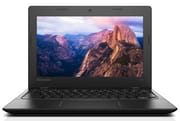 Lenovo 100S Chromebook | |
| Price | List Price: $179.99 Amazon Prices: |
| Model number | 80QN0009US |
| Performance Rating | 1.9 |
| Chromebook Plus | No |
| Processor | Dual-core 2.16 Ghz (max 2.58 Ghz) Intel Celeron N2840 |
| RAM | 2 GB |
| Internal Storage | 16 GB eMMC |
| Screen Size | 11.6" |
| Screen Resolution | 1366x768 |
| Screen Type | TN |
| Touch Screen | No |
| Stylus / Pen | No Stylus Support |
| Dimensions width x length x thickness | 8.23 x 11.81 x 0.78 inches (209.04 x 299.97 x 19.81 mm) |
| Weight | 2.6 lbs (1.18 kg) |
| Backlit Keyboard | No |
| Webcam | 1MP HD |
| WiFi | 802.11 a/b/g/n/ac |
| Bluetooth | Bluetooth 4.0 |
| Ethernet | No |
| Cellular Modem | No |
| HDMI | Full-Size HDMI |
| USB Ports | 1 USB 2.0, 1 USB 3 |
| Thunderbolt Ports | No |
| Card Reader | SD |
| Battery | Lithium-ion |
| Battery Life | 8.0 hours |
| Fanless | Yes |
| Auto Update Expiration Date | September, 2020 |
Related Chromebooks
-
 Lenovo Flex 3 ChromebookThe Lenovo Flex 3 Chromebook hits the sweet spot with its 11.6-inch IPS touchscreen, 4GB RAM, and…
 -
 Lenovo Chromebook 3 11"Get to know the Lenovo Chromebook 3: lightweight, affordable, and designed for basic tasks. It…
 -
 Acer Chromebook 311 (CO731)The Acer Chromebook 311 (CO731) delivers fanless, silent operation in a compact 11.6-inch package,…
 -
 Acer Chromebook 311 (AMD)The Acer Chromebook 311 combines an 11.6-inch ComfyView screen, robust AMD processing, and 10-hour…
 -
 ASUS Chromebook C203XAThe ASUS Chromebook C203XA shines with military-grade durability, an 11.6-inch anti-glare HD…
 -
 ASUS Chromebook CR11 (CR1104C)The ASUS Chromebook CR11 (CR1104C) is a ruggedized 11.6-inch Chromebook built for students and…
A Look Back at the Lenovo 100S Chromebook
The Lenovo 100S Chromebook took a no-frills approach to Chromebook design, prioritizing the essentials over premium materials or features. The plastic chassis may not have impressed aesthetically, but Techaeris reviewer Jack Holt noted that “it felt pretty solid with a nice grip to the plastic chassis,” highlighting the reinforced hinges and corners that helped the device survive daily use. At just 2.52 pounds and measuring 11.81 x 8.23 x 0.78 inches, the 100S was genuinely portable for its time, easily slipping into backpacks and bags without adding significant weight.
The 11.6-inch display delivered serviceable image quality with its 1366x768 TN panel. Techaeris noted that “colors were vibrant and had enough of a punch” and “the only time I noticed the pixels were when I viewed the screen up close.” However, PocketNow reviewer Joe Levi found that “display brightness was mediocre with washed-out colors” and mentioned limited viewing angles, making this display suitable primarily for head-on viewing in typical indoor environments. For the sub-$200 price point, the display was considered acceptable, though it couldn’t compete with more expensive Chromebooks featuring IPS panels.
Connectivity options were reasonable for a budget Chromebook of its era. The 100S included a USB 3.0 port, USB 2.0 port, full-size HDMI output, SD card reader, and a headphone/microphone combo jack. The dual-band 802.11ac Wi-Fi and Bluetooth 4.0 provided reliable wireless connectivity for its time, though users who needed a wired connection required a USB Ethernet adapter. The full-size HDMI port was a practical inclusion that allowed easy connection to external monitors and projectors for presentations, a feature that many competing budget Chromebooks lacked.
What Reviewers Said About the Lenovo 100S
Lon.TV’s Perspective
Lon Seidman on Lon.TV provided an in-depth hands-on review of the Lenovo 100S Chromebook, examining the device’s real-world performance and limitations. He tested various use cases including web browsing, document editing, and media playback, demonstrating how the Celeron N2840 processor handled typical Chromebook workloads. His review highlighted the trade-offs inherent in budget Chromebook design, noting that while the 100S performed adequately for basic tasks, users expecting more demanding performance would need to look elsewhere.
Techaeris’ Assessment
Techaeris reviewer Jack Holt offered a thoroughly positive assessment after extended testing. He found the keyboard particularly impressive, noting that “the keyboard has great travel and was a joy to type on” despite the compact 11.6-inch form factor. Battery life testing exceeded expectations, with Holt reporting “I achieved a little over eight hours of continued use.” He concluded that “at $199.99 or $229.99 with 4GB RAM, it’s a pretty good deal for those committed to Chrome OS,” positioning the 100S as a solid value for users with appropriate expectations.
The main caveat Techaeris emphasized was the base model’s 2GB RAM limitation. The reviewer strongly recommended the 4GB RAM configuration for anyone planning to multitask or keep more than a handful of tabs open simultaneously, as the 2GB model showed noticeable slowdowns with 10+ browser tabs active.
PocketNow’s Experience
PocketNow’s Joe Levi approached the review from a practical perspective, emphasizing Chrome OS’s browser-based nature and the implications for offline use. He achieved remarkable battery life results, reporting 11+ hours during testing, which significantly exceeded official estimates and made the 100S genuinely capable of lasting through multiple days of light use between charges. The keyboard received praise for its 2mm travel and tactile feedback.
However, Levi identified the touchpad as the 100S’s most significant weakness: “Poor touchpad with inconsistent click registration” made cursor control frustrating at times. He recommended understanding Chrome OS’s reliance on internet connectivity before purchasing, noting that “unlike traditional laptops…software isn’t something that’s necessarily ‘installed’ in Chrome OS. Most applications are web-based or packaged apps using HTML5, JavaScript, and CSS.”
Historical Perspective
The Lenovo 100S Chromebook delivered exactly what ultra-budget Chromebook buyers needed in 2015: reliable battery life, genuinely portable design, and capable performance for basic web tasks at an unprecedented price point. The Intel Celeron N2840 processor handled Chrome OS efficiently, and the fanless design meant completely silent operation whether in a classroom, library, or home office. For students who needed a device for research papers, note-taking, and web browsing without breaking the bank, the 100S served its purpose admirably.
Chrome OS made the 100S’s modest hardware feel more capable than comparable Windows laptops of the era. The lightweight operating system ran smoothly on 2GB RAM for basic browsing, and the eMMC storage provided quick boot times and responsive Chrome OS operation. Users who understood the cloud-centric nature of Chrome OS and kept their files in Google Drive found the 16GB storage adequate, while those who needed local storage for media or Android apps sometimes felt constrained.
The 100S represented an important moment in Chromebook evolution, demonstrating that Chrome OS could deliver a genuinely useful computing experience at rock-bottom prices. While the September 2020 Auto Update Expiration date means the device no longer receives Chrome OS updates or security patches, it served countless students and budget-conscious users well during its supported lifetime. For anyone curious about budget Chromebooks from this era, the Lenovo 100S remains a notable example of Chrome OS’s ability to enable capable, affordable computing.
Frequently Asked Questions
Is the Lenovo 100S Chromebook still receiving Chrome OS updates?
No. The Lenovo 100S Chromebook had an Auto Update Expiration (AUE) date of September 2020, which has long since passed. The device no longer receives Chrome OS updates or security patches. While it continues to function for basic tasks, it is not recommended for use in environments requiring current security protections.
What was the battery life of the Lenovo 100S Chromebook?
The Lenovo 100S Chromebook delivered excellent battery life for its era. Lenovo officially rated the battery at 8 hours, but real-world testing by reviewers showed even better results. Techaeris measured 8+ hours of continuous use, while PocketNow achieved 11+ hours under typical conditions. This made the 100S capable of lasting through a full school day and beyond.
How much RAM did the Lenovo 100S Chromebook have?
The Lenovo 100S Chromebook was available in two configurations: 2GB RAM (model 80QN0009US at $179.99) and 4GB RAM (at $229.99). Reviewers strongly recommended the 4GB model for anyone planning to multitask or keep multiple browser tabs open, as the 2GB model slowed noticeably with 10+ tabs.
Was the Lenovo 100S Chromebook good for students?
During its supported lifetime, the Lenovo 100S Chromebook was well-suited for students who needed an affordable device for web research, Google Docs, email, and light productivity. The long battery life meant it could last through a full school day, and the lightweight design made it easy to carry between classes. However, with its Chrome OS support ended in 2020, it is no longer appropriate for student use today.
Could you connect an external monitor to the Lenovo 100S Chromebook?
Yes, the Lenovo 100S Chromebook included a full-size HDMI port that allowed connection to external monitors, TVs, and projectors. This was a practical feature for presentations, extended desktop use, or simply viewing content on a larger screen.
How did the Lenovo 100S compare to other budget Chromebooks of its era?
The Lenovo 100S Chromebook competed directly with devices like the Acer Chromebook 11 and ASUS Chromebook C201 in the sub-$200 market. It distinguished itself with excellent battery life and solid build quality at its price point. The keyboard received particular praise from reviewers as being comfortable for extended typing. However, the base 2GB RAM configuration and mediocre display were common criticisms shared with most budget Chromebooks of the 2015-2016 era.