
Lenovo 3i Chromebook
Updated on

The Lenovo 3i Chromebook targets budget-conscious users who want screen real estate without paying premium prices. At 15.6 inches with a 1920x1080 Full HD resolution, it offers significantly more workspace than the 11-14 inch Chromebooks that dominate the entry-level market. The inclusion of a full numeric keypad makes spreadsheet work and data entry substantially faster than hunting for numbers on a top row. Priced around $200-300 depending on sales, the 3i competes directly with devices like the HP Chromebook 15 and ASUS Chromebook CX1 in the large-screen budget category.
| Pros | Cons |
|---|---|
| Large 15.6-inch FHD display provides ample workspace | Budget panel: limited viewing angles, colors shift off-center |
| Full numeric keypad speeds up data entry work | No keyboard backlight makes typing difficult in dim rooms |
| Intel Celeron N4500 handles basic multitasking adequately | 64GB eMMC storage fills quickly with Android apps |
| 10-hour battery life supports all-day use | All-plastic construction feels distinctly budget |
| Wi-Fi 5 and Bluetooth 5.1 for reliable connectivity | Mediocre 720p webcam struggles in low light |
| Physical webcam privacy shutter adds security | Fan can become audible during demanding tasks |
Lenovo 3i Chromebook Comparison Chart
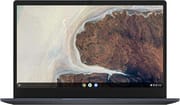 Lenovo 3i Chromebook | |
| Price | List Price: $299.99 Amazon Prices: Loading prices... |
| Model number | 82N4003CUS |
| Performance Rating | 4.5 |
| Chromebook Plus | No |
| Processor | Dual-core 1.10 Ghz (max 2.80 Ghz) Intel Celeron Processor N4500 |
| RAM | 8 GB |
| Internal Storage | 64 GB eMMC |
| Screen Size | 15.6" |
| Screen Resolution | 1920x1080 |
| Screen Type | anti-glare |
| Touch Screen | No |
| Stylus / Pen | No Stylus Support |
| Dimensions width x length x thickness | 14.25 x 9.57 x 0.75 inches (361.95 x 243.08 x 19.05 mm) |
| Weight | 3.48 lbs (1.58 kg) |
| Backlit Keyboard | No |
| Webcam | 720p HD |
| WiFi | Wi-Fi 5 (802.11ac) |
| Bluetooth | Bluetooth 5.1 |
| Ethernet | No |
| Cellular Modem | No |
| HDMI | Full-Size HDMI |
| USB Ports | 2 USB 3, 1 USB-C |
| Thunderbolt Ports | No |
| Card Reader | microSD Card Reader |
| Battery | Li-ion |
| Battery Life | 10.0 hours |
| Fanless | No |
| Auto Update Expiration Date | June, 2029 |
Related Chromebooks
-
 Lenovo IdeaPad 3i ChromebookThe Lenovo IdeaPad 3i Chromebook is a 15.6-inch Full HD Chromebook with an Intel Celeron N4500 and…
 -
 Lenovo IdeaPad Flex 3i Chromebook 15.6"The Lenovo IdeaPad Flex 3i Chromebook 15.6" pairs a full-size keyboard with numeric keypad and a…
 -
 ASUS Chromebook CX1 (CX1500)The ASUS Chromebook CX1 (CX1500) is a 15.6-inch full HD Chromebook with a number pad, an Intel…
 -
 HP Chromebook 15 (15a-na2)The HP Chromebook 15 (15a-na2) is a fanless 15.6-inch Chromebook with an Intel N200, 8GB of DDR5, a…
 -
 Samsung Chromebook 4+The Samsung Chromebook 4+ is a fanless 15.6-inch FHD Chromebook with an Intel Celeron N4000, dual…
 -
 Acer Chromebook 315 (CB315-5H/5HT)A budget-friendly 15.6-inch Chromebook with Intel N100 processor, FHD IPS display, WiFi 6E, and…
Display and Design

The 15.6-inch anti-glare display delivers 1920x1080 resolution, a meaningful upgrade over the 1366x768 panels still found on some budget competitors. Text appears sharp for document editing and web browsing, while the matte finish reduces reflections under overhead lighting. As with most budget panels at this price, viewing angles are limited and colors wash out when the screen is viewed well off-center, making it less suitable for sharing content with others sitting beside you.
The Abyss Blue plastic chassis measures 14.25 x 9.57 x 0.75 inches and weighs 3.48 pounds, portable for occasional transport but heavier than ultraportable 13-inch alternatives. Build quality reflects the budget positioning with some chassis flex under pressure, though the overall construction feels durable enough for typical home and school use. A Lim Team review described “opening multiple browser tabs, streaming videos, and working on documents simultaneously felt smooth and responsive.”
Performance and Everyday Use

The Intel Celeron N4500 processor pairs 2 cores running at 1.1 GHz base (2.8 GHz burst) with 8GB of LPDDR4x RAM in this configuration. This combination handles Chrome OS’s core tasks competently: web browsing with 8-10 open tabs, Google Docs editing, video streaming, and light Android app use. The Celeron N4500 represents a modest step up from the older N4020, with improved single-core performance that benefits the lightweight tasks Chromebooks excel at.
Limits emerge with heavier workloads, however. The dual-core Celeron will bog down once a couple dozen tabs are open, and users accustomed to higher-powered laptops may notice occasional pauses when switching between many applications or loading complex web pages.
The 64GB eMMC storage works adequately for Chrome OS, which relies heavily on cloud storage. Local space disappears quickly when installing Android apps or downloading media for offline access. External expansion via the microSD card slot provides a reasonable workaround for users who need additional local storage for photos, documents, or downloaded content.
Keyboard, Trackpad, and Ports
The full-size keyboard includes a numeric keypad, a feature that distinguishes the 3i from most Chromebooks and adds genuine productivity value for spreadsheet-heavy work. Key travel is adequate for extended typing sessions, though the keyboard is not backlit, so working in darker environments means relying on ambient light.
Connectivity includes a USB-C 3.2 Gen 1 port supporting charging and DisplayPort output, two USB-A 3.2 Gen 1 ports for peripherals, full-size HDMI for external displays, a microSD card reader, and a combo audio jack. This port selection exceeds many budget competitors that skimp on USB-A connectivity. There is no Ethernet port, but a USB Ethernet adapter works well with the USB-A ports for wired networking. The HDMI port proves particularly useful for presentations or connecting to an external monitor without adapters. Wi-Fi 5 (802.11ac) and Bluetooth 5.1 handle wireless connectivity reliably, though Wi-Fi 6 found on newer Chromebooks offers faster theoretical speeds in congested environments.
Webcam and Audio
The 720p HD webcam with physical privacy shutter delivers functional video quality for basic video calls, though low-light performance proves limited. The privacy shutter blocks the lens when the camera isn’t in use, a security feature at this price point.
Audio quality through the built-in speakers reflects typical budget laptop limitations. A Lim Team reviewer noted that “built-in speakers are indeed basic and might not satisfy audiophiles.” Headphones or external speakers significantly improve the media consumption experience. One reviewer also reported occasional Bluetooth audio connectivity issues, suggesting wired connections may prove more reliable for consistent audio output.
Battery Life and Chrome OS Updates
Lenovo rates battery life at up to 10 hours, which real-world testing generally confirms for typical productivity workloads. Screen brightness, active tab count, and video playback all influence actual runtime: expect 7-9 hours under moderate mixed use. The battery supports all-day computing for students or workers without constant access to outlets, though users should plan for charging during extended video calls or heavy browsing sessions.
Chrome OS support extends through June 2029 per Google’s Auto Update Expiration policy. That leaves roughly three years of security updates and new features from mid-2026, a reasonable runway for a budget device though shorter than newer Chromebooks offer. Chrome OS’s lightweight nature means the Celeron N4500 should remain adequate for basic tasks throughout the support period.
Who Should Consider the Lenovo 3i Chromebook
The Lenovo 3i Chromebook serves users who prioritize screen size and keyboard functionality over raw performance. Students working on papers and research benefit from the large display and adequate multitasking capability. Budget-conscious families gain a capable shared computer for browsing, streaming, and homework. Workers handling data entry or spreadsheets appreciate the numeric keypad. Seniors or users who prefer larger text and interface elements find the 15.6-inch display more comfortable than cramped ultraportable screens.
Users needing faster performance for demanding web applications, video editing, or extensive multitasking should consider stepping up to Chromebook Plus devices with Intel Core processors. Those prioritizing portability may prefer smaller 13-14 inch options that weigh under 3 pounds. And anyone requiring high-quality visuals for photo work or media creation will find the budget panel’s limited color accuracy and viewing angles insufficient.
To compare the 3i side by side with other large-screen and budget options, see the Chromebook Comparison Chart.
Frequently Asked Questions
Is the Lenovo 3i Chromebook good for students?
The Lenovo 3i Chromebook works well for students handling typical schoolwork: writing papers in Google Docs, researching online, video calls for remote learning, and light Android app use. The large 15.6-inch display makes reading and writing more comfortable than smaller Chromebooks, while 10-hour battery life supports full school days. Students running demanding STEM applications or requiring extensive multitasking may find the Celeron N4500 limiting.
Can I run Android apps on the Lenovo 3i Chromebook?
Yes, the Lenovo 3i Chromebook supports Android apps through the Google Play Store. Most productivity and entertainment apps run smoothly, including Microsoft Office, Netflix, Spotify, and educational applications. The non-touchscreen display means some touch-optimized apps work better with a mouse, and the 64GB storage fills quickly when installing many large apps. Performance-intensive Android games may struggle on the Celeron N4500 processor.
Does the Lenovo 3i Chromebook have a backlit keyboard?
No, the Lenovo 3i Chromebook does not have a backlit keyboard. This is a common cost-cutting measure on budget Chromebooks. Users who frequently type in low-light conditions may want to consider models with backlit keyboards or use an external USB keyboard with illumination.
How much RAM does the Lenovo 3i Chromebook have?
The Lenovo 3i Chromebook 82N4003CUS comes with 8GB of LPDDR4x RAM, which provides comfortable headroom for Chrome OS multitasking. The RAM is soldered and cannot be upgraded after purchase.
Can I connect the Lenovo 3i Chromebook to an external monitor?
Yes, the Lenovo 3i Chromebook supports external displays through both its full-size HDMI port and USB-C port. HDMI connects directly to most monitors and TVs without adapters. USB-C supports DisplayPort alternate mode for additional display options or USB-C monitors. The device can mirror its display or extend the desktop across multiple screens.
How long will the Lenovo 3i Chromebook receive Chrome OS updates?
The Lenovo 3i Chromebook will receive Chrome OS updates until June 2029 according to Google’s Auto Update Expiration schedule. After this date, the device will stop receiving security updates and new features but will continue to function. This provides approximately seven years of support from the original release.
Is 64GB storage enough on the Lenovo 3i Chromebook?
64GB eMMC storage works adequately for users who primarily use cloud services like Google Drive, Docs, and web applications. Chrome OS itself uses roughly 10-15GB, leaving around 45-50GB for apps and local files. Heavy Android app users or those downloading media for offline viewing may find storage limiting. The microSD card slot provides expansion for photos, documents, and media storage.