
HP Chromebook 15
Updated on

Note: The HP Chromebook 15 is discontinued and no longer sold new, but Google extended its Chrome OS Auto Update Expiration to June 2028 (originally June 2025), so existing units still receive updates for now. Extended-support updates may reduce Android app support. This page is maintained for historical reference and as an owner guide.
When HP released the Chromebook 15 in early 2019, it marked an important milestone in Chromebook design: the first Chromebook to feature an integrated number pad. While that may sound like a minor distinction, for users who regularly work with spreadsheets or financial data, a dedicated number pad significantly improves productivity. HP built on the design language of their well-received Chromebook x360 14, stretching the chassis to accommodate a 15.6-inch touchscreen while maintaining the aluminum-and-plastic construction and thin 0.7-inch profile. The result was a productivity-focused Chromebook that prioritized screen real estate and data entry over portability.
| Pros | Cons |
|---|---|
| First Chromebook with integrated number pad (essential for spreadsheet work) | Display brightness measured at only 160 nits: inadequate for outdoor use |
| Excellent backlit keyboard with responsive tactile feedback | All configurations limited to 4GB RAM: insufficient for a $400+ device |
| Solid build quality with aluminum lid and chassis | Mediocre speaker quality despite B&O branding |
| Versatile port selection including dual USB-C, USB-A, and microSD | Overpriced at $449 MSRP; better value at discounted prices around $379 |
| Thin and light for a 15-inch laptop at 0.7 inches and 4 pounds | Display shows slight yellowish tint |
| Claimed 13-hour battery life for all-day productivity | Non-glass trackpad (functional but not premium) |
Related Videos
HP Chromebook 15 Comparison Chart
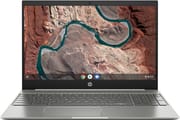 HP Chromebook 15 | |
| Price | List Price: $449.99 Amazon Prices: |
| Model number | 15-de0010nr / 6JA25UA#ABA |
| Performance Rating | 2.6 |
| Chromebook Plus | No |
| Processor | Dual-core 2.30 Ghz Intel Pentium Gold Processor 4417U |
| RAM | 4 GB |
| Internal Storage | 64 GB eMMC |
| Screen Size | 15.6" |
| Screen Resolution | 1920x1080 |
| Screen Type | IPS |
| Touch Screen | Yes |
| Stylus / Pen | No Stylus Support |
| Dimensions width x length x thickness | 14.11 x 9.69 x 0.7 inches (358.39 x 246.13 x 17.78 mm) |
| Weight | 3.99 lbs (1.81 kg) |
| Backlit Keyboard | Yes |
| Webcam | HP Wide Vision HD |
| WiFi | 802.11 a/b/g/n/ac (2x2) |
| Bluetooth | Bluetooth 4.2 |
| Ethernet | No |
| Cellular Modem | No |
| HDMI | No HDMI |
| USB Ports | 1 USB 3, 2 USB-C (5 Gb/s signaling rate, Power Delivery 3.0, HP Sleep and Charge) |
| Thunderbolt Ports | No |
| Card Reader | microSD Card Reader |
| Battery | 3 cell, 60 WHr, Lithium-ion |
| Battery Life | 13.0 hours |
| Fanless | Yes |
| Auto Update Expiration Date | June, 2028 |
Related Chromebooks
-
 Acer Chromebook 15The Acer Chromebook 15 stands out with a 15.6" FHD IPS touch display, backlit keyboard, and up to…
 -
 HP Chromebook 15 (15a-na2)The HP Chromebook 15a-na2 delivers a spacious 15.6-inch screen with a full numeric keypad at an…
 -
 Acer Chromebook 315The Acer Chromebook 315 shines with its vivid 15.6-inch FHD IPS display, 10-hour battery life, and…
 -
 ASUS Chromebook C523The ASUS Chromebook C523 brings a 15.6” anti-glare display, robust connectivity with 802.11ac Wi-Fi…
 -
 HP Chromebook 14 (AMD)The HP Chromebook 14 combines a 14-inch WLED-backlit display, TrueVision HD webcam, and fanless…
 -
 ASUS Chromebook Flip CM5 (CM5500)The ASUS Chromebook Flip CM5 features an AMD Ryzen 3 3250C CPU, up to 8GB RAM, and a versatile…
Design and Build Quality
The HP Chromebook 15 shared its design DNA with HP’s popular Chromebook x360 14, evident in the similar aluminum lid and chassis construction paired with a plastic bottom panel. At 0.7 inches thick and weighing 4 pounds, the device struck a reasonable balance between screen size and portability for a 15.6-inch laptop. The silver-gray color scheme was professional if unremarkable, but HP’s attention to fit and finish showed in the tight panel gaps and solid hinge mechanism.
The standout feature was undeniably the full-size keyboard with integrated number pad, a first for any Chromebook. HP’s designers managed to include the number pad without cramping the main keyboard section, maintaining comfortable key spacing. The backlit keys offered good travel and responsive tactile feedback that made extended typing sessions comfortable. The plastic trackpad, while not glass, provided smooth and accurate tracking.
Display Considerations
HP equipped the Chromebook 15 with a 15.6-inch Full HD (1920x1080) IPS touchscreen, which delivered good color reproduction and wide viewing angles. At this screen size, the Full HD resolution offered comfortable pixel density for everyday work without straining the processor. The touch functionality worked reliably for Chrome OS gestures and occasional Android app use.
However, Chrome Unboxed’s testing revealed a significant weakness: the display measured only 160 nits of brightness. As the reviewer noted, “It honestly doesn’t matter how good your colors, sharpness or viewing angles are if your screen isn’t bright enough.” This dim panel made the Chromebook 15 poorly suited for outdoor use or bright indoor environments near windows. The display also exhibited a slight yellowish cast that, while minor, affected color accuracy.
Performance and Connectivity
The Intel Pentium Gold 4417U processor provided adequate performance for Chrome OS workloads. This dual-core, four-thread chip handled typical Chromebook tasks like web browsing, document editing, and media consumption without issue. HP also offered a Core i3 variant at a higher price point, though benchmark differences between the two processors proved minimal in day-to-day Chrome OS usage.
Connectivity options were well-thought-out for the time. The dual USB-C ports supported Power Delivery 3.0 charging, data transfer, and display output with appropriate adapters. A USB-A 3.0 port provided legacy device compatibility and could be used with a USB Ethernet adapter for wired networking, while the microSD card slot allowed storage expansion. The headphone/microphone combo jack rounded out the physical connections. Wireless connectivity came via Wi-Fi 5 (802.11ac) 2x2 MIMO and Bluetooth 4.2, capable if not cutting-edge standards for 2019.
What Reviewers Said
Chrome Unboxed published one of the most detailed reviews of the HP Chromebook 15, providing valuable context on its strengths and limitations. The reviewer praised the number pad as “this Chromebook’s clear claim to fame,” particularly for users who regularly work with numerical data. The backlit keyboard earned positive marks for its responsive feel and comfortable typing experience.
However, the review didn’t shy away from criticism. The 4GB RAM limitation across all models drew pointed criticism: “We’re getting to the point where only budget-minded Chromebooks should offer 4GB of RAM, honestly.” For a device priced at $449 or higher, this constraint felt out of step with the market. The B&O-branded speakers also disappointed, delivering what the reviewer called “B&O branding without B&O sound.”
The verdict was conditional: “Don’t pay full price for this Chromebook and I think you’ll walk away satisfied. If you do need a Chromebook with a number pad and find a sale on the HP Chromebook 15, I think you’ll enjoy it.” The device represented good value at discounted prices around $379, but its MSRP placed it in competition with better-equipped alternatives.
Battery Life
HP advertised 13 hours of battery life for the Chromebook 15, and the generous 60 Wh battery capacity supported that claim under light usage conditions. Real-world battery life varied based on display brightness and workload, but the combination of an efficient Pentium processor and large battery made all-day use realistic for typical productivity tasks. The fanless design meant silent operation and no moving parts to wear out over time.
Legacy and End of Life
Google extended the HP Chromebook 15’s Chrome OS Auto Update Expiration (AUE) to June 2028 (originally June 2025), so it still receives security updates and features until then. After June 2028 it will stop receiving updates, and owners should be aware of the security implications of running an unsupported system at that point. Google provides official guidance on AUE dates and what they mean for device owners.
For users seeking a similar large-screen Chromebook experience today, newer options like the HP Chromebook 15a and ASUS Chromebook CX15 offer modern processors, more RAM, and longer support windows. The integrated number pad that made the original HP Chromebook 15 notable has since appeared on other 15-inch and larger Chromebooks. To weigh current alternatives side by side, the Chromebook Comparison Chart lets you filter and sort by screen size, processor, and other specs.
Frequently Asked Questions
Can I still buy an HP Chromebook 15?
The HP Chromebook 15 (15-de0010nr) is no longer available new from retailers. It was discontinued and has been replaced by newer models in HP’s Chromebook lineup. Its Auto Update Expiration is June 2028 (extended from June 2025), so it remains supported for now, but for a new purchase we recommend current-generation alternatives with longer support windows.
Why was the HP Chromebook 15 significant?
The HP Chromebook 15 was the first Chromebook to feature an integrated number pad, making it notable for users who work with spreadsheets, accounting software, or any application requiring frequent numerical input. This design feature has since appeared on other large-format Chromebooks.
What was the HP Chromebook 15’s biggest weakness?
The display brightness was the most significant weakness, measuring only 160 nits according to Chrome Unboxed’s testing. This made the screen difficult to use in bright environments or outdoors. The 4GB RAM limitation across all configurations was also criticized for a device at this price point.
Is my HP Chromebook 15 still safe to use after its end of life date?
The HP Chromebook 15 has an Auto Update Expiration (AUE) date of June 2028 (extended from June 2025), so it still receives security updates until then. After June 2028 it will stop, and using it for sensitive activities like online banking or accessing confidential information would carry increased risk. Consider upgrading to a supported device once support ends.
What processors were available in the HP Chromebook 15?
The HP Chromebook 15 was available with either an Intel Pentium Gold 4417U or an Intel Core i3-8130U processor. Real-world performance differences between the two were minimal for typical Chrome OS tasks, as the operating system is designed to run efficiently on lower-powered hardware.
Could you upgrade the RAM or storage on the HP Chromebook 15?
No, both the RAM and storage were soldered to the motherboard and could not be upgraded. The device shipped with 4GB of RAM and 64GB of eMMC storage. Users could expand storage using the microSD card slot for media files and documents.