
Beelink SEI14 Mini PC
Updated on

The Beelink SEi14 is a compact mini PC built on Intel’s Core Ultra 5 125H, a 14-core, 18-thread chip with integrated Intel Arc graphics. It ships with 32GB of DDR5 (upgradeable to 96GB) and a 1TB PCIe 4.0 SSD, with a second M.2 slot for up to 8TB total. Ports include Thunderbolt 4, an Intel 2.5GbE adapter, Wi-Fi 6, and triple 4K display output over HDMI, DisplayPort, and USB-C.
The aluminum chassis is the part reviewers compare to a Mac mini, and the layout suits productivity and home-lab duty. The Arc graphics handle 4K playback and light gaming, but not modern AAA titles at high settings, and reviewers note it runs warm under sustained load.
| Pros | Cons |
|---|---|
| 14-core Core Ultra 5 125H, Cinebench R23 multi-core of 12,000 to 14,000 | Arc graphics are weak for newer AAA games |
| Aluminum chassis | Runs warm under sustained load |
| DDR5 to 96GB and two PCIe 4.0 M.2 slots (up to 8TB) | No VESA mount |
| Thunderbolt 4 (eGPU and fast storage) plus triple 4K output | Rubber screw covers make teardown fiddly |
| Intel 2.5GbE adapter, friendly to hypervisors like ESXi | Costs more than the AMD SER8, which leads it in gaming |
| Quiet during normal use | Wi-Fi may need extra drivers on Linux |
| AV1 hardware encode, useful for content creators |
Related Videos
Beelink SEI14 Mini PC Comparison Chart
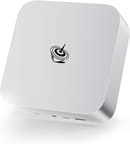 Beelink SEI14 Mini PC | |
| Price | List Price: $649.99 Amazon Prices: |
| Version | 32GB/1TB/Intel Ultra 5 125H |
| Performance Rating | 8.5 |
| Operating System | Windows 11 Pro |
| Processor | Fourteen-core 3.60 Ghz (max 4.50 Ghz) Intel Core Ultra 5 Processor 125H |
| GPU | Integrated Intel Arc graphics |
| RAM | 32 GB |
| Internal Storage | 1 TB |
| Dimensions width x length x thickness | 5.31 x 5.31 x 1.76 inches (134.87 x 134.87 x 44.7 mm) |
| Weight | 1.65 lbs (0.75 kg) |
| WiFi | Wi-Fi 6 (802.11ax) |
| Bluetooth | Bluetooth 5.2 |
| Ethernet | 1 Ethernet port at 2.5 Gbps |
| HDMI | 1 Full-Size HDMI Port |
| DisplayPort | 1 DisplayPort (DisplayPort 1.4a, supports 4K at 144Hz) |
| VGA | No VGA Ports |
| USB Ports | 2 USB 2.0, 2 USB 3, 2 USB-C (1 USB4) USB-C is data only (10 Gbps); Thunderbolt 4 supports 40 Gbps and external GPUs |
| Thunderbolt Ports | 1 |
| OCuLink | No |
| Internal SATA Ports | No SATA ports |
| Card Reader | No Card Reader |
| Headphone Jack | combo |
| Fanless | No |
| VESA Mount | No |
| In the Box | Power supply, HDMI cable, user manual, Mini PC |
| Expandability | Upgradeable RAM (up to 96 GB); second NVMe slot available for additional storage or RAID configuration; supports up to 8 TB total storage |
Related Mini PCs
-
 Beelink EQI13 PROThe Beelink EQI13 PRO pairs an Intel Core i7-13620H (10 cores, 16 threads) with 32GB of DDR4 and a…
 -
 Beelink GTi14The Beelink GTi14 pairs an Intel Core Ultra (9 185H or 7 155H) and Arc graphics with up to 96GB…
 -
 GEEKOM XT12 ProThe GEEKOM XT12 Pro is a compact aluminum mini PC with an Intel Core i9-12900H (or i7-12650H), 32GB…
 -
 GMKtec NucBox K11The GMKtec NucBox K11 is a Ryzen 9 8945HS mini PC with Radeon 780M graphics, two DDR5 slots (96GB…
 -
 MINISFORUM MS-01The MINISFORUM MS-01 is an Intel workstation mini PC sold in Core i5-12600H, i9-12900H, and…
 -
 Reatan Alloy 9The Reatan Alloy 9 is a compact AMD Ryzen 9 7940HS mini PC with Radeon 780M graphics, 32GB DDR5,…
Fast on multi-core work, slower on graphics
Reviewers measured Cinebench R23 multi-core between about 12,000 and 14,000 (Robtech 13,225 stock and 14,109 in performance mode, VirtualizationHowto 13,451, Tek Syndicate 11,956), with Geekbench 6 multi-core around 11,000. That is solid productivity throughput, though Robtech noted the AMD-based SER8 edges it in single-core (by almost 8% in his Cinebench run). RAM goes to 96GB of DDR5 across two SO-DIMM slots, and there are two M.2 NVMe slots for up to 8TB.
Graphics come from Intel Arc, which is a step up from older Intel iGPUs but lands behind AMD’s Radeon 780M, a comparison Tek Syndicate drew directly. Frame rates at 1080p low-to-medium vary widely by title: Robtech measured about 108 FPS in Counter-Strike 2, Lon.TV 45 to 50 FPS in Red Dead Redemption 2, and Tek Syndicate about 41 FPS in Cyberpunk 2077 on low. The Thunderbolt 4 port takes an external GPU for more; Robtech ran an RTX 3070 through it for roughly 40 FPS in Cyberpunk 2077 at 4K.
The vapor-chamber cooler keeps the unit quiet at idle, but under sustained load the CPU peaks near 89 to 92C and the fan climbs toward 50 dBA; as Tek Syndicate put it, “the Core Ultras are always warm.” Idle power is low (Lon.TV measured about 32W, and VirtualizationHowto saw 14 to 15W under Proxmox), rising to the high 70s to mid-80s of watts under full load.
What reviewers found
Lon.TV
Lon.TV described the look as “very much an Apple inspired” design and the fan as “super super quiet,” and measured a 3DMark Time Spy of 3,649 with Red Dead Redemption 2 at 45 to 50 FPS (1080p low). He flagged the missing VESA mount and Wi-Fi that can need extra drivers on Linux, and called it a strong productivity box priced above AMD equivalents.
Robtech
Robtech ran it against the AMD SER8, calling it “a good-looking unit with nice build quality” but noting “the SER8 beats it in single-core Cinebench by almost 8%” and leads in gaming. He valued it instead for Intel media features like AV1 hardware encoding, and demonstrated an external RTX 3070 over Thunderbolt 4 (around 40 FPS in Cyberpunk 2077 at 4K).
Tek Syndicate
Tek Syndicate logged Cinebench R23 multi-core at 11,956 and Cyberpunk 2077 at 41 FPS on low, and credited the vapor-chamber cooling. He said “Intel’s finally here to game,” while noting that the Arc graphics trail AMD’s Radeon 780M and that “the Core Ultras are always warm,” with noise reaching 50 dBA under load.
VirtualizationHowto
VirtualizationHowto reviewed it as a home-lab host and singled out the Intel 2.5GbE adapter, which works with VMware ESXi where many budget minis do not, alongside 96GB DDR5 support. He measured low idle power under Proxmox (14 to 15W) versus ESXi (33 to 34W) and called it a tidy, ESXi-friendly virtualization box whose main limit is a single network port.
Carey Holzman
Carey Holzman set up a barebones SEi14 bought secondhand and spent the session on support rather than benchmarks. He found the model gone from Beelink’s own site: “It is no longer made. There’s no links to it. There’s no history or archive that we can find online from Beelink that ever promoted this, ever showed the specs.” After a clean Windows 11 install he counted “nine unknown devices” in Device Manager and called the vendor’s BIOS listing for the 125H model a mess. He still endorsed this CPU tier for business use, saying “anything higher than that, we’re going to be spending a lot more money and dealing with potential complaints of fan noise.”
A quiet Intel box for home labs and multi-monitor desks
The 96GB RAM ceiling, dual M.2 slots, Thunderbolt 4, and the ESXi-friendly Intel 2.5GbE adapter suit productivity, multi-monitor work, 4K video, or a home-lab host, in a case that stays quiet at idle. AV1 hardware encoding makes it a reasonable pick for content workflows too.
Gaming is the weak spot. The Intel Arc graphics trail AMD’s Radeon 780M, the chip runs warm under load, and it costs more than comparable AMD minis. Buyers who want stronger integrated graphics or a VESA mount should look elsewhere. To compare other models, see Starry Hope’s Mini PC Comparison Tool.
Frequently Asked Questions
Can the RAM and storage be upgraded on the Beelink SEI14?
Both are. RAM goes to 96GB of DDR5 across two slots, and the two PCIe 4.0 M.2 slots take up to 8TB total (4TB per slot).
Does the SEI14 support multiple displays?
Yes, triple 4K output across the HDMI, DisplayPort, and USB-C (Thunderbolt 4) connections.
Is the SEI14 suitable for gaming?
For light gaming, yes. The Intel Arc graphics handle older or less demanding titles at 1080p low-to-medium (reviewers measured around 108 FPS in Counter-Strike 2 but only ~41 FPS in Cyberpunk 2077 on low), and trail AMD’s Radeon 780M. For modern AAA gaming, use the Thunderbolt 4 port with an external GPU or pick a system with a discrete card.
Does the SEI14 come with a VESA mount?
No. Mounting it behind a monitor or on a wall takes additional hardware.
How quiet is the SEI14 during operation?
It runs quietly during regular use. Fan noise becomes noticeable under heavy load.
Does the SEI14 support Linux?
Yes, it runs Linux distributions, though the Wi-Fi adapter can need additional drivers. Wired Ethernet and most other features work out of the box.
What’s included in the box?
The package includes the Mini PC, a power supply, an HDMI cable, and a user manual. Windows 11 Pro comes pre-installed.
Can I use an external GPU with the SEI14?
Yes. The Thunderbolt 4 port supports external GPUs, so a discrete card can take over gaming or rendering work.