
Bmax MaxMini B1 Pro
Updated on

The Bmax MaxMini B1 Pro is an ultra-budget, fanless mini PC for light, space-constrained use. It runs Intel’s Celeron N4000 with Intel UHD graphics, which is enough for web browsing, media playback, and basic office work but not much more. It pairs 8GB of soldered LPDDR4 with 128GB of eMMC storage (slower than an SSD) and runs Windows 11, with an M.2 2280 SATA slot if you want to add a faster drive. Connectivity is dual-band Wi-Fi 5, Bluetooth 4.2, Gigabit Ethernet, USB 2.0/3.0, a microSD reader, and both HDMI and VGA for old and new displays. The fanless design keeps it silent, which suits a media endpoint or a quiet desk.
Pros and cons
| Pros | Cons |
|---|---|
| 0.87 inches thick, with a VESA bracket in the box | 128GB of eMMC fills up fast after Windows |
| Fanless, so it makes no noise | Dual-core Celeron N4000 drags on a modern desktop |
| HDMI and VGA cover new and legacy displays | eMMC storage, slower than SSD |
| Windows 11 preinstalled | Intel UHD graphics rule out gaming |
| M.2 2280 SATA slot for a faster drive | Bluetooth 4.2 only |
| Dual-band Wi-Fi 5 and Gigabit Ethernet | 8GB of LPDDR4 soldered to the board |
Related Videos
Bmax MaxMini B1 Pro Comparison Chart
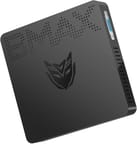 Bmax MaxMini B1 Pro | |
| Price | List Price: $119.99 Amazon Prices: |
| Version | 8GB/128GB/Intel N4000 |
| Performance Rating | 3.6 |
| Operating System | Windows 11 |
| Processor | Dual-core 1.10 Ghz (max 2.60 Ghz) Intel Celeron N4000 Processor |
| GPU | Integrated Intel UHD Graphics |
| RAM | 8 GB |
| Internal Storage | 128 GB eMMC |
| Dimensions width x length x thickness | 4.72 x 4.72 x 0.87 inches (119.89 x 119.89 x 22.1 mm) |
| Weight | 0.485 lbs (0.22 kg) |
| WiFi | Wi-Fi 5 (802.11ac) |
| Bluetooth | Bluetooth 4.2 |
| Ethernet | 1 Ethernet port at 1 Gbps |
| HDMI | 1 Full-Size HDMI Port |
| DisplayPort | No DisplayPort |
| VGA | 1 VGA Port |
| USB Ports | 2 USB 2.0, 2 USB 3 |
| Thunderbolt Ports | No |
| OCuLink | No |
| Internal SATA Ports | No SATA ports |
| Card Reader | microSD Card Reader |
| Headphone Jack | combo |
| Fanless | Yes |
| VESA Mount | Yes |
| In the Box | B1 Pro MINI PC, Power Adapter, User Guide, HDMI Cable, Metal Bracket |
| Expandability | M.2 2280 SSD Slot |
Related Mini PCs
-
 MeLE PCG02 ProThe MeLE PCG02 Pro is a fanless mini PC stick with an Intel Celeron N5105, Windows 11 Pro, dual 4K…
 -
 Bmax B1 PlusThe Bmax B1 Plus is an ultra-budget mini PC on Intel's 2016 Celeron J3355, with 6GB of soldered…
 -
 Bmax B3The Bmax B3 is a small Intel Celeron N5095 mini PC with two HDMI outputs, two gigabit Ethernet…
 -
 MeLE PCG02The MeLE PCG02 is a fanless Intel N100 PC stick with 8GB of memory, 256GB of eMMC storage, dual…
 -
 MINIX Z100-0dBThe MINIX NEO Z100-0dB is a fanless Intel N100 mini PC in an all-metal chassis, sold with 8GB or…
 -
 WVX N100 Mini PCThe WVX N100 is a tiny fanless Intel N100 mini PC (4GB to 12GB of soldered RAM, up to a 512GB SSD)…
A fanless dual-core with eMMC storage and one M.2 slot
At about 0.485 kg (1.07 lb) and 0.87 inches thick, this box sits behind a monitor on the included bracket. The fanless design keeps it silent and removes a common failure point, and the microSD reader on the chassis covers card transfers without a dongle.
The Celeron N4000 runs at 1.10 GHz base and boosts to 2.60 GHz. It is a dual-core, 6W Gemini Lake chip from 2017, energy-efficient but slow by current standards; the integrated Intel UHD graphics handle video streaming and basic tasks. The HDMI and VGA outputs cover both modern and legacy displays, and the USB 2.0/3.0 ports take everyday peripherals. The M.2 2280 SATA slot lets you add a faster drive beyond the 128GB of eMMC, which fills up quickly after Windows.
Reviewer Insights
The major tech press has not put this machine on a test bench. As of mid-2026 there is no TechRadar, Tom’s Hardware, or NotebookCheck review of it, and most of the written “reviews” that surface in search are auto-generated affiliate pages with no testing behind them. Three YouTube videos cover it, each testing a different job.
JayzTwoCents bought the unit for $109 and framed it as “a hundred and nine dollar all-in-one little thin client PC.” He read the chip off the device as “a Intel Gemini Lake N4000 Celeron processor” and was blunt about the class of machine: “this is like bottom of the bottom of the bottom.” His Windows 11 testing matched that framing. YouTube played back at 1080p and even 4K, but the desktop itself dragged under everyday clicks, and he closed with the verdict that “a hundred and nine bucks is a complete waste of money.” He also knocked the build, calling the plastic shell “like hollow.” No watt meter, thermal probe, or synthetic benchmark was run in the video; the criticism rests on real-time responsiveness, not measured figures.
Chase Brogan put the same $99 box to a narrower job, retro emulation. On that job he called it “a phenomenal mini PC” for the price. Working through emulators, he reported that Nintendo 64, PlayStation 1, and Dreamcast each delivered a “really smooth gameplay experience,” and that “Sega Saturn actually worked pretty well.” PlayStation 2 ran but with “little lags and delays that kind of pop up randomly,” and GameCube he “didn’t find to be a great experience,” noting “it’s playable but the audio is a little bit crunchy.” He agreed with the build criticism, observing that “the entire thing here is plastic” and that “it doesn’t feel terribly high quality.”
Mini PC Tech uses it as a set-and-forget Windows box. The reviewer said “I own five mini PCs” and called this one his “fave,” valuing the footprint above all: “this thing doesn’t even take up space on your desk.” He confirmed the practical basics on camera, that “it is a full Windows mini PC” with 8GB of memory, and that “you can pop in an SSD” through the bottom M.2 slot, but ran no benchmarks or thermal tests of his own.
None of the three measured power draw, heat, or noise. The Celeron N4000 is a Gemini Lake part Intel launched in late 2017, a dual-core, two-thread design rated at a 6W TDP. By 2026 that is roughly nine-year-old silicon sitting well below the Alder Lake-N (N100) and Twin Lake (N150) chips that now anchor the budget mini-PC shelf. Fixed, lightweight jobs such as a media endpoint or an emulator front-end suit it; a modern Windows desktop workload does not.
Customer Reviews
Across 9 ratings on Amazon, the Bmax MaxMini B1 Pro averages 3.9 stars. Opinions sit at the extremes, with about 57 percent of raters giving it five stars and another 18 percent giving it one star. The buyers who are happy use it for light, low-stakes tasks. A verified buyer named chaos connected it to a TV in place of the built-in apps and reported that “it is enough to watch videos and do some office works,” and a verified buyer named V. Wires set one up to run an emulator in a public waiting room, valuing how small and unobtrusive it is: “This thing doesn’t even look like a computer.”
The negative reviews point at a stability problem. Chris Royce, installing Ubuntu to run a Plex server, hit repeated freezes during setup and then found that “the system will just completely lock up after idling for more than a few hours,” requiring a hard reset and time unplugged before it would power back on. Another verified buyer, rex, left a one-star review titled “How to return to didn’t work” after troubleshooting failed. If you plan to run this around the clock or under a Linux server load, weigh those lock-up reports; the lighter media and office use cases are where the five-star owners landed.
Read more owner reviews on Amazon.
Worth buying only for one cheap, silent, fixed job
Pick this box for a single light job it can hold all day, a media endpoint or a retro-emulation front-end up to the PS1 and Dreamcast era, at a low enough price. The fanless shell and the HDMI plus VGA outputs suit a living-room or presentation setup where an old projector is still in the chain, and the M.2 SATA slot lets you grow past the cramped 128GB eMMC.
Anything demanding is out of range. Modern Windows desktop work, gaming, and creative apps all outrun the Celeron, and owner reviews flag lock-ups under all-day or Linux-server use. Newer N100 and N150 boxes (such as the BMAX B4 Plus) cost a little more and run far better, and every Amazon listing for this model was showing as currently unavailable. To compare current options, see Starry Hope’s Mini PC Comparison Chart.
Frequently Asked Questions
Can the Bmax MaxMini B1 Pro handle 4K video playback?
Yes. In one hands-on video YouTube played back at 1080p and 4K, which covers a home theater or media-center role.
What type of storage expansion options are available for this Mini PC?
An M.2 2280 slot on the underside takes a SATA SSD, which is both larger and faster than the 128GB of eMMC it ships with.
Does this Mini PC come with Windows 11 pre-installed?
It ships with Windows 11 Pro already installed, so there is no license to buy.
Is the RAM upgradable?
No. The 8GB of LPDDR4 is soldered to the board, so storage is the only upgrade path.
What are the connectivity options for this Mini PC?
Ports and radios cover USB 2.0 and 3.0, HDMI, VGA, Gigabit Ethernet, microSD, a headphone jack, dual-band Wi-Fi 5, and Bluetooth 4.2.
Is this Mini PC fanless?
There is no fan at all, so it makes no noise and has one less moving part to fail.
Can I mount it behind a monitor or TV?
Yes. It supports VESA mounting and ships with a metal bracket, so it can hang behind a monitor or TV.
What is the weight of this Mini PC?
About 0.485 kilograms, or 1.07 pounds.
Does this Mini PC support Ethernet connections?
The single RJ45 port handles wired Ethernet at up to 1 Gbps.