
GMKtec Nucbox KB7
Updated on

The GMKtec Nucbox KB7 measures 3.4 x 3.4 x 1.56 inches and weighs under half a pound, which makes it smaller than an Xbox controller. Inside sits the 11th generation Intel Pentium Silver N6005, a quad-core chip that boosts to 3.3GHz, paired with 16GB of LPDDR4X RAM, 512GB of M.2 SATA storage, and Windows 11 Pro. That combination covers office work, media playback, and light entertainment rather than heavy creative loads. Three HDMI 2.0 outputs drive three 4K displays at once, which is enough for a multi-monitor desk or a digital signage player.
Pros and Cons
| Pros | Cons |
|---|---|
| Extremely compact form factor (smaller than Xbox controller) | Not suitable for demanding tasks or AAA gaming |
| Triple 4K@60Hz display output via HDMI | USB-C port is power delivery only |
| Dual Gigabit Ethernet ports | M.2 slot limited to 2242 form factor |
| Energy efficient at only 18.9W typical operation | Struggles with intensive emulation (GameCube+) |
| Highest PCMark score in the budget mini PC range (2648) | |
| 46dB under load with a 43C maximum processor temperature | Fan noise audible under full load |
| VESA mount included for clean workspace setup |
Related Videos
GMKtec Nucbox KB7 Comparison Chart
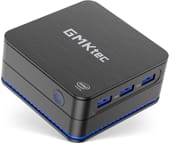 GMKtec Nucbox KB7 | |
| Price | List Price: $299.00 Amazon Prices: |
| Version | 16GB/512GB/Intel Pentium Silver N6005 |
| Performance Rating | 4.9 |
| Operating System | Windows 11 Pro |
| Processor | Quad-core 2.00 Ghz (max 3.30 Ghz) Intel Pentium Silver N6005 |
| GPU | Integrated Intel UHD Graphics |
| RAM | 16 GB |
| Internal Storage | 512 GB |
| Dimensions width x length x thickness | 3.4 x 3.4 x 1.56 inches (86.36 x 86.36 x 39.62 mm) |
| Weight | 0.48 lbs (0.22 kg) |
| WiFi | Wi-Fi 6E (802.11ax) |
| Bluetooth | Bluetooth 5.2 |
| Ethernet | 2 Ethernet ports at 1 Gbps |
| HDMI | 3 Full-Size HDMI Ports |
| DisplayPort | No DisplayPort |
| VGA | No VGA Ports |
| USB Ports | 3 USB 3, 1 USB-C USB-C for DC IN ONLY |
| Thunderbolt Ports | No |
| OCuLink | No |
| Internal SATA Ports | No SATA ports |
| Card Reader | No Card Reader |
| Headphone Jack | combo |
| Fanless | No |
| VESA Mount | Yes |
| In the Box | Nucbox K7 Mini PC, Power Adapter, User Manual Card, Vesa Mount with Screws |
| Expandability | storage is upgradeable |
Related Mini PCs
-
 GMKtec G10The GMKtec G10 is a budget mini PC with an AMD Ryzen 5 3500U, two M.2 slots, 2.5G Ethernet, three…
 -
 GMKtec G11Budget AMD Ryzen Embedded mini PC built for 24/7 duty, with dual 2.5GbE, WiFi 6E, dual M.2 slots,…
 -
 Bmax B4 PlusThe BMAX B4 Plus is an Intel N100 mini PC with a 2.5-inch SATA drive bay next to its M.2 slot, so a…
 -
 Bmax B4 UltraThe Bmax B4 Ultra is an ultra-compact mini PC featuring Intel's N150 processor, 12GB LPDDR5 RAM,…
 -
 BOSGAME B100The BOSGAME B100 is a budget Intel N100 mini PC with 16GB of DDR4, a 512GB NVMe SSD, dual HDMI plus…
 -
 BOSGAME B95The BOSGAME B95 is a low-cost Intel N95 mini PC with 16GB of DDR4, a 512GB M.2 SSD, 2.5Gb Ethernet,…
Three 4K screens and two networks at once
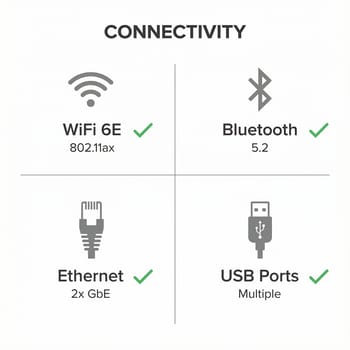
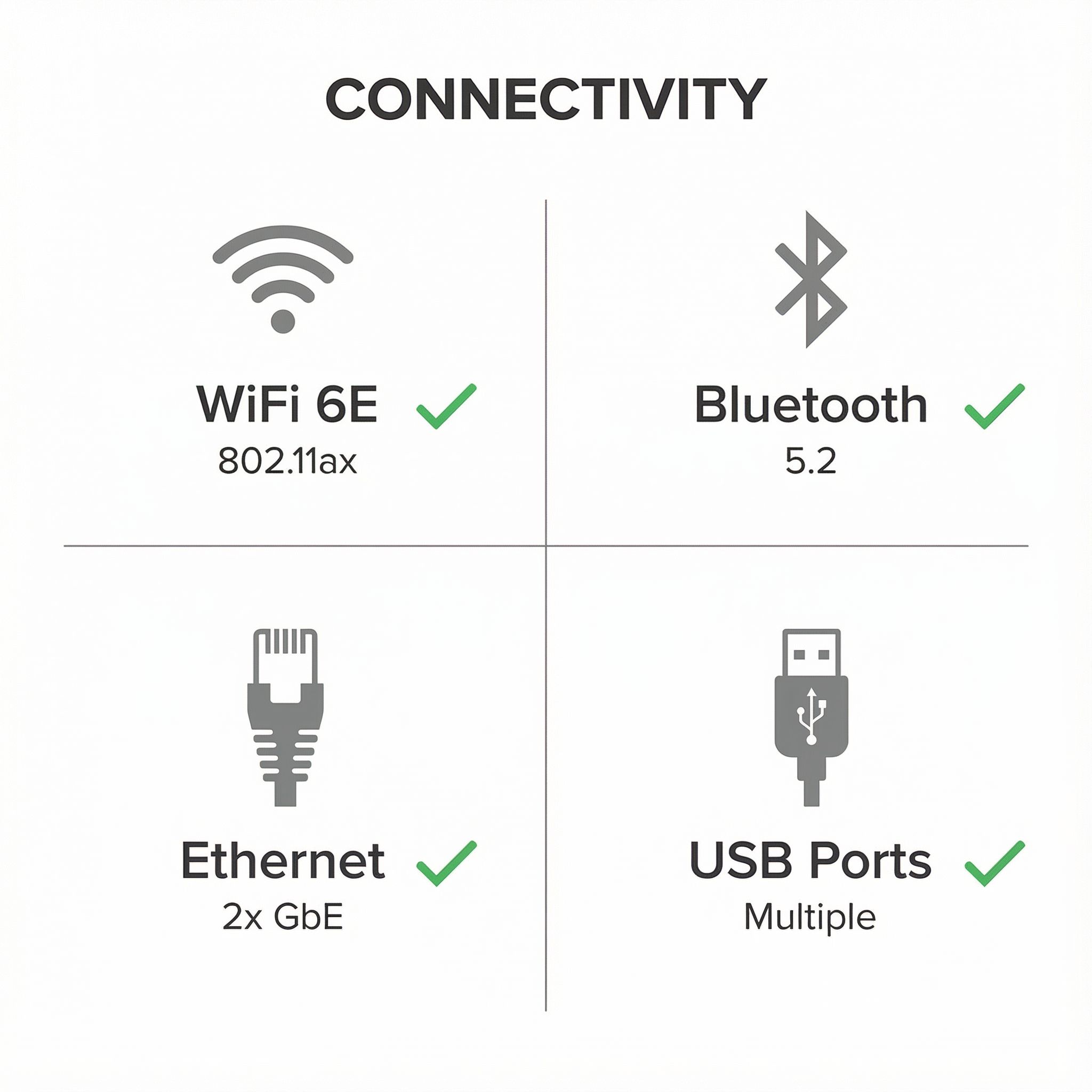
The 3.4-inch square footprint puts this among the smallest fully-functional Windows PCs, and GMKtec still fits three HDMI 2.0 outputs, three USB 3.2 Type-A ports, and two Gigabit Ethernet jacks onto the chassis. All three HDMI ports run 4K@60Hz at the same time, so a trading desk or a command-center wall works off one box with no external splitter. The two Ethernet jacks allow network bridging, a failover link, or connections to two separate networks at once, which a home lab or a small office can put to use.
The Intel Pentium Silver N6005 runs about 15% ahead of the N5105 it replaced, and DROIX’s benchmark run put it at a PCMark score of 2,648. The 16GB of LPDDR4X RAM at 2933MHz leaves room for a browser full of tabs alongside an office suite and light creative work. The 512GB M.2 SATA SSD holds up as a system drive, but the M.2 slot takes 2242 form factor drives rather than the more common 2280 size, so replacement options are thinner.
Tested power draw is 18.9W in typical operation, against the 200W or more a traditional desktop pulls. The internal smart fan holds the processor to a 43C maximum under load at roughly 46dB, which keeps a bedroom or a quiet office workable. The included VESA mount tucks the unit behind a monitor with the ports still reachable. That power and noise profile also suits always-on jobs like a home automation hub, a media server, or a lightweight file server.
Reviewer Insights


jimmy shumk’s Perspective
YouTube reviewer jimmy shumk provides an extensive hands-on look at the GMKtec Nucbox KB7 (also called the NucBox 7) and emphasizes its compact design. “Basically, the Xbox controller is bigger than this mini PC, so it’s still a very small form factor unit,” he notes when comparing the device to common objects. His testing reveals strong 4K video playback capabilities, with streaming content and local files playing without any dropped frames or stuttering. He specifically praises the multi-display functionality, confirming that all three HDMI ports can drive separate 4K screens simultaneously.
For performance, jimmy shumk expresses pleasant surprise given the budget-oriented processor. “I’m actually really surprised by the performance here and it actually really comes down to the TDP,” he explains, noting that the 15-18W thermal design power allows the N6005 to maintain boost clocks effectively. His emulation testing shows strong compatibility with PlayStation 1, Dreamcast, and many Nintendo 64 titles, though he cautions that GameCube emulation pushes the limits of what the processor can handle smoothly. For casual gaming and retro enthusiasts, he finds the performance more than adequate. “4K from your favorite streaming apps or even natively is no problem at all,” he concludes, recommending the device for anyone seeking a compact, versatile computing solution.
Mini PC Reviewer
According to Mini PC Reviewer, the GMKtec Nucbox KB7 represents “exceptional value for its price” among budget mini PCs. Their review highlights the 15% performance improvement the N6005 offers over the previous-generation N5105, making it a worthwhile upgrade for users coming from older budget systems. The publication particularly appreciates the triple 4K display support and dual Gigabit Ethernet.
DROIX’s Analysis
The technical team at DROIX conducted comprehensive benchmark testing of the GMKtec Nucbox KB7, finding it achieves “the highest score in the budget range of mini PCs” on PCMark. Their testing recorded a PCMark score of 2,648, PassMark of 1,828, and 3DMark Time Spy of 409. Their thermal testing recorded a 43C maximum on the processor under sustained load and fan noise at 46dB. Power consumption testing showed typical operation at 18.9W. “The GMKTec NucBox7 is an excellent low cost, energy efficient, palm sized mini PC that is perfect for home and office work, light gaming and retro gaming,” they conclude, noting it cannot handle AAA games but excels at its intended use cases.
Suited to a home theater or a quiet remote-work desk
As a home theater PC it streams 4K content from the major platforms. Remote workers who want a small, quiet system for video conferencing, email, and document editing are well inside its range.
Digital signage and point-of-sale installations benefit from the same combination, three displays driven from one 18.9W box that mounts out of sight on the included VESA bracket. Home lab builders have the two Ethernet ports for router or firewall experiments, and retro gaming holds up through the Dreamcast era.
Video editors, 3D artists, developers running heavy compilation jobs, and anyone after modern game titles should look elsewhere. The Pentium Silver N6005 is efficient but short on the throughput those workloads want, and NVMe speeds or a larger internal drive run into the M.2 2242 size limit. The GMKtec K7 Plus and the rest of GMKtec’s current lineup cover this form factor with newer parts.
To see how this model stacks up against other mini PCs side by side, visit our Mini PC Comparison Chart.
Frequently Asked Questions
What processor powers the GMKtec Nucbox KB7?
An Intel Pentium Silver N6005, an 11th generation quad-core processor with four threads. It runs a 2.0GHz base clock and boosts to 3.3GHz inside a 15-18W thermal design power (TDP), which is what keeps the power draw so low for everyday computing tasks.
Can the GMKtec Nucbox KB7 drive three monitors simultaneously?
Yes. Three HDMI 2.0 ports each output 4K resolution at 60Hz simultaneously, which covers a multi-monitor productivity desk or a digital signage installation.
Is the USB-C port on the GMKtec Nucbox KB7 functional for data transfer?
No. The USB-C port is power delivery input only: it accepts USB-C PD charging but carries no data and no display signal. The three USB 3.2 Type-A ports handle every peripheral.
Can the storage be upgraded in the GMKtec Nucbox KB7?
Yes, the M.2 storage slot takes user-replaceable drives, but only M.2 SATA drives in the 2242 form factor, which is shorter than the more common 2280 size. Drives up to 1TB or 2TB ship in that length.
How loud is the GMKtec Nucbox KB7 during operation?
DROIX measured approximately 46dB under load, comparable to a quiet conversation. The smart fan keeps the processor cool without spinning up past that, so living rooms, bedrooms, and quiet offices all work.
Why does the GMKtec Nucbox KB7 have two Ethernet ports?
Two Gigabit Ethernet ports allow network bridging, a failover connection for redundancy, or a link to two different networks at once. The same pair lets the machine run as a basic router or firewall in a home lab.
Can the GMKtec Nucbox KB7 be mounted behind a monitor?
Yes. A VESA mount bracket and screws ship in the box, and the 3.4 x 3.4 inch chassis weighs under half a pound, so it hangs off the back of any VESA-compatible monitor and stays out of sight.
Is the GMKtec Nucbox KB7 good for gaming?
For light gaming, retro gaming, and emulation of older consoles up through the PlayStation 1 and Dreamcast era, yes, and some older PC games run at reduced settings. Modern AAA titles do not, because the Intel UHD integrated graphics lack the power for high-performance gaming. A mini PC with dedicated graphics or a more powerful processor is the better route for those.
How much power does the GMKtec Nucbox KB7 consume?
DROIX measured approximately 18.9W during typical operation, well under the 200W or more a traditional desktop computer often draws. That makes 24/7 operation cheap enough for always-on applications like home automation hubs or media servers.
Where can I buy the GMKtec Nucbox KB7?
GMKtec has moved on to newer models in this size. The K7 Plus is the closest current equivalent, and the rest of GMKtec’s lineup covers the same compact form factor.