
Lenovo ThinkCentre M700 Tiny
Updated on

The Lenovo ThinkCentre M700 Tiny represents Lenovo’s compact approach to business computing, packing enterprise-grade features into a chassis that measures just 1.36 inches thin. Originally released in 2015-2016 with Intel 6th generation Skylake processors, this mini PC has found new life in the refurbished market as a budget-friendly option for home offices, basic workstations, and media center builds. What makes the M700 Tiny particularly appealing is its combination of business-class reliability, impressive expandability for its size, and a price point that often dips below $150 for capable configurations. Whether you need a compact desktop for everyday productivity or a quiet machine to mount behind a monitor, the ThinkCentre M700 Tiny delivers solid performance without breaking the bank.
Pros and Cons of the Lenovo ThinkCentre M700 Tiny
| Pros | Cons |
|---|---|
| Ultra-compact 1.36-inch thin design fits anywhere | Older Intel 6th gen processors limit demanding tasks |
| Dual DisplayPort for multi-monitor setups | No HDMI port without optional adapter |
| Excellent expandability with socketed CPU | M.2 slot is SATA-only, not NVMe |
| 6 USB 3.0 ports for peripherals | WiFi antenna fragile during HDD caddy removal |
| VESA mount compatible for behind-monitor installation | Limited to 35W TDP processors |
| Budget-friendly refurbished pricing under $200 | Refurbished units may have cosmetic wear |
Related Videos
Lenovo ThinkCentre M700 Tiny Comparison Chart
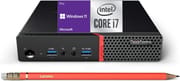 Lenovo ThinkCentre M700 Tiny | Lenovo ThinkCentre M700 Tiny | Lenovo ThinkCentre M700 Tiny | |
| Price | List Price: $127.72 Amazon Prices: Loading prices... | List Price: $163.00 Amazon Prices: Loading prices... | List Price: $216.85 Amazon Prices: Loading prices... |
| Version | --- | --- | --- |
| Perfomance Rating | 4.2 | 4.8 | 4.8 |
| Operating System | Windows 11 Pro | Windows 11 Pro | Windows 11 Pro |
| Processor | Quad-core 2.50 Ghz (max 3.10 Ghz) Intel Core i5-6500T | Quad-core 2.50 Ghz (max 3.10 Ghz) Intel Core i5-6500T | Quad-core 2.50 Ghz (max 3.10 Ghz) Intel Core i5-6500T |
| GPU | Integrated AMD Radeon R4 Graphics | Integrated AMD Radeon R4 Graphics | Integrated AMD Radeon R4 Graphics |
| RAM | 8 GB DDR4 SO-DIMM | 16 GB DDR4 SO-DIMM | 16 GB DDR4 SO-DIMM |
| Internal Storage | 256 GB | 256 GB | 512 GB |
| Dimensions width x length x thickness | 7.2 x 7.05 x 1.36 inches (182.88 x 179.07 x 34.54 mm) | 7.2 x 7.05 x 1.36 inches (182.88 x 179.07 x 34.54 mm) | 7.2 x 7.05 x 1.36 inches (182.88 x 179.07 x 34.54 mm) |
| Weight | 2.9 lbs (1.32 kg) | 2.9 lbs (1.32 kg) | 2.9 lbs (1.32 kg) |
| WiFi | Wi-Fi 5 (802.11ac) | Wi-Fi 5 (802.11ac) | Wi-Fi 5 (802.11ac) |
| Bluetooth | Bluetooth 4.1 | Bluetooth 4.1 | Bluetooth 4.1 |
| Ethernet | 1 Ethernet port at 1 Gbps | 1 Ethernet port at 1 Gbps | 1 Ethernet port at 1 Gbps |
| HDMI | No HDMI | No HDMI | No HDMI |
| DisplayPort | 2 DisplayPorts (Optional modular slot can add 3rd DisplayPort, HDMI, VGA, or serial) | 2 DisplayPorts (Optional modular slot can add 3rd DisplayPort, HDMI, VGA, or serial) | 2 DisplayPorts (Optional modular slot can add 3rd DisplayPort, HDMI, VGA, or serial) |
| VGA | No VGA Ports | No VGA Ports | No VGA Ports |
| USB Ports | 6 USB 3 | 6 USB 3 | 6 USB 3 |
| Thunderbolt Ports | No | No | No |
| Internal SATA Ports | 1 SATA port, includes 2.5" drive bay (2.5-inch SATA bay with removable caddy) | 1 SATA port, includes 2.5" drive bay (2.5-inch SATA bay with removable caddy) | 1 SATA port, includes 2.5" drive bay (2.5-inch SATA bay with removable caddy) |
| Card Reader | No Card Reader | No Card Reader | No Card Reader |
| Headphone Jack | 3.5mm combo | 3.5mm combo | 3.5mm combo |
| Fanless | No | No | No |
| VESA Mount | Yes | Yes | Yes |
| In the Box | Mini PC unit, 65W power adapter, keyboard, mouse, USB WiFi adapter (most listings) | Mini PC unit, 65W power adapter, keyboard, mouse, USB WiFi adapter (most listings) | Mini PC unit, 65W power adapter, keyboard, mouse, USB WiFi adapter (most listings) |
| Expandability | 2x DDR4 SODIMM slots (max 32GB), 1x M.2 SATA, 1x 2.5-inch SATA bay, socketed CPU | 2x DDR4 SODIMM slots (max 32GB), 1x M.2 SATA, 1x 2.5-inch SATA bay, socketed CPU | 2x DDR4 SODIMM slots (max 32GB), 1x M.2 SATA, 1x 2.5-inch SATA bay, socketed CPU |
Related Mini PCs
-
 Lenovo ThinkCentre neo 50q Gen 4The Lenovo ThinkCentre neo 50q Gen 4 delivers business-grade reliability in an ultra-compact 1L…
 -
 GEEKOM Mini Air12 LiteCompact yet powerful, the GEEKOM Mini Air12 Lite features upgradable RAM and storage, dual 4K…
 -
 Lenovo ThinkCentre M625The Lenovo ThinkCentre M625 is an ultra-compact thin client featuring AMD A4-9120C processor,…
 -
 Bmax B2 PowerThe Bmax B2 Power delivers budget-friendly computing in an ultra-compact package. With its Intel…
 -
 Bmax B3 ProThe Bmax B3 Pro is a budget-friendly mini PC powered by the Intel Celeron N5095 processor, offering…
 -
 CyberGeek Nano J1Harness the power of compact computing with the CyberGeek Nano J1 Mini PC. Featuring Intel Celeron…
Detailed Insights into the Lenovo ThinkCentre M700 Tiny
The ThinkCentre M700 Tiny exemplifies the “Tiny” form factor that Lenovo has refined over the years, measuring just 7.2 x 7.05 x 1.36 inches and weighing under 3 pounds. The compact metal and plastic chassis features a clean, professional aesthetic typical of ThinkCentre business systems, with subtle branding and a focus on functionality over flash. The port layout places two USB 3.0 ports with “Always On” fast charging capability on the front panel along with the headphone jack, while the rear houses four additional USB 3.0 ports, dual DisplayPort outputs, gigabit Ethernet, and the power input. The entire design screams enterprise practicality, with ventilation strategically placed to keep the 35W TDP processors running cool under load.
Performance-wise, the M700 Tiny handles everyday computing tasks with ease, though expectations should be calibrated to its 2015-era Intel Skylake processors. Variants with the i5-6500T or i7-6700T deliver snappy responsiveness for web browsing, office productivity, video playback, and light multitasking. The Intel HD Graphics 530 integrated GPU handles 4K video output and basic photo editing, but gaming is limited to older titles at low settings. What the M700 Tiny lacks in raw power, it compensates for with quiet operation and low power consumption, making it an excellent choice for workstations where noise levels matter.
Connectivity and expansion options set the M700 Tiny apart from many competitors in its price range. The dual DisplayPort outputs enable productive dual-monitor setups out of the box, and an optional modular slot can add a third display output as HDMI, VGA, or serial port. The WiFi 5 wireless with Intel 8260 dual-band adapter and Bluetooth 4.1 provide modern wireless connectivity, while the single gigabit Ethernet port covers wired networking needs. Storage expansion includes one M.2 2280 SATA slot and a 2.5-inch SATA bay, allowing for a dual-drive configuration. Perhaps most impressively, the M700 Tiny features a socketed LGA 1151 CPU, meaning owners can upgrade from an i3 to an i7 processor if desired.
Reviewer Insights on the Lenovo ThinkCentre M700 Tiny
Haiste Computer Repair’s Perspective
Haiste Computer Repair provides a thorough technical breakdown of the ThinkCentre M700 Tiny, covering everything from basic specifications to a complete motherboard tour. The reviewer particularly appreciates the accessibility of the internal design, noting “I really like the accessibility of this design. It allows me, a technician, to easily access upgrades and extra solutions for the workplace.” This ease of serviceability is a hallmark of ThinkCentre business systems and makes RAM or storage upgrades straightforward for end users.
The review delves into practical performance testing, demonstrating the M700 Tiny’s capabilities for general use and even light gaming. As the reviewer explains, “This is the lower power draw version of the regular desktop i5-6500 with a TDP of 35 watts as compared to 65 watts,” highlighting the efficiency trade-offs inherent in the Tiny form factor. While acknowledging the CPU limitations for demanding tasks, the overall recommendation is positive for budget-conscious buyers: “So, if that is something you are looking for and it’s the right price, I would say give it a shot.”
The technical deep-dive reveals important details about expandability, including the 2 DDR4 SODIMM slots supporting up to 32GB of RAM, the M.2 SATA slot, and the socketed CPU design. The reviewer cautions about the fragile WiFi antenna connection when removing the 2.5-inch drive caddy, a useful tip for anyone planning internal modifications.
Customer Reviews of the Lenovo ThinkCentre M700 Tiny
Amazon customer feedback for the ThinkCentre M700 Tiny variants ranges from 3.3 to 4.2 stars across the different listings, reflecting the reality of refurbished purchases. Customers who understand they’re buying older business equipment at budget prices generally report satisfaction with the compact form factor, quiet operation, and adequate performance for basic productivity tasks. The inclusion of keyboard, mouse, and sometimes monitors in bundle deals adds perceived value for buyers setting up complete workstations.
Common praises include the machine’s small footprint, reliability, and the ability to run Windows 11 despite the older hardware. Users appreciate the dual DisplayPort outputs for multi-monitor setups and the generally complete accessories packages. Several reviewers note successful use as home office machines, media centers, and even light development workstations where raw performance isn’t critical.
The criticisms that appear in reviews typically center on cosmetic condition of refurbished units, occasional DOA units (though covered by seller warranties), and unrealistic performance expectations. Some buyers expecting gaming capability or heavy multitasking report disappointment, while those who understand the Skylake-era limitations find the value proposition compelling. The older WiFi adapter in some units has drawn complaints, though many listings include USB WiFi dongles as alternatives.
Conclusion
The Lenovo ThinkCentre M700 Tiny occupies a sweet spot in the refurbished mini PC market, offering genuine business-class build quality and thoughtful design at prices that often undercut brand-new entry-level systems. For users whose needs center around web browsing, office productivity, email, video streaming, and similar light workloads, the M700 Tiny delivers a compact, quiet, and capable solution. The dual DisplayPort outputs, excellent port selection, and expansion options including a socketed CPU make it versatile beyond its budget positioning.
Buyers should approach with realistic expectations about the 2015-era Intel 6th generation processors, which handle everyday tasks well but struggle with demanding applications or modern games. The M.2 slot’s SATA-only limitation means NVMe speed seekers will need to look elsewhere. However, for the price point, the ThinkCentre M700 Tiny represents solid value, especially in configurations with 16GB RAM and SSD storage that can be found under $200.
Those considering a budget mini PC would do well to weigh the M700 Tiny against newer options like the Intel N100-based systems, which offer similar power consumption and better efficiency but may lack the expandability and build quality of enterprise ThinkCentre hardware. For those looking to compare options, Starry Hope’s Mini PC Comparison Chart provides a valuable resource for evaluating alternatives across various price points and performance levels.
Frequently Asked Questions
Can the Lenovo ThinkCentre M700 Tiny run Windows 11?
Yes, the ThinkCentre M700 Tiny can run Windows 11, and many refurbished units ship with it pre-installed. While the Intel 6th generation processors don’t officially meet Microsoft’s requirements, Windows 11 can be installed and runs smoothly on this hardware. Most Amazon listings include Windows 11 Pro.
What is the maximum RAM supported by the M700 Tiny?
The Lenovo ThinkCentre M700 Tiny supports up to 32GB of DDR4 RAM across two SODIMM slots. It uses DDR4-2133MHz memory modules. Many refurbished units come with 8GB or 16GB pre-installed, but upgrading to the maximum 32GB is straightforward.
Does the M700 Tiny have an HDMI port?
No, the ThinkCentre M700 Tiny does not include HDMI on its base configuration. It features two DisplayPort outputs instead. However, HDMI can be added through the optional modular expansion slot, or users can use a DisplayPort to HDMI adapter cable for HDMI-only monitors.
Can I upgrade the CPU in the ThinkCentre M700 Tiny?
Yes, the M700 Tiny features a socketed LGA 1151 CPU, which is unusual for mini PCs. You can upgrade from lower-end i3 processors to i5 or i7 6th generation Skylake chips. However, note that the Tiny form factor uses T-series (35W TDP) processors, so only low-power variants are compatible.
Is the M700 Tiny suitable for gaming?
The ThinkCentre M700 Tiny is not designed for gaming. Its Intel HD Graphics 530 integrated GPU can handle older games at low settings, but modern titles will not run well. It’s best suited for productivity, web browsing, and media consumption rather than gaming.
Does the M700 Tiny support NVMe SSDs?
No, the M.2 slot in the ThinkCentre M700 Tiny supports SATA SSDs only, not NVMe PCIe drives. The M.2 2280 SATA slot runs at 6Gbps, which is the same speed as a standard 2.5-inch SATA SSD. For storage expansion, you have both the M.2 SATA slot and a 2.5-inch SATA bay.
Can the M700 Tiny be mounted behind a monitor?
Yes, the ThinkCentre M700 Tiny is VESA mount compatible using the Lenovo Tiny VESA Mount II bracket (sold separately, part number 4XF0N03161). This allows you to attach the mini PC to the back of any VESA-compatible monitor, creating an all-in-one style setup that saves desk space.