
Lenovo ThinkCentre neo 50q Gen 4
Updated on

The Lenovo ThinkCentre neo 50q Gen 4 sits at the budget end of Lenovo’s 1-liter business desktop line, which is exactly how ServeTheHome framed it when the machine was announced at CES 2023: a unit that uses the mainstream 1L chassis but “only offers up to a Core i5 H-series CPU” and is “still a DDR4 model.” Lenovo’s own spec sheet lists two processor options, a 12th Gen Core i3-1215U and the 13th Gen Core i5-13420H, and every configuration Starry Hope tracks here uses the i5. Lenovo’s press release put the Windows 11 starting price at $499 with availability from October 2023; when StorageReview had a unit on the bench in August 2023, the starting price on Lenovo’s own web store was $699. Both are launch-era Lenovo figures rather than what the configurations in the chart below cost today. Three years on, this is not a current-generation machine.
Quiet and serviceable, capped by the iGPU and DDR4
| Pros | Cons |
|---|---|
| Reviewers at two publications independently called it near-silent under load | Multi-core performance runs well behind the same chip in a laptop chassis |
| 1L chassis (7.2 x 7.04 x 1.44 in, 2.45 lbs) fits behind a monitor or on a shelf | Integrated UHD Graphics rules out CAD, 3D, and serious video work |
| Cover comes off with a single screw to reach both SO-DIMMs and the M.2 slot | Caps out at 32GB DDR4-3200, and it is DDR4 rather than DDR5 |
| Punch-out port adds a second DisplayPort 1.4, VGA, or serial connector | Wi-Fi 6 only, with no 6E or Wi-Fi 7 option |
| Two drives supported: M.2 2280 PCIe Gen 4 plus an optional 2.5-inch SATA bay | Lenovo’s spec sheet lists System Management as “None” (no vPro/AMT remote control) |
| Firmware TPM 2.0, Kensington slot, and a deep BIOS security list | Base warranty is one year courier or carry-in unless upgraded |
Lenovo ThinkCentre neo 50q Gen 4 Comparison Chart
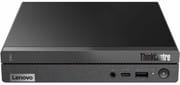 Lenovo ThinkCentre neo 50q Gen 4 | Lenovo ThinkCentre neo 50q Gen 4 | Lenovo ThinkCentre neo 50q Gen 4 | Lenovo ThinkCentre neo 50q Gen 4 | Lenovo ThinkCentre neo 50q Gen 4 | |
| Price | List Price: Amazon Prices: Loading prices... | List Price: $599.00 Amazon Prices: Loading prices... | List Price: $579.98 Amazon Prices: Loading prices... | List Price: $679.00 Amazon Prices: | List Price: $779.00 Amazon Prices: |
| Version | 8GB/256GB | 16GB/256GB | 16GB/512GB | 16GB/1TB | 32GB/1TB |
| Performance Rating | 3.9 | 4.3 | 4.3 | 4.3 | 4.7 |
| Operating System | Windows 11 Pro | Windows 11 Pro | Windows 11 Pro | Windows 11 Pro | Windows 11 Pro |
| Processor | Octa-core 2.10 Ghz (max 4.60 Ghz) Intel Core i5-13420H | Octa-core 2.10 Ghz (max 4.60 Ghz) Intel Core i5-13420H | Octa-core 2.10 Ghz (max 4.60 Ghz) Intel Core i5-13420H | Octa-core 2.10 Ghz (max 4.60 Ghz) Intel Core i5-13420H | Octa-core 2.10 Ghz (max 4.60 Ghz) Intel Core i5-13420H |
| GPU | Integrated Intel UHD Graphics | Integrated Intel UHD Graphics | Integrated Intel UHD Graphics | Integrated Intel UHD Graphics | Integrated Intel UHD Graphics |
| RAM | 8 GB DDR4 SO-DIMM | 16 GB DDR4 SO-DIMM | 16 GB DDR4 SO-DIMM | 16 GB DDR4 SO-DIMM | 32 GB DDR4 SO-DIMM |
| Internal Storage | 256 GB | 256 GB | 512 GB | 1 TB | 1 TB |
| Dimensions width x length x thickness | 7.2 x 7.04 x 1.44 inches (182.88 x 178.82 x 36.58 mm) | 7.2 x 7.04 x 1.44 inches (182.88 x 178.82 x 36.58 mm) | 7.2 x 7.04 x 1.44 inches (182.88 x 178.82 x 36.58 mm) | 7.2 x 7.04 x 1.44 inches (182.88 x 178.82 x 36.58 mm) | 7.2 x 7.04 x 1.44 inches (182.88 x 178.82 x 36.58 mm) |
| Weight | 2.45 lbs (1.11 kg) | 2.45 lbs (1.11 kg) | 2.45 lbs (1.11 kg) | 2.45 lbs (1.11 kg) | 2.45 lbs (1.11 kg) |
| WiFi | Wi-Fi 6 (802.11ax) | Wi-Fi 6 (802.11ax) | Wi-Fi 6 (802.11ax) | Wi-Fi 6 (802.11ax) | Wi-Fi 6 (802.11ax) |
| Bluetooth | Bluetooth 5.2 | Bluetooth 5.2 | Bluetooth 5.2 | Bluetooth 5.2 | Bluetooth 5.2 |
| Ethernet | 1 Ethernet port at 1 Gbps | 1 Ethernet port at 1 Gbps | 1 Ethernet port at 1 Gbps | 1 Ethernet port at 1 Gbps | 1 Ethernet port at 1 Gbps |
| HDMI | 1 Full-Size HDMI Port | 1 Full-Size HDMI Port | 1 Full-Size HDMI Port | 1 Full-Size HDMI Port | 1 Full-Size HDMI Port |
| DisplayPort | 1 DisplayPort (DP 1.4; optional 2nd DP 1.4/VGA/serial via punch-out port) | 1 DisplayPort (DP 1.4; optional 2nd DP 1.4/VGA/serial via punch-out port) | 1 DisplayPort (DP 1.4; optional 2nd DP 1.4/VGA/serial via punch-out port) | 1 DisplayPort (DP 1.4; optional 2nd DP 1.4/VGA/serial via punch-out port) | 1 DisplayPort (DP 1.4; optional 2nd DP 1.4/VGA/serial via punch-out port) |
| VGA | No VGA Ports | No VGA Ports | No VGA Ports | No VGA Ports | No VGA Ports |
| USB Ports | 2 USB 2.0, 3 USB 3, 1 USB-C Front: 1x USB-C 3.2 Gen 2 (10Gbps, 5V@0.9A charging), 1x USB 3.2 Gen 2 (Always On, 5V@2.1A charging); Rear: 2x USB 2.0, 2x USB 3.2 Gen 2 | 2 USB 2.0, 3 USB 3, 1 USB-C Front: 1x USB-C 3.2 Gen 2 (10Gbps, 5V@0.9A charging), 1x USB 3.2 Gen 2 (Always On, 5V@2.1A charging); Rear: 2x USB 2.0, 2x USB 3.2 Gen 2 | 2 USB 2.0, 3 USB 3, 1 USB-C Front: 1x USB-C 3.2 Gen 2 (10Gbps, 5V@0.9A charging), 1x USB 3.2 Gen 2 (Always On, 5V@2.1A charging); Rear: 2x USB 2.0, 2x USB 3.2 Gen 2 | 2 USB 2.0, 3 USB 3, 1 USB-C Front: 1x USB-C 3.2 Gen 2 (10Gbps, 5V@0.9A charging), 1x USB 3.2 Gen 2 (Always On, 5V@2.1A charging); Rear: 2x USB 2.0, 2x USB 3.2 Gen 2 | 2 USB 2.0, 3 USB 3, 1 USB-C Front: 1x USB-C 3.2 Gen 2 (10Gbps, 5V@0.9A charging), 1x USB 3.2 Gen 2 (Always On, 5V@2.1A charging); Rear: 2x USB 2.0, 2x USB 3.2 Gen 2 |
| Thunderbolt Ports | No | No | No | No | No |
| OCuLink | No | No | No | No | No |
| Internal SATA Ports | 1 SATA port, includes 2.5" drive bay (Optional 2.5" SATA bay (HDD bracket kit only on HDD models)) | 1 SATA port, includes 2.5" drive bay (Optional 2.5" SATA bay (HDD bracket kit only on HDD models)) | 1 SATA port, includes 2.5" drive bay (Optional 2.5" SATA bay (HDD bracket kit only on HDD models)) | 1 SATA port, includes 2.5" drive bay (Optional 2.5" SATA bay (HDD bracket kit only on HDD models)) | 1 SATA port, includes 2.5" drive bay (Optional 2.5" SATA bay (HDD bracket kit only on HDD models)) |
| Card Reader | No Card Reader | No Card Reader | No Card Reader | No Card Reader | No Card Reader |
| Headphone Jack | combo | combo | combo | combo | combo |
| Fanless | No | No | No | No | No |
| VESA Mount | Yes | Yes | Yes | Yes | Yes |
| In the Box | 65W adapter, Wi-Fi antenna; keyboard, mouse, stand, VESA bracket optional | 65W adapter, Wi-Fi antenna; keyboard, mouse, stand, VESA bracket optional | 65W adapter, Wi-Fi antenna; keyboard, mouse, stand, VESA bracket optional | 65W adapter, Wi-Fi antenna; keyboard, mouse, stand, VESA bracket optional | 65W adapter, Wi-Fi antenna; keyboard, mouse, stand, VESA bracket optional |
| Expandability | 2x DDR4 SO-DIMM slots (max 32GB DDR4-3200, dual-channel), 1x M.2 2280 PCIe Gen 4 NVMe, optional 2.5" SATA bay | 2x DDR4 SO-DIMM slots (max 32GB DDR4-3200, dual-channel), 1x M.2 2280 PCIe Gen 4 NVMe, optional 2.5" SATA bay | 2x DDR4 SO-DIMM slots (max 32GB DDR4-3200, dual-channel), 1x M.2 2280 PCIe Gen 4 NVMe, optional 2.5" SATA bay | 2x DDR4 SO-DIMM slots (max 32GB DDR4-3200, dual-channel), 1x M.2 2280 PCIe Gen 4 NVMe, optional 2.5" SATA bay | 2x DDR4 SO-DIMM slots (max 32GB DDR4-3200, dual-channel), 1x M.2 2280 PCIe Gen 4 NVMe, optional 2.5" SATA bay |
Related Mini PCs
-
 Lenovo ThinkCentre neo 50q Gen 5The Lenovo ThinkCentre neo 50q Gen 5 is a 1-liter business desktop built on the Intel Core 5 210H,…
 -
 Beelink SER5 Mini PCThe Beelink SER5 is a compact AMD mini PC (Ryzen 5 5560U or Ryzen 7 5700U) with Radeon graphics,…
 -
 BOSGAME E5 PlusThe BOSGAME E5 Plus pairs a four-core Ryzen 3 5400U with two 2.5GbE ports, two memory slots, and a…
 -
 GMKtec NucBox M2 Pro SPalm-sized GMKtec mini PC built on Intel's 11th-gen Core i7-1185G7, with triple 4K60 output, Intel…
 -
 PELADN WO4The PELADN WO4 pairs AMD's six-core Ryzen 5 5600H with dual Ethernet, two DDR4 SO-DIMM slots and a…
 -
 wo-we H8The wo-we H8 is a budget 5-inch mini PC built on Intel's Core 3 304 Wildcat Lake chip for buyers…
Office-class speed, a hard graphics ceiling, and a punch-out port

The Core i5-13420H is a 13th Gen mobile part with four performance cores that boost to 4.6 GHz and four efficiency cores that reach 3.4 GHz, for eight cores and 12 threads total. It was announced alongside the machine at CES 2023, which by mid-2026 puts it several generations behind Intel’s current mobile silicon; that matters less for spreadsheets and browser tabs than the spec sheet suggests, but it is the right starting point for anyone shopping this box used or on clearance. LaptopMedia measured Cinebench R23 scores of 1670 single-core and 7634 multi-core on the neo 50q, and noted that the same i5-13420H hit 12202 in an Acer Nitro V 15 and 12665 in an HP Omen 16. Single-core throughput holds up; sustained all-core work does not. Lenovo’s spec sheet notes that the optional 90W adapter “may increase performance scores when i5-13420H CPUs are installed” over the standard 65W brick.
Graphics are the harder ceiling. The i5-13420H carries Intel UHD Graphics with 48 execution units, and StorageReview’s SPECworkstation3 run returned a GPU Compute score of 0.13 next to CPU-bound category scores of 2.22 for Financial Services and 1.65 for General Operations. LaptopMedia’s 3DMark Time Spy result was 846 total, with a graphics subscore of 740 against a CPU subscore of 4522. On the productivity benchmarks the results are much better, with a Procyon Office Productivity total of 5690 across Word, Excel, PowerPoint, and Outlook, against 6154 to 6946 for the three RTX-equipped gaming laptops LaptopMedia put in the same table. This is a spreadsheet, browser, and remote-desktop machine, and it is a good one; it is not a workstation despite the ThinkCentre badge.
Lenovo’s spec sheet says the neo 50q Gen 4 supports up to three independent displays via the onboard DisplayPort, the onboard HDMI, and the optional punch-out port, which means the third output only exists if the punch-out port was ordered. The onboard DisplayPort 1.4 and HDMI 2.1 TMDS each top out at 4096x2160 at 60Hz. LaptopMedia is blunt about what the HDMI label means in practice, describing “one HDMI 2.1 TMDS port (aka an HDMI 2.0 port)”. The punch-out itself is a useful piece of design: you order the part from Lenovo, pop out the metal plate on the back panel, and screw in an extra DisplayPort 1.4, a VGA connector, or a serial port. For point-of-sale, lab, and industrial deployments that still need serial, that option is the reason to look at this chassis.
Networking is Gigabit Ethernet through a Realtek RTL8111K-CG plus a 2x2 802.11ax Wi-Fi 6 card, either an Intel AX201 (Bluetooth 5.2) or a Realtek RTL8852BE (Bluetooth 5.3) depending on configuration; there is no Wi-Fi 6E or Wi-Fi 7 option, which ServeTheHome flagged at announcement as a throwback “when we are starting to see WiFi 6E as common and WiFi 7 at the leading edge”. Audio is a Realtek ALC256 codec with a single 2W speaker and no built-in microphone, so plan on a headset. Security covers firmware TPM 2.0 integrated in the SoC, a 3x7mm Kensington Security Slot, a chassis intrusion switch that has to be enabled in BIOS, and BIOS-level controls including secure boot, individual USB port disablement, and a smart USB protection mode that allows a keyboard and mouse while blocking storage devices. The spec sheet’s System Management entry reads “None”, so there is no vPro or AMT out-of-band control for managing a fleet of these remotely.
Lenovo ships it with Windows 11 Pro, Home, or Home Single Language, with a Windows 10 Pro downgrade option, with Ubuntu Linux, or with no operating system at all, and the spec sheet notes an IGEL thin-client preload (version 11.08.240, on a 90-day evaluation license). StorageReview points out why that matters for a business buyer: a company can standardize on one piece of hardware whether the unit is being deployed as a local desktop or as a thin client.
Reviewer Insights

StorageReview (Tom Fenton, August 2023)
StorageReview ran the neo 50q as a hybrid-work desktop, testing it both with local applications and as a VDI client against a VMware Horizon hosted desktop. Fenton wrote that “This is not the most powerful system in the Lenovo lineup but it is, as our testing and analysis show, more than adequate to handle the workload of most employees.” On the VDI side he streamed a 1080p video full-screen inside the remote desktop and measured roughly 13% CPU use and 7GB of the unit’s 16GB of RAM, concluding that “Our testing with the Horizon desktop and applications also proved that it is an extremely capable VDI client.”
Fenton’s read on the SPECworkstation3 numbers was that “This test indicated to us that the Neo 50q is perfectly adequate for most common workloads, but the iGPU will clearly hold it back from doing much more,” and his conclusion added that the benchmark “confirmed that it has the power to run common applications locally, though users with a more intensive graphics need should step up to a more performant system.” The review noted that “Users and officemates will like that it is extremely quiet” and added that the fan was barely audible even while benchmarks were running. His verdict was that the machine “does exactly what Lenovo set it out to do” by providing “a high-quality, reliable platform for home, small, and mid-size business users to accomplish their daily tasks” that is “also affordable.”
LaptopMedia (Severin Kolakov, April 2024)
LaptopMedia supplied the benchmark figures and the most detailed teardown. Kolakov reports that “The ThinkCentre Neo 50Q Gen 4 Thin is super easy to take apart, as the cover panel can be taken out with just a single screw on the back,” after which the cover and front panel slide off together. Inside, “you can see a mounting cage for a 2.5-inch SSD or a Hard Drive, along with a thin ribbon cable for connecting the drive that you need to be super careful with,” with the M.2 slot underneath the cage and the two SO-DIMM slots hiding beneath a fan that lifts out.
On performance, Kolakov writes: “The performance of the PC is a bit limited, simply due to its small form factor, as we’ve seen the Core i5-13420H perform a lot better inside proper laptops with more cooling capacity.” The benchmark page explains the Cinebench gap the same way, that “the Core i5 isn’t allowed to stretch its legs that much due to the size and cooling limitations of the chip, as we’ve had previous laptops with it go well into the 12000s in Cinebench,” and dismisses gaming outright: “To no one’s surprise, the integrated graphics inside aren’t the best for gaming.” His pros list includes “Silent at pretty much any stress level” and his cons list includes “Won’t break any benchmarking records anytime soon.”
ServeTheHome (Cliff Robinson, January 2023)
ServeTheHome’s CES 2023 coverage came from the announcement rather than a hands-on unit, and it places the model in Lenovo’s stack. Robinson wrote that the neo 50q Gen 4 “uses the mainstream 1L PC chassis but only offers up to a Core i5 H-series CPU” and that “It is also still a DDR4 model. This is a lower-end and lower-priced option from Lenovo.” He also flagged the wireless spec as dated on arrival, noting the machine only has “up to WiFi 6” at a moment “when we are starting to see WiFi 6E as common and WiFi 7 at the leading edge.” Buyers who want a Lenovo 1L with a higher CPU ceiling should look at the ThinkCentre M70q Gen 5 instead.
The “catch” in the headline was scheduling. Quoting Lenovo’s press release, the article records that “ThinkCentre neo 50q Gen 4 with Windows 11 OS will start at $499 and is expected to be available starting October 2023,” prompting Robinson’s complaint that “As excited as we are for the new line, announcing 10 months before they ship feels like this announcement is too early in the process.”
Customer Reviews
Amazon feedback on this machine is spread thin across several separate listings, and the averages differ from listing to listing. One 16GB/512GB listing shows 4.8 stars across 5 ratings, a second 16GB/512GB listing shows 4.3 across 8, the 16GB/256GB listing shows 4.4 across 6, and the 8GB/256GB listing shows 3.7 across 5. Those are tiny samples in every case.
The positive reviews are consistent about what the machine is for. Geno, a verified buyer, gave the 16GB/512GB configuration five stars in January 2026 and wrote: “The size of a sandwich, and plenty of power and speed for everyday computer work. Fires up from dead cold in about seven seconds and is ready to go. Perfect for tight spaces.” Arlyn Richards, another verified buyer of the same configuration, was similarly measured in June 2026: “I like the small form factor. It has enough power to browse the internet and show videos. It has good response for most non-gaming applications.”
Two of the complaints come from buyers who ordered in quantity. Mike G, a verified buyer of the 8GB/256GB listing, left a one-star review in January 2025 titled “2 of the 3 units Dead On Arrival” and wrote: “These seemed like a good deal but two out of the three I ordered would not power on at all.” Tania Busch’s one-star review of the 16GB/512GB listing raises a different issue: “We purchase 14 new units from Doowy Does It Inc. They all came with about half year warranty instead of 1 year warranty. I tried to address this issue with Lenovo, but they told me that nothing could be done with products purchased through Amazon.” Lenovo’s spec sheet lists a one-year courier or carry-in base warranty, so if warranty coverage matters for a fleet purchase, check the remaining term with the third-party seller before ordering. Read more owner reviews on the 16GB/512GB listing, which carries most of this feedback.
A quiet 1L box for offices that still need serial or VGA
The neo 50q Gen 4 is a sensible pick in a narrow band: a quiet, serviceable, one-liter box for office productivity, thin-client and VDI work, digital signage, point-of-sale, and reception desks, especially where the punch-out port’s serial or VGA option solves a connector problem.
The integrated UHD Graphics is a hard stop for creative work, memory tops out at 32GB of DDR4, there is no Wi-Fi 6E or Wi-Fi 7 option, there is no vPro or AMT for remote fleet management, and the i5-13420H gives up a large chunk of its multi-core performance to this chassis compared with the same chip in a laptop. Anyone weighing it against newer boxes with AMD Radeon 780M graphics, DDR5, or 2.5GbE should start from Starry Hope’s Mini PC Comparison Chart, and anyone expecting a mini PC to replace a tower should read what mini PCs cannot do first.
Frequently Asked Questions
What processor does the Lenovo ThinkCentre neo 50q Gen 4 use?
Lenovo’s spec sheet lists two options: a 12th Gen Core i3-1215U and a 13th Gen Core i5-13420H. Every configuration tracked on this page uses the i5-13420H, which has 8 cores (4 performance and 4 efficiency) and 12 threads, with performance cores boosting to 4.6 GHz and efficiency cores to 3.4 GHz.
How much RAM can the ThinkCentre neo 50q Gen 4 take?
Lenovo lists a maximum of 32GB of DDR4-3200 across two SO-DIMM slots, which are dual-channel capable. Some third-party listings claim 64GB; Lenovo’s own spec sheet does not support that figure. LaptopMedia’s teardown found the SO-DIMM slots underneath a fan that lifts out once the cover is off.
How do you open the ThinkCentre neo 50q Gen 4 to upgrade it?
One screw on the back releases the cover, after which the top cover and front panel slide off together. StorageReview notes the screw is not captive, so do not lose it. Inside you get a cage for an optional 2.5-inch SATA drive, an M.2 2280 PCIe Gen 4 slot beneath it, and two DDR4 SO-DIMM slots under the fan.
How many monitors can the ThinkCentre neo 50q Gen 4 support?
Two out of the box and three with an option. Lenovo’s spec sheet says the machine supports up to 3 independent displays via the onboard DisplayPort, the onboard HDMI, and the optional punch-out port, so the third output requires ordering that port. The onboard DisplayPort 1.4 and HDMI 2.1 TMDS each support up to 4096x2160 at 60Hz; a punch-out VGA port is limited to 1920x1200 at 60Hz.
Is the ThinkCentre neo 50q Gen 4 suitable for video editing or gaming?
No. The Intel UHD Graphics handles 4K video playback and office work, but StorageReview’s SPECworkstation3 GPU Compute score of 0.13 and LaptopMedia’s 3DMark Time Spy graphics subscore of 740 both confirm these are GPU limitations common to most mini PCs. Models with an AMD Radeon 780M or a discrete GPU are the right answer for that work.
How loud is the ThinkCentre neo 50q Gen 4 during operation?
Two reviewers independently rated it near-silent. StorageReview wrote that “Users and officemates will like that it is extremely quiet” and said the fan was barely audible even while benchmarks ran, and LaptopMedia listed “Silent at pretty much any stress level” among its pros. Lenovo also offers an optional TUV Rheinland Ultra Low Noise certification on select configurations.
What is the punch-out port on the back of the neo 50q Gen 4?
It is a factory or field-installable expansion slot for one extra connector. Lenovo offers a DisplayPort 1.4, a VGA port, or a serial port for it. LaptopMedia describes the process as ordering the port part from Lenovo, removing the metal plate that covers the mounting point on the motherboard, and screwing the connector in. The slot is only present on select models.
Does the ThinkCentre neo 50q Gen 4 support VESA mounting?
Yes, the chassis supports a 100mm VESA mount. Whether a bracket ships in the box depends on the configuration: Lenovo lists the vertical stand and the VESA mount as separate configurable options, LaptopMedia’s review unit came with a bracket and screws, and StorageReview’s unit came with a vertical stand instead. Check the specific SKU before assuming a bracket is included.
What security and management features does the neo 50q Gen 4 include?
Lenovo lists a firmware TPM 2.0 integrated in the SoC (not a discrete chip), a 3x7mm Kensington Security Slot, and a hardware chassis intrusion switch that must be enabled in BIOS. BIOS security covers secure boot, secure wipe, boot sequence control, individual USB port disablement, hard disk and supervisor passwords, and a smart USB protection mode that permits a keyboard and mouse while blocking storage devices. The spec sheet lists System Management as “None”, so there is no vPro or AMT out-of-band control.
Which power adapter should you use with the i5-13420H model?
Lenovo offers 65W, 90W, and 135W adapters. The spec sheet notes that the optional 90W adapter “may increase performance scores when i5-13420H CPUs are installed”, so if you are buying new and expect sustained multi-core workloads, the larger brick is worth specifying. LaptopMedia’s Cinebench R23 multi-core result of 7634 on this chassis, against 12202 and 12665 for the same chip in two laptops, shows how much sustained performance the compact cooling gives up.