
Lenovo ThinkCentre neo 50q Gen 4
Updated on

The Lenovo ThinkCentre neo 50q Gen 4 represents the enterprise-focused end of the mini PC spectrum, delivering the reliability and manageability that business users expect from the ThinkCentre brand in an impressively compact 1-liter chassis. Powered by Intel’s 13th Gen Core i5-13420H processor with 8 cores and 12 threads, this tiny desktop handles everyday business workloads with ease while consuming minimal desk space and energy. What sets the neo 50q apart from consumer-oriented competitors is its comprehensive enterprise feature set, including TPM 2.0 security, ThinkShield protection, and eco-friendly construction that has earned it Energy Star 8.0 and EPEAT Gold certifications. At prices starting around $580 for the 16GB/512GB configuration, it offers genuine business-grade quality at a reasonable price point for home offices and small businesses alike.
Pros and Cons of the Lenovo ThinkCentre neo 50q Gen 4
| Pros | Cons |
|---|---|
| Exceptionally quiet operation, even under benchmarks | Integrated GPU unsuitable for graphics-intensive work |
| Ultra-compact 1L form factor fits almost anywhere | Still using DDR4 memory rather than faster DDR5 |
| Enterprise security features including TPM 2.0 and ThinkShield | Limited to Core i5 (no i7 or i9 options in this model) |
| EPEAT Gold and Energy Star 8.0 eco-friendly certifications | WiFi 6 only, not WiFi 6E or WiFi 7 |
| Tool-less chassis access for easy upgrades | Base 8GB/256GB configuration may feel restrictive |
| Includes VESA mount, keyboard, and mouse in the box | Mixed customer support feedback from some users |
Lenovo ThinkCentre neo 50q Gen 4 Comparison Chart
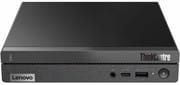 Lenovo ThinkCentre neo 50q Gen 4 | Lenovo ThinkCentre neo 50q Gen 4 | Lenovo ThinkCentre neo 50q Gen 4 | Lenovo ThinkCentre neo 50q Gen 4 | Lenovo ThinkCentre neo 50q Gen 4 | |
| Price | List Price: N/A Amazon Prices: Loading prices... | List Price: $599.00 Amazon Prices: Loading prices... | List Price: $579.98 Amazon Prices: Loading prices... | List Price: $679.00 Amazon Prices: Loading prices... | List Price: $779.00 Amazon Prices: Loading prices... |
| Version | 8GB/256GB | 16GB/256GB | 16GB/512GB | 16GB/1TB | 32GB/1TB |
| Perfomance Rating | 6.2 | 6.9 | 6.9 | 6.9 | 7.6 |
| Operating System | Windows 11 Pro | Windows 11 Pro | Windows 11 Pro | Windows 11 Pro | Windows 11 Pro |
| Processor | Octa-core 2.10 Ghz (max 4.60 Ghz) Intel Core i5-13420H | Octa-core 2.10 Ghz (max 4.60 Ghz) Intel Core i5-13420H | Octa-core 2.10 Ghz (max 4.60 Ghz) Intel Core i5-13420H | Octa-core 2.10 Ghz (max 4.60 Ghz) Intel Core i5-13420H | Octa-core 2.10 Ghz (max 4.60 Ghz) Intel Core i5-13420H |
| GPU | Integrated Intel UHD Graphics | Integrated Intel UHD Graphics | Integrated Intel UHD Graphics | Integrated Intel UHD Graphics | Integrated Intel UHD Graphics |
| RAM | 8 GB DDR4 SO-DIMM | 16 GB DDR4 SO-DIMM | 16 GB DDR4 SO-DIMM | 16 GB DDR4 SO-DIMM | 32 GB DDR4 SO-DIMM |
| Internal Storage | 256 GB | 256 GB | 512 GB | 1 TB | 1 TB |
| Dimensions width x length x thickness | 7.2 x 7.04 x 1.35 inches (182.88 x 178.82 x 34.29 mm) | 7.2 x 7.04 x 1.35 inches (182.88 x 178.82 x 34.29 mm) | 7.2 x 7.04 x 1.35 inches (182.88 x 178.82 x 34.29 mm) | 7.2 x 7.04 x 1.35 inches (182.88 x 178.82 x 34.29 mm) | 7.2 x 7.04 x 1.35 inches (182.88 x 178.82 x 34.29 mm) |
| Weight | 2.45 lbs (1.11 kg) | 2.45 lbs (1.11 kg) | 2.45 lbs (1.11 kg) | 2.45 lbs (1.11 kg) | 2.45 lbs (1.11 kg) |
| WiFi | Wi-Fi 6 (802.11ax) | Wi-Fi 6 (802.11ax) | Wi-Fi 6 (802.11ax) | Wi-Fi 6 (802.11ax) | Wi-Fi 6 (802.11ax) |
| Bluetooth | Bluetooth 5.2 | Bluetooth 5.2 | Bluetooth 5.2 | Bluetooth 5.2 | Bluetooth 5.2 |
| Ethernet | 1 Ethernet port at 1 Gbps | 1 Ethernet port at 1 Gbps | 1 Ethernet port at 1 Gbps | 1 Ethernet port at 1 Gbps | 1 Ethernet port at 1 Gbps |
| HDMI | 1 Full-Size HDMI Port | 1 Full-Size HDMI Port | 1 Full-Size HDMI Port | 1 Full-Size HDMI Port | 1 Full-Size HDMI Port |
| DisplayPort | 1 DisplayPort (DisplayPort 1.4b; optional second DP via BTB punch-out port on select configurations) | 1 DisplayPort (DisplayPort 1.4b; optional second DP via BTB punch-out port on select configurations) | 1 DisplayPort (DisplayPort 1.4b; optional second DP via BTB punch-out port on select configurations) | 1 DisplayPort (DisplayPort 1.4b; optional second DP via BTB punch-out port on select configurations) | 1 DisplayPort (DisplayPort 1.4b; optional second DP via BTB punch-out port on select configurations) |
| VGA | No VGA Ports | No VGA Ports | No VGA Ports | No VGA Ports | No VGA Ports |
| USB Ports | 2 USB 2.0, 3 USB 3, 1 USB-C | 2 USB 2.0, 3 USB 3, 1 USB-C | 2 USB 2.0, 3 USB 3, 1 USB-C | 2 USB 2.0, 3 USB 3, 1 USB-C | 2 USB 2.0, 3 USB 3, 1 USB-C |
| Thunderbolt Ports | No | No | No | No | No |
| Internal SATA Ports | 1 SATA port, includes 2.5" drive bay (Optional 2.5" SATA bay for HDD configurations) | 1 SATA port, includes 2.5" drive bay (Optional 2.5" SATA bay for HDD configurations) | 1 SATA port, includes 2.5" drive bay (Optional 2.5" SATA bay for HDD configurations) | 1 SATA port, includes 2.5" drive bay (Optional 2.5" SATA bay for HDD configurations) | 1 SATA port, includes 2.5" drive bay (Optional 2.5" SATA bay for HDD configurations) |
| Card Reader | No Card Reader | No Card Reader | No Card Reader | No Card Reader | No Card Reader |
| Headphone Jack | combo | combo | combo | combo | combo |
| Fanless | No | No | No | No | No |
| VESA Mount | Yes | Yes | Yes | Yes | Yes |
| In the Box | 65W power adapter, VESA mounting bracket, USB keyboard, USB mouse, documentation | 65W power adapter, VESA mounting bracket, USB keyboard, USB mouse, documentation | 65W power adapter, VESA mounting bracket, USB keyboard, USB mouse, documentation | 65W power adapter, VESA mounting bracket, USB keyboard, USB mouse, documentation | 65W power adapter, VESA mounting bracket, USB keyboard, USB mouse, documentation |
| Expandability | 2x DDR4 SO-DIMM slots (max 64GB DDR4-3200), 1x M.2 2280 PCIe Gen 4 NVMe, optional 2.5" SATA bay (configuration dependent) | 2x DDR4 SO-DIMM slots (max 64GB DDR4-3200), 1x M.2 2280 PCIe Gen 4 NVMe, optional 2.5" SATA bay (configuration dependent) | 2x DDR4 SO-DIMM slots (max 64GB DDR4-3200), 1x M.2 2280 PCIe Gen 4 NVMe, optional 2.5" SATA bay (configuration dependent) | 2x DDR4 SO-DIMM slots (max 64GB DDR4-3200), 1x M.2 2280 PCIe Gen 4 NVMe, optional 2.5" SATA bay (configuration dependent) | 2x DDR4 SO-DIMM slots (max 64GB DDR4-3200), 1x M.2 2280 PCIe Gen 4 NVMe, optional 2.5" SATA bay (configuration dependent) |
Related Mini PCs
-
 Lenovo ThinkCentre M700 TinyThe Lenovo ThinkCentre M700 Tiny is a compact business mini PC featuring Intel 6th generation…
 -
 Beelink SER5 Mini PCPowered by a Ryzen 5 5560U CPU and Radeon Graphics, the Beelink SER5 Mini PC excels in multitasking…
 -
 GEEKOM A5 (2025 Edition)The GEEKOM A5 2025 Edition delivers exceptional value with its AMD Ryzen 5 7430U processor,…
 -
 GEEKOM Mini IT12Boasting a 12th Gen Intel CPU and up to 1TB NVMe storage, the GEEKOM Mini IT12 Mini PC is a…
 -
 MeLE Overclock X5Compact yet powerful, the MeLE Overclock X5 boasts up to 64GB RAM support, dual M.2 storage slots,…
 -
 ACEMAGIC K1The ACEMAGIC K1 packs AMD Ryzen 7 7730U power into a compact 5-inch square chassis. With triple 4K…
Detailed Insights into the Lenovo ThinkCentre neo 50q Gen 4

The ThinkCentre neo 50q Gen 4 exemplifies Lenovo’s commitment to minimizing environmental impact without compromising on functionality, with its chassis constructed from post-consumer recycled materials and the entire product line carrying low-halogen certifications. Despite its tiny 7.2 x 7.04 x 1.35-inch footprint, weighing just 2.45 pounds, this mini PC manages to incorporate meaningful ventilation that keeps temperatures in check during sustained workloads. StorageReview’s testing confirmed remarkably quiet operation, noting that “I barely heard the fan run even when running benchmarks,” which makes the neo 50q an excellent choice for quiet office environments, reception desks, or anywhere acoustic discretion matters.
The Intel Core i5-13420H processor at the heart of the neo 50q combines four performance cores running up to 4.6 GHz with four efficiency cores at up to 3.4 GHz, delivering 8 cores and 12 threads of processing power that handles typical business applications effortlessly. StorageReview’s benchmark testing produced SPECworkstation3 scores that confirm adequate power for running common applications locally, including financial services workloads and general office operations. The integrated Intel UHD Graphics handles 4K video playback and triple display output without issue, though StorageReview’s GPU Compute score of 0.13 underscores that this isn’t the right choice for video editing, CAD work, or other graphics-intensive applications.
Connectivity options on the neo 50q strike a practical balance between comprehensiveness and the limitations of its compact form factor. You get HDMI 2.1 and DisplayPort 1.4b outputs for connecting up to three 4K displays, with some configurations offering an optional second DisplayPort via the BTB (Build-to-Order) punch-out slot. The USB selection includes five USB-A ports split between USB 3.2 Gen 2 and USB 2.0 speeds, plus a front-facing USB-C 3.2 Gen 2 port that supports both data transfer and device charging. Network connectivity comes via Intel AX201 WiFi 6 and Gigabit Ethernet, which covers most business networking needs even if it lacks the newer WiFi 6E and 2.5GbE options found on some competitors.
Reviewer Insights on the Lenovo ThinkCentre neo 50q Gen 4

StorageReview’s Business Assessment
StorageReview provides comprehensive benchmark data and real-world testing that validates the neo 50q’s positioning as a reliable business platform. Their testing confirmed strong performance for everyday workloads and cloud-based applications, with the system handling standard business tasks without hesitation. “The Lenovo ThinkCentre Neo 50q Gen 4 Tiny does exactly what Lenovo set it out to do - provide a high-quality, reliable platform for home, small, and mid-size business users to accomplish their daily tasks - that’s also affordable,” they conclude. The review particularly highlights the system’s whisper-quiet operation and compact footprint as standout features, while noting that users with intensive graphics needs should step up to more powerful configurations.
ServeTheHome’s Technical Analysis
ServeTheHome’s coverage from CES 2023 provides valuable context about the neo 50q’s market positioning within Lenovo’s lineup. They note that this represents the budget-friendly option in the ThinkCentre Tiny family, with the trade-off being that it maxes out at Core i5 H-series processors rather than offering i7 or i9 options (users needing more power might consider the ThinkCentre M70q Gen 5). “It is a lower-end unit that only offers up to a Core i5 H-series CPU, and it is also still a DDR4 model,” they observe, while acknowledging that the affordable starting price of $499 reflects these compromises. The dual OS support for both Windows 11 and IGEL thin client makes it versatile for various enterprise deployment scenarios.
Mini PC Reviewer’s Practical Perspective
Mini PC Reviewer takes a more user-focused approach, examining how the neo 50q performs in typical daily use scenarios. Their assessment emphasizes the system’s suitability for general office productivity, light photo editing, and casual gaming, while cautioning about its limitations with graphically intensive games and advanced creative work. The review highlights the straightforward upgrade path for both RAM (up to 64GB) and storage as a significant advantage for users who want flexibility to expand capabilities over time. They do note some mixed feedback regarding long-term durability and customer support experiences, though the overall verdict remains positive for the product’s intended market.
Customer Reviews of the Lenovo ThinkCentre neo 50q Gen 4
Amazon customers have responded positively to the neo 50q Gen 4, with the most reviewed configurations holding ratings between 4.2 and 4.5 stars across several hundred combined reviews. Buyers consistently praise the compact form factor and quiet operation as the standout features that differentiate it from larger, noisier alternatives. Business users particularly appreciate the professional appearance and the included accessories like the VESA mount, keyboard, and mouse that make deployment straightforward without additional purchases.
The most common concerns from customers center around the base configuration’s limitations, with several reviewers noting that the entry-level 8GB RAM and 256GB storage feel restrictive for modern Windows 11 workloads. Some users report isolated driver compatibility issues, though these appear to affect a minority of buyers and are typically resolved through Windows Update. The enterprise-focused nature of the product means some consumer-oriented expectations aren’t met, but those purchasing specifically for business use cases express strong satisfaction with the reliability and manageability features that justify the ThinkCentre branding.
Conclusion
The Lenovo ThinkCentre neo 50q Gen 4 earns its place as a solid choice for business users who prioritize reliability, quiet operation, and enterprise manageability over raw performance. It’s particularly well-suited for office environments, point-of-sale systems, digital signage, reception desks, and any scenario where a small, quiet, trustworthy computer is needed. The combination of ThinkCentre build quality, comprehensive security features, and eco-friendly certifications makes it attractive for organizations with sustainability commitments or strict IT policies.
However, creative professionals, gamers, or anyone needing more than basic integrated graphics should look elsewhere, as the Intel UHD Graphics simply cannot handle demanding visual workloads. The DDR4 memory and WiFi 6 (rather than WiFi 6E or 7) also feel like compromises in a 2024-2025 product, even at this price point. For those interested in comparing the neo 50q against alternatives with different feature sets, Starry Hope’s Mini PC Comparison Chart provides a valuable resource for evaluating specifications side by side.
Frequently Asked Questions
What processor does the Lenovo ThinkCentre neo 50q Gen 4 use?
The ThinkCentre neo 50q Gen 4 uses an Intel Core i5-13420H processor from Intel’s 13th generation lineup. This mobile processor features 8 cores (4 performance cores and 4 efficiency cores) with 12 threads, running at a base frequency of 2.1 GHz and boosting up to 4.6 GHz for demanding tasks.
Can I upgrade the RAM and storage in the ThinkCentre neo 50q Gen 4?
Yes, the neo 50q Gen 4 supports user upgrades with tool-less chassis access. RAM can be upgraded to a maximum of 64GB using two DDR4-3200 SO-DIMM slots. Storage expansion includes the primary M.2 2280 PCIe Gen 4 NVMe slot, plus an optional 2.5-inch SATA bay available on certain configurations for adding a secondary hard drive.
How many monitors can the ThinkCentre neo 50q Gen 4 support?
The ThinkCentre neo 50q Gen 4 supports up to three independent 4K displays. The base configuration includes one HDMI 2.1 and one DisplayPort 1.4b output. Some configurations offer an optional second DisplayPort via the BTB punch-out port, enabling true triple-monitor setups for increased productivity.
Is the ThinkCentre neo 50q Gen 4 suitable for video editing or gaming?
The neo 50q Gen 4 is not recommended for video editing or gaming beyond very casual use. The integrated Intel UHD Graphics handles 4K video playback and basic office tasks well, but lacks the power for demanding creative applications or modern games. StorageReview’s GPU Compute benchmark score of 0.13 confirms these GPU limitations common to most mini PCs. Users needing graphics performance should consider models with more powerful integrated GPUs like AMD Radeon 780M.
How loud is the ThinkCentre neo 50q Gen 4 during operation?
The neo 50q Gen 4 is exceptionally quiet during normal operation. StorageReview specifically noted that “I barely heard the fan run even when running benchmarks,” making it one of the quieter mini PCs in its class. This makes it well-suited for quiet office environments, libraries, reception areas, or any setting where noise would be disruptive.
What’s included in the ThinkCentre neo 50q Gen 4 box?
The ThinkCentre neo 50q Gen 4 comes with more accessories than many competitors. The box includes the mini PC unit, a 65W power adapter, a VESA mounting bracket for behind-monitor installation, a wired USB keyboard, a wired USB mouse, and documentation. The included VESA mount and peripherals make deployment simple without additional purchases.
Does the ThinkCentre neo 50q Gen 4 support VESA mounting?
Yes, the neo 50q Gen 4 includes a VESA mounting bracket in the box. This allows you to attach the mini PC to the back of a VESA-compatible monitor, hiding it from view and freeing up desk space entirely. The standard VESA mount holes are built into the bottom of the chassis for secure installation.
What enterprise security features does the ThinkCentre neo 50q Gen 4 include?
The neo 50q Gen 4 includes comprehensive enterprise security features expected from the ThinkCentre line. It features a discrete TPM 2.0 security chip for hardware-based encryption, ThinkShield security suite for protection from chipset to BIOS level, and a Kensington Security Slot for physical anti-theft protection. Windows 11 Pro provides additional business security features like BitLocker encryption.