
Mac Mini (2023)
Updated on

Apple discontinued the M2 and M2 Pro Mac mini, and it is now sold only used or refurbished. Apple’s current Mac mini lineup is the Mac mini (2026) with the M6 or M5 Pro chip. If you are weighing a Mac mini against a Windows mini PC, see whether the Mac mini M4 is worth it.
The Mac Mini (2023) represents Apple’s most compelling desktop value in years. When Apple dropped the starting price to $599, they didn’t just lower numbers on a spec sheet; they fundamentally changed what the Mac Mini means in their lineup. This compact desktop packs the M2 chip into a form factor that hasn’t changed since 2011, but the performance inside tells an entirely different story. The 2023 Mac Mini deserves serious consideration for creative professionals looking for a capable workstation, developers who need macOS without the laptop form factor, and people switching from Windows who want the most accessible entry point into Apple’s ecosystem. For a broader look at options, see our Mini PC Comparison Chart.
The reception from tech reviewers has been overwhelmingly positive. TechRadar awarded it a perfect 5 out of 5 stars, calling it “incredible value for money” and going so far as to claim you should “forget Windows 11, this is the best PC you can buy.” Engadget wrote that the $599 base model “remains an entry-level champ.” The consensus across publications from iMore to Trusted Reviews is clear: Apple has delivered a winner with the 2023 Mac Mini.
Related Videos
Mac Mini (2023) Comparison Chart
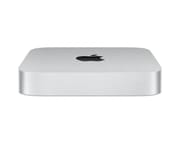 Mac Mini (2023) | Mac Mini (2023) | Mac Mini (2023) | Mac Mini (2023) | |
| Price | List Price: $599.00 Amazon Prices: | List Price: $799.00 Amazon Prices: | List Price: $999.00 Amazon Prices: | List Price: $1299.00 Amazon Prices: |
| Version | M2/8GB/256GB | M2/8GB/512GB | M2/16GB/512GB | M2 Pro/16GB/512GB |
| Performance Rating | 3.7 | 3.7 | 4.1 | 4.6 |
| Operating System | macOS | macOS | macOS | macOS |
| Processor | Octa-core 3.49 Ghz (max 3.49 Ghz) Apple M2 | Octa-core 3.49 Ghz (max 3.49 Ghz) Apple M2 | Octa-core 3.49 Ghz (max 3.49 Ghz) Apple M2 | Deca-core 3.49 Ghz (max 3.49 Ghz) Apple M2 Pro |
| GPU | Integrated M2 10-core GPU | Integrated M2 10-core GPU | Integrated M2 10-core GPU | Integrated M2 16-core GPU |
| RAM | 8 GB | 8 GB | 16 GB | 16 GB, 4-channel |
| Internal Storage | 256 GB | 512 GB | 512 GB | 512 GB |
| Dimensions width x length x thickness | 7.75 x 7.75 x 1.41 inches (196.85 x 196.85 x 35.81 mm) | 7.75 x 7.75 x 1.41 inches (196.85 x 196.85 x 35.81 mm) | 7.75 x 7.75 x 1.41 inches (196.85 x 196.85 x 35.81 mm) | 7.75 x 7.75 x 1.41 inches (196.85 x 196.85 x 35.81 mm) |
| Weight | 2.6 lbs (1.18 kg) | 2.6 lbs (1.18 kg) | 2.6 lbs (1.18 kg) | 2.8 lbs (1.27 kg) |
| WiFi | Wi-Fi 6E (802.11ax) | Wi-Fi 6E (802.11ax) | Wi-Fi 6E (802.11ax) | Wi-Fi 6E (802.11ax) |
| Bluetooth | Bluetooth 5.3 | Bluetooth 5.3 | Bluetooth 5.3 | Bluetooth 5.3 |
| Ethernet | 1 Ethernet port at 10 Gbps | 1 Ethernet port at 10 Gbps | 1 Ethernet port at 10 Gbps | 1 Ethernet port at 10 Gbps |
| HDMI | 1 Full-Size HDMI Port | 1 Full-Size HDMI Port | 1 Full-Size HDMI Port | 1 Full-Size HDMI Port |
| DisplayPort | Support for native DisplayPort output over USB-C. | Support for native DisplayPort output over USB-C. | Support for native DisplayPort output over USB-C. | Support for native DisplayPort output over USB-C. |
| VGA | No VGA Ports | No VGA Ports | No VGA Ports | No VGA Ports |
| USB Ports | 2 USB 3 | 2 USB 3 | 2 USB 3 | 2 USB 3 |
| Thunderbolt Ports | 2 | 2 | 2 | 2 |
| OCuLink | No | No | No | No |
| Internal SATA Ports | No SATA ports | No SATA ports | No SATA ports | No SATA ports |
| Card Reader | No Card Reader | No Card Reader | No Card Reader | No Card Reader |
| Headphone Jack | combo | combo | combo | combo |
| Fanless | No | No | No | No |
| VESA Mount | No | No | No | No |
| In the Box | Mac mini, Power cord | Mac mini, Power cord | Mac mini, Power cord | Mac mini, Power cord |
| Expandability | -- | -- | -- | -- |
Related Mini PCs
-
 Mac mini with M4 chipThe Mac mini with M4 chip is Apple's smallest desktop, a 5x5-inch box with the 10-core M4, 16GB of…
 -
 Beelink EQi 304The Beelink EQi 304 pairs Intel's 5-core Core 3 304 "Wildcat Lake" chip with a 10GbE port, a 2.5GbE…
 -
 Mac mini (2026)A quiet 5-inch macOS desktop for photo work, development, and home servers, with soldered memory…
 -
 Lenovo Yoga Mini iLenovo's round 5-inch aluminum desktop puts Intel Panther Lake in a 1.3-pound chassis with dual…
 -
 ACEMAGIC AD15The ACEMAGIC AD15 is an Intel mini PC sold with an 11th or 12th-gen Core i5 (or the 8-core Core…
 -
 Beelink EQi13The Beelink EQi13 is a five-inch-square Windows 11 Pro mini PC with its 85W power supply inside the…
Detailed Insights

Design and Build Quality
The Mac Mini’s aluminum unibody design remains as premium as ever, despite using the same enclosure Apple introduced over a decade ago. At 7.75 inches square and just 1.41 inches tall, it takes up less desk space than most external hard drives. The build quality is impeccable with tight tolerances and a reassuring heft at 2.6 pounds for the M2 model and 2.8 pounds for the M2 Pro variant. The silver aluminum finish resists fingerprints better than darker alternatives and blends into most workspace aesthetics. While some might wish for a design refresh, Apple’s philosophy here is pragmatic: the form factor works well, and changing it for the sake of change would add cost without meaningful benefit.
Performance Capabilities
The M2 chip delivers an 18 percent improvement in single-core performance over its M1 predecessor, jumping from a Geekbench 5 score of around 1650 to nearly 1950. Multi-core performance sees even more dramatic gains, with the M2 Pro variant posting Geekbench 5 multi-core scores exceeding 15,000. For context, this outperforms the M1 Max in the Mac Studio and even Intel’s workstation-class Xeon W-3245. Creative Bloq’s testing revealed the M2 Pro handles “8K video editing in Premiere Pro while simultaneously running Photoshop, Freeform, and an obscene amount of browser tabs” without breaking a sweat. The machine stayed silent and cool to the touch throughout heavy workloads, something 9to5Mac specifically praised in their long-term testing.
Connectivity and Expansion
Port selection on the Mac Mini addresses many of the complaints leveled at Apple’s more portable devices. The base M2 model includes two Thunderbolt 4 ports delivering 40 Gbps bandwidth each, two USB-A ports for legacy peripherals, HDMI 2.0 for display output, Gigabit Ethernet with an optional 10 Gigabit upgrade, and a headphone jack with advanced support for high-impedance headphones. The M2 Pro doubles the Thunderbolt count to four ports and includes 10 Gigabit Ethernet as standard. Display support differs between models: the M2 handles up to two displays while the M2 Pro can drive three simultaneously. Wi-Fi 6E and Bluetooth 5.3 round out the wireless connectivity.
Pros and Cons
| Pros | Cons |
|---|---|
| $599 starting price | Design unchanged since 2011 |
| Silent operation even under heavy workloads | Base 256GB model has slower SSD performance |
| M2 Pro brings professional-grade power | Expensive RAM and storage upgrades |
| Compact form factor saves desk space | No front-facing ports or SD card slot |
| Excellent multi-display support | Not suitable for gaming despite marketing |
| Wi-Fi 6E and Bluetooth 5.3 included | M2 Pro configurations can exceed $6,000 |
Reviewer Insights on the Mac Mini (2023)

TechRadar’s Assessment
TechRadar awarded the Mac Mini (2023) a perfect five-star rating, making their enthusiasm abundantly clear. Their reviewer tested the machine with demanding creative workloads including ultra-high definition video editing and music production. The conclusion was emphatic. The reviewer wrote, “This is incredible value for money, and after using the Mac mini (2023) for a range of tasks, including ultra-high definition video editing and music creation, I can safely recommend this to pretty much anyone.” They went on to make the bold claim that users should “forget Windows 11, this is the best PC you can buy,” positioning the Mac Mini as not just a good Apple product but a standout in the broader PC market.
Engadget’s Take
Engadget tested the M2 Pro model and wrote that “Apple might as well have just called this computer the Mac mini Pro.” The review recommended the $1,299 M2 Pro Mac mini for anyone who wants a stronger Mac desktop, with one caution about upgrade pricing: “spending an additional $400 just to get 32GB of RAM isn’t worth it.” A 32GB review unit, the reviewer pointed out, costs the same $1,999 as a base Mac Studio. The $599 M2 model, in Engadget’s words, “remains an entry-level champ.”
9to5Mac’s Long-Term Experience
After two weeks of using the base M2 Mac Mini as a primary home computer, 9to5Mac concluded it represents “the ultimate bang-for-your-buck computer on the market right now.” Their real-world testing involved typical productivity scenarios: running 10 or more Chrome tabs alongside Safari windows, Slack, Twitter, and a YouTube video at the same time. The base model handled that load without trouble, and “the Mac mini stays silent and cool to the touch with these types of tasks.” The reviewer called its power per dollar “the best we’ve seen in years.”
Marques Brownlee’s Video Review
In his video review, Marques Brownlee (MKBHD) covered both chips and called the M2 and M2 Pro versions “game changers in their own ways.” He opened by pointing out that the M2 Pro model “has more power than a base Mac Pro right now, more CPU power anyway,” and he framed the whole line around performance per dollar, which he said “you don’t usually expect” from a Mac.
The consensus across reviewers points to a common thread: the 2023 Mac Mini delivers high performance per dollar, particularly at the $599 entry point. Upgrade pricing draws the most criticism: Engadget pointed out that a 32GB M2 Pro model costs as much as a base Mac Studio.
Customer Reviews of the Mac Mini (2023)
On Amazon, the recurring praise from Mac Mini (2023) buyers is speed and the tiny footprint, especially from people coming off older or Windows machines. A verified buyer writing as Pebble & Porch, upgrading from a 2017 MacBook Pro, called it “a phenomenal choice” and said everyday tasks “fly by with effortless fluidity.” Stephen Hunt, another verified buyer who switched away from Windows, valued how quiet it runs: “no, they are noiseless,” and praised the small footprint and tight integration with his iPhone and Apple Watch.
The critical notes cluster around the rear ports rather than performance. Verified buyer Nikon Nut, who has used Macs since 1986, left a 4-star review titled “Poor ergonomics, doesn’t seem much faster than my 2012” and explained that with every port on the back and the unit against a wall, swapping peripherals means he has to “get a flashlight, lift the thing.” He also said the M2 model “doesn’t seem any faster to me” than his late-2012 mini for his Lightroom and Photoshop work. Buyers who juggle many USB devices may want to plan for a powered hub, a point a couple of reviewers raised.
FAQ
How does the M2 Mac Mini compare to the M2 MacBook Air?
The M2 Mac Mini and M2 MacBook Air share the same chip, but the desktop form factor allows the Mac Mini to run cooler and sustain peak performance longer. Benchmark testing shows the Mac Mini maintains higher sustained performance during extended workloads because it doesn’t face the same thermal constraints as a fanless laptop. The Mac Mini also offers more ports and the ability to connect multiple external displays, making it more suitable for desktop workflows.
Can I upgrade the RAM or storage after purchase?
The M2 Mac Mini does not support user-upgradable RAM or storage. The unified memory and SSD are soldered to the logic board, so you must choose your configuration at the time of purchase. Apple offers upgrades to 16GB or 24GB of RAM and storage options up to 2TB, but these carry significant price premiums. For this reason, many reviewers recommend carefully considering your future needs before selecting a configuration.
Is the 256GB base model sufficient?
While the 256GB model offers the lowest entry price, it comes with a notable compromise. Apple uses a single NAND chip in the 256GB configuration rather than two chips working in parallel, resulting in roughly half the SSD read and write speeds compared to larger capacity models. For users who primarily work with cloud storage or external drives, this may not present issues. However, those working with large files locally should consider the 512GB configuration for both the additional space and improved storage performance.
How many displays can the Mac Mini support?
The M2 Mac Mini supports up to two external displays, while the M2 Pro variant can drive three displays simultaneously. Both models support high-resolution output including 6K at 60Hz and 4K at 144Hz through Thunderbolt, with the HDMI port supporting 4K at 60Hz on the M2 model and 8K at 60Hz on the M2 Pro. For users requiring more than three displays, the Mac Studio may be a more appropriate choice.
Is the Mac Mini good for video editing?
Professional video editing represents one of the Mac Mini’s strongest use cases. The M2 chip handles 4K and even some 8K workflows comfortably, with the M2 Pro variant excelling at more demanding projects. Reviewers from Creative Bloq reported editing 8K footage in Premiere Pro while running multiple other creative applications without any performance degradation. The machine’s ability to stay silent under load makes it particularly appealing for creators who work in quiet environments or record audio alongside video editing.
Conclusion
The Mac Mini (2023) emerges as one of Apple’s most compelling products in recent memory, particularly at the $599 entry point. The combination of the M2 chip’s performance, the compact form factor, and the reasonable price creates a package that appeals to a wide audience. First-time Mac buyers find an accessible entry point, while creative professionals discover capable hardware that handles demanding workflows without breaking a sweat or the budget.
The M2 Pro variant occupies a more complex position in the market. While it delivers professional-level performance with benchmark scores exceeding even the M1 Max Mac Studio, the pricing escalates quickly with upgrades. Reviewers like Macworld suggest that buyers considering upgraded configurations might find better value in the Mac Studio instead. However, for those who specifically need M2 Pro performance in the smallest possible footprint, the Mac Mini Pro offers a unique combination of power and portability.
What makes the 2023 Mac Mini special isn’t any single feature but rather the balance Apple has achieved. The silent operation, the compact size, the generous port selection, and the performance all come together at a price point that undercuts expectations. As TechRadar boldly claimed, this might just be “the best PC you can buy.” For a newer model, see the Mac mini (2026), the Mac mini with M4 chip, and our analysis of whether the Mac Mini M4 is worth it.
Upgrades
Accessories that fit the Mac Mini (2023)'s USB4 or Thunderbolt ports.
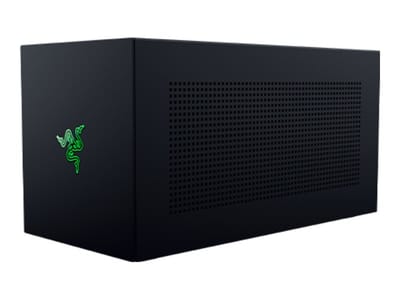
Core X V2
A Thunderbolt 5 enclosure that Razer lists as working with Thunderbolt 4 and USB4 hosts; it fits a four-slot card and needs an ATX power supply.
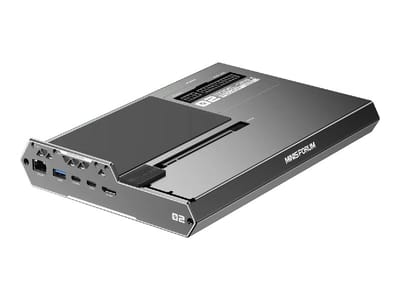
DEG2 eGPU Dock
Connects over USB4 or Thunderbolt 5, with an OCuLink input behind a switch, and adds an M.2 slot; it needs an ATX or SFX power supply.
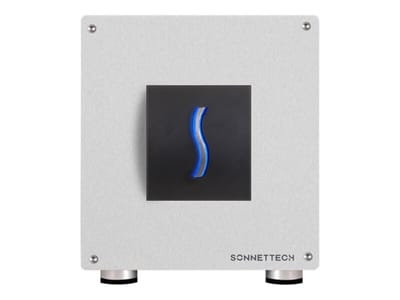
Breakaway Box 850 T5
Has an 850W power supply built in, so only the graphics card is extra, and works with Thunderbolt 4 and USB4 Windows PCs.
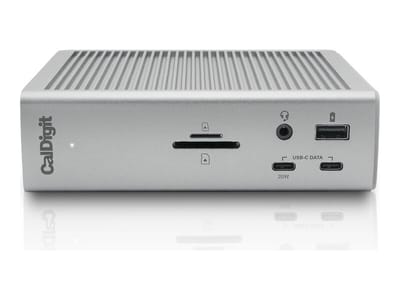
TS4 Thunderbolt 4 Dock
An 18-port dock that CalDigit lists for Thunderbolt 4 and USB4 hosts, with 2.5GbE and a DisplayPort 1.4 output.
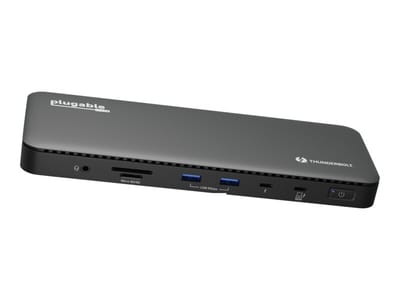
TBT4-UD5 Thunderbolt 4 Dock
Two HDMI ports drive two 4K60 monitors from one Thunderbolt 4 or USB4 port on a Windows PC.
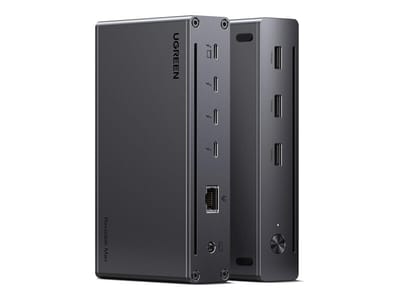
Revodok Max 208 Thunderbolt 4 Dock
Adds three Thunderbolt 4 ports for dual 4K60 displays plus gigabit Ethernet; it has no HDMI port, so monitors connect over USB-C or an adapter.