
Minisforum AtomMan G1 Pro
Updated on

The Minisforum AtomMan G1 Pro fits a 16-core, 32-thread AMD Ryzen 9 8945HX and a low-profile desktop NVIDIA GeForce RTX 5060 into a white vertical tower of about 3.8 liters. A 350W power supply sits inside the chassis, so the machine plugs into the wall with a standard cable and needs no external brick. Minisforum aims it at 1440p gaming, video rendering, and local AI models on a desk with no room for a full tower. The GPU, RAM, storage, and power supply are all serviceable, so the parts most likely to age out can be replaced.
Pros and cons
| Pros | Cons |
|---|---|
| Low-profile desktop RTX 5060 (8GB GDDR7) instead of a laptop GPU | Ships with a single 32GB stick, so it runs single-channel out of the box |
| 16-core, 32-thread Ryzen 9 8945HX with a PassMark near 51,500 | CPU can climb into the low 90s Celsius in the high-power Beast mode |
| Internal 350W power supply means no bulky external brick | Fans get loud once you leave the quieter office and gaming modes |
| Swappable low-profile dual-slot GPU with an 8-pin PCIe connector | Windows Defender flagged the bundled RGB lighting driver on a review unit |
| WiFi 7, Bluetooth 5.4, and a 5GbE Ethernet port | No USB4 or Thunderbolt; the USB-C ports are data only |
| Dual M.2 PCIe 4.0 slots supporting up to 8TB of storage | Larger and heavier than a palm-sized mini PC at roughly 8.4 pounds |
Related Videos
Minisforum AtomMan G1 Pro Comparison Chart
 Minisforum AtomMan G1 Pro | Minisforum AtomMan G1 Pro | |
| Price | List Price: $1,039.00 Amazon Prices: | List Price: $1,439.00 Amazon Prices: Loading prices... |
| Version | Barebone (no RAM/SSD/OS) | 32GB/1TB/Windows 11 Pro |
| Performance Rating | 7.3 | 7.7 |
| Operating System | Windows 11 Pro | Windows 11 Pro |
| Processor | Sixteen-core 2.50 Ghz (max 5.40 Ghz) AMD Ryzen 9 8945HX | Sixteen-core 2.50 Ghz (max 5.40 Ghz) AMD Ryzen 9 8945HX |
| GPU | Dedicated NVIDIA GeForce RTX 5060 | Dedicated NVIDIA GeForce RTX 5060 |
| RAM | 0 GB DDR5 SO-DIMM | 32 GB DDR5 SO-DIMM, single-channel (Ships as one 32GB stick; 2nd SODIMM slot open) |
| Internal Storage | 0 GB | 1 TB NVMe PCIe 4.0 |
| Dimensions width x length x thickness | 12.4 x 8.46 x 2.24 inches (314.96 x 214.88 x 56.9 mm) | 12.4 x 8.46 x 2.24 inches (314.96 x 214.88 x 56.9 mm) |
| Weight | 8.4 lbs (3.82 kg) | 8.4 lbs (3.82 kg) |
| WiFi | Wi-Fi 7 (802.11be) | Wi-Fi 7 (802.11be) |
| Bluetooth | Bluetooth 5.4 | Bluetooth 5.4 |
| Ethernet | 1 Ethernet port at 5 Gbps | 1 Ethernet port at 5 Gbps |
| HDMI | 2 Full-Size HDMI Ports | 2 Full-Size HDMI Ports |
| DisplayPort | 3 DisplayPorts (2x DP 2.1, 1x DP 1.4a (up to 8K@60Hz)) | 3 DisplayPorts (2x DP 2.1, 1x DP 1.4a (up to 8K@60Hz)) |
| VGA | No VGA Ports | No VGA Ports |
| USB Ports | 3 USB 3, 2 USB-C Front: 1x USB-A 3.2 Gen2, 1x USB-C (data). Rear: 2x USB-A 3.2 Gen2, 1x USB-C (data). All 10Gbps; no USB4 or Thunderbolt. | 3 USB 3, 2 USB-C Front: 1x USB-A 3.2 Gen2, 1x USB-C (data). Rear: 2x USB-A 3.2 Gen2, 1x USB-C (data). All 10Gbps; no USB4 or Thunderbolt. |
| Thunderbolt Ports | No | No |
| OCuLink | No | No |
| Internal SATA Ports | No SATA ports | No SATA ports |
| Card Reader | No Card Reader | No Card Reader |
| Headphone Jack | combo | combo |
| Fanless | No | No |
| VESA Mount | No | No |
| In the Box | Mini PC, vertical stand, power cable, HDMI cable, M.2 heatsink, screws, manual | Mini PC, vertical stand, power cable, HDMI cable, M.2 heatsink, screws, manual |
| Expandability | Up to 96GB DDR5-5200 (2x SODIMM), dual M.2 PCIe 4.0 (8TB total), swappable low-profile dual-slot GPU, internal 350W PSU with 8-pin PCIe | Up to 96GB DDR5-5200 (2x SODIMM), dual M.2 PCIe 4.0 (8TB total), swappable low-profile dual-slot GPU, internal 350W PSU with 8-pin PCIe |
Related Mini PCs
-
 MINISFORUM 795S7The MINISFORUM 795S7 is a 7-liter small form factor PC built around the 16-core AMD Ryzen 9 7945HX…
 -
 MINISFORUM MS-03The MINISFORUM MS-03 puts Intel's Panther Lake silicon into the MS-01 chassis with three 10-gigabit…
 -
 ACEMAGIC M1A Pro+Cube-shaped Strix Halo mini PC with the AMD Ryzen AI Max+ 395, Radeon 8060S, and 128GB of soldered…
 -
 Minisforum AtomMan X7 TiThe Minisforum AtomMan X7 Ti pairs an Intel Core Ultra 9 185H with a built-in 4-inch touchscreen…
 -
 ACEMAGIC F5AA one-liter AMD Ryzen AI 9 HX 470 mini PC with Radeon 890M graphics, dual USB4, an OCuLink eGPU…
 -
 BOSGAME M5The BOSGAME M5 puts the 16-core AMD Ryzen AI Max+ 395 and its Radeon 8060S graphics in a metal…
A 3.8-liter tower built around a desktop graphics card and an internal PSU

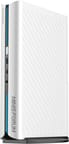
The AtomMan G1 Pro is a vertical tower that measures roughly 12.4 inches tall, 8.5 inches deep, and 2.2 inches wide, with a total volume of about 3.8 liters and a weight near 8.4 pounds. Those numbers put it well above a palm-sized mini PC and well below a conventional gaming desktop. The white chassis carries a diagonal ridged texture, an RGB light bar along the front edge, and an included stand with a thumb screw that holds the unit upright. The front panel keeps things clean with a power button, one USB-A 3.2 Gen 2 port, one USB-C data port, and a 3.5mm combo audio jack. Around back, the rear I/O is dominated by the graphics card’s outputs: two HDMI 2.1 ports and three DisplayPort connectors (two DisplayPort 2.1 and one 1.4a), alongside two more USB-A ports, a second USB-C data port, a 5GbE Ethernet jack, and the C14 inlet for the internal power supply.
At the heart of the system is the AMD Ryzen 9 8945HX, a 16-core, 32-thread Zen 4 processor that boosts up to 5.4GHz and scores roughly 51,569 on PassMark’s multi-threaded benchmark. Those 16 cores give it headroom for video encoding, compiling, and heavy multitasking. Graphics come from a low-profile desktop RTX 5060 with 8GB of GDDR7, rated at 145W of full power and 614 AI TOPS. Reviewers measured a sustained 245W dual-load output and clocked GPU temperatures around 65 to 70 Celsius during 1440p gaming, while ETA PRIME’s testing noted the CPU can spike into the low 90s Celsius when pushed in Beast mode. A third-generation Glacier cooling system with five copper heat pipes and a 300W thermal rating handles the load, though the fans become clearly audible at the top power profiles.
WiFi 7 and Bluetooth 5.4 cover wireless duties, and a single Realtek RTL8126 5GbE port handles wired networking at 5 Gbps. Storage expands through two M.2 slots running PCIe 4.0, accepting both 2230 and 2280 drives and supporting up to 4TB per slot for a total of 8TB. Memory tops out at 96GB of DDR5-5200 across two SODIMM slots, and the 32GB build ships with one stick in place and the second slot open. There is no USB4 or Thunderbolt, and both USB-C ports are data only, so external drives and docks are limited to 10Gbps. All display output runs through the dedicated HDMI and DisplayPort connectors on the graphics card, which can drive up to four displays at once.
Reviewer Insights

What four video reviewers found
ETA PRIME’s review framed the G1 Pro as a small-form-factor PC that finally puts down “really great performance,” praising the vertical design and the internal 350W supply that eliminates the external brick. The disassembly and benchmark run confirmed strong 1440p gaming results, but the reviewer flagged the single-DIMM memory configuration as a weakness: “with RAM prices right now, I’ve been seeing this quite a bit from mini PC manufacturers, only adding one DIMM instead of two,” noting that single-channel memory hurts performance in some workflows. GPU temperatures stayed comfortable at 65 to 70 Celsius during gaming, while the CPU ran hot under the most aggressive power profile.
Robtech’s hands-on review was even more enthusiastic about the design, calling it “the best-looking device Minisforum has released. Period.” The teardown described the machine as an “interesting mix of mobile CPU and desktop GPU,” and surfaced two concerns. To the reviewer’s surprise, the test unit shipped with only a single 32GB Crucial stick, and Windows Defender flagged the bundled RGB lighting driver for security vulnerabilities. Fan noise under load measured a noticeable 47 to 50 dBA, and accessing the RAM required removing the CPU cooler.
Britec09 went the furthest, describing the G1 Pro as “probably the best mini PC that I’ve reviewed on this channel” and “an absolute beast.” The review leaned into the desktop-replacement angle and highlighted the dedicated RTX 5060, the internal 350W supply, the dual SODIMM and dual M.2 slots, and a cooling system built around five copper heat pipes. The reviewer’s main caveats were practical: the processor is soldered and not upgradeable, the footprint is larger than a traditional micro mini PC, and the test unit again shipped single-channel.
In a follow-up, ETA PRIME explored the G1 Pro as a workstation by swapping the stock RTX 5060 for an Intel Arc Pro B50 with 16GB of VRAM, taking advantage of the internal 8-pin PCIe connector and support for low-profile dual-slot cards. The result was “actually pretty awesome” for local AI work, where the extra VRAM let the machine run larger language models, though the reviewer was clear that the RTX 5060 remains the better pick for gaming. Three of the four reviews above tested a unit that shipped with one memory stick, and each of those three called it out.
The manufacturer’s own pitch
Minisforum’s own product announcement positions the G1 Pro as delivering “uncompromising desktop-caliber performance in a footprint small enough to fit virtually any workspace,” with the vertical chassis “inspired by next-gen consoles.” The company emphasizes the integrated power supply that “eliminates the need for bulky external bricks,” the 300W-rated cooling, native support for up to four displays, and the WiFi 7 plus 5GbE connectivity. Those are marketing claims from a press release, and the single-channel memory and CPU temperatures measured in the video reviews are the parts they leave out.
Customer Reviews
Across 3 ratings on Amazon, the Minisforum AtomMan G1 Pro averages 5 stars. All three are verified buyers who frame it as a compact, upgradable alternative to a gaming console or the upcoming Steam Machine. Zarianna, a verified buyer, called it “a great price (it was on sale $1439.90) for my needs in gaming” and valued that “being able to swapped out gpu card, ram, hd is a bonus should you need to do future upgrades.” Gregory Moisan, also a verified purchaser, wrote that “I got tired of the consoles with their weak CPUs” and liked that “this PC didn’t come with bloatware.”
The most detailed review comes from verified buyer Carey Holzman, who praised the hardware (a desktop RTX 5060 and a 16-core AMD Ryzen 9 in a case “smaller than my PS5”) and noted that “the G1 Pro runs most modern games smoothly at 1440p with high settings.” He also wrote that “it can get warm under heavy, long gaming sessions,” which he described as normal for a machine this size. Three reviews are too few to call a track record; read them as early impressions.
Read more owner reviews on Amazon.
Budget for a second memory stick on day one
Buying the 32GB build means buying a machine that runs single-channel until you open it. The second SODIMM slot is empty and the memory ceiling is 96GB of DDR5-5200, so a matching stick is the first purchase to plan for. Robtech’s teardown showed that reaching the RAM means removing the CPU cooler, so it is a job to do once during setup. The barebone configuration sidesteps the issue entirely for anyone willing to supply their own memory, storage, and Windows license.
There is no VESA mount, so the tower wants floor or shelf space near the desk. Beast mode buys the top clocks and pays for them in CPU temperature and fan volume, and the quieter office and gaming profiles are there for anyone who cares more about noise than frame rates. The RGB lighting driver can be left uninstalled. Missing USB4 is the gap with no workaround, so fast external storage and single-cable docking stay off the table for the life of the machine.
The buyer this suits wants desktop gaming and rendering performance and does not want to house a full tower to get it. Shoppers weighing it against other compact machines can use our Mini PC Comparison Chart to line up the specs.
Frequently Asked Questions
What processor and graphics does the Minisforum AtomMan G1 Pro use?
The AtomMan G1 Pro pairs an AMD Ryzen 9 8945HX, a 16-core, 32-thread Zen 4 processor that boosts up to 5.4GHz and scores roughly 51,569 on PassMark, with a low-profile desktop NVIDIA GeForce RTX 5060 featuring 8GB of GDDR7 memory and a 145W power rating. The graphics card is a desktop part on a removable low-profile board, and the internal power supply feeds it through an 8-pin PCIe connector.
Does the AtomMan G1 Pro need an external power brick?
No. The G1 Pro has a 350W power supply built into the chassis, so it connects to the wall with a standard C14 power cable instead of a large external brick. The internal supply also includes an 8-pin PCIe connector to power the discrete graphics card, which keeps the desk clean and is part of why the system can accept a swappable low-profile GPU.
Why do reviewers mention single-channel memory on the G1 Pro?
The 32GB configuration ships with a single 32GB DDR5 SODIMM instead of two 16GB sticks, which means it runs in single-channel mode out of the box. ETA PRIME, Robtech, and Britec09 all raised it, since single-channel memory can bottleneck performance in some games and workloads. The second SODIMM slot is open, so adding a matching stick enables dual-channel operation, and the system supports up to 96GB of DDR5-5200 total.
Can you upgrade the GPU and storage in the AtomMan G1 Pro?
Yes. The graphics card is a standard low-profile dual-slot model powered by the internal supply’s 8-pin PCIe connector, so it can be swapped for another compatible low-profile card; one reviewer fitted an Intel Arc Pro B50 with 16GB of VRAM for AI work. Storage uses two M.2 slots running PCIe 4.0 that accept 2230 or 2280 drives, supporting up to 4TB per slot for a total of 8TB. The Ryzen 9 8945HX processor, however, is soldered and not user-replaceable.
What ports does the Minisforum AtomMan G1 Pro have?
The front panel has a power button, one USB-A 3.2 Gen 2 port, one USB-C data port, and a 3.5mm combo audio jack. The rear provides two HDMI 2.1 ports, three DisplayPort outputs (two DisplayPort 2.1 and one 1.4a), two more USB-A 3.2 Gen 2 ports, a second USB-C data port, and a 5GbE Ethernet jack, plus the C14 power inlet. There is no USB4 or Thunderbolt, and the USB-C ports carry data only, with all video output handled by the HDMI and DisplayPort connectors.
Is the AtomMan G1 Pro good for 1440p gaming?
ETA PRIME’s benchmark run confirmed strong 1440p gaming results on the stock RTX 5060, with GPU temperatures holding around 65 to 70 Celsius. The 8GB of VRAM is the limitation to watch in the most demanding texture-heavy titles. Adding a second memory stick to enable dual-channel mode removes the other bottleneck the reviews identified.