
Trigkey S7 Pro
Published on

The Trigkey S7 Pro pairs an AMD Ryzen 7 7840HS with Radeon 780M integrated graphics in a chassis measuring 5.12 inches on a side. Trigkey tunes the chip to a 54W TDP, and the box carries a USB4 port, 2.5 Gigabit Ethernet on an Intel I226V controller, and two PCIe 4.0 NVMe M.2 slots. That mix suits productivity work, home server duty, and 1080p gaming on the integrated GPU. The costs are a glossy plastic shell, a fan that Tek Syndicate measured at 49 dB under load, and HDMI 2.0 rather than 2.1.
Fast chip, warm plastic chassis
| Pros | Cons |
|---|---|
| Ryzen 7 7840HS (Zen 4) multicore lands near a desktop Core i9-10900K | Plastic chassis feels less premium and attracts fingerprints |
| USB4 port with 40Gbps throughput and eGPU support | Reaches up to 87°C under sustained load |
| Dual M.2 NVMe Gen 4 slots with dedicated cooling | HDMI port is version 2.0, not 2.1 |
| Intel I226V 2.5GbE Ethernet controller | Included QLC SSD may slow during large file transfers |
| RAM and storage reachable without peeling off adhesive feet | Fan audible at around 49 dB during intensive tasks |
| 1080p esports gaming on the Radeon 780M at 95 FPS and above | Precision Boost Overdrive BIOS settings can cause instability |
Related Videos
Trigkey S7 Pro Comparison Chart
 Trigkey S7 Pro | |
| Price | List Price: Amazon Prices: |
| Version | 32GB/500GB/Ryzen 7 7840HS |
| Performance Rating | 5.7 |
| Operating System | Windows 11 Pro |
| Processor | Octa-core 3.80 Ghz (max 5.10 Ghz) AMD Ryzen 7 7840HS |
| GPU | Integrated AMD Radeon 780M |
| RAM | 32 GB DDR5 SO-DIMM, 2-channel (Dual-channel DDR5-5600 SODIMM (2x 16GB)) |
| Internal Storage | 500 GB NVMe SSD |
| Dimensions width x length x thickness | 5.12 x 5.12 x 2.09 inches (130.05 x 130.05 x 53.09 mm) |
| Weight | 2.46 lbs (1.12 kg) |
| WiFi | Wi-Fi 6 (802.11ax) |
| Bluetooth | Bluetooth 5.2 |
| Ethernet | 1 Ethernet port at 2.5 Gbps |
| HDMI | 1 Full-Size HDMI Port |
| DisplayPort | 1 DisplayPort |
| VGA | No VGA Ports |
| USB Ports | 2 USB 2.0, 2 USB 3, 2 USB-C (1 USB4) Front: 2x USB 3.2, 1x USB-C (10Gbps). Rear: 1x USB4 (40Gbps), 2x USB 2.0. |
| Thunderbolt Ports | No |
| OCuLink | No |
| Internal SATA Ports | No SATA ports |
| Card Reader | No Card Reader |
| Headphone Jack | combo |
| Fanless | No |
| VESA Mount | Yes |
| In the Box | Mini PC, 120W power adapter, VESA mount bracket, 2x HDMI cables, screws, user manual |
| Expandability | Supports up to 64GB DDR5 SODIMM RAM (dual channel), dual M.2 PCIe 4.0 NVMe slots (up to 4TB each), eGPU support via USB4 |
Related Mini PCs
-
 AYANEO Retro Mini PC AM02The AYANEO Retro Mini PC AM02 is a NES-styled mini PC with a 4-inch touchscreen, an AMD Ryzen 7…
 -
 Beelink SER7 Mini PCPacked with an AMD Ryzen 7 7840HS, Radeon 780M GPU, and dual M.2 SSD slots, the Beelink SER7 Mini…
 -
 Beelink SER9 PRO+The Beelink SER9 PRO+ pairs an AMD Ryzen 7 H 255 with Radeon 780M graphics, 32GB LPDDR5X RAM, and…
 -
 BOSGAME P5 Mini PCThe BOSGAME P5 is a mini PC with an AMD Ryzen 7 6800H, Radeon 680M graphics, 32GB of DDR5, a 512GB…
 -
 GEEKOM A5The GEEKOM A5 is a compact AMD Ryzen 7 5800H (or 5825U or 7730U) mini PC with Radeon Vega 8…
 -
 GEEKOM A8The GEEKOM A8 is a compact AMD mini PC sold with Ryzen 8000-series chips (up to the Ryzen 9 8945HS)…
Dual M.2 slots and a 54W-tuned 7840HS

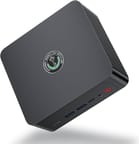
The S7 Pro measures 5.12 x 5.12 x 2.09 inches and weighs 2.46 pounds. The shell is glossy black plastic with vents along the sides and bottom for the dual-fan cooling system. The front panel carries two USB 3.2 Type-A ports, a USB-C port rated at 10Gbps, a 3.5mm combo audio jack, a Clear CMOS reset pinhole, and a red power button. The rear holds the USB4 port (40Gbps), two USB 2.0 ports, HDMI, DisplayPort, 2.5GbE Ethernet, and the power input. One fan cools the processor while a second blows across the RAM modules and the secondary M.2 slot, giving both the memory and the second drive dedicated airflow.
The AMD Ryzen 7 7840HS is an 8-core, 16-thread Zen 4 processor with a 3.8 GHz base clock and boost speeds up to 5.1 GHz. Its Radeon 780M graphics use the RDNA 3 architecture, with 12 compute units running at 2700 MHz. In Cinebench R23, the machine scored roughly double the multicore result of an Apple M2 Mac Mini and landed near an Intel Core i9-10900K. Gaming at 1080p is playable in DOTA 2 (95-113 FPS), League of Legends (147-160 FPS), and CS:GO (95-115 FPS), while Destiny 2 runs at 45-55 FPS. Trigkey tuned the system to a 54W TDP, which lets the processor hold higher clocks for longer.
Wireless is WiFi 6 (802.11ax) with Bluetooth 5.2. Wired networking runs through an Intel I226V 2.5 Gigabit Ethernet controller, which is the part that matters for virtual machines, a home server, or a NAS. Storage sits on dual PCIe 4.0 NVMe M.2 2280 slots, and the secondary slot is reached through a ribbon cable extension that carries its own cooling fan. Memory uses standard DDR5 SODIMM slots and takes up to 64GB in a dual-channel configuration. The USB4 port also supports eGPU enclosures, so graphics performance is not capped at what the Radeon 780M can deliver.
Reviewer Insights

Tech Notice’s Perspective
Tech Notice ran benchmarks, a full teardown, and BIOS testing on the S7 Pro, and the CPU impressed them most, noting that “this 8 core Mini PC is faster or roughly about the same performance as the desktop variant 10900K.” The internal design received high marks for its dual M.2 NVMe Gen 4 slots and the dedicated active cooling system that covers both the RAM and storage components. They highlighted that internal access is straightforward since “you don’t actually need to go underneath this PC because the cooling is fine,” avoiding the common frustration of glued-down feet.
On the downside, Tech Notice found the glossy plastic exterior “looks very cheap” and acts as an “extreme fingerprint magnet.” They also discovered that enabling Precision Boost Overdrive settings in the BIOS caused the system to crash under load, and the Clear CMOS button failed to function properly when attempting to reset those settings. Their overall assessment positioned the S7 Pro as delivering “pretty much exactly double the score” of the M2 Mac Mini in multi-threaded workloads at a lower cost for productivity-focused users.
Tek Syndicate’s Perspective
Tek Syndicate conducted extensive testing including thermal stress tests, synthetic benchmarks in Cinebench and Geekbench, and real-world workloads in Adobe Premiere. Their review identified this as “one of the fastest” implementations of the 7840HS they had encountered, and the reviewer was surprised by the performance numbers. They were particularly pleased with the Intel I226V Ethernet controller, calling it a rare and welcome choice for an AMD-based system.
The thermal testing revealed that the S7 Pro reaches up to 87.2°C under 100% sustained load, with fan noise measuring around 49 dB during intensive tasks. Tek Syndicate described the fan as producing “a constant fan noise” that is “not an annoying fan noise.” They tested triple-monitor support and confirmed that the system handles three simultaneous displays without issue. According to their written review, “this Ryzen 7 7840HS is almost as fast as some of the Ryzen 9 systems I’ve tested,” reinforcing the S7 Pro’s position as a performance leader in its class.
Tech Guy Beau’s Perspective
Tech Guy Beau performed a detailed teardown and tested real-world gaming performance in titles like Baldur’s Gate 3 and Final Fantasy XIV. A notable finding from his review was that the S7 Pro appears to use the same motherboard found in Beelink’s SER7 series, which he considered “actually a good thing because Beelink makes good stuff.” He praised the cooling, measuring 42 dB at full blast, which he described as “really quite quiet.”
Tech Guy Beau highlighted the higher TDP configuration as a key advantage, noting that “this thing can pull a lot more wattage and as a result you get really good performance here” compared to handheld gaming devices using similar processors. He claimed HDMI support for 4K at 120Hz, though Tek Syndicate identified the HDMI port as version 2.0 which is limited to 4K at 60Hz. Buyers who need 4K at 120Hz should verify the HDMI version or plan to use the DisplayPort output instead. Tech Guy Beau also praised the use of name-brand components from Crucial and Intel inside the system. His primary criticism focused on the included QLC-based SSD, which may exhibit slowdowns during massive file transfers, and the plastic shell that lacks the premium feel of metal-bodied alternatives.
Praise for the chip, complaints about the case
Reviewers consistently praised the dual M.2 storage slots, USB4 connectivity, and the Intel-based 2.5GbE Ethernet. Tek Syndicate measured 87.2°C under sustained load and 49 dB of fan noise, and both Tech Notice and Tech Guy Beau faulted the plastic shell. The BIOS crash Tech Notice hit with Precision Boost Overdrive affects only buyers who change overclocking settings themselves.
Customer Reviews
Across 10 ratings on Amazon, the Trigkey S7 Pro averages 3.8 stars, and the spread is mixed: about half the ratings are five-star while roughly a quarter sit at one or two stars. Buyers who liked it point to the small size, quiet operation, and value. Spencer Craig, a verified buyer, called it an “Amazing PC for those who dont want to spend thousand and love the quiet performance of a Mini PC,” and verified buyer Edgar wrote that “from the moment you turn it on for the first time you can see the power and speed it has.”
Verified buyer Bryan Decker reported that within months the “Ethernet adaptor would turn off randomly, computer would freeze often and finally it would not recognize two monitors after 6 months.” Another verified buyer, Charles Patrick, bought it hoping for a gaming machine and was disappointed, writing “Not as advertised if you were looking for a compact game machine this is not it,” citing a “consistent 20 to 26 fps at minimum settings.” With only 10 ratings total, the sample is small, so read it as early owner sentiment rather than a settled verdict.
Read more owner reviews on Amazon.
A productivity and home-server box with the fan noise to match
The Zen 4 Ryzen 7 7840HS, USB4 port, dual M.2 NVMe slots, and Intel 2.5GbE controller make this a capable machine for productivity workloads, home server duty, light gaming, and multi-monitor setups. The 54W tuning is a large part of why it keeps up under long multicore loads.
Buyers who are sensitive to fan noise during long workloads, or who want a metal chassis, should look at the Beelink SER8 instead. The included QLC SSD is worth replacing if you move large files often; the second M.2 slot means you can add a drive rather than swap one.
For those comparing options, see our Mini PC Comparison Chart to find the best match for your needs.
Frequently Asked Questions
What processor does the Trigkey S7 Pro use?
An AMD Ryzen 7 7840HS: 8 cores, 16 threads, Zen 4 architecture, a 3.8 GHz base clock, boost to 5.1 GHz, and 16MB of L3 cache. It scores approximately 28,872 on PassMark’s CPU benchmark, which puts it in power-user territory.
Can I upgrade the RAM in the S7 Pro?
Yes. The slots are standard DDR5 SODIMM in a dual-channel configuration, they ship filled with 32GB (2x 16GB) of DDR5-5600, and they take up to 64GB. Getting to them does not require removing adhesive feet or stickers.
What ports does the S7 Pro have?
The front panel includes two USB 3.2 Type-A ports, one USB-C port (10Gbps), a 3.5mm combo audio jack, and a Clear CMOS pinhole. The rear provides one USB4 port (40Gbps), two USB 2.0 ports, one HDMI port, one DisplayPort 1.4, one 2.5 Gigabit Ethernet port (Intel I226V), and the DC power input. Three simultaneous display outputs are supported.
What’s included in the box?
The mini PC, a 120W power adapter, a VESA mounting bracket with screws, two HDMI cables, and a user manual. The bracket attaches the unit to the back of a compatible monitor.
Can the S7 Pro handle gaming?
At 1080p, yes, on the AMD Radeon 780M integrated graphics with 12 RDNA 3 compute units. Esports titles run well: DOTA 2 at 95-113 FPS, League of Legends at 147-160 FPS, and CS:GO at 95-115 FPS. Destiny 2 drops to 45-55 FPS at lower settings. For anything heavier, the USB4 port supports eGPU enclosures.
How loud is the S7 Pro?
Under full load, reviewers measured fan noise between 42 and 49 dB depending on the workload. Tech Guy Beau described 42 dB at full blast as “really quite quiet,” while Tek Syndicate noted the fan produces “a constant fan noise” that is “not annoying.” The dual-fan system stays quieter during normal desktop use.
Can I add more storage?
Yes. There are dual M.2 PCIe 4.0 NVMe slots, each taking a 2280-size drive of up to 4TB. The primary slot arrives occupied with a 500GB SSD, and the secondary slot is free; it connects via a ribbon cable extension and has its own cooling fan. Both slots run at PCIe Gen 4 speeds.