

The reliability question used to be a matter of opinion. Someone on Reddit would claim their Chromebook lasted six years without a hiccup; someone else would counter with a story about a dead keyboard at month eighteen. Neither proved anything. What changed in 2025 and early 2026 is that several organizations published actual numbers: failure rates by brand, service-call volumes by platform, security vulnerability counts by operating system. For the first time, a buyer choosing between a Chromebook and a Windows laptop can look at data instead of anecdotes.
The numbers favor Chromebooks. But they favor Chromebooks in specific, bounded ways that most coverage either oversells or ignores entirely. This piece presents what the data shows, what it does not show, and what it means for someone deciding right now.
The failure-rate picture
Consumer Reports surveyed 75,923 portable computers purchased between 2019 and 2025. Their finding: 16% of all laptops broke or stopped working within three years. That pool includes Windows machines, MacBooks, and Chromebooks, weighted by market share.
Chromebook-specific data published by About Chromebooks in 2026 breaks hardware failure rates by brand over a five-year window:
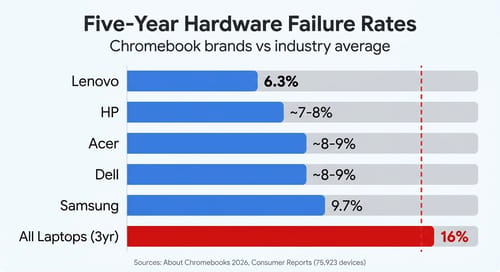
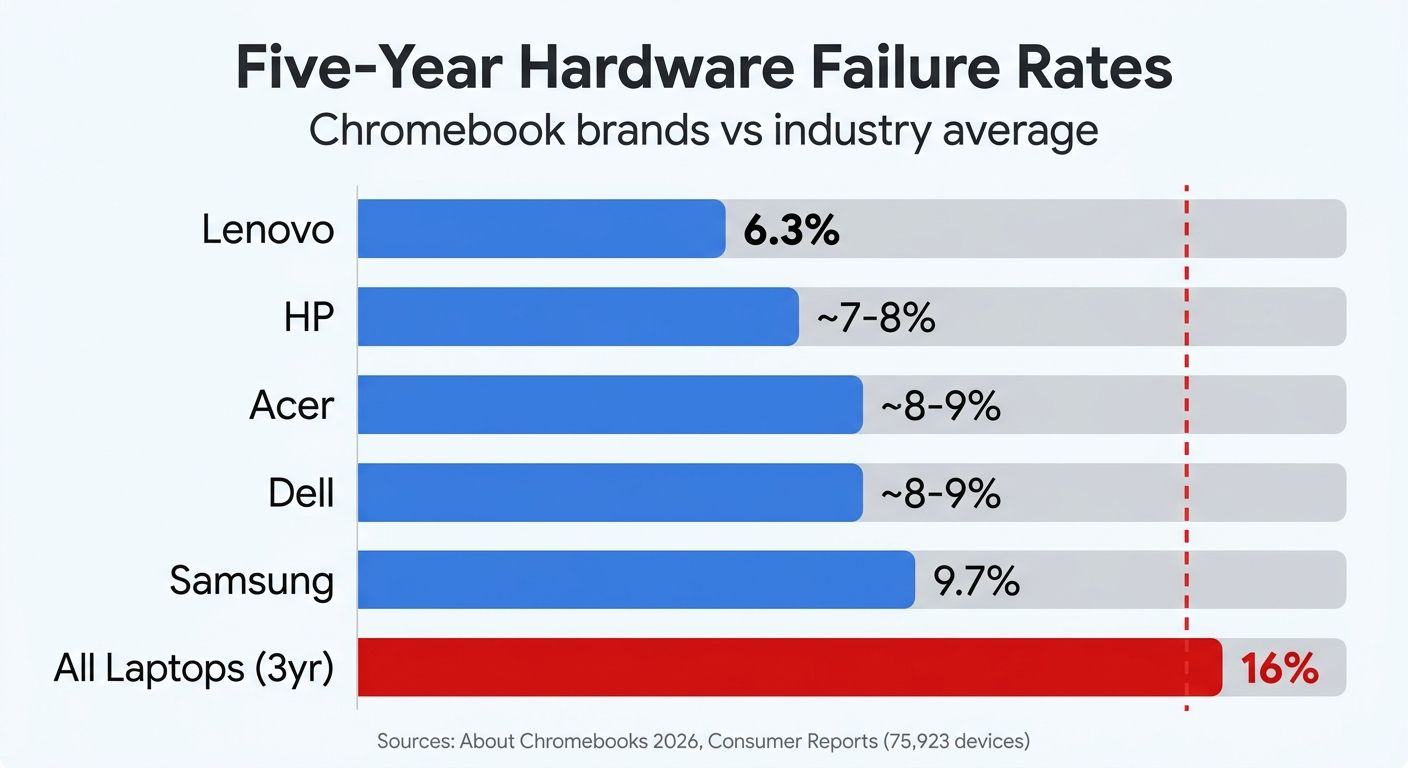
Lenovo lands at 6.3%, Samsung sits highest at 9.7%, and the remaining brands (HP, Acer, Dell) cluster in the 7% to 9% range. Every Chromebook brand comes in below the 16% industry average, and the Chromebook numbers measure a longer window (five years versus Consumer Reports’ three).
A careful reader will notice the comparison is not perfectly apples-to-apples. The Consumer Reports figure covers all failure modes across all portable computers over three years. The About Chromebooks data focuses on hardware failures (with keyboard issues as the primary reported category) over five years. Different timeframes, different failure definitions, different methodologies. The gap is real, but its exact size is harder to pin down than a simple “6% vs 16%” headline suggests. What the data supports with confidence: Chromebooks from major brands fail at a rate substantially below the broader laptop market, even when measured over a longer period.
Why the gap exists
The failure-rate difference is not random luck. ChromeOS has structural characteristics that reduce both hardware stress and software-induced failures.
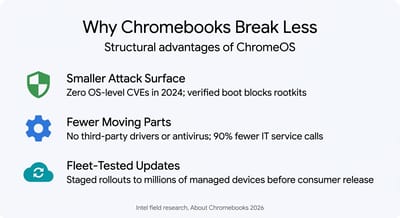
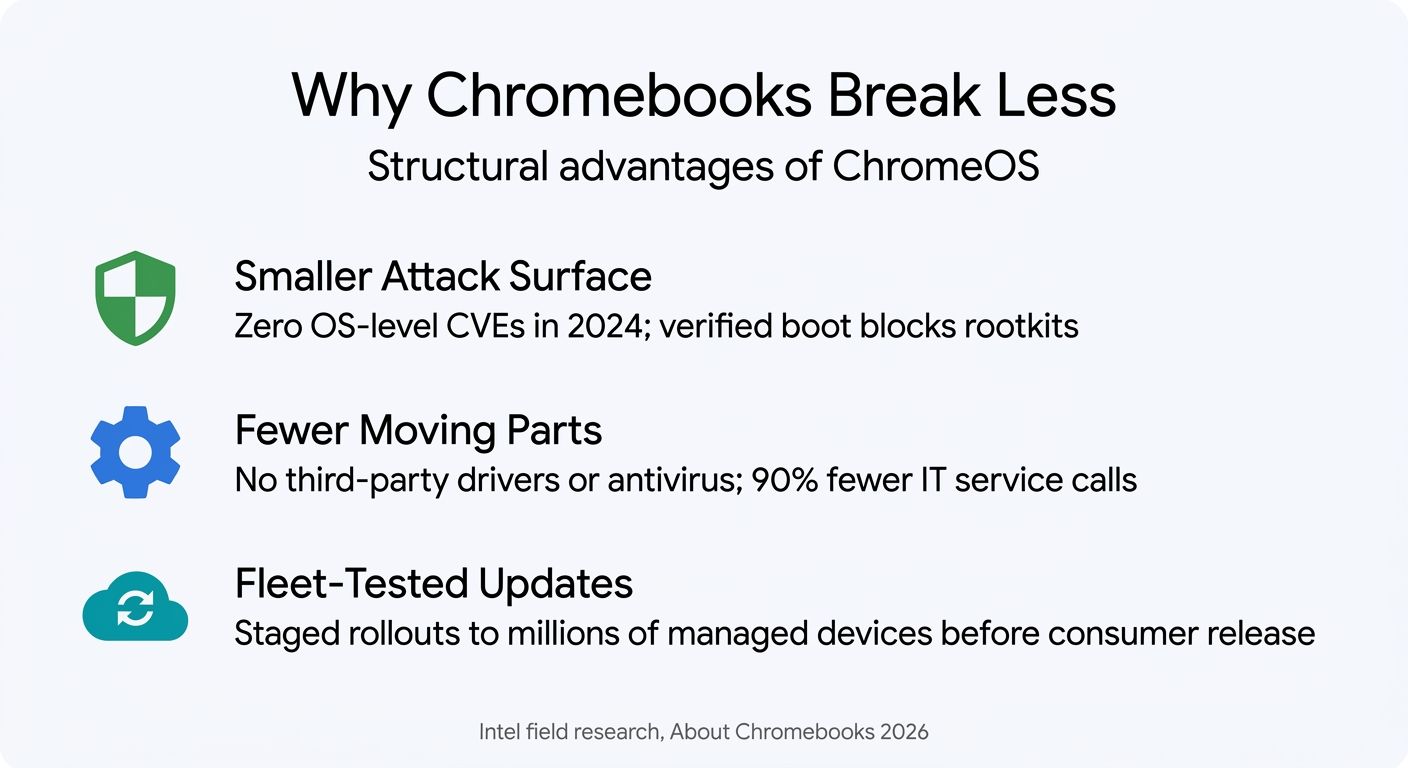
A smaller software attack surface. ChromeOS is a read-only root filesystem with verified boot. Every startup checks the OS image against a known-good signature; if anything has been tampered with, the system restores itself automatically. This architecture makes rootkits and persistent malware functionally impossible on ChromeOS in a way that Windows (with its writable system partition and enormous legacy driver surface) cannot match. The About Chromebooks crash-rate analysis reports that ChromeOS recorded zero OS-layer CVEs in all of 2024. For comparison, Microsoft patched 1,009 CVEs across its product portfolio in the same year. That Microsoft number includes Office, Exchange, Azure, and SQL Server alongside Windows itself, so it overstates the Windows-specific count. But even isolating just Windows kernel and OS-level patches, you are looking at hundreds of vulnerabilities per year versus effectively zero on ChromeOS.
Fewer driver layers and third-party interference. A Windows laptop loads dozens of third-party drivers at boot: GPU, audio, trackpad, fingerprint reader, webcam, storage controller. Each one is a potential crash vector. ChromeOS handles all hardware abstraction at the kernel level with a small, curated driver set. There is no third-party antivirus running in kernel space, no manufacturer bloatware hooking system calls. Intel field research cited by About Chromebooks found that ChromeOS deployments generate 90% fewer hardware-related IT service calls than Windows. The study context is enterprise fleets, but the underlying cause (less software complexity creating fewer failure modes) applies equally to consumer devices.
Fleet-tested updates. Google stages ChromeOS updates across tens of millions of managed education and enterprise devices before releasing them to consumer channels. By the time an update reaches your personal Chromebook, it has already run on school fleets, government installations, and corporate deployments, even as Chrome itself moves to a faster two-week release cadence. Windows Update has no equivalent staging pipeline at that scale. The July 2024 CrowdStrike incident illustrates the risk: a faulty kernel-level security update crashed approximately 8.5 million Windows machines simultaneously. Zero ChromeOS devices were affected. The incident was not a Windows OS bug per se; it was a third-party security tool (CrowdStrike Falcon) that had kernel-level access. But that is precisely the point: ChromeOS does not grant third-party software kernel-level access in the first place.
What the data does not tell you
Presenting reliability data without its limitations would be advocacy, not analysis. Three caveats matter for a buyer.
Repairability is a different question. A Chromebook that fails less often is still harder to repair when it does fail. Most consumer Chromebooks have soldered RAM, glued batteries, and limited availability of replacement parts through official channels. A $500 Chromebook with a dead keyboard at year four may not be economically repairable; the parts cost can approach the device’s residual value. Business-class Windows laptops (Lenovo ThinkPad, Dell Latitude, HP EliteBook) typically offer modular batteries, available part diagrams, and a third-party repair ecosystem. Lower failure rates matter less if a single failure means a trip to the recycling bin.
The AUE cliff is real. Chromebooks receive automatic updates until their Auto Update Expiration date. Google’s policy since September 2023 guarantees ten years of updates for new devices. But “ten years of updates” and “ten years of useful life” are different things: the average Chromebook lifespan sits at 7.6 years across all categories (6.9 years for consumer devices, 8.1 for education). Hardware outlasts software support in many cases, but the support window is the binding constraint. A Chromebook that physically works fine at year eleven will receive no security patches. For comparison, Microsoft still supports Windows 10 machines from 2015 with monthly patches (through October 2025, extended through paid ESU). The Chromebook reliability advantage exists within its update window; beyond that window, the device becomes a security liability regardless of physical condition.
ChromeOS cannot run everything. Platform reliability is irrelevant if the platform cannot do your job. Creative professionals who need Adobe Photoshop, engineers who need CAD software, gamers who need native titles, and professionals whose industries require Windows-only compliance tools will not benefit from Chromebook reliability numbers. The should-you-buy-a-Chromebook decision framework covers this in depth: if your workflow lives in a browser, Google Workspace, and Android apps, a Chromebook is the right tool. If it does not, reliability data is academic.
What this means for a buyer in 2026
The practical takeaway is not “buy a Chromebook because the numbers say so.” It is: if a Chromebook can do your work, it will almost certainly outlast and out-stable a Windows laptop at the same price point. The structural reasons are not marketing fluff. Verified boot, a minimal driver stack, no third-party kernel access, and fleet-tested updates create a more reliable computing environment.
Three scenarios where the reliability data translates directly into a buying recommendation:
You are replacing a three-to-five-year-old Windows laptop that has gotten slow, buggy, or virus-prone. If your primary use is web browsing, email, documents, video calls, and streaming, a Chromebook Plus in the $400 to $650 range will deliver a substantially more reliable experience. The Lenovo Chromebook Plus 14, which PCWorld praised for its aluminum construction and minimal flex, and which TechRadar said has “build quality [that] rivals that of the best MacBooks,” represents the current state of the art: premium hardware paired with an OS designed to stay out of your way.
You are buying a laptop for a family member who is not technical. The combination of low failure rates, automatic updates, verified boot (which prevents persistent malware), and 20-to-40-minute full recovery via USB makes a Chromebook the lowest-maintenance option available. If your parent or teenager’s Windows laptop generates periodic “can you fix this?” calls, a Chromebook eliminates most of the failure modes that trigger those calls.
You want a machine that holds its value as a working tool for five to seven years. The ten-year AUE window means a Chromebook purchased in 2026 will receive security updates through 2036. Combined with failure rates below 10% over five years, the probability of reaching year five or six with a fully functional, fully patched machine is higher on ChromeOS than on any other consumer laptop platform for which published data exists.
The Windows side of the equation
Fairness requires acknowledging that Windows has improved. Windows 11 introduced hardware-backed security baselines (TPM 2.0, Secure Boot, virtualization-based security) that significantly reduce the OS-level attack surface compared to Windows 10. Microsoft’s post-CrowdStrike response includes restricting kernel-level access for third-party security tools, addressing the exact vulnerability class that ChromeOS avoids by design. The monthly patch load remains high, but the severity profile has shifted: fewer critical remote-code-execution vulnerabilities, more elevation-of-privilege issues that require local access.
For buyers who need Windows, the battery replacement decision math applies equally: business-class hardware (ThinkPad T-series, Latitude 5000-series) with its modular design and available parts represents the most reliable Windows experience. Consumer-grade Windows laptops remain the category most likely to hit that 16% three-year failure rate.
The bottom line
The 2026 reliability data gives Chromebook buyers something they have never had before: measurable evidence that the platform is not just cheaper or simpler, but structurally more durable and stable than the alternative. The gap is real. It is also bounded by the things ChromeOS cannot do, limited by the AUE support window, and partially closed by recent Windows security improvements.
For the buyer whose work fits inside ChromeOS, the data supports a confident purchase. For the buyer who needs Windows, the data suggests spending up for business-class hardware rather than hoping a consumer laptop will last. Either way, the numbers exist now. The reliability question is no longer a matter of Reddit opinions.


