
Acer Chromebox
Updated on

This product has been discontinued. The original Acer Chromebox CXI reached its Chrome OS Auto Update Expiration in September 2019, and the later CXI2 reached its AUE in June 2021. Neither model receives security updates or feature releases any longer. For a current Chrome OS desktop, see the Chromebook comparison chart.
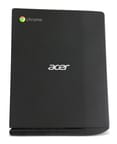
The Acer Chromebox CXI launched in 2014 as one of the earliest sub-$200 Chrome OS desktops, and the CXI2 refresh followed in 2015 with a Broadwell Celeron and an optional Core i3. Both generations share the diamond-textured plastic shell and the four-port USB 3.0 layout, and both arrive with a wired keyboard, optical mouse, vertical stand, and VESA mount in the box. Acer sold the line to schools and government offices as a way to put Chrome OS on a spare monitor or HDTV. TechRadar’s Kevin Lee called the original CXI “a wonderfully affordable way of turning any monitor or HDTV into a capable computer.”
Related Videos
Acer Chromebox Comparison Chart
4 configurations
| Configuration | Processor | RAM | Performance | List price | Amazon price | Compare |
|---|---|---|---|---|---|---|
| CXI-i34GKM / DT.Z07AA.001 | Core i3-4030U | 4 GB | 2.6 | $349.99 | Details
| |
| CXI2-2GKM / DT.Z09AA.003 | Celeron 3205U | 2 GB | 1.9 | $179.99 | Details
| |
| CXI2-4GKM / DT.Z09AA.003 | Celeron 3205U | 4 GB | 2.2 | $219.99 | Details
| |
| CXI2-I38GKM / DT.Z0AAA.003 | Core i3-5005U | 8 GB | 3.7 | $399.99 | Details
|
Specs shared by every configuration
| Chromebook Plus | No |
|---|---|
| Internal Storage | 16 GB SSD (upgradable) |
| Screen Size | No Screen |
| Screen Resolution | No Screen |
| Screen Type | No Screen |
| Touch Screen | No |
| Stylus / Pen | No Stylus Support |
| Dimensions width x length x thickness | 5.1 x 6.5 x 1.3 inches (129.54 x 165.1 x 33.02 mm) |
| Weight | 1.2 lbs (0.55 kg) |
| Backlit Keyboard | No |
| Webcam | No Webcam |
| WiFi | 802.11 b/g/n/ac |
| Bluetooth | Bluetooth 4.0 |
| Ethernet | Yes |
| Cellular Modem | No |
| HDMI | Full-Size HDMI |
| USB Ports | 4 USB 3 |
| Thunderbolt Ports | No |
| Card Reader | SD |
| Battery | No Battery |
| Battery Life | 0.0 hours |
| Fanless | No |
Related Chromebooks
-
 Acer Chromebox CXI5A compact Chrome OS desktop with 12th Gen Intel processors, USB-C with DisplayPort output, and…
 -
 Acer Chromebook 311 (AMD)The Acer Chromebook 311 (CB311-10H) is an 11.6-inch ChromeOS laptop on an AMD A4-9120C with 4GB of…
 -
 ASUS Chromebox 5The ASUS Chromebox 5 is a Chrome OS desktop with 12th Gen Intel processors, Thunderbolt 4, Wi-Fi…
 -
 Lenovo Chromebox MicroThe Lenovo Chromebox Micro is a fanless 6.4 x 3.1 x 0.8 inch ChromeOS desktop built on the Intel…
 -
 ASUS Chromebook C203XAThe ASUS Chromebook C203XA is a rugged 11.6-inch education laptop with a MediaTek MT8173C, an…
 -
 CTL Chromebox CBx3The CTL Chromebox CBx3 is a Chrome OS desktop built on 13th Gen Intel processors, with Wi-Fi 6E,…
Haswell in the CXI, Broadwell in the CXI2
Acer built the line across two closely related releases. The original Chromebox CXI shipped in mid-2014 with Intel’s Haswell-generation Celeron 2957U and a 4GB Core i3-4030U option that Acer added a few months later, the CXI-i34GKM. The 2015 CXI2 refresh kept the same chassis and port layout but moved to Intel’s Broadwell-generation Celeron 3205U for the 2GB and 4GB SKUs, with a Core i3-5005U at the top end in the CXI2-I38GKM. Acer left the form factor, the bundled peripherals, and the entry pricing alone, so a buyer in 2014 and a buyer in 2015 walked away with very similar hardware aside from the processor generation.
The contemporary press reviews tested the CXI base configurations: the CXI-2GKM at around $179 and the CXI-4GKM at around $219, both with the Celeron 2957U. Acer kept selling the CXI2 lineup into 2016.
Four USB ports, dual video out, and memory under the heatsink
Every CXI and CXI2 shares the same compact footprint: 5.1 inches wide, 6.5 inches deep, 1.3 inches thick, and 1.2 pounds. The exterior wears Acer’s diamond-textured plastic finish. The unit can lie flat on a desk, stand vertically in the bundled plastic base, or hide behind a display on the metal VESA bracket that Acer ships in the box.
Two USB 3.0 ports sit on the front and two on the back, enough room for a wired keyboard, a wired mouse, and a couple of peripherals without reaching for a hub. Video output is split between HDMI Type-A and DisplayPort, so a dual-monitor setup works out of the box, and Acer rated the i3 SKUs to drive a 4K display. Networking is Gigabit Ethernet, 802.11ac WiFi on both 2.4GHz and 5GHz, and Bluetooth 4.0. A full-size SD card reader on the front lets you mount additional storage without opening the chassis, which is helpful given the 16GB internal SSD. The combo headphone and microphone jack sits on the back rather than the front. A Kensington lock slot lets the unit be secured to a desk in shared environments.
The SSD and RAM are upgradeable but inconveniently located. Both generations mount the storage and memory on the underside of the motherboard, so reaching either takes a full disassembly and a careful removal of the heatsink.
Broadwell gains 22 percent on Octane, 4K playback stalls on both
On the original CXI with the Celeron 2957U at 1.4GHz, Lon Seidman’s Lon.TV review measured an Octane 2.0 score of 11,989, which Lon described as “pretty powerful” for the Haswell Celeron and competitive with the better Haswell Chromebooks of that era. TechRadar’s testing on the 4GB CXI handled “30 Chrome tabs open across three browser windows while streaming Google Play Music and editing images” without slowdowns.
The CXI2 with the Broadwell Celeron 3205U at 1.5GHz pulled meaningfully ahead. In Lon Seidman’s CXI2 follow-up, the same Octane 2.0 benchmark returned 14,622, a roughly 22 percent gain over the original CXI. Lon noted that the Broadwell chip stayed responsive when switching between a browser window playing a YouTube video and additional tabs of light browsing. Both generations stumbled on 4K video playback in Chrome. The Core i3 variants sit above the Celerons on both Octane and everyday responsiveness, and Acer pointed buyers who wanted to drive dual displays toward them.
A small fan runs on every CXI and CXI2 SKU. It is quiet under normal browsing but audible in a silent room. None of the configurations are fanless.
Reviewer insights
Lon Seidman on the original CXI
Lon Seidman from Lon.TV reviewed the 2GB Celeron 2957U CXI against the equivalent HP and ASUS Chromeboxes of the same generation. He found the Haswell Celeron “pretty powerful” for Chrome OS workloads, recorded the Octane score of 11,989, and called the bundle “a good value Chromebox” given that the price included the keyboard and mouse. He said it was a little hard to crack the case open and that the write-protect screw sits under the heatsink, requiring the thermal paste to be reapplied if you remove it. Lon’s verdict was that buyers who only wanted to run Chrome OS as shipped would do well, but anyone planning to flash the device for an alternate OS would have an easier time on the ASUS or HP Chromebox of the same vintage.
Lon Seidman on the CXI2
In his CXI2 review, Lon focused on the Broadwell Celeron 3205U bump and the Octane improvement to 14,622. He confirmed the same chassis and the same port layout as the original CXI, and the same upgrade-unfriendliness: RAM and storage still sit on the underside of the motherboard. He explicitly steered viewers toward the ASUS Chromebox of the same year if upgradeability mattered, while recommending the Acer for buyers who would leave Chrome OS installed and were happy with the 2GB or 4GB Celeron tier.
Mike Elgan on TWiT’s Hands-On Tech
Mike Elgan on TWiT’s Hands-On Tech evaluated the original CXI as a giveaway-grade desktop for non-technical users. He praised the build quality as “not flimsy” and the port count, saying “this is a good product right here it has tons of ports.” His sharpest criticism was reserved for the bundled keyboard, which he called “a really horrible keyboard. This is a terrible terrible keyboard.” Despite that, he recommended the unit as an ideal computer to hand to a non-technical relative, citing the one-button Powerwash factory reset as a frictionless recovery path. His sign-off: “give Chromebox a chance.”
Brian Fagioli’s BetaNews unboxing
Brian Fagioli’s unboxing for BetaNews walked through the 4GB Celeron 2957U CXI in detail. He confirmed the inclusion of the keyboard, optical mouse, vertical base, VESA mount, and the two-piece power adapter (a small brick plus a standard plug), and called the keyboard “not a $100 keyboard by any means” but workable.
FedTech Magazine on government deployment
FedTech Magazine’s review looked at the Chromebox CXI for government and agency deployment. The article highlighted the speed of provisioning: “Users can be on Google docs five minutes after opening the box, including time needed to connect cables and find the office’s Wi-Fi password.” It called out the TPM 1.2 chip, the verified-boot pass on every startup, and the separate user-data and system partitions as the features that made the unit attractive for federal environments, alongside the Kensington lock for physical security.
Keeping a post-AUE Chromebox useful
Google set the Auto Update Expiration (AUE) date for the original Chromebox CXI at September 2019, and for the later CXI2 at June 2021. After those dates each model stopped receiving Chrome OS security updates and feature releases. The hardware still boots and the browser still loads, but Google no longer ships patches for newly disclosed vulnerabilities, and an increasing number of web platform features have rolled past what the frozen Chrome version can support. For background on what AUE means in practice, see the Chromebook Auto Update Expiration FAQ.
Owners with a working unit can leave Chrome OS in place and keep the device on tasks that do not depend on a current browser or current security patches: kiosk-style signage, a guest browser, a video conferencing endpoint on a managed network. The alternative is flashing an alternate OS. The Haswell and Broadwell platforms in the CXI and CXI2 are well-supported targets for installing Linux on a Chromebook, and the i3-equipped SKUs make a passable light desktop under a current Ubuntu or Debian release once the write-protect screw is removed and a coreboot or MrChromebox firmware is flashed. Neither path is officially supported, and both require the disassembly the reviews describe.
Frequently asked questions
Is the Acer Chromebox CXI still safe to use online? No. The AUE passed in September 2019, so the device stopped receiving security updates. Casual personal browsing on a trusted home network carries low but non-zero risk. Anything touching sensitive data belongs on a retired or reflashed machine.
Can I upgrade the RAM or storage? The SODIMM slot and the SSD both sit on the underside of the motherboard, so reaching either means fully disassembling the chassis, removing the heatsink, and reapplying thermal paste. Lon Seidman documented the process in his original CXI review.
Will it drive a 4K display? The HDMI and DisplayPort outputs can address a 4K panel, and Acer marketed the Core i3 SKUs as 4K-capable for desktop use. Playback is weaker than output. The Chrome OS video pipeline of the era did not hardware-decode 4K well, so a 4K YouTube stream stuttered even when the display itself was running at 4K.
What is the difference between the CXI and the CXI2? Mostly the processor generation. The CXI uses Intel Haswell silicon (Celeron 2957U or Core i3-4030U). The CXI2 uses Intel Broadwell silicon (Celeron 3205U or Core i3-5005U). The chassis, ports, and included peripherals are the same; the AUE dates differ (September 2019 for the CXI, June 2021 for the CXI2).
Does it come with a keyboard and mouse? Yes, both generations ship with a basic wired USB keyboard and an optical USB mouse, plus a vertical stand and a metal VESA mount. Mike Elgan criticized the keyboard in his review, and Brian Fagioli called it workable but not a $100 keyboard.
Is there a fan? Yes, every CXI and CXI2 SKU has a small fan that runs continuously. None of the variants are fanless.
Pros and cons
Pros
- Complete in-box bundle (Chromebox, keyboard, mouse, vertical stand, VESA bracket) at sub-$220 list pricing on the Celeron SKUs
- Generous port layout for the size: four USB 3.0 ports, HDMI plus DisplayPort, Gigabit Ethernet, SD card reader
- TPM 1.2, verified boot, and Kensington lock made it a defensible pick for education and government rollouts
- One-button Powerwash factory reset returns the machine to a clean system
Cons
- AUE expired September 2019 (CXI) and June 2021 (CXI2); no longer eligible for Chrome OS security updates
- 16GB internal SSD across every SKU pushes users to cloud storage or SD card expansion
- RAM and storage are upgradeable only after a full disassembly, with the write-protect screw buried under the heatsink
- Bundled keyboard drew criticism from Mike Elgan
- Headphone and microphone jack sit on the back of the unit, not the front
- 4K video playback under Chrome OS was unreliable on every variant, even the i3 SKUs
A low-cost Chrome OS desktop that ran out of updates
Acer priced the CXI and CXI2 as the cheap way into a Chrome OS desktop, and the bundled accessories and VESA mounting made them easy to deploy in offices, classroom labs, and lobby kiosks. A used one still works as a browser box on a spare monitor, but past its update date it belongs on a trusted network or under a Linux reinstall.
Acer’s later CXI3, CXI4, CXI5, and CXI6 generations replaced the line. They sit on the Chromebook comparison chart alongside the two covered here.