
ASUS Chromebook CX1 (CX1700)
Updated on

The ASUS Chromebook CX1 (CX1700) is a 17.3-inch desktop-replacement Chromebook that ASUS launched in August 2021. It was the first 17-inch Chromebook to ship; Chrome Unboxed’s Gabriel Brangers broke the leak on May 25 2021, describing it as a “budget-friendly model built on the Intel Jasper Lake platform,” and Digital Trends’ Chuong Nguyen confirmed it the same day as “the world’s first Chrome OS laptop with a screen size north of 15.6 inches.” The shipping product landed close to that leak: 17.3-inch 1920x1080 anti-glare panel, fanned Intel Celeron N4500 (Jasper Lake, dual-core, 1.1 to 2.8 GHz), 4 GB of LPDDR4X RAM, 64 GB or 128 GB of eMMC, Wi-Fi 6, Bluetooth 5.1, a 67 Wh battery rated for up to 17 hours, and a full numeric keypad. Chrome OS Auto Update Expiration is June 2031, per Google’s official Chrome Enterprise AUE list (matched entry: “Chromebook CX1 (CX1700CKA): Jun 2031”). New-condition retail stock has largely dried up in 2026: the listings that surface are mostly used, “Renewed,” or relisted under the wrong model, so this page ships without buy links and serves as a reference for owners and for anyone evaluating a used unit. A working CX1700 is still inside its support window and keeps receiving ChromeOS updates through June 2031.
| Pros | Cons |
|---|---|
| 17.3-inch 1920x1080 anti-glare display | Heavy at 5.34 lb, not portable in the usual Chromebook sense |
| Up to 17-hour battery life from a 67 Wh cell | TN panel on the budget configuration with limited viewing angles |
| Full numeric keypad, rare on Chromebooks | Intel Celeron N4500 is entry-level and slows under heavy multitasking |
| Wi-Fi 6 and Bluetooth 5.1 | No keyboard backlight |
| Dual USB-C with display output and power delivery | No HDMI port despite the desktop-replacement size |
| microSD card slot for storage expansion | RAM and eMMC are soldered, no internal upgrade path |
Related Videos
ASUS Chromebook CX1 (CX1700) Comparison Chart
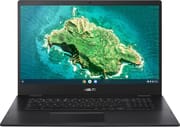 ASUS Chromebook CX1 (CX1700) | |
| Price | List Price: $349.99 Amazon Prices: |
| Model number | CX1700CKA-WS44F-M |
| Performance Rating | 3.1 |
| Chromebook Plus | No |
| Processor | Dual-core 1.10 Ghz (max 2.80 Ghz) Intel Celeron Processor N4500 |
| RAM | 4 GB |
| Internal Storage | 64 GB eMMC |
| Screen Size | 17.3" |
| Screen Resolution | 1920x1080 |
| Screen Type | TN |
| Touch Screen | No |
| Stylus / Pen | No Stylus Support |
| Dimensions width x length x thickness | 15.77 x 10.71 x 0.78 inches (400.56 x 272.03 x 19.81 mm) |
| Weight | 5.34 lbs (2.43 kg) |
| Backlit Keyboard | No |
| Webcam | 720p HD |
| WiFi | Wi-Fi 6 (802.11ax) |
| Bluetooth | Bluetooth 5.1 |
| Ethernet | No |
| Cellular Modem | No |
| HDMI | No HDMI |
| USB Ports | 2 USB 3, 2 USB-C Type-C support display / power delivery |
| Thunderbolt Ports | No |
| Card Reader | microSD Card Reader |
| Battery | 4 cell, 67 WHrs, Li-ion |
| Battery Life | 17.0 hours |
| Fanless | No |
| Auto Update Expiration Date | June, 2031 |
Related Chromebooks
-
 Acer Chromebook 317Delve into the Acer Chromebook 317: a 17.3-inch full HD portal to productivity with a comfortable,…
 -
 ASUS Chromebook C424The ASUS Chromebook C424 boasts a crisp 14-inch FHD anti-glare display, durable spill-resistant…
 -
 ASUS Chromebook CM14The ASUS Chromebook CM14 is a sub-$300 14-inch Chromebook built around a MediaTek Kompanio 520,…
 -
 Acer Chromebook 314 (CB314-4H/4HT)A budget-friendly 14-inch Chromebook with Intel Alder Lake-N processors, WiFi 6E, and software…
 -
 HP Chromebook 11a (ARM)The HP Chromebook 11a offers an 11.6-inch anti-glare display, 720p HD webcam, and up to 15 hours of…
 -
 HP Chromebook 14a (14a-nf series)The HP Chromebook 14a (14a-nf series) spans two tiers of the same chassis: an Amazon-exclusive…
Hardware and Performance
The CX1700 runs the Intel Celeron N4500, a 6-watt Jasper Lake dual-core SoC clocked at 1.1 GHz with a 2.8 GHz burst, paired here with 4 GB of LPDDR4X-2933 RAM (4 GB maximum, soldered) and 64 GB or 128 GB of eMMC (also soldered). The pre-launch leak in Chrome Unboxed suggested ASUS was considering the Celeron N5100 or Pentium Silver N6000 for the CX1700; the shipping US configurations standardized on the N4500. Some international SKUs ship a Pentium Silver N6000 paired with the Full HD IPS panel option.
In day-to-day Chrome OS use, the N4500 is enough for the workloads this device is bought for: web browsing, Google Docs, light Android apps, video streaming, and side-by-side spreadsheets that benefit from the 17-inch real estate. Push it past that (a dozen heavyweight tabs, Android games, sustained Linux container builds) and the dual-core ceiling shows quickly. There is no fan-related thermal advantage here either; the CX1700 is actively cooled, not passively cooled, which keeps the chassis cool under sustained load.
Storage is a sticking point. 64 GB of eMMC fills up faster than expected once Android app caches and downloaded Drive files accumulate. The microSD slot is a real expansion path for downloaded media but not for the system drive. A 128 GB SKU exists at retail for buyers who can find it new in stock.
Display and Design
The headline feature is the 17.3-inch, 1920x1080 anti-glare panel. At that screen size, 1080p delivers roughly 127 PPI, which is fine for productivity work and large enough to use comfortably from a normal seated distance. The panel is non-touch.
Panel technology varies by SKU. The Walmart-listed CX1700CKA-WS44F-M ships an LCD that retailers describe as “anti-glare” without specifying TN versus IPS. MergeDroid’s hands-on of the CX1700 tested a UK unit and observed that his particular configuration “has a weird HD Plus resolution it’s 1600 by 900 and worse still it’s TN so it looks far weaker and washed out,” then qualified that “there are models of the Asus that are full HD and our IPS like the Acer.” That maps to ASUS’s regional SKU strategy: the budget CX1700CKA-DH44 variant pairs a 1600x900 HD+ TN panel with the Celeron N4500, while the Full HD SKUs sold in the US (CX1700CKA-WS44F-M for 64 GB and CX1700CKA-SS48F for 128 GB) use the higher-resolution panel. Buyers cross-shopping budget Chromebooks should verify panel resolution against the model suffix before ordering.
The chassis is plastic with a silver-gray finish. At 15.77 x 10.71 x 0.78 inches and 5.34 pounds, this is not a Chromebook to carry between classes; it is a desktop replacement that happens to fold closed. ASUS specifies a 180-degree lay-flat hinge and rates the chassis to the MIL-STD 810H US military durability standard. The display does not support touch input.
Keyboard and Trackpad
The keyboard layout is a full-size chiclet with a dedicated numeric keypad on the right, a configuration that mirrors traditional 17-inch Windows desktop replacements but is rare on Chromebooks. There is no backlight, which is a real limitation for a desktop replacement that lives in a fixed workspace. The top row uses the newer Chromebook layout with the Everything Button replacing Search/Launcher.
MergeDroid described the CX1700’s keyboard feel as “shallow clicky key travel,” noting that the deck “feels a bit less premium much more like the CX 1500 that I tested and it’s got a bit of flex like that one as well.” His side-by-side comparison favored the competing Acer Chromebook 317 on keyboard feel.
The trackpad is plastic. MergeDroid noted that “the Asus trackpad is slightly wider” than the Acer 317’s but that “in terms of feel when tapping and clicking, the Acer just feels a bit more premium.” This is consistent with the CX1700’s positioning at a budget price point: the device is built to a $349-and-down list price, and the trackpad is one of the visible places that compromise shows.
Connectivity
Port layout reflects the CX1700’s 2021 design point: USB-C is treated as both a power input and a display output, with no HDMI. The full port complement is: two USB-C 3.2 Gen 1 (either side can charge the device and drive an external display), two USB 3.2 Gen 1 Type-A, a microSD card reader, and a combo 3.5 mm headphone and microphone jack. There is no built-in Ethernet (a USB Ethernet adapter handles that) and no Thunderbolt.
Wireless is Wi-Fi 6 (802.11ax, 2x2) with Bluetooth 5.1, which is appropriate for the era and pairs well with the device’s stationary-workstation use case. The lack of HDMI is the most-noted port omission; users wanting to drive a TV or projector directly need a USB-C-to-HDMI adapter or a dock.
The full-size keyboard’s numeric keypad is the connectivity-adjacent feature buyers buy this device for. Spreadsheet-heavy workflows, accounting front-ends, and any other use case where ten-key input matters benefit meaningfully from the included number pad.
Battery Life
ASUS rates the 4-cell, 67 Wh battery for up to 17 hours of use. That figure is a manufacturer-best-case number; real-world testing across the budget-Chromebook category typically lands a couple of hours short of the marketing figure on devices with screens this large. The 67 Wh cell does give the CX1700 meaningfully more capacity than the 38 to 48 Wh batteries common on 14-inch budget Chromebooks. Charging is over either USB-C port using ASUS’s bundled barrel-less PD adapter.
The CX1700 is not built around portability, so battery life is less critical to the use case than on a small ultraportable, but the surplus capacity is welcome for buyers who do move the device between rooms.
Reviewer Insights
Chrome Unboxed’s Gabriel Brangers (May 25, 2021) published the pre-launch exclusive that confirmed the CX1700’s existence. The article framed it as a “budget-friendly model built on the Intel Jasper Lake platform with an option for the Celeron N5100 or the Pentium Silver N6000,” with an expected starting price of $299. The eventual US shipping configuration used the Celeron N4500 (a sibling Jasper Lake chip), and US list prices landed slightly higher at the $349 to $499 range depending on storage and color.
Digital Trends’ Chuong Nguyen (May 25, 2021) covered the same leak and identified the device as “the world’s first Chrome OS laptop with a screen size north of 15.6 inches.” That framing held: as of June 2026, the CX1700 and Acer’s competing 317 are still the only 17.3-inch Chromebooks on the market.
MergeDroid is the closest thing to a sustained hands-on review of the CX1700 from a trusted Chromebook channel. His comparison-with-the-Acer-317 video covers seven specific dimensions (build quality and weight, ports and connectivity, internals and configurations, display, keyboard and trackpad, sound, price), and his summary judgment on the CX1700 panel is that the budget HD+ TN unit he tested looked “far weaker and washed out” than the IPS Full HD alternative; he steered buyers toward the IPS-Full-HD configurations specifically. His chassis comparison against the Acer 317 generally favored the Acer on keyboard feel, sound, and trackpad premium-ness, while noting the CX1700’s slightly wider trackpad and the variety of US configurations available.
Major-outlet long-form reviews (NotebookCheck, TechRadar, Tom’s Hardware, Tom’s Guide, PCMag) did not cover the CX1700 in dedicated reviews. The CX1700 is primarily covered by the launch press, retailer listings, and YouTube creators in the Chromebook niche.
Who This Chromebook Is For
The CX1700 makes sense for an existing owner, or for someone who tracks down a used unit, who wants a 17.3-inch screen for fixed-location productivity (home office, library carrel, a designated study desk) and who does not need a touchscreen, a backlit keyboard, USB-C-only video output, or sustained heavy multitasking. The numeric keypad is the second-strongest reason to choose this device specifically: spreadsheet-heavy and accounting-front-end workflows benefit meaningfully from the included ten-key block, and that combination (Chromebook simplicity plus a real numpad plus a 17-inch screen) is rare across the entire Chromebook market.
It is a poor match for anyone who travels frequently, wants a touchscreen, needs fast local storage for media work, or expects to run heavy Linux workloads or many concurrent Android apps. With the AUE in June 2031, the device has roughly five years of remaining Chrome OS support as of June 2026, which is a reasonable runway for a budget device but not a generational head start.
Related ASUS Chromebooks
ASUS offers several other Chromebooks in the CX1 family at different screen sizes. The ASUS Chromebook CX1 (CX1500) is the 15.6-inch sibling on the same chassis design language; MergeDroid’s framing of the CX1700 as “a larger version of the CX 1500 that I tested and reviewed” is a fair description. The 14-inch CX1400 sits below that. For buyers who want a more powerful processor in a similar form factor, ASUS’s CX5 series offers Intel Core chips.
To stack the CX1700 against other Chromebooks on specs, see the Chromebook Comparison Chart.
Frequently Asked Questions
When does the ASUS Chromebook CX1700 reach its Chrome OS Auto Update Expiration date?
June 2031, per Google’s official Chrome Enterprise Auto Update Expiration list (the table row reads “Chromebook CX1 (CX1700CKA): Jun 2031”). Until that date, the CX1700 continues to receive Chrome OS updates and security patches.
What is the difference between the CX1700CKA-WS44F-M, DH44, and SS48F variants?
All three use the Intel Celeron N4500, 4 GB of LPDDR4X RAM, the same chassis, the same Wi-Fi 6 + Bluetooth 5.1 radio set, and the same port complement. They differ on storage and display. The CX1700CKA-WS44F-M ships with 64 GB of eMMC and the 1920x1080 Full HD anti-glare panel. The CX1700CKA-DH44 ships with 64 GB of eMMC and the lower-resolution 1600x900 HD+ TN panel. The CX1700CKA-SS48F ships with 128 GB of eMMC and the Full HD panel. International markets (UK, EU) have additional Pentium Silver N6000 configurations not commonly sold in the US.
Can the RAM or storage in the CX1700 be upgraded?
No. Both the 4 GB of RAM and the 64 or 128 GB of eMMC are soldered to the motherboard. Storage can be effectively extended with a microSD card in the included slot, but the system drive itself cannot be replaced.
Does the ASUS Chromebook CX1700 have a touchscreen?
No. The 17.3-inch panel is non-touch on every shipping configuration. ASUS positions touch-enabled Chromebooks under the Flip line.
What was special about the ASUS Chromebook CX1700 at launch?
It was the first 17.3-inch Chromebook to ship. The launch coverage from Chrome Unboxed and Digital Trends both framed it as the world’s first Chrome OS laptop above 15.6 inches. As of June 2026, the CX1700 and Acer’s competing 317 line are still the only 17.3-inch Chromebooks on the market.
Is the ASUS Chromebook CX1700 good for video calls?
The CX1700 includes a 720p HD webcam and dual-array microphones, which are adequate for everyday video conferencing. The large display is a benefit for seeing multiple participants in a grid layout. On the budget HD+ TN SKU (DH44), viewing-angle shifts can make the webcam preview look off-center; the Full HD SKUs are less affected.