
ASUS Chromebook Flip CR1
Updated on

The ASUS Chromebook Flip CR1 (CR1100FKA) is a rugged 11.6-inch convertible Chromebook built for students. A rubber bumper and micro-dimpled finish help it shrug off the knocks, drops, and spills of classroom use, and it adds ASUS Antibacterial Guard surfaces, Wi-Fi 6, a garaged stylus, and dual cameras. It runs an Intel Celeron N5100 and is rated for about 12 hours of battery.
The CR1 meets US military-grade MIL-STD-810H durability standards, withstands drops up to 120cm, and has a spill-resistant keyboard. A modular internal design lets school IT staff service it on-site.
| Pros | Cons |
|---|---|
| MIL-STD-810H certified chassis rated for 120cm drops | 1366x768 panel at 250 nits limits detailed work |
| Splash-proof keyboard handles up to 330cc liquid spills | Celeron N5100 lags on complex Canva and CapCut edits |
| Wi-Fi 6 with a dual-band 2x2 antenna | RAM and storage are soldered, no upgrade path |
| Garaged stylus plus a 360-degree convertible hinge | Small, plasticky trackpad feels cramped |
| 47WHr battery ran 12 hours in Hitech Century’s testing | Stiff hinges require two-handed opening |
| ASUS Antibacterial Guard protects high-touch surfaces | No HDMI port or backlit keyboard |
ASUS Chromebook Flip CR1 Comparison Chart
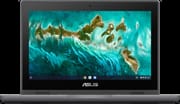 ASUS Chromebook Flip CR1 | ASUS Chromebook Flip CR1 | ASUS Chromebook Flip CR1 | |
| Price | List Price: $429.99 Amazon Prices: | List Price: $429.99 Amazon Prices: | List Price: $349 Amazon Prices: Loading prices... |
| Model number | CR1100FKA-YZ182T-S | CR1100FKA-YZ182T | CR1100FKA-YZ142T-S |
| Performance Rating | 4.1 | 4.1 | 2.8 |
| Chromebook Plus | No | No | No |
| Processor | Quad-core 1.10 Ghz (max 2.80 Ghz) Intel Celeron N5100 Processor | Quad-core 1.10 Ghz (max 2.80 Ghz) Intel Celeron N5100 Processor | Quad-core 1.10 Ghz (max 2.80 Ghz) Intel Celeron N5100 Processor |
| RAM | 8 GB | 8 GB | 4 GB |
| Internal Storage | 32 GB eMMC | 32 GB eMMC | 32 GB eMMC |
| Screen Size | 11.6" | 11.6" | 11.6" |
| Screen Resolution | 1366x768 | 1366x768 | 1366x768 |
| Screen Type | Glossy display, LED Backlit, 250nits, NTSC: 50% | Glossy display, LED Backlit, 250nits, NTSC: 50% | Glossy display, LED Backlit, 250nits, NTSC: 50% |
| Touch Screen | Yes | Yes | Yes |
| Stylus / Pen | Supported | Supported | Supported |
| Dimensions width x length x thickness | 11.6 x 8.07 x 0.81 inches (294.64 x 204.98 x 20.57 mm) | 11.6 x 8.07 x 0.81 inches (294.64 x 204.98 x 20.57 mm) | 11.6 x 8.07 x 0.81 inches (294.64 x 204.98 x 20.57 mm) |
| Weight | 3.13 lbs (1.42 kg) | 3.13 lbs (1.42 kg) | 3.13 lbs (1.42 kg) |
| Backlit Keyboard | No | No | No |
| Webcam | 720p HD | 720p HD | 720p HD |
| WiFi | Wi-Fi 6 (802.11ax) | Wi-Fi 6 (802.11ax) | Wi-Fi 6 (802.11ax) |
| Bluetooth | Bluetooth 5.2 | Bluetooth 5.2 | Bluetooth 5.2 |
| Ethernet | No | No | No |
| Cellular Modem | No | No | No |
| HDMI | No HDMI | No HDMI | No HDMI |
| USB Ports | 2 USB 3, 2 USB-C type-C supports display and power delivery | 2 USB 3, 2 USB-C type-C supports display and power delivery | 2 USB 3, 2 USB-C type-C supports display and power delivery |
| Thunderbolt Ports | No | No | No |
| Card Reader | microSD Card Reader | microSD Card Reader | microSD Card Reader |
| Battery | 2 cell, 47WHrs, Li-ion | 2 cell, 47WHrs, Li-ion | 2 cell, 47WHrs, Li-ion |
| Battery Life | 12.0 hours | 12.0 hours | 12.0 hours |
| Fanless | No | No | No |
| Auto Update Expiration Date | June, 2031 | June, 2031 | June, 2031 |
Related Chromebooks
-
 ASUS Chromebook C203XAThe ASUS Chromebook C203XA is a rugged 11.6-inch education laptop with a MediaTek MT8173C, an…
 -
 ASUS Chromebook Flip C214The ASUS Chromebook Flip C214 is a rugged 11.6-inch education convertible with an Intel Celeron…
 -
 Acer Chromebook Spin 11 CP311The Acer Chromebook Spin 11 combines functionality and portability with its 11.6-inch touch IPS…
 -
 Lenovo Flex 3 ChromebookThe Lenovo Flex 3 Chromebook is a fanless 11.6-inch convertible with an IPS touchscreen, a MediaTek…
 -
 Acer Chromebook 311 (AMD)The Acer Chromebook 311 (CB311-10H) is an 11.6-inch ChromeOS laptop on an AMD A4-9120C with 4GB of…
 -
 Samsung Chromebook Plus v2The Samsung Chromebook Plus v2 is a fanless 12.2-inch convertible Chromebook with an Intel Celeron…
A 120cm drop rating and on-site repairability

Hitech Century described it as “constructed almost like a Tonka toy.” The MIL-STD-810H rating covers 120cm drops and keyboard spills of up to 330cc of liquid, and the modular internal design lets school IT departments replace keyboards, touchpads, and display panels on-site to cut downtime and repair cost.
The 360-degree hinge moves the CR1 between laptop, tablet, tent, and display modes for lectures and group work. The garaged stylus pairs with the 11.6-inch touchscreen for note-taking and drawing. The display runs 1366x768 at 250 nits, and its low blue-light certification reduces eye strain over a long classroom session. The dual cameras (5MP front, 8MP rear) cover video calls and document scanning at serviceable quality.
Two USB-C 3.2 Gen 1 ports handle display output and power delivery, and two USB-A ports take legacy peripherals. Wi-Fi 6 with a dual-band 2x2 antenna holds up in crowded classrooms where many devices compete for bandwidth. The 47WHr battery delivered the advertised 12 hours in Hitech Century’s testing, lasting a full school day. There is no HDMI output, so an external monitor needs a USB-C adapter.
The quad-core Intel Celeron N5100 handles web browsing, Google Workspace, and basic video playback smoothly, but it is an entry-level chip. Simple Canva or CapCut projects work; more complex editing introduces noticeable lag. The soldered 4GB or 8GB RAM and 32GB eMMC storage cannot be upgraded.
Reviewer Insights

Hitech Century’s Assessment
Hitech Century awarded the CR1 a 3.3/5 rating (66%) with the verdict “Value Buy: Sturdy Study Buddy” in their February 2022 review. Their stress testing confirmed the durability claims, noting that “it’s able to survive in extremes of temperature that would junk a normal laptop.” The reviewer particularly appreciated the versatile form factor: “The addition of a touchscreen and 360-degree hinges means that the Chromebook Flip CR1 is exceptionally versatile, allowing use as a traditional laptop, display, or tablet.” However, they flagged the trackpad as small and plasticky and noted the stiff hinges require two-handed opening. Their bottom line was “Factor in its modest price point and the robustness of Chrome OS and you have a choice that’s ideal for young learners all the way to secondary school.”
ChromebookParts.com Technical Analysis
Their technical analysis confirmed the 47Wh battery capacity (6060mAh) and identified the display panel model as N116BCA-EA1. The teardown revealed the modular repair design that allows quick component replacement, though it also confirmed that both RAM and storage are soldered to the motherboard, eliminating any upgrade path. A school can therefore swap a broken keyboard, touchpad, or display panel in-house, but it cannot add memory later.
Customer Reviews
The CR1 has just a single Amazon rating, a 5-star review, so there is not enough owner feedback to call a verdict. A verified purchaser, RanchLadyTx, has stuck with the brand over several machines and wrote: “I have been buying ASUS small laptops for quite a few years. When the battery won’t charge any longer, I just buy a new one so it will continue to update.” She added, “I love them and have never had any trouble with them.” The comment points to durability and a low-hassle ownership experience across several ASUS laptops, so it tells you little about this model in particular.
Read more owner reviews on Amazon.
A rugged classroom pick for light schoolwork
Students who spend their day in a browser and Google Workspace will get what they need from the CR1, and the certified chassis, splash-proof keyboard, and modular repair design cover what happens to a laptop in a backpack. The 360-degree hinge and garaged stylus handle note-taking in tablet mode and presentations in tent mode.
Anyone who needs more processing power or a sharper screen should look at Chromebook Plus models. The soldered components eliminate upgrade options, so pick the 8GB RAM configuration for a deployment meant to last several years. Compare specifications with similar models using the Chromebook Comparison Tool.
Frequently Asked Questions
Can the RAM or storage be upgraded on the ASUS Chromebook Flip CR1?
No, both the RAM (4GB or 8GB LPDDR4X) and storage (32GB or 64GB eMMC) are soldered directly to the motherboard. ChromebookParts.com’s teardown confirmed there are no upgrade slots. Choose the 8GB RAM configuration if you plan to keep the device for several years or run multiple browser tabs simultaneously.
How durable is the ASUS Chromebook Flip CR1 for student use?
The CR1 carries MIL-STD-810H military-grade certification, surviving drops up to 120cm and keyboard spills of 330cc liquid. Hitech Century described it as “constructed almost like a Tonka toy.” The rubber bumper, reinforced corners, and scratch-resistant textured finish protect against typical classroom mishaps. The modular design also allows quick on-site repairs of damaged components.
How long does the battery last on the ASUS Chromebook Flip CR1?
ASUS rates the 47WHr battery for up to 12 hours, and Hitech Century confirmed this matches real-world usage for typical educational tasks. The device easily lasts through a full school day without needing the 45W USB-C charger. Battery life varies with screen brightness and workload intensity.
Is the ASUS Chromebook Flip CR1 good for video calls and online learning?
Yes, the CR1 handles video conferencing adequately with its 5MP front camera and built-in microphone. WiFi 6 with dual-band support maintains stable connections during calls. The 720p webcam produces serviceable video quality for Google Meet or Zoom sessions. The 360-degree hinge allows positioning the screen for optimal camera angles in tent or tablet mode.
When does the ASUS Chromebook Flip CR1 stop receiving Chrome OS updates?
The CR1 (model CR1100FKA) has an Auto Update Expiration (AUE) date of June 2031, according to Google’s official database. Chrome OS security patches and feature updates continue until mid-2031.
What ports are available on the ASUS Chromebook Flip CR1?
The CR1 offers two USB-C 3.2 Gen 1 ports (supporting display output and charging), two USB-A 3.2 Gen 1 ports, a microSD card reader for storage expansion, a 3.5mm audio combo jack, and a Kensington lock slot. Note that there is no HDMI port, so external monitor connections require a USB-C adapter.