
CTL NL7 Chromebook
Updated on

Note: This product has been discontinued and is no longer available for purchase. Chrome OS support ended in November 2023. The information below is kept for historical reference.
The CTL NL7 Chromebook was an education-focused device released in 2018, designed specifically for K-12 classroom environments where durability and manageability mattered more than consumer appeal. CTL, a Texas-based company that has been building computers for the education sector since 1989, positioned the NL7 series as a cost-effective fleet option for school districts deploying Chromebooks at scale. While the base NL7 featured a traditional clamshell design without touchscreen capabilities, the NL7 family included convertible variants (NL7TW-360 and NL7T-360) that offered touchscreen and stylus support for more interactive learning applications. At its $229-299 launch pricing, the NL7 series represented typical education-tier specifications with the Intel Apollo Lake platform and 4GB RAM.
CTL NL7 Chromebook Comparison Chart
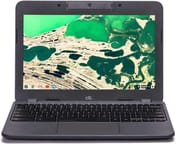 CTL NL7 Chromebook | |
| Price | List Price: $239.99 Amazon Prices: |
| Model number | CTLNL7 |
| Performance Rating | 2.8 |
| Chromebook Plus | No |
| Processor | Dual-core 1.10 Ghz (max 2.40 Ghz) Intel Celeron N3350 |
| RAM | 4 GB |
| Internal Storage | 32 GB eMMC |
| Screen Size | 11.6" |
| Screen Resolution | 1366x768 |
| Screen Type | IPS |
| Touch Screen | No |
| Stylus / Pen | No Stylus Support |
| Dimensions width x length x thickness | 12.13 x 8.27 x 0.78 inches (308.1 x 210.06 x 19.81 mm) |
| Weight | 2.49 lbs (1.13 kg) |
| Backlit Keyboard | No |
| Webcam | No Webcam |
| WiFi | 802.11 a/b/g/n/ac (2x2) |
| Bluetooth | Bluetooth 4.0 |
| Ethernet | No |
| Cellular Modem | No |
| HDMI | No HDMI |
| USB Ports | 2 USB 3, 2 USB-C (charges through usb-c) |
| Thunderbolt Ports | No |
| Card Reader | microSD Card Reader |
| Battery | unknown |
| Battery Life | 10.0 hours |
| Fanless | Yes |
| Auto Update Expiration Date | November, 2023 |
Related Chromebooks
-
 Acer Chromebook 311 (AMD)The Acer Chromebook 311 combines an 11.6-inch ComfyView screen, robust AMD processing, and 10-hour…
 -
 ASUS Chromebook C203XAThe ASUS Chromebook C203XA shines with military-grade durability, an 11.6-inch anti-glare HD…
 -
 Acer Chromebook Spin 11 CP311The Acer Chromebook Spin 11 combines functionality and portability with its 11.6-inch touch IPS…
 -
 Lenovo Flex 3 ChromebookThe Lenovo Flex 3 Chromebook hits the sweet spot with its 11.6-inch IPS touchscreen, 4GB RAM, and…
 -
 Dell Chromebook 3120A rugged and affordable 11.6-inch Chromebook with Intel N100 processor, available in clamshell and…
 -
 Lenovo Chromebook 3 11"Get to know the Lenovo Chromebook 3: lightweight, affordable, and designed for basic tasks. It…
Detailed Insights into the CTL NL7 Chromebook
The NL7’s design prioritized the realities of classroom use over visual appeal. CTL built the chassis with textured plastic that could withstand the daily abuse of student handling, and the keyboard received spill-resistant treatment to survive the inevitable drink accidents. The 11.6-inch form factor kept the device compact enough for smaller desks while maintaining a reasonable 2.49-pound weight for students carrying devices between classes. Unlike consumer Chromebooks that chase thin profiles, the NL7 measured a practical 0.78 inches thick, providing structural rigidity that thinner devices sacrifice. The fanless operation meant silent use in classrooms and fewer mechanical components that could fail.
Performance came from the Intel Celeron N3350, a dual-core Apollo Lake processor that ran at a base 1.1GHz with burst speeds up to 2.4GHz. This processor represented the entry-level tier for Intel’s 2016-2018 Apollo Lake lineup, positioned below the quad-core N3450/N4200 chips used in better-equipped education Chromebooks of the era. The 4GB of DDR4 RAM and 32GB eMMC storage met the minimum requirements for smooth Chrome OS operation, though the configuration left little headroom for demanding web applications or extensive Android app usage. Android Police’s review of the related NL7TW-360 model noted that the Intel Celeron “struggles under heavy workloads,” though it proved “competent for basic educational tasks.”
Connectivity options included dual USB-C ports (one for charging), two USB 3.0 Type-A ports, a microSD card slot, and a combination headphone/microphone jack. The USB-C charging represented a forward-thinking choice for 2018 education devices, allowing schools to standardize on modern chargers. WiFi 5 (802.11ac 2x2) provided adequate bandwidth for classroom deployments, though Bluetooth 4.0 was already outdated at launch and the lack of Ethernet required a USB Ethernet adapter for wired connections. The absence of HDMI meant teachers needed USB-C adapters for projector connections, an oversight that added friction in presentation scenarios.
Reviewer Insights on the CTL NL7 Chromebook
Corbin Davenport’s Perspective (Android Police)
Corbin Davenport’s Android Police review examined the NL7TW-360 convertible variant, which shared the base NL7’s core specifications while adding a 360-degree hinge, touchscreen, and Wacom stylus support. His verdict characterized it as “a decent Chromebook for clumsy students,” acknowledging both its intended audience and its practical limitations. Davenport praised the durability-focused construction, noting that “the textured plastic feels durable, and the keyboard is spill-resistant.” The comprehensive port selection received positive mention, providing enough connectivity for most classroom scenarios without dongles.
Battery life emerged as a genuine strength in Davenport’s testing. He reported “the laptop lasts around eight hours on battery life, depending on the screen brightness and usage,” aligning well with full school day requirements. The low-resistance hinge on the convertible variant made tablet-mode transitions smooth, and the included Wacom stylus integration added value for note-taking and drawing applications.
However, Davenport identified significant weaknesses that limited the NL7’s appeal beyond its target education market. The 1366x768 display suffered from “noticeable light bleed,” and the Intel Celeron processor’s limitations became apparent under heavier workloads. The rear-facing camera quality was “poor,” though this matters little for classroom use. His conclusion summarized the NL7TW-360 as “a good laptop that’s not mind-boggling fast, or durable enough to survive being run over by an SUV, but just a decent Chromebook that can take a few falls or accidental water spills.”
Education Market Context
CTL’s NL7 series launched into a crowded education Chromebook market where Acer, Dell, HP, and Lenovo all competed aggressively for school district contracts. The education Chromebook segment operates on different priorities than consumer electronics: bulk pricing, centralized management, warranty/repair programs, and long-term fleet planning matter more than benchmark performance or display quality. CTL positioned the NL7 at competitive price points with strong warranty support, though the N3350 processor placed it at the lower performance tier compared to similarly-priced N3450-equipped competitors.
The Chrome OS Auto Update Expiration of November 2023 meant the NL7 series received approximately five years of security updates, typical for devices of its era. Schools that deployed NL7 fleets in 2018-2019 would have needed to plan replacements by 2023-2024. The absence of mainstream reviews and limited consumer availability reflected CTL’s focus on institutional sales channels rather than retail distribution.
Conclusion
The CTL NL7 Chromebook served its intended purpose as a durable, manageable, and affordable classroom device without pretending to be anything more. Its combination of spill-resistant keyboard, fanless operation, all-day battery life, and USB-C charging checked the boxes that school IT departments prioritized when evaluating fleet purchases. The Intel Celeron N3350 processor and 4GB RAM delivered adequate performance for educational web applications and Google Workspace, though the configuration struggled with more demanding tasks. For students who needed a reliable device to complete assignments, take notes, and access learning materials, the NL7 provided functional if uninspiring service. Its discontinued status and expired Chrome OS support mean it now serves only as historical reference for understanding the evolution of education-focused Chromebooks.
Frequently Asked Questions
Is the CTL NL7 Chromebook still receiving updates?
No, the CTL NL7 Chromebook reached its Auto Update Expiration in November 2023. The device no longer receives Chrome OS security updates or feature updates from Google. Schools and individuals still using NL7 devices should plan to replace them with newer models that have current support status.
What is the difference between the NL7 and NL7TW-360?
The base NL7 is a traditional clamshell Chromebook without a touchscreen, priced around $229. The NL7TW-360 is a convertible 2-in-1 variant with a 360-degree hinge, touchscreen display, and Wacom stylus support, priced around $299. Both share the same Intel Celeron N3350 processor, 4GB RAM, and 32GB storage. There was also an NL7T-360 model with touchscreen but without the stylus functionality.
Is the CTL NL7 good for students?
The NL7 was designed specifically for student use with durability features like a spill-resistant keyboard and textured plastic construction. However, its Chrome OS support has expired, making it unsuitable for continued student use. Students should look for current Chromebooks with longer support timelines and modern processors for better long-term value.
Can the CTL NL7 Chromebook run Android apps?
Yes, the CTL NL7 supported Android apps through the Google Play Store when it was receiving Chrome OS updates. However, the 4GB RAM and Intel Celeron N3350 processor limited Android app performance, and with Chrome OS support now expired, Android app functionality may be unreliable or unavailable on remaining devices.
What processor does the CTL NL7 Chromebook have?
The CTL NL7 uses the Intel Celeron N3350, a dual-core Apollo Lake processor with a base clock of 1.1GHz and burst speed up to 2.4GHz. This was an entry-level education processor from Intel’s 2016-2018 lineup, providing adequate performance for basic web browsing and Google Workspace applications but struggling with heavier workloads.
How long does the CTL NL7 battery last?
CTL rated the NL7 for up to 10 hours of battery life, and Android Police’s testing of the NL7TW-360 variant reported approximately 8 hours of real-world usage. The fanless design and efficient Apollo Lake processor contributed to good battery performance, making the NL7 suitable for full school days without charging.