
Dell Inspiron Chromebook 14 7486
Updated on

Note: This product has been discontinued and is no longer sold new. Google extended its Chrome OS Auto Update Expiration to June 2028 (originally June 2025), so existing units still receive updates for now. The information below is kept as a historical reference and owner guide.
The Dell Inspiron Chromebook 14 7486 represented Dell’s ambitious entry into the premium Chromebook market when it launched in late 2018. Positioned as a direct competitor to Google’s Pixelbook at roughly half the price, this 2-in-1 convertible challenged the perception that Chromebooks were exclusively budget devices. With its aluminum chassis, Intel Core i3-8130U processor, and included EMR stylus, the 7486 targeted users who wanted laptop-class performance with Chrome OS simplicity.
At its $599 launch price, the Inspiron Chromebook 14 offered compelling value compared to the $999 Pixelbook. The device packed a 14-inch Full HD touchscreen display, 4GB of RAM, and 128GB of eMMC storage into a solidly built aluminum body. The 360-degree hinge enabled tablet mode, though reviewers consistently noted that the 3.99-pound weight made extended tablet use impractical. Dell paired the hardware with an EMR stylus and backlit keyboard, features rarely found at this price point in 2018.
Pros and Cons
| Pros | Cons |
|---|---|
| Premium aluminum build quality rivals devices twice the price | Heavy at 3.99 lbs, making tablet mode impractical |
| Excellent 14-inch FHD display with professional-grade color accuracy | Only 4GB RAM limits multitasking capability |
| EMR stylus included with low latency and accurate palm rejection | Chrome OS updates end at the June 2028 Auto Update Expiration |
| All-day battery life exceeding 10 hours in testing | Glossy display prone to fingerprints and reflections |
| Strong Intel Core i3-8130U performance for Chrome OS tasks | Bottom-mounted speakers produce subpar audio |
| Backlit keyboard with better-than-average travel | RAM, CPU, and storage soldered in place |
Related Videos
Dell Inspiron Chromebook 14 7486 Comparison Chart
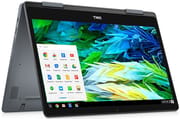 Dell Inspiron Chromebook 14 7486 | |
| Price | List Price: $599.99 Amazon Prices: |
| Model number | 7486 |
| Performance Rating | 3.0 |
| Chromebook Plus | No |
| Processor | Dual-core 2.20 Ghz (max 3.40 Ghz) Intel Core i3-8130U |
| RAM | 4 GB |
| Internal Storage | 128 GB eMMC |
| Screen Size | 14" |
| Screen Resolution | 1920x1080 |
| Screen Type | IPS |
| Touch Screen | Yes |
| Stylus / Pen | Supported |
| Dimensions width x length x thickness | 12.95 x 9.06 x 0.7 inches (328.93 x 230.12 x 17.78 mm) |
| Weight | 3.99 lbs (1.81 kg) |
| Backlit Keyboard | Yes |
| Webcam | 1920x1080 |
| WiFi | 802.11 a/b/g/n/ac (Intel Dual Band Wireless-AC 7265) |
| Bluetooth | Bluetooth 4.2 |
| Ethernet | No |
| Cellular Modem | No |
| HDMI | No HDMI |
| USB Ports | 1 USB 3, 2 USB-C (USB-C ports are USB 3.1 Gen 1 with DisplayPort support) |
| Thunderbolt Ports | No |
| Card Reader | microSD Card Reader |
| Battery | 4 cell, 56 WHr, Lithium-ion |
| Battery Life | 10.0 hours |
| Fanless | No |
| Auto Update Expiration Date | June, 2028 |
Related Chromebooks
-
 HP Chromebook x360 14b (2024)The HP Chromebook x360 14b (2024) is a 14-inch convertible sold as a standard Intel N100 build and…
 -
 ASUS Chromebook Flip CX1 (Touchscreen)The ASUS Chromebook Flip CX1 is a 14-inch Full HD convertible with a 360-degree touchscreen, an…
 -
 ASUS Chromebook Flip C434The 2019 ASUS Chromebook Flip C434 is a 14-inch convertible with a slim-bezel FHD touchscreen, an…
 -
 HP Chromebook 14a (2021)The HP Chromebook 14a (2021) pairs a 14-inch touchscreen with a Celeron N4020, 4GB of RAM, 32GB of…
 -
 Acer Chromebook Spin 314The Acer Chromebook Spin 314 is a budget 14-inch convertible Chromebook with a 360-degree hinge, a…
 -
 Acer Chromebook 314 (CB314-4H/4HT)A budget-friendly 14-inch Chromebook with Intel Alder Lake-N processors, WiFi 6E, and software…
Display and Build Quality
The 14-inch IPS touchscreen stands out as one of the Inspiron Chromebook’s strongest features. NotebookCheck’s testing measured color accuracy with a DeltaE of 1.75 out of the box, reaching professional-grade levels rarely seen in Chromebooks. Peak brightness measured 348 nits, with an average of 321 nits across the panel. This brightness level proves adequate for indoor use, though the glossy finish creates reflections in brightly lit environments.
Dell constructed the chassis entirely from aluminum, giving the laptop a premium feel that Trusted Reviews described as “one of the nicest-looking laptops, Chromebook or otherwise.” The 360-degree hinges hold the display firmly without wobble during typing. The keyboard deck and palm rests resist flex under pressure, a notable improvement over plastic Chromebook competitors. However, this premium construction comes at the cost of portability, with the device weighing nearly 4 pounds.
Performance and Battery
The Intel Core i3-8130U processor delivered strong performance for Chrome OS workflows. NotebookCheck recorded a WebXPRT 2015 score of 472, actually exceeding the more expensive Google Pixelbook’s score of 441. Octane V2 scores reached nearly 32,000 points, confirming responsive web browsing and productivity app performance. The dual-core, four-thread processor handled multiple browser tabs, Android apps, and Linux applications without noticeable slowdowns.
Battery life proved equally long. Trusted Reviews measured over 11 hours in their battery drain test and 10 hours 33 minutes during video playback testing. The 56 WHr battery capacity, generous for a Chromebook, enabled genuine all-day usage without carrying a charger. Both USB-C ports support charging, providing flexibility in cable management.
Stylus and Input
The included EMR stylus sets the Inspiron Chromebook apart from competitors that either omit stylus support or charge extra for the accessory. NotebookCheck noted that palm rejection works accurately, and latency remains minimal during handwriting and drawing tasks. The stylus doesn’t require charging, drawing power inductively from the display when in use.
The backlit keyboard offers better typing feel than typical Chromebooks, with adequate key travel and consistent spacing. The trackpad responds smoothly to gestures and multi-finger inputs. Android Police observed that the trackpad could be larger, particularly given the available palm rest space, and that screen bezels appear dated compared to ultrabook designs of the era.
Connectivity
Port selection balances modern USB-C adoption with legacy USB-A compatibility. The two USB-C ports support USB 3.1 Gen 1 data transfer, DisplayPort video output, and power delivery charging. A single USB-A 3.0 port accommodates older peripherals without dongles. The microSD card reader expands the 128GB internal storage, useful since the eMMC storage cannot be upgraded. Wireless connectivity comes from the Intel Dual Band Wireless-AC 7265 module, delivering Wi-Fi 5 speeds up to 673 Mbps in optimal conditions alongside Bluetooth 4.2. Like most Chromebooks, there is no built-in Ethernet port, so users needing a wired connection would need a USB Ethernet adapter.
Reviewer Insights
NotebookCheck
NotebookCheck’s comprehensive review awarded the Inspiron Chromebook 14 an 87% score, calling it “far and away the best Chromebook we have tested.” Their extensive benchmarking validated strong performance across web browsing, Android apps, and even Linux applications. They praised the display’s professional-grade color accuracy while noting that the glossy panel and uneven backlight at maximum brightness create minor annoyances.
The review highlighted strong wireless performance, measuring transfer speeds of 491/673 Mbps transmit/receive. They found the keyboard and touchpad superior to typical Chromebook fare, though noted that all internal components are soldered and non-upgradeable. Their primary criticism focused on the weight making tablet mode impractical, and slow display response times unsuitable for gaming.
Trusted Reviews
Trusted Reviews awarded 4 out of 5 stars, describing the Inspiron Chromebook as “excellent value for money, easily one of the best Chromebooks” they had tested. Their battery testing confirmed over 10 hours of battery life, and they measured a display contrast ratio of 1351:1.
They appreciated the industrial design as premium, noting that it challenged assumptions about Chromebook build quality. However, they criticized Chrome OS’s limited app ecosystem compared to Windows alternatives at similar prices, and found the speaker placement problematic unless the laptop sat on a flat surface to reflect sound upward.
Android Police
Android Police’s review emphasized that the Inspiron Chromebook finally delivered solid hardware to larger Chromebooks, which had historically featured mediocre specifications. They credited the latest-gen Core i3-8130U as the kind of hardware that justified the price, and appreciated the 128GB storage rarely found at this price point.
Their criticisms centered on the 4GB RAM limitation, arguing that 8GB would better prepare the device for the future, and the $599 price felt excessive for the Core i3/4GB configuration. The reviewer concluded: “The Inspiron Chromebook 14 is a great laptop, as long as you’re okay with the extra heft.”
PCWorld
PCWorld framed the Inspiron Chromebook 14 as Dell’s answer to buyers tired of cheap plastic Chromebooks: a smooth aluminum chassis with chamfered edges, a 360-degree hinge for tablet use, and a 1080p IPS display that steps up from the usual budget panels. The hands-on also pointed out the simple integrated stylus, which carries no battery but works on the touchscreen. It plays as a first look rather than a long-term test, but it captures why the 7486 felt like a nicer-than-usual Chromebook for its era.
To see how the Inspiron Chromebook 14 stacks up against other options, visit our Chromebook Comparison Chart for a side-by-side look at specs across the catalog.
Frequently Asked Questions
Is the Dell Inspiron Chromebook 14 7486 still receiving updates?
For now, yes. Google extended the Dell Inspiron Chromebook 14 7486’s Chrome OS auto-update expiration (AUE) to June 2028 (it was originally June 2025), so existing units still receive security and feature updates until then. After June 2028 it stops receiving updates from Google.
Can I upgrade the RAM or storage in the Dell Inspiron Chromebook 14 7486?
No. The RAM, CPU, and eMMC storage are all soldered to the motherboard and cannot be upgraded or replaced. The microSD card slot can expand storage for files but cannot be used for system storage.
Does the Dell Inspiron Chromebook 14 7486 include a stylus?
Yes. The device includes an EMR stylus that doesn’t require charging. It works with the touchscreen for drawing, handwriting, and navigation with low latency and accurate palm rejection.
How long does the battery last on the Dell Inspiron Chromebook 14 7486?
Professional reviewers measured 10-11 hours of battery life under typical usage conditions. The 56 WHr battery provides all-day endurance for most users without needing to recharge.
Is the Dell Inspiron Chromebook 14 7486 good for tablet use?
While the 360-degree hinge allows tablet mode, the 3.99-pound weight makes extended tablet use uncomfortable. Most reviewers found the device better suited for laptop and tent modes rather than handheld tablet use.
Can I run Linux apps on the Dell Inspiron Chromebook 14 7486?
Yes. The device supports Linux application installation through Chrome OS’s built-in Linux container, and it still receives updates through its June 2028 Auto Update Expiration. After that date, running software on it without security updates carries growing risk.