
Haier Chromebook 11 G2
Updated on

Note: This Chromebook has been discontinued and is no longer available for purchase new. Its Auto Update Expiration date was September 2020, meaning it no longer receives Chrome OS updates or security patches. The information below is kept for historical reference.
The Haier Chromebook 11 G2 emerged in late 2015 as part of a wave of budget Chromebooks targeting the education market and price-conscious consumers. Manufactured by Chinese appliance giant Haier, this 11.6-inch laptop represented an upgraded version of the original Haier Chromebook 11, swapping the Rockchip ARM processor for Intel’s Celeron N2840 Bay Trail chip. At a launch price of just $149, the G2 competed directly with similar budget offerings from Acer and Hisense, all vying for the entry-level Chrome OS market that Google was aggressively cultivating.
| Pros | Cons |
|---|---|
| Fanless design for completely silent operation | Only 2GB RAM limits multitasking |
| Full-size HDMI port (no adapter needed) | TN display with poor viewing angles |
| 802.11ac WiFi (uncommon at this price point) | 16GB storage fills up quickly |
| 10-hour battery life for all-day use | Non-upgradeable RAM and storage |
| Lightweight at 2.5 pounds | Basic build quality |
| USB 3.0 port included | Limited professional review coverage |
Haier Chromebook 11 G2 Comparison Chart
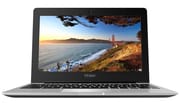 Haier Chromebook 11 G2 | |
| Price | List Price: $149.00 Amazon Prices: |
| Model number | Chromebook 11 G2 |
| Performance Rating | 1.9 |
| Chromebook Plus | No |
| Processor | Dual-core 2.16 Ghz (max 2.58 Ghz) Intel Celeron N2840 |
| RAM | 2 GB |
| Internal Storage | 16 GB eMMC |
| Screen Size | 11.6" |
| Screen Resolution | 1366x768 |
| Screen Type | TN |
| Touch Screen | No |
| Stylus / Pen | No Stylus Support |
| Dimensions width x length x thickness | 8.07 x 11.49 x 0.7 inches (204.98 x 291.85 x 17.78 mm) |
| Weight | 2.5 lbs (1.14 kg) |
| Backlit Keyboard | No |
| Webcam | HD |
| WiFi | 802.11 a/b/g/n/ac |
| Bluetooth | Bluetooth 4.0 |
| Ethernet | No |
| Cellular Modem | No |
| HDMI | Full-Size HDMI |
| USB Ports | 1 USB 2.0, 1 USB 3 |
| Thunderbolt Ports | No |
| Card Reader | SD |
| Battery | 2 cell, 4800 mAh, Lithium-ion |
| Battery Life | 10.0 hours |
| Fanless | Yes |
| Auto Update Expiration Date | September, 2020 |
Related Chromebooks
-
 Acer Chromebook 311 (AMD)The Acer Chromebook 311 combines an 11.6-inch ComfyView screen, robust AMD processing, and 10-hour…
 -
 ASUS Chromebook C203XAThe ASUS Chromebook C203XA shines with military-grade durability, an 11.6-inch anti-glare HD…
 -
 Acer Chromebook Spin 11 CP311The Acer Chromebook Spin 11 combines functionality and portability with its 11.6-inch touch IPS…
 -
 Lenovo Flex 3 ChromebookThe Lenovo Flex 3 Chromebook hits the sweet spot with its 11.6-inch IPS touchscreen, 4GB RAM, and…
 -
 Dell Chromebook 3120A rugged and affordable 11.6-inch Chromebook with Intel N100 processor, available in clamshell and…
 -
 Lenovo Chromebook 3 11"Get to know the Lenovo Chromebook 3: lightweight, affordable, and designed for basic tasks. It…
Hardware and Performance
The Haier Chromebook 11 G2 runs on Intel’s Celeron N2840, a dual-core Bay Trail processor clocked at 2.16GHz with burst speeds up to 2.58GHz. The N2840 was a workhorse of the 2014-2015 budget Chromebook market, appearing in numerous devices from manufacturers including ASUS, Acer, and Dell. This processor delivers approximately 730 points in multi-threaded CPU Mark benchmarks, placing it firmly in the basic computing tier suitable for web browsing, document editing, and lightweight productivity tasks.
The single configuration shipped with 2GB of DDR3 RAM and 16GB of eMMC storage. While adequate for Chrome OS in 2015, the 2GB memory limitation becomes apparent when opening more than a handful of browser tabs simultaneously. Chrome OS’s aggressive memory management helps mitigate this through tab suspension and caching strategies, but users accustomed to keeping numerous tabs open will encounter performance slowdowns. The 16GB storage capacity was similarly constrained, though Google’s cloud-centric approach assumed users would rely on Drive storage rather than local files.
The fanless design represents one of the G2’s genuine advantages. The Bay Trail architecture’s low thermal profile allowed passive cooling, eliminating fan noise entirely. This made the Chromebook well-suited for classroom environments where quiet operation was valued, or for users who found traditional laptop fan noise distracting during light workloads.
Display and Design
The 11.6-inch display features a 1366x768 resolution TN panel, standard fare for budget Chromebooks of this era. TN panels inherently suffer from limited viewing angles, meaning colors shift noticeably when viewed from the side. The 16:9 aspect ratio and modest resolution proved adequate for web browsing and document work, though the display quality wouldn’t satisfy users seeking vibrant colors for photo viewing or video consumption.
Physical dimensions measure 11.49 x 8.07 x 0.7 inches at 2.5 pounds, making the G2 reasonably portable for an 11.6-inch device. The chassis uses plastic construction typical of budget Chromebooks, prioritizing cost control over premium materials. While not as rugged as education-specific models with rubberized edges or military drop certification, the G2’s construction proved serviceable for general consumer use.
Connectivity
The Haier Chromebook 11 G2 offered surprisingly capable connectivity for its price point. The inclusion of 802.11ac WiFi was notable when many competing sub-$200 Chromebooks still shipped with only 802.11n support. This meant faster wireless speeds when connected to compatible routers, a genuine advantage for streaming video or downloading files. Bluetooth 4.0 support enabled wireless peripherals and audio devices.
Port selection included a full-size HDMI port (Type A), eliminating the need for adapters that micro HDMI equipped competitors required. The port array featured one USB 3.0 and one USB 2.0 port, providing flexibility for connecting storage devices and peripherals. An SD card reader expanded the limited internal storage, while the combo headphone/microphone jack handled standard audio needs. The HD webcam and integrated microphone supported video calling applications, essential for educational use cases. Like most Chromebooks of its era, users who needed a wired network connection required a USB Ethernet adapter.
Historical Context
Haier’s entry into the Chromebook market represented a broader trend of Chinese manufacturers pursuing the budget-conscious education sector. The company, better known for home appliances, saw Chrome OS devices as an opportunity to expand into personal computing without competing directly against established Windows laptop manufacturers at higher price points.
The G2 designation indicated this was an improved version of the original Haier Chromebook 11, which used a Rockchip RK3288 ARM processor. By switching to Intel’s Bay Trail platform for the G2, Haier achieved broader software compatibility while maintaining the sub-$150 price point that defined the device’s market positioning. However, Haier’s limited presence in Western retail channels meant the Chromebook 11 G2 received minimal coverage from technology publications, making it one of the more obscure Chrome OS devices of its generation.
The Chromebook 11 G2 reached its Auto Update Expiration date in September 2020, ending approximately five years of Chrome OS update support. Devices past this date no longer receive security patches or feature updates, making them unsuitable for tasks involving sensitive information.
Frequently Asked Questions
Q: Can I still use the Haier Chromebook 11 G2 in 2026?
A: While the Haier Chromebook 11 G2 can still physically function, it stopped receiving Chrome OS updates in September 2020. This means no security patches, no new features, and potentially incompatible websites as web standards evolve. Using it for any sensitive activities like online banking is not recommended.
Q: What processor does the Haier Chromebook 11 G2 use?
A: The Chromebook 11 G2 uses the Intel Celeron N2840, a dual-core Bay Trail processor clocked at 2.16GHz with burst speeds up to 2.58GHz. This was a common processor in budget Chromebooks from 2014-2015.
Q: How long does the Haier Chromebook 11 G2 battery last?
A: Haier rated the Chromebook 11 G2 for up to 10 hours of battery life. The 4800mAh lithium-ion battery combined with the efficient fanless Bay Trail processor enabled all-day use for typical web browsing and productivity tasks.
Q: What is the difference between the Haier Chromebook 11 and Chromebook 11 G2?
A: The original Haier Chromebook 11 used a Rockchip RK3288 ARM processor, while the G2 upgraded to an Intel Celeron N2840 (Bay Trail). The G2 also featured 802.11ac WiFi and USB 3.0 connectivity that the original model lacked.
Q: Can I upgrade the RAM or storage on the Haier Chromebook 11 G2?
A: No, both the 2GB RAM and 16GB eMMC storage are soldered to the motherboard and cannot be upgraded. This was typical for budget Chromebooks of this era. The SD card slot can provide additional storage for files.