
HP Chromebook 14 G6
Updated on

The HP Chromebook 14 G6 is a rugged education and enterprise laptop that HP launched in January 2020 for classrooms and corporate fleets. The chassis meets MIL-STD-810G durability standards, the keyboard is rated to survive a 12-ounce spill, and the shell is drop-tested from 28 inches. Inside is an Intel Celeron N4020 processor with 4GB or 8GB of RAM, and Chrome OS updates are guaranteed until June 2029. That combination suits web browsing, Google Workspace documents, and school apps.
| Pros | Cons |
|---|---|
| MIL-STD-810G durability rating for classroom and field use | TN display panel has narrow viewing angles and washed-out colors |
| Spill-resistant keyboard handles up to 12oz of liquid | Celeron N4020 slows past roughly 10 Chrome tabs |
| 13.5-hour rated battery life | 32GB eMMC storage fills quickly with offline apps and files |
| Chrome OS updates guaranteed until June 2029 | RAM and eMMC storage are both soldered |
| Fanless, so it runs silent | 1366x768 resolution on a 14-inch panel |
| Sold in 4GB and 8GB configurations | No Ethernet and a single USB-C port |
Related Videos
HP Chromebook 14 G6 Comparison Chart
 HP Chromebook 14 G6 | HP Chromebook 14 G6 | |
| Price | List Price: $289.99 Amazon Prices: Loading prices... | List Price: $89.95 Amazon Prices: Loading prices... |
| Model number | 1A715UT#ABA | 1A717UT#ABA |
| Performance Rating | 2.6 | 3.7 |
| Chromebook Plus | No | No |
| Processor | Dual-core 1.10 Ghz (max 2.80 Ghz) Intel Celeron Processor N4020 | Dual-core 1.10 Ghz (max 2.80 Ghz) Intel Celeron Processor N4020 |
| RAM | 4 GB | 8 GB |
| Internal Storage | 32 GB eMMC | 32 GB eMMC |
| Screen Size | 14" | 14" |
| Screen Resolution | 1366x768 | 1366x768 |
| Screen Type | TN anti-glare | TN anti-glare |
| Touch Screen | No | No |
| Stylus / Pen | No Stylus Support | No Stylus Support |
| Dimensions width x length x thickness | 12.85 x 8.93 x 0.72 inches (326.39 x 226.82 x 18.29 mm) | 12.85 x 8.93 x 0.72 inches (326.39 x 226.82 x 18.29 mm) |
| Weight | 3.38 lbs (1.54 kg) | 3.38 lbs (1.54 kg) |
| Backlit Keyboard | No | No |
| Webcam | 720p HD | 720p HD |
| WiFi | Wi-Fi 5 (802.11ac) (2x2) | Wi-Fi 5 (802.11ac) (2x2) |
| Bluetooth | Bluetooth 5.0 | Bluetooth 5.0 |
| Ethernet | No | No |
| Cellular Modem | No | No |
| HDMI | Full-Size HDMI | Full-Size HDMI |
| USB Ports | 2 USB 3, 1 USB-C (with DisplayPort and Power Input) | 2 USB 3, 1 USB-C (with DisplayPort and Power Input) |
| Thunderbolt Ports | No | No |
| Card Reader | microSD Card Reader | microSD Card Reader |
| Battery | 2 cell, 47 WHr, Lithium-ion | 2 cell, 47 WHr, Lithium-ion |
| Battery Life | 13.5 hours | 13.5 hours |
| Fanless | Yes | Yes |
| Auto Update Expiration Date | June, 2029 | June, 2029 |
Related Chromebooks
-
 HP Chromebook 14aThe HP Chromebook 14a (na series) is a fanless 14-inch ChromeOS laptop on Intel Celeron N4000 and…
 -
 HP Chromebook 14 G7The HP Chromebook 14 G7 packs a 14-inch anti-glare WLED screen, Wi-Fi 6, a 720p HD webcam, and…
 -
 Acer Chromebook 314The Acer Chromebook 314 (CB314) is a fanless 14-inch laptop with an Intel Celeron N4000, sold in…
 -
 Acer Gateway Chromebook 314The Acer Gateway Chromebook 314 is a 14-inch ChromeOS laptop on Acer's Chromebook 314 chassis with…
 -
 ASUS Chromebook C425The ASUS Chromebook C425 is a fanless 14-inch ChromeOS laptop on an Intel Core m3 with a 1920x1080…
 -
 Lenovo IdeaPad Slim 3 ChromebookThe Lenovo IdeaPad Slim 3 Chromebook 14 pairs a fanless MediaTek Kompanio 520 processor with a…
A reinforced chassis around entry-level Celeron hardware

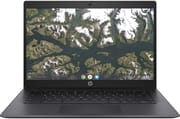
The lid carries a textured dot pattern and the palm rest a brushed-metal finish, which hides fingerprints and gives the shell some grip. At 3.38 pounds and 0.72 inches thick, it is heavier than a thin-and-light, though still easy to carry between classrooms. There is no 2-in-1 hinge, and that keeps both the price and the number of moving failure points down for an IT department managing thousands of identical machines.
The Intel Celeron N4020 runs at 1.1GHz base and turbos to 2.8GHz. The dual-core chip covers Google Docs, standard web browsing, and educational web apps. Past roughly 10 Chrome tabs, or with processor-heavy Android apps, it slows down. The fanless design keeps the machine silent, which matters in a library or a quiet classroom, and the low-power N4020 produces little heat during browsing and document work, so there is nothing to throttle.
The left side holds one USB-C port for charging, data, and DisplayPort output, an HDMI port for presentations, and the microSD slot. Two USB 3.0 Type-A ports and a combination headphone and microphone jack sit on the right. Ethernet is missing, which will bother administrators who prefer wired links, though a USB Ethernet adapter works through either Type-A port. Wi-Fi 5 (802.11ac) with 2x2 MIMO and Bluetooth 5.0 handle wireless, and the 720p webcam sits in the top bezel for video calls.
The 14-inch display runs at 1366x768 on a TN panel with an anti-glare coating. For Google Docs, educational web apps, and basic research, the low pixel density costs less than it would in photo or media work, and the anti-glare treatment cuts reflections under fluorescent lighting or next to a window. Viewing angles are narrow, with color shifting and contrast dropping as soon as anyone looks at the screen from the side.
HP rates the battery at up to 13.5 hours. The 47 WHr 2-cell lithium-ion pack has to feed only the low-draw Celeron and a fanless chassis with no cooling overhead, which is what stretches the rating that far. For a student moving between classes without a free outlet, or a worker sitting through a day of meetings, that is enough charge to leave the adapter in the bag.
Reviewer Insights
Y.Y ELECTRONICS: a close look at the port layout and shell
Y.Y ELECTRONICS walks around the exact model with no spoken commentary. The clip moves over the chassis and ports: the HDMI output, the two USB 3.0 Type-A ports, the USB-C port, and the microSD reader, along with the grey textured lid and brushed-style palm rest that mark out the enterprise build. With no narration and no benchmarking, it supplies no performance findings.
The BETT 2020 launch aimed at school repair budgets
When HP announced the Chromebook 14 G6 at BETT 2020, it led with education-first design. The spill-resistant keyboard survives a full 12-ounce drink spill, one of the most common causes of laptop damage in schools, and the reinforced corners and chassis are drop-tested from 28-inch heights. HP positioned the model as the practical choice for IT departments seeking to minimize repair costs and maximize device lifespan. The launch price of $289 set it against similar enterprise Chromebooks from Dell and Lenovo, and processor options spanning N4000 to N4120 let schools balance performance against budget.
Best suited to fleet buyers who can live with a TN panel
Durability is what this machine sells. The MIL-STD-810G chassis, the spill-resistant keyboard, and the fanless build are aimed at years of daily handling with few repair tickets, and the price of that is a slow processor and a low-resolution TN screen. Color-accurate work, video editing, and demanding games sit outside what it can do.
A school or business buying at scale needs to decide whether the workload fits 4GB or needs the 8GB variant, and whether June 2029 leaves enough software runway for the planned deployment length. The 8GB build has carried a list price under $100, which puts it within reach for budget-conscious buyers as well as fleet purchasers. To see how it lines up against the rest of the catalog, the Chromebook Comparison Chart filters and sorts by specs, price, and AUE date.
Frequently Asked Questions
How long will the HP Chromebook 14 G6 receive Chrome OS updates?
Automatic Chrome OS and security updates run until June 2029, according to Google’s official Auto Update Expiration database.
Can I upgrade the RAM or storage on the HP Chromebook 14 G6?
No. The RAM is soldered and the storage is eMMC, so neither can be changed after purchase. Anyone who expects to push past basic performance should buy the 8GB variant (model 1A717UT#ABA) instead of the 4GB base model, and the microSD card slot is the only route to extra storage.
Is the HP Chromebook 14 G6 good for students?
It was designed for educational use. The MIL-STD-810G durability rating, spill-resistant keyboard, and drop-tested chassis suit students who do not always handle a laptop carefully, and the 13.5-hour rated battery covers a full school day. Chrome OS also keeps the management side simple for a classroom fleet.
Can the HP Chromebook 14 G6 run Android apps?
Yes. The Google Play Store is supported, so Android applications will install and run. The Intel Celeron N4020 sets the ceiling: basic productivity apps, educational software, and lightweight games are fine, while demanding Android games and resource-heavy apps will struggle.
Does the HP Chromebook 14 G6 have a touchscreen?
No. The display is a standard non-touch TN panel at 1366x768 resolution, in a traditional clamshell body with no convertible hinge or tablet mode.
What display resolution does the HP Chromebook 14 G6 have?
The 14-inch screen is a 1366x768 HD panel using TN (Twisted Nematic) technology. That resolution is adequate for document editing and web browsing, and it shows noticeably less detail than a Full HD display. TN also gives narrower viewing angles than an IPS alternative.