
HP Chromebook 14b (AMD)
Updated on

The HP Chromebook 14b (AMD) was HP’s entry into AMD-powered Chromebooks with the Athlon Silver 3050C processor. Launched in 2021, this 14-inch notebook targeted budget-conscious students and families who wanted a touchscreen Chromebook with Wi-Fi 6 support and all-day battery life. This model has been discontinued and is no longer available for purchase, but we’ve preserved this page as a historical reference for those researching the AMD Chromebook landscape or considering used options.
Related Videos
HP Chromebook 14b (AMD) Comparison Chart
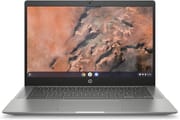 HP Chromebook 14b (AMD) | |
| Price | List Price: $469.99 Amazon Prices: |
| Model number | 14b-na0010nr / 2W7T5UA |
| Performance Rating | 3.1 |
| Chromebook Plus | No |
| Processor | Dual-core 2.30 Ghz (max 3.20 Ghz) AMD Athlon Silver 3050C |
| RAM | 4 GB |
| Internal Storage | 64 GB eMMC |
| Screen Size | 14" |
| Screen Resolution | 1920x1080 |
| Screen Type | IPS |
| Touch Screen | Yes |
| Stylus / Pen | No Stylus Support |
| Dimensions width x length x thickness | 12.74 x 8.7 x 0.65 inches (323.6 x 220.98 x 16.51 mm) |
| Weight | 3.3 lbs (1.5 kg) |
| Backlit Keyboard | No |
| Webcam | HP Wide Vision 720p HD |
| WiFi | Intel Wi-Fi 6 AX200 (2x2) |
| Bluetooth | Bluetooth 5.0 |
| Ethernet | No |
| Cellular Modem | No |
| HDMI | Full-Size HDMI |
| USB Ports | 2 USB 3, 2 USB-C (USB-C for charging and DisplayPort 1.2) |
| Thunderbolt Ports | No |
| Card Reader | microSD Card Reader |
| Battery | 3 cell, 48 WHr, Lithium-ion |
| Battery Life | 9.0 hours |
| Fanless | No |
| Auto Update Expiration Date | June, 2031 |
Related Chromebooks
-
 HP Chromebook x360 14b (2024)The HP Chromebook x360 14b (2024) is a 14-inch convertible sold as a standard Intel N100 build and…
 -
 HP Chromebook 14a (2021)The HP Chromebook 14a (2021) pairs a 14-inch touchscreen with a Celeron N4020, 4GB of RAM, 32GB of…
 -
 ASUS Chromebook Flip CX1 (Touchscreen)The ASUS Chromebook Flip CX1 is a 14-inch Full HD convertible with a 360-degree touchscreen, an…
 -
 ASUS Chromebook Flip C434The 2019 ASUS Chromebook Flip C434 is a 14-inch convertible with a slim-bezel FHD touchscreen, an…
 -
 Lenovo 14e Chromebook (Gen 3)The Lenovo 14e Chromebook Gen 3 is a 14-inch education laptop sold in Intel N100 and N200 builds…
 -
 Lenovo IdeaPad Slim 3 ChromebookThe Lenovo IdeaPad Slim 3 Chromebook 14 pairs a fanless MediaTek Kompanio 520 processor with a…
A Look Back at the HP Chromebook 14b (AMD)
The HP Chromebook 14b (AMD) featured a 14-inch Full HD IPS touchscreen display with 1920x1080 resolution, delivering crisp visuals and good viewing angles that made it suitable for media consumption, web browsing, and basic productivity tasks. The touchscreen functionality added versatility for students who preferred direct interaction with educational apps, and the IPS panel ensured colors remained accurate even when viewing from the side. At 3.3 pounds with dimensions of 12.74 x 8.7 x 0.65 inches, the laptop struck a balance between portability and screen real estate, though it wasn’t the lightest in its class.
Under the hood, the AMD Athlon Silver 3050C processor paired with 4GB of RAM provided adequate performance for everyday Chrome OS tasks. This dual-core chip with AMD Radeon graphics handled basic web browsing, document editing, and video streaming without major issues, though the limited RAM meant heavy multitasking could lead to slowdowns. User experiences suggested the system performed well with a moderate number of tabs open, but struggled beyond 15-20 active tabs. The 64GB eMMC storage provided reasonable space for apps and files, though users relying heavily on offline storage found it limiting. The microSD card slot offered easy expansion for those who needed more local storage.
Connectivity options on the HP Chromebook 14b were comprehensive for its price point. The inclusion of Intel Wi-Fi 6 AX200 ensured fast, reliable wireless connections in modern networking environments, while Bluetooth 5.0 handled peripherals effectively. The port selection included two USB-C ports that supported both charging and DisplayPort output, two USB 3.0 Type-A ports for legacy peripherals, a full-size HDMI port for external displays, a microSD card reader, and a combo headphone/microphone jack. This generous port array meant users rarely needed adapters or dongles, a notable advantage over ultraportable competitors that sacrificed connectivity for thinness.
Battery life was a strong suit for the HP Chromebook 14b. The 48 WHr lithium-ion battery powered the system for up to 9 hours on a single charge, enough for a full school or work day away from outlets. The 720p HP Wide Vision webcam handled video calls adequately, though the resolution was typical for budget Chromebooks of this generation. The system lacked a backlit keyboard, which could be inconvenient in low-light environments, but the keyboard itself offered comfortable typing with adequate key travel for extended sessions.
Reviewer Insights on the HP Chromebook 14b (AMD)
Helpful DIY’s Perspective
Helpful DIY reviewed the HP Chromebook 14b-na0010nr from a family-oriented perspective, focusing on its usability for students and everyday users. The reviewer highlighted the ease of use, noting they “taught my son how to use this in a matter of like 15 minutes… literally like super easy to use.” This spoke to Chrome OS’s intuitive interface and the Chromebook’s suitability as a first computer for younger users.
The review praised several hardware aspects, particularly the inclusion of AMD Radeon graphics at this price point. As the reviewer noted, “For this to have a Radeon graphics card was like a big deal… it’s absolutely amazing considering its price point.” While the integrated Radeon graphics wouldn’t enable gaming beyond casual titles, they did provide smoother video playback and better visual performance than some competing Intel Celeron-based Chromebooks.
The fingerprint reader drew praise, with the reviewer calling it “very very useful and quite accurate,” adding a layer of security uncommon at this price level. The 14-inch touchscreen was described as “very very responsive,” and the chassis earned a nod for its “smooth, sleek design.” Overall, the reviewer’s assessment for everyday family use was positive.
Limited Professional Coverage
The HP Chromebook 14b with AMD Athlon Silver 3050C received limited coverage from major tech publications. Professional reviews during 2019-2020 focused on earlier HP Chromebook 14 models with the AMD A4-9120C processor, which was a different and older chip. This lack of dedicated reviews for the Athlon Silver variant suggested it was positioned primarily as a retail-focused configuration rather than a press review unit, likely due to its budget positioning and incremental nature compared to previous AMD Chromebook offerings from HP.
Conclusion
The HP Chromebook 14b (AMD) served as a capable entry-level Chromebook for students and families who prioritized a quality touchscreen display and all-day battery life over raw performance. While the AMD Athlon Silver 3050C processor and 4GB RAM imposed limitations on heavy multitasking, the Chromebook 14b still offered Wi-Fi 6, comprehensive ports, and a responsive FHD touchscreen.
This model has been discontinued and is no longer available for purchase new. Potential buyers should consider newer alternatives like the HP Chromebook 14a with Intel N100 processor or AMD-powered options from other manufacturers. For those who find this model through secondary markets or already own one, it remains a functional choice for basic computing needs through its June 2031 Auto Update Expiration date.
For those weighing their options, our Chromebook Comparison Chart lets you sort and filter specs side by side to find the right fit.
Frequently Asked Questions
When does the HP Chromebook 14b (AMD) stop receiving updates?
The HP Chromebook 14b (AMD) will receive Chrome OS updates until June 2031. After this Auto Update Expiration (AUE) date, the device will continue to function but won’t receive new features or security patches from Google.
Can I upgrade the RAM or storage on the HP Chromebook 14b?
No, both the 4GB RAM and 64GB eMMC storage are soldered to the motherboard and cannot be upgraded. However, you can expand storage using the built-in microSD card slot, which accepts cards up to standard capacity limits for additional file storage.
Was the HP Chromebook 14b good for students?
Yes, the HP Chromebook 14b was designed with students in mind. Its touchscreen display worked well with educational apps, the 9-hour battery life lasted through a full school day, and the keyboard provided comfortable typing for assignments. User reviews confirmed it was easy for children to learn, though heavy multitasking could cause slowdowns due to the 4GB RAM limitation.
What ports did the HP Chromebook 14b (AMD) have?
The HP Chromebook 14b included a comprehensive port selection: two USB-C ports (supporting charging and DisplayPort output), two USB 3.0 Type-A ports, a full-size HDMI port, a microSD card reader, and a combo headphone/microphone jack. This variety meant users rarely needed adapters for common peripherals.
How did the AMD Athlon Silver 3050C perform compared to Intel Chromebooks?
The AMD Athlon Silver 3050C performed similarly to Intel Celeron N4000/N4020 processors found in comparable budget Chromebooks. It handled everyday tasks like web browsing, video streaming, and document editing adequately. The integrated AMD Radeon graphics offered slightly better video playback than some Intel counterparts, though the difference was minor for typical Chromebook workloads.
Can I connect an external monitor to the HP Chromebook 14b?
Yes, you can connect an external monitor using either the built-in HDMI port or the USB-C ports which support DisplayPort 1.2 output. The HDMI Type A port provides a direct connection to most monitors and TVs without requiring adapters, making it easy to extend your workspace or present on larger screens.