
HP Chromebook x360 11
Updated on

Note: This product has been discontinued and is no longer sold new, but Google has set its Chrome OS Auto Update Expiration (AUE) date to June 2027, so units still in service continue to receive security updates until then. The information below is kept for owners of this device and for reference.
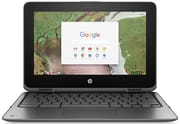
The HP Chromebook x360 11 was HP’s entry into the convertible Chromebook market when it launched in April 2017. Designed primarily for education environments, this 11.6-inch laptop featured a 360-degree hinge that allowed it to transform between laptop, tent, stand, and tablet modes. HP paired the Intel Celeron N3350 Apollo Lake processor with 4GB of RAM and either 16GB or 32GB of eMMC storage, targeting the budget end of the market with prices ranging from $299 to $399 at launch.
Pros and Cons of HP Chromebook x360 11
| Pros | Cons |
|---|---|
| Excellent port selection with 4 USB ports | Cheap-feeling build quality |
| Good keyboard with solid travel and click | Dim display with large bezels |
| Strong battery life (8+ hours tested) | Underperforming Apollo Lake processor |
| 360-degree convertible hinge | Struggles with graphics-intensive content |
| Gorilla Glass protected touchscreen | Poor value at original $399 price point |
| Capacitive stylus included (no storage compartment) | Flimsy hinge construction |
Related Videos
HP Chromebook x360 11 Comparison Chart
 HP Chromebook x360 11 | HP Chromebook x360 11 | HP Chromebook x360 11 | |
| Price | List Price: $399.99 Amazon Prices: | List Price: $329.99 Amazon Prices: | List Price: $299.99 Amazon Prices: |
| Model number | 11-ae040nr / 2MW53UA | 11-ae030nr / 2MW52UA | 11-ae010nr / 2MW49UA |
| Performance Rating | 2.8 | 2.8 | 2.8 |
| Chromebook Plus | No | No | No |
| Processor | Dual-core 1.10 Ghz (max 2.40 Ghz) Intel Celeron N3350 | Dual-core 1.10 Ghz (max 2.40 Ghz) Intel Celeron N3350 | Dual-core 1.10 Ghz (max 2.40 Ghz) Intel Celeron N3350 |
| RAM | 4 GB | 4 GB | 4 GB |
| Internal Storage | 32 GB eMMC | 16 GB eMMC | 16 GB eMMC |
| Screen Size | 11.6" | 11.6" | 11.6" |
| Screen Resolution | 1366x768 | 1366x768 | 1366x768 |
| Screen Type | IPS with Gorilla Glass | IPS with Gorilla Glass | IPS with Gorilla Glass |
| Touch Screen | Yes | Yes | Yes |
| Stylus / Pen | No Stylus Support | No Stylus Support | No Stylus Support |
| Dimensions width x length x thickness | 12.04 x 8.18 x 0.76 inches (305.82 x 207.77 x 19.3 mm) | 12.04 x 8.18 x 0.76 inches (305.82 x 207.77 x 19.3 mm) | 12.04 x 8.18 x 0.76 inches (305.82 x 207.77 x 19.3 mm) |
| Weight | 3.11 lbs (1.41 kg) | 3.11 lbs (1.41 kg) | 3.11 lbs (1.41 kg) |
| Backlit Keyboard | No | No | No |
| Webcam | HP TrueVision HD | HP TrueVision HD | HP TrueVision HD |
| WiFi | 802.11 a/b/g/n/ac | 802.11 a/b/g/n/ac | 802.11 a/b/g/n/ac |
| Bluetooth | Bluetooth 4.2 | Bluetooth 4.2 | Bluetooth 4.2 |
| Ethernet | No | No | No |
| Cellular Modem | No | No | No |
| HDMI | No HDMI | No HDMI | No HDMI |
| USB Ports | 2 USB 3, 2 USB-C | 2 USB 3, 2 USB-C | 2 USB 3, 2 USB-C |
| Thunderbolt Ports | No | No | No |
| Card Reader | microSD Card Reader | microSD Card Reader | microSD Card Reader |
| Battery | 2 cell, 47.3 Wh, Li-ion | 2 cell, 47.3 Wh, Li-ion | 2 cell, 47.3 Wh, Li-ion |
| Battery Life | 11.5 hours | 11.5 hours | 11.5 hours |
| Fanless | No | No | No |
| Auto Update Expiration Date | June, 2027 | June, 2027 | June, 2027 |
Related Chromebooks
-
 ASUS Chromebook Flip CR1The ASUS Chromebook Flip CR1 (CR1100FKA) is a rugged 11.6-inch education convertible on an Intel…
 -
 HP Fortis Flip G1m 11 inch ChromebookThe HP Fortis Flip G1m 11 inch Chromebook is a rugged convertible 2-in-1 built for K-12 classrooms,…
 -
 Acer Chromebook Spin 11 CP311The Acer Chromebook Spin 11 combines functionality and portability with its 11.6-inch touch IPS…
 -
 Lenovo Flex 3 ChromebookThe Lenovo Flex 3 Chromebook is a fanless 11.6-inch convertible with an IPS touchscreen, a MediaTek…
 -
 Acer Chromebook 311 (AMD)The Acer Chromebook 311 (CB311-10H) is an 11.6-inch ChromeOS laptop on an AMD A4-9120C with 4GB of…
 -
 ASUS Chromebook C203XAThe ASUS Chromebook C203XA is a rugged 11.6-inch education laptop with a MediaTek MT8173C, an…
The HP Chromebook x360 11 offered a compelling port selection that reviewers praised. With two USB Type-A ports and two USB Type-C ports thoughtfully arranged on both sides of the chassis, users had plenty of connectivity options without needing adapters. The device also included a microSD card slot for storage expansion, a headphone jack, and a Kensington lock slot for security in educational settings. The absence of an Ethernet port meant that users needing a wired connection had to use a USB Ethernet adapter.
The 11.6-inch IPS display featured Gorilla Glass protection, which was particularly important for the education market where devices face rougher treatment. However, the 1366x768 resolution panel was criticized for being dim and having noticeably poor off-angle brightness. The massive bezels surrounding the screen gave the laptop a dated appearance even at launch.
HP rated the battery at 11.5 hours, and real-world testing by Chrome Unboxed confirmed strong battery life, with the reviewer achieving 8+ hours with the screen at maximum brightness. The 47.3 Wh battery was generous for this class of device and one of the Chromebook’s genuine strengths.
What Reviewers Said About the HP Chromebook x360 11
Chrome Unboxed’s Robby Payne provided one of the most thorough reviews of the HP Chromebook x360 11 G1 EE. His assessment was largely negative, describing the device as feeling “pretty uninspired” and “cheap-feeling” right from the start. The reviewer noted harsh chassis edges, gigantic bezels, and a flimsy hinge that didn’t inspire confidence in the convertible design.
On performance, Payne found the Intel Celeron N3350 Apollo Lake processor disappointing. His Octane benchmark tests returned scores around 9,000, which lagged behind competitors using the same processor. The device struggled particularly with graphics-intensive content and tasks that pushed beyond basic web browsing.
The keyboard and trackpad received more positive feedback. Payne described the keyboard as having “great travel with good click” that was enjoyable for typing. The trackpad remained smooth and responsive throughout testing. HP also included a full-sized stylus with a clever dual-function capacitive eraser, though the stylus had no storage compartment in the device itself.
His final verdict was decidedly negative: “With so many other options for similar or less money, it’s really a no-brainer to look elsewhere.” At the original $399-$479 price range, he felt competitors like the Samsung Chromebook Plus offered substantially better value.
Who Was the HP Chromebook x360 11 For?
The HP Chromebook x360 11 was designed primarily for education buyers and budget-conscious consumers who needed a convertible Chromebook in 2017-2018. Its rugged Gorilla Glass display and sturdy construction made it suitable for classroom environments where devices face more wear and tear.
However, by the time competitors emerged at similar price points with better build quality and performance, the HP Chromebook x360 11’s value weakened considerably. Students and educators who needed a basic device for web-based learning, document creation, and light media consumption found it adequate, but those expecting more polish or performance were disappointed.
Google has set this Chromebook’s Chrome OS support to run through June 2027, so units still in service keep receiving security updates until then. Because the Apollo Lake hardware is dated and that window is now short, anyone buying new is better served by a current model, but existing owners can keep using it until then.
Frequently Asked Questions
Q: When did the HP Chromebook x360 11 stop receiving updates?
A: Google has set the HP Chromebook x360 11’s Auto Update Expiration (AUE) date to June 2027, so it continues to receive Chrome OS security updates until then. These extended updates focus on security and may reduce Android (Google Play) app support. After June 2027 the device will no longer receive updates, at which point it becomes unsuitable for use where security matters.
Q: What processor does the HP Chromebook x360 11 have?
A: The HP Chromebook x360 11 uses an Intel Celeron N3350 Apollo Lake processor. This dual-core chip runs at 1.10 GHz base frequency and was considered entry-level even at launch. Benchmark testing showed Octane scores around 9,000, which was behind other devices using the same processor.
Q: Can you upgrade the RAM or storage on the HP Chromebook x360 11?
A: No, neither the RAM nor internal storage can be upgraded. The 4GB of RAM is soldered to the motherboard, and the 16GB or 32GB eMMC storage is not user-replaceable. You can expand storage using the built-in microSD card slot.
Q: Does the HP Chromebook x360 11 have a backlit keyboard?
A: No, the HP Chromebook x360 11 does not feature a backlit keyboard. This was a common cost-cutting measure on budget Chromebooks, though the keyboard itself received praise for its tactile feel and travel.
Q: What ports does the HP Chromebook x360 11 have?
A: The port selection was one of the device’s strengths. It includes two USB 3.0 Type-A ports, two USB Type-C ports supporting charging and display output, a microSD card slot, a headphone/microphone combo jack, and a Kensington lock slot for security.
Q: Is the HP Chromebook x360 11 still worth buying?
A: We do not recommend purchasing this Chromebook today. Its Chrome OS support runs only through June 2027 and the Apollo Lake hardware is dated, so a new buyer is better served elsewhere; existing owners can keep using it until then. If you’re looking for an affordable convertible Chromebook, check our Chromebook Comparison Chart for current options with active software support.