
HP Chromebook x360 11 G3 (Education Edition)
Updated on

The HP Chromebook x360 11 G3 Education Edition arrived in April 2020, just as schools worldwide scrambled to respond to the COVID-19 pandemic. HP had designed this rugged 11.6-inch convertible for traditional classroom use, and it ended up as one of many devices pressed into service for remote learning instead. It sold for under $300 with a Celeron N4020, 4GB of RAM, and 32GB of eMMC storage.
HP engineered the x360 11 G3 to withstand the harsh realities of K-12 classrooms: MIL-STD 810G military-grade testing ensured it could survive 4-foot drops onto concrete, spill-resistant keyboards protected against inevitable drink accidents, and Gorilla Glass 3 shielded the touchscreen from scratches and impacts. Those features, designed for bustling school hallways and crowded cafeterias, proved equally valuable when the devices ended up in living rooms and bedrooms, handled by students without direct teacher supervision. The dual camera setup including a world-facing 5-megapixel sensor seemed like overkill for traditional lessons but became useful for document capture and virtual science experiments. These devices also came with monitoring software that gave schools visibility into student activity, a capability that generated its own set of debates around privacy.
| Pros | Cons |
|---|---|
| MIL-STD 810G testing covers 4-foot drops onto concrete | 1366x768 lacks the sharpness buyers now expect |
| Gorilla Glass 3 over the touchscreen | Celeron N4020 struggles with modern web apps |
| Around 10 hours of battery in mixed use | 32GB eMMC, with no way to upgrade it |
| 360-degree hinge for tablet and tent modes | 3.2 pounds for an 11.6-inch machine |
| 5 MP world-facing camera for document capture | Heat builds in the bottom-left corner under load |
| Chrome OS updates run through June 2029 | Screen glare makes bright rooms difficult |
Related Videos
HP Chromebook x360 11 G3 (Education Edition) Comparison Chart
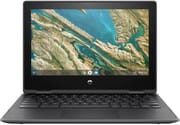 HP Chromebook x360 11 G3 (Education Edition) | HP Chromebook x360 11 G3 (Education Edition) | |
| Price | List Price: $299.00 Amazon Prices: | List Price: $299.00 Amazon Prices: |
| Model number | 1A767UT#ABA | 1A783UT#ABA |
| Performance Rating | 3.1 | 3.1 |
| Chromebook Plus | No | No |
| Processor | Dual-core 1.10 Ghz (max 2.80 Ghz) Intel Celeron Processor N4020 | Dual-core 1.10 Ghz (max 2.80 Ghz) Intel Celeron Processor N4020 |
| RAM | 4 GB | 4 GB |
| Internal Storage | 32 GB eMMC | 32 GB eMMC |
| Screen Size | 11.6" | 11.6" |
| Screen Resolution | 1366x768 | 1366x768 |
| Screen Type | IPS with Gorilla Glass 3 | IPS with Gorilla Glass 3 |
| Touch Screen | Yes | Yes |
| Stylus / Pen | No Stylus Support | No Stylus Support |
| Dimensions width x length x thickness | 11.61 x 8.08 x 0.82 inches (294.89 x 205.23 x 20.83 mm) | 11.61 x 8.08 x 0.82 inches (294.89 x 205.23 x 20.83 mm) |
| Weight | 3.19 lbs (1.45 kg) | 3.19 lbs (1.45 kg) |
| Backlit Keyboard | No | No |
| Webcam | 720p HD webcam; 5 MP world-facing camera | 720p HD webcam; 5 MP world-facing camera |
| WiFi | 802.11 a/b/g/n/ac (2x2) | 802.11 a/b/g/n/ac (2x2) |
| Bluetooth | Bluetooth 5.0 | Bluetooth 5.0 |
| Ethernet | No | No |
| Cellular Modem | No | No |
| HDMI | No HDMI | No HDMI |
| USB Ports | 2 USB 3, 2 USB-C | 2 USB 3, 2 USB-C |
| Thunderbolt Ports | No | No |
| Card Reader | microSD Card Reader | microSD Card Reader |
| Battery | 2 cell, 47.3 Wh, Li-ion | 2 cell, 47.3 Wh, Li-ion |
| Battery Life | 13.0 hours | 13.0 hours |
| Fanless | No | No |
| Auto Update Expiration Date | June, 2029 | June, 2029 |
Related Chromebooks
-
 HP Fortis Flip G1m 11 inch ChromebookThe HP Fortis Flip G1m 11 inch Chromebook is a rugged convertible 2-in-1 built for K-12 classrooms,…
 -
 HP Chromebook 11a (ARM)The HP Chromebook 11a offers an 11.6-inch anti-glare display, 720p HD webcam, and up to 15 hours of…
 -
 ASUS Chromebook CX1 (CX1101)The ASUS Chromebook CX1 (CX1101) is an 11.6-inch budget Chromebook with an Intel Celeron N4020, an…
 -
 Acer Chromebook 311An 11.6-inch Chromebook with an Intel Celeron N4000, 4GB of RAM, a fanless chassis, and up to 10…
 -
 Acer Chromebook Spin 311The Acer Chromebook Spin 311 (CP311-3H) is an 11.6-inch convertible on an eight-core MediaTek…
 -
 ASUS Chromebook Flip C214The ASUS Chromebook Flip C214 is a rugged 11.6-inch education convertible with an Intel Celeron…
Cheap silicon in a ruggedized shell

The education Chromebook formula had been refined over nearly a decade by the time this model shipped. Schools wanted machines tough enough to survive being shoved into backpacks, cheap enough to deploy by the thousands, and simple enough for IT departments to manage without specialized staff. HP met all three and added the convertible hinge that had become popular for interactive learning.
The Intel Celeron N4020 is a dual-core part running at 1.1GHz with burst speeds up to 2.8GHz. It covered the Chrome OS workloads of its era: Google Workspace applications, educational web apps, and basic Android programs. The 4GB of LPDDR4 RAM handled typical student workflows, though even then, power users noticed slowdowns when juggling multiple browser tabs. The 32GB eMMC storage was already tight at launch, and it got tighter as Chrome OS and Android apps grew larger.
Students could fold the screen back completely for tablet-mode reading, prop it up tent-style for video watching, or use it traditionally as a laptop. Students also discovered that these convertible hinges did not protect against the Chromebook magnet trick that could put the device to sleep with a small magnet placed in just the right spot. At 3.2 pounds, it struck a reasonable balance between durability and portability.
What reviewers found in 2020 and 2021

Four months of daily testing from Alvin Alexa
Alvin Alexa tested the HP Chromebook x360 11 G3 extensively over four months during the pandemic period, putting it through daily productivity tasks, video editing, and even gaming to understand its real-world capabilities. His testing found approximately 10 hours of battery life under mixed-use conditions, validating HP’s marketing claims for all-day educational use. He specifically tested gaming titles like Free Fire and Asphalt 9 through the Google Play Store, finding the device playable for casual gaming despite its entry-level specifications.
The device generated noticeable heat in the bottom-left corner during sustained workloads, and screen glare made the display difficult to use in bright environments. His assessment correctly positioned the x360 11 G3 for education and basic productivity rather than multimedia entertainment.
Y.Y ELECTRONICS walks the ports and the hinge
Y.Y ELECTRONICS provided a thorough visual walkthrough of the HP Chromebook x360 11 G3 and demonstrated all physical ports and the convertible functionality. The port selection covers two USB-C ports supporting charging and display output, two USB-A 3.0 ports for legacy peripherals, a combination headphone jack, and a microSD card slot for storage expansion. School IT departments could connect their existing peripherals without handing out adapters.
Their testing showed battery estimates somewhat below HP’s maximum rating depending on workload. The close-up shots of ruggedized construction elements showed textured plastic surfaces, rubberized corner bumpers, and reinforced hinges.
Still fine for light duty, too slow for daily driving
School districts that deployed the HP Chromebook x360 11 G3 in 2020 have mostly cycled it out as newer Chromebook Plus devices and refreshed non-Plus models offered meaningful improvements in performance and display quality. The ongoing screen time debate has also prompted some schools to reconsider how these devices are used in classrooms. Units that turn up used often carry the battle scars of classroom service and still work, thanks to that MIL-STD 810G engineering.
Chrome OS support runs through June 2029, so the machine stays viable for simple web browsing, document editing, and media playback. The Celeron N4020’s limits show up more with each Chrome OS update and the growing weight of modern web applications.
The 32GB storage pushes you into cloud-first usage and careful app management, and the 1366x768 display lacks the sharpness buyers now expect from even budget devices. Performance drops noticeably once several browser tabs are open. The durability that made these classroom survivors means many used units still work fine for light duty: a secondary device for kids, a simple machine for grandparents, or a beater laptop for travel.
For a broader look at current options, the Chromebook Comparison Chart lets you sort and filter every model by specs, price, and AUE date to find what fits your needs today.
Frequently Asked Questions
Is the HP Chromebook x360 11 G3 still worth buying in 2026?
Only secondhand, and only for light use. The Celeron N4020 struggles with modern web applications and 32GB of storage is limiting, but a cheap unit still handles web browsing, email, and simple document editing with Chrome OS support through June 2029.
How long will the HP Chromebook x360 11 G3 receive updates?
Google’s Auto Update Expiration (AUE) date is June 2029. Chrome OS updates and security patches arrive until that date. The device keeps working afterward, without new features or security fixes.
Why did schools buy so many of these Chromebooks?
It hit the market just as COVID-19 forced schools to deploy devices en masse. Durability (MIL-STD 810G rating), low cost (under $300), IT management through Google Admin, and all-day battery life made it practical when districts needed thousands of machines quickly.
Can the storage be expanded on the HP Chromebook x360 11 G3?
No. The internal 32GB eMMC cannot be upgraded, so the microSD slot is the only expansion route, and a 128GB or 256GB card is close to mandatory for anything beyond basic web browsing. Google Drive and other cloud storage cover the rest.
What’s the best use for an old x360 11 G3 today?
The x360 11 G3 works well as a kids’ first computer for web browsing and educational games, a simple device for elderly family members who need email and video calling, or a beater laptop for travel where loss or damage wouldn’t be devastating. Its durability means many units still function well despite years of use.