
HP Chromebook x360 14a
Updated on

The HP Chromebook x360 14a is an entry-level convertible built around an Intel Celeron or Pentium Silver processor and a 14-inch touchscreen that rotates a full 360 degrees, giving laptop, tent, stand, and tablet modes. The low price is why it turns up on shortlists for students and anyone who wants a 2-in-1 without spending much. Chrome OS support runs through June 2029, so software updates and security patches keep coming for years.
| Pros | Cons |
|---|---|
| Affordable 2-in-1 design starting under $260 | HD display (1366x768) appears dim in bright environments |
| 360-degree hinge for tablet and tent modes | Non-upgradeable 4GB RAM limits multitasking |
| Boots to a usable desktop in seconds | eMMC storage is slower than an SSD |
| USB-C with DisplayPort for external monitors | Plastic construction feels less premium |
| Battery rated for 11-12 hours by HP | B&O speakers underwhelm despite branding |
| Weighs 3.29 lbs and measures 0.72 inches thick | 220 nits brightness struggles outdoors |
Related Videos
HP Chromebook x360 14a Comparison Chart
 HP Chromebook x360 14a | HP Chromebook x360 14a | HP Chromebook x360 14a | 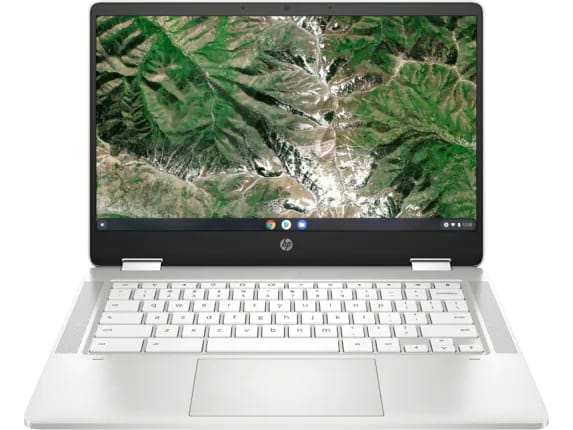 HP Chromebook x360 14a | 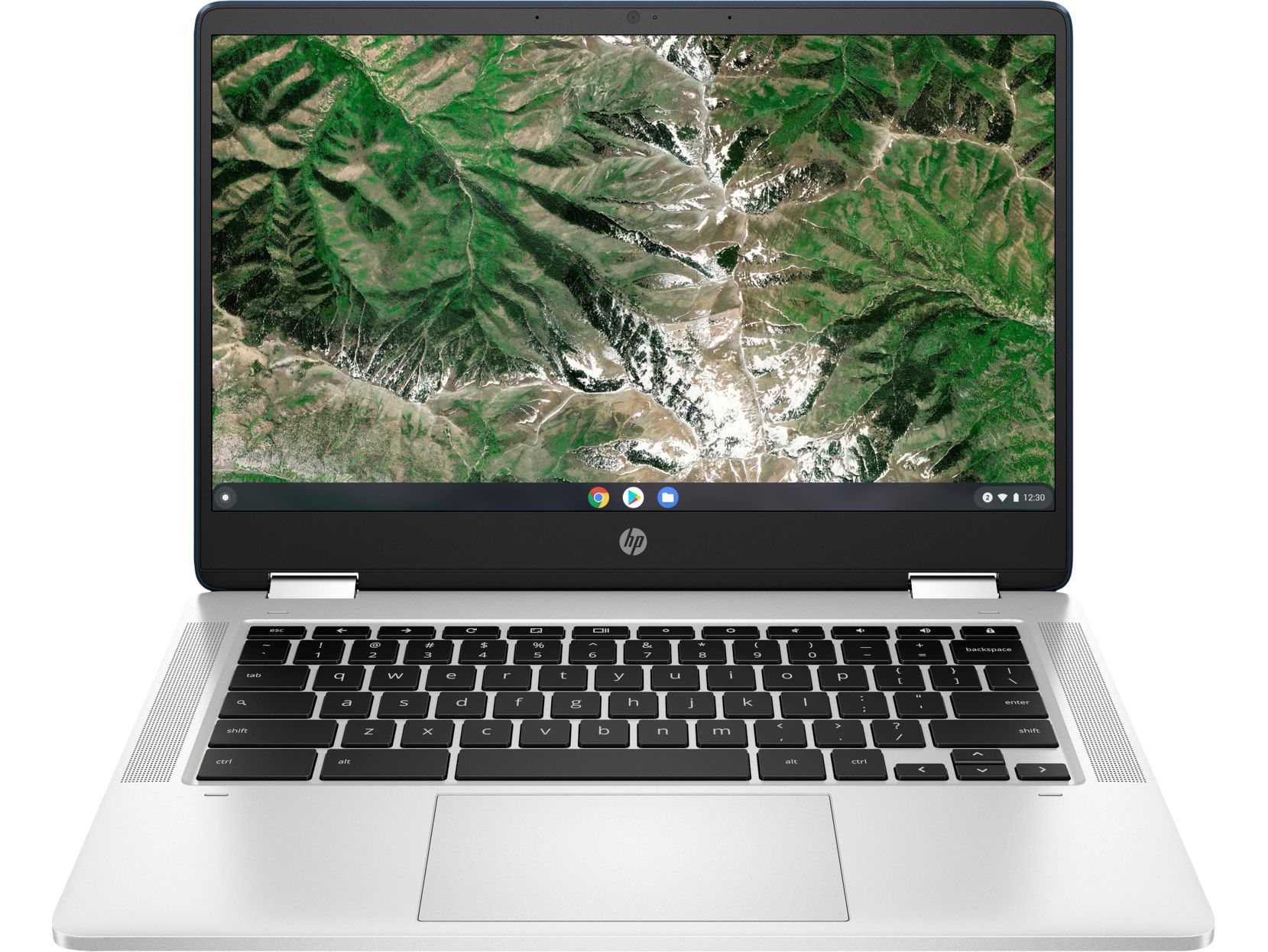 HP Chromebook x360 14a | HP Chromebook x360 14a | HP Chromebook x360 14a | HP Chromebook x360 14a | HP Chromebook x360 14a | |
| Price | List Price: $299.99 Amazon Prices: Loading prices... | List Price: $359.99 Amazon Prices: Loading prices... | List Price: $359.99 Amazon Prices: Loading prices... | List Price: $299.99 Amazon Prices: Loading prices... | List Price: $359.99 Amazon Prices: Loading prices... | List Price: $269.99 Amazon Prices: Loading prices... | List Price: $269.99 Amazon Prices: Loading prices... | List Price: $260 Amazon Prices: Loading prices... | List Price: $279 Amazon Prices: Loading prices... |
| Model number | 14a-ca0010nr / 1F6Y2UA#ABA | 14a-ca0040nr | 14a-ca0022nr | 14a-ca0050nr / 4A6G4UA | 14a-ca0060nr | 14a-ca0790wm | 14a-ca0190wm | 14a-ca0030wm | 14a-ca0023nr |
| Performance Rating | 3.1 | 3.1 | 3.1 | 3.1 | 3.1 | 3.1 | 3.1 | 3.1 | 3.4 |
| Chromebook Plus | No | No | No | No | No | No | No | No | No |
| Processor | Dual-core 1.10 Ghz (max 2.80 Ghz) Intel Celeron Processor N4020 | Dual-core 1.10 Ghz (max 2.80 Ghz) Intel Celeron Processor N4020 | Dual-core 1.10 Ghz (max 2.80 Ghz) Intel Celeron Processor N4020 | Dual-core 1.10 Ghz (max 2.80 Ghz) Intel Celeron Processor N4020 | Dual-core 1.10 Ghz (max 2.80 Ghz) Intel Celeron Processor N4020 | Dual-core 1.10 Ghz (max 2.80 Ghz) Intel Celeron Processor N4020 | Dual-core 1.10 Ghz (max 2.80 Ghz) Intel Celeron Processor N4020 | Dual-core 1.10 Ghz (max 2.80 Ghz) Intel Celeron Processor N4020 | Quad-core 1.10 Ghz (max 3.10 Ghz) Intel Pentium Silver N5030 Processor |
| RAM | 4 GB | 4 GB | 4 GB | 4 GB | 4 GB | 4 GB | 4 GB | 4 GB | 4 GB |
| Internal Storage | 32 GB eMMC | 32 GB eMMC | 64 GB eMMC | 32 GB eMMC | 32 GB eMMC | 64 GB eMMC | 64 GB eMMC | 64 GB eMMC | 64 GB eMMC |
| Screen Size | 14" | 14" | 14" | 14" | 14" | 14" | 14" | 14" | 14" |
| Screen Resolution | 1366x768 | 1366x768 | 1366x768 | 1366x768 | 1366x768 | 1366x768 | 1366x768 | 1366x768 | 1366x768 |
| Screen Type | BrightView, 220 nits | BrightView, 220 nits | BrightView, 220 nits | BrightView, 220 nits | BrightView, 220 nits | BrightView, 220 nits | BrightView, 220 nits | BrightView, 220 nits | BrightView, 220 nits |
| Touch Screen | Yes | Yes | Yes | Yes | Yes | Yes | Yes | Yes | Yes |
| Stylus / Pen | No Stylus Support | No Stylus Support | No Stylus Support | No Stylus Support | No Stylus Support | No Stylus Support | No Stylus Support | No Stylus Support | No Stylus Support |
| Dimensions width x length x thickness | 12.81 x 8.65 x 0.72 inches (325.37 x 219.71 x 18.29 mm) | 12.81 x 8.65 x 0.72 inches (325.37 x 219.71 x 18.29 mm) | 12.81 x 8.65 x 0.72 inches (325.37 x 219.71 x 18.29 mm) | 12.81 x 8.65 x 0.72 inches (325.37 x 219.71 x 18.29 mm) | 12.81 x 8.65 x 0.72 inches (325.37 x 219.71 x 18.29 mm) | 12.81 x 8.65 x 0.72 inches (325.37 x 219.71 x 18.29 mm) | 12.81 x 8.65 x 0.72 inches (325.37 x 219.71 x 18.29 mm) | 12.81 x 8.65 x 0.72 inches (325.37 x 219.71 x 18.29 mm) | 12.81 x 8.65 x 0.72 inches (325.37 x 219.71 x 18.29 mm) |
| Weight | 3.29 lbs (1.5 kg) | 3.29 lbs (1.5 kg) | 3.29 lbs (1.5 kg) | 3.29 lbs (1.5 kg) | 3.29 lbs (1.5 kg) | 3.29 lbs (1.5 kg) | 3.29 lbs (1.5 kg) | 3.29 lbs (1.5 kg) | 3.29 lbs (1.5 kg) |
| Backlit Keyboard | No | No | No | No | No | No | No | No | No |
| Webcam | HP Wide Vision HD Camera | HP Wide Vision HD Camera | HP Wide Vision HD Camera | HP Wide Vision HD Camera | HP Wide Vision HD Camera | HP Wide Vision HD Camera | HP Wide Vision HD Camera | HP Wide Vision HD Camera | HP Wide Vision HD Camera |
| WiFi | 802.11 a/b/g/n/ac (2x2) | 802.11 a/b/g/n/ac (2x2) | 802.11 a/b/g/n/ac (2x2) | 802.11 a/b/g/n/ac (2x2) | 802.11 a/b/g/n/ac (2x2) | 802.11 a/b/g/n/ac (2x2) | 802.11 a/b/g/n/ac (2x2) | 802.11 a/b/g/n/ac (2x2) | 802.11 a/b/g/n/ac (2x2) |
| Bluetooth | Bluetooth 5.0 | Bluetooth 5.0 | Bluetooth 5.0 | Bluetooth 5.0 | Bluetooth 5.0 | Bluetooth 5.0 | Bluetooth 5.0 | Bluetooth 5.0 | Bluetooth 5.0 |
| Ethernet | No | No | No | No | No | No | No | No | No |
| Cellular Modem | No | No | No | No | No | No | No | No | No |
| HDMI | No HDMI | No HDMI | No HDMI | No HDMI | No HDMI | No HDMI | No HDMI | No HDMI | No HDMI |
| USB Ports | 1 USB 3, 2 USB-C (with DisplayPort 1.2) | 1 USB 3, 2 USB-C (with DisplayPort 1.2) | 1 USB 3, 2 USB-C (with DisplayPort 1.2) | 1 USB 3, 2 USB-C (with DisplayPort 1.2) | 1 USB 3, 2 USB-C (with DisplayPort 1.2) | 1 USB 3, 2 USB-C (with DisplayPort 1.2) | 1 USB 3, 2 USB-C (with DisplayPort 1.2) | 1 USB 3, 2 USB-C (with DisplayPort 1.2) | 1 USB 3, 2 USB-C (with DisplayPort 1.2) |
| Thunderbolt Ports | No | No | No | No | No | No | No | No | No |
| Card Reader | microSD Card Reader | microSD Card Reader | microSD Card Reader | microSD Card Reader | microSD Card Reader | microSD Card Reader | microSD Card Reader | microSD Card Reader | microSD Card Reader |
| Battery | 2 cell, 47 Wh, Li-ion | 2 cell, 47 Wh, Li-ion | 2 cell, 47 Wh, Li-ion | 2 cell, 47 Wh, Li-ion | 2 cell, 47 Wh, Li-ion | 2 cell, 47 Wh, Li-ion | 2 cell, 47 Wh, Li-ion | 2 cell, 47 Wh, Li-ion | 2 cell, 47 Wh, Li-ion |
| Battery Life | 12.5 hours | 12.5 hours | 12.5 hours | 12.5 hours | 12.5 hours | 12.5 hours | 12.5 hours | 12.5 hours | 12.5 hours |
| Fanless | No | No | No | No | No | No | No | No | No |
| Auto Update Expiration Date | June, 2029 | June, 2029 | June, 2029 | June, 2029 | June, 2029 | June, 2029 | June, 2029 | June, 2029 | June, 2029 |
Related Chromebooks
-
 HP Chromebook x360 14bThe HP Chromebook x360 14b is a 14-inch convertible Chromebook with an Intel Celeron N4000, 4GB of…
 -
 HP Chromebook 14a (2021)The HP Chromebook 14a (2021) pairs a 14-inch touchscreen with a Celeron N4020, 4GB of RAM, 32GB of…
 -
 ASUS Chromebook Flip CX1 (Touchscreen)The ASUS Chromebook Flip CX1 is a 14-inch Full HD convertible with a 360-degree touchscreen, an…
 -
 Acer Chromebook 314The Acer Chromebook 314 is a 14-inch budget Chromebook with a 1920x1080 IPS display, an Intel…
 -
 Lenovo IdeaPad Slim 3 ChromebookThe Lenovo IdeaPad Slim 3 Chromebook 14 pairs a fanless MediaTek Kompanio 520 processor with a…
 -
 Samsung Galaxy Chromebook Go 14"The Samsung Galaxy Chromebook Go 14 is a budget 14-inch Chromebook with an Intel Celeron N4500, a…
A sturdy convertible with a dim 1366x768 screen

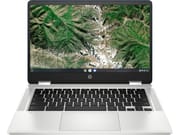
The chassis is plastic with a metallic finish, sturdy enough for daily carry without feeling like an aluminum lid. HP built the hinge to rotate smoothly through 360 degrees and hold its position, so the machine stays put on a lap, propped up for a video call, or folded flat as a tablet for note-taking. It weighs 3.29 pounds, measures 0.72 inches thick, and takes up 12.81 by 8.65 inches of desk or backpack space.
The 14-inch touchscreen takes taps and handwriting input without lag, and narrow bezels keep the body small for the screen size. The 1366x768 resolution leaves detailed documents soft and makes two windows side by side cramped. Brightness is rated at 220 nits, which covers indoor use but is nearly impossible to see outdoors.
Two USB-C ports handle charging and DisplayPort output, so an external monitor connects without a dock. A single USB-A port takes flash drives and mice with no adapter, and the microSD slot is the cheap way to stretch the 32GB or 64GB of internal eMMC storage. Wireless is WiFi 5 and Bluetooth 5.0, so a WiFi 6 router buys nothing here. There is no Ethernet port, though a USB Ethernet adapter adds wired networking.
Reviewer Insights

Amit Bhawani’s Perspective
Amit Bhawani from PhoneRadar reviewed the x360 14a for students and casual users. In his hands-on the Intel Celeron N4020 processor handled everyday Chrome OS tasks adequately, including web browsing with multiple tabs and productivity applications. Amit praised the fast boot times, noting that the Chromebook reaches a usable state within seconds of pressing the power button. He found the 360-degree hinge mechanism well-implemented for note-taking in tablet mode, though he cautioned that the 4GB RAM limitation becomes apparent when running many applications simultaneously. He called it worth its price for education use where web-based workflows predominate.
HomeTechHacker’s Perspective
According to HomeTechHacker, the x360 14a is “lightning fast and responsive” for a budget device. The reviewer successfully handled demanding workflows including 10+ browser tabs and some video editing without significant slowdowns. They appreciated the keyboard’s comfortable typing experience and the responsive trackpad. Battery life testing confirmed the rated 13.5-hour endurance held up in real-world use. However, the review noted that the B&O-branded speakers proved disappointing, described as “just for marketing hype” with sound quality that was merely adequate. Users interested in music production on a Chromebook will want to use headphones or external speakers with this device. The plastic top cover was criticized for cheapening the overall look and feel, and the 3.7-pound weight felt noticeably heavier than competing ultraportable options. They recommended it as “an excellent one, especially if you can get it on sale.”
NotebookCheck Aggregated Reviews
NotebookCheck aggregates professional reviews of the x360 14a, and gives it a composite score around 70%. Its summary called the device “good enough to handle the needs of students and the demands of casual internet users on tight budgets.” Geekbench 4 testing produced a score of 14,776 points, nearly triple the average Chromebook score of 5,044. The dim display drew the most criticism, described as “highly prone to glare” and difficult to use in well-lit environments. Battery life testing showed results just under 7 hours, falling short of HP’s 12+ hour rating.
Customer Reviews
Across 130 ratings on Amazon, the x360 14a averages 4.5 stars, with 77 percent of raters leaving five stars and about 10 percent leaving one or two. The strongest praise centers on speed, battery life, and build. TSK, a verified buyer who bought it for a 10-year-old, wrote that it “is fast to load webpages and the battery life is fantastic,” adding that “The laptop can last 8 plus hours playing YouTube videos and surfing the web” and that “The build quality is excellent; no cheap plastic parts.” TSK found that setting up a printer was less straightforward than on Windows. Annette Norwood, another verified buyer, uses it for a remote job and said it “has actually exceed my expectations.”
Verified buyer consuelo c. left one star over the display, writing “Screen quality is horrible!!! No color !!” and saying the brightness was the only thing that could be adjusted. A separate one-star review from Susan J. describes a third-party listing dispute over a modified, refurbished-style unit and voided HP warranty rather than a fault with the laptop itself, so read that one as a seller and listing caution rather than a verdict on the hardware. Read more owner reviews on Amazon.
A budget 2-in-1 with a low ceiling
The Intel Celeron N4020 or Pentium Silver N5030 keeps up with web-based schoolwork and office tasks, and the convertible hinge pays for itself if you take handwritten notes or park the machine in tent mode for video. Anyone who needs a brighter display, more memory, or faster storage should step up to HP’s Chromebook Plus x360 14b line. To sort and filter this model against the rest of the catalog, use the Chromebook Comparison Chart.
Frequently Asked Questions
Can the RAM be upgraded on the x360 14a?
No. The 4GB of LPDDR4 is soldered to the board and cannot be changed after purchase. Budget Chromebooks solder their memory to cut cost and keep the chassis thin. Buy a higher-tier model with 8GB RAM if you expect to keep many applications open at once.
How long will the x360 14a receive Chrome OS updates?
Chrome OS updates and security patches run through June 2029 on the 14a-ca1 variant, the date set by Google’s Auto Update Expiration policy. After that the machine still works, but it stops receiving new browser features and security fixes.
Is the HP Chromebook x360 14a good for students?
Web-based schoolwork, Google Workspace applications, and video conferencing all run on it, the hinge folds flat into tablet mode for note-taking, and battery life reaches 8-12 hours. PhoneRadar recommends it for educational use. The dim screen and the 4GB of RAM are the limits students meet first, usually with many tabs or applications open at once.
Can I connect external monitors to the x360 14a?
Both USB-C ports carry DisplayPort 1.2 output. A monitor with a USB-C input connects with a single cable; an HDMI monitor needs a USB-C to HDMI adapter, since the Chromebook has no HDMI port of its own.
How does the x360 14a compare to the 14b model?
The HP Chromebook x360 14b is a newer and more capable line than the 14a. The 14b models feature more powerful Intel Processor N100 or Core i3 processors, optional Full HD displays, and qualify for Chromebook Plus status with 8GB RAM configurations. The 14a uses older Celeron N4020 or Pentium Silver N5030 processors with 4GB RAM and HD displays. Choose the 14b if your budget allows for improved performance and display quality.
What is the difference between the Intel Celeron N4020 and Pentium Silver N5030 versions?
The Pentium Silver N5030 has four cores against the Celeron N4020’s two and reaches a higher turbo speed (3.1GHz vs 2.8GHz), so it scores higher in benchmarks. The roughly $30 premium is money well spent if you multitask or lean on demanding web applications.