
Lenovo Chromebook C340 15
Updated on

Note: This product has been discontinued and is no longer sold new. Google extended its Chrome OS Auto Update Expiration date to June 2028, so units still in service continue to receive security updates until then; extended updates prioritize security, and some functionality such as Google Play (Android app) support may be reduced. The information below reflects the product at the time of its availability.
The Lenovo Chromebook C340 15 occupies a unique position in the Chromebook market as one of the few 15.6-inch convertible options available. Unlike the more common 11-inch and 14-inch Chromebooks, this larger format targets users who prioritize screen real estate and a full-sized keyboard with number pad over portability. Released in 2019, it served students, teachers, and general users who needed a spacious display for productivity tasks without breaking the budget.
Pros and Cons
| Pros | Cons |
|---|---|
| Large 15.6-inch Full HD touchscreen | Heavy at 4.4 pounds |
| Full-sized keyboard with number pad | Screen brightness limited to 250 nits |
| Solid battery life of 8-10 hours | Pentium Gold model underpowered for intensive tasks |
| 2-in-1 convertible design | Average webcam quality |
| Less bulky than competing 15.6-inch Chromebooks | Only one configuration includes backlit keyboard |
| USB-C ports support charging and display output | Base storage of just 32GB in entry model |
Lenovo Chromebook C340 15 Comparison Chart
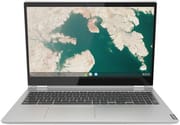 Lenovo Chromebook C340 15 | Lenovo Chromebook C340 15 | Lenovo Chromebook C340 15 | |
| Price | List Price: $379.00 Amazon Prices: | List Price: $349.99 Amazon Prices: | List Price: $329.99 Amazon Prices: |
| Model number | 4GB/128GB/Intel Core i3-8130U | 81T90002UX | 81T90003US |
| Performance Rating | 3.0 | 3.0 | 2.1 |
| Chromebook Plus | No | No | No |
| Processor | Dual-core 2.20 Ghz (max 3.40 Ghz) Intel Core i3-8130U | Dual-core 2.20 Ghz (max 3.40 Ghz) Intel Core i3-8130U | Dual-core 2.30 Ghz Intel Pentium Gold Processor 4417U |
| RAM | 4 GB | 4 GB | 4 GB |
| Internal Storage | 128 GB eMMC | 64 GB eMMC | 32 GB eMMC |
| Screen Size | 15.6" | 15.6" | 15.6" |
| Screen Resolution | 1920x1080 | 1920x1080 | 1920x1080 |
| Screen Type | IPS | IPS | IPS |
| Touch Screen | Yes | Yes | Yes |
| Stylus / Pen | No Stylus Support | No Stylus Support | No Stylus Support |
| Dimensions width x length x thickness | 14.23 x 9.8 x 0.74 inches (361.44 x 248.92 x 18.8 mm) | 14.23 x 9.8 x 0.74 inches (361.44 x 248.92 x 18.8 mm) | 14.23 x 9.8 x 0.74 inches (361.44 x 248.92 x 18.8 mm) |
| Weight | 4.4 lbs (2 kg) | 4.4 lbs (2 kg) | 4.4 lbs (2 kg) |
| Backlit Keyboard | No | No | No |
| Webcam | 720p | 720p | 720p |
| WiFi | 802.11 AC WiFi | 802.11 AC WiFi | 802.11 AC WiFi |
| Bluetooth | Bluetooth 4.2 | Bluetooth 4.2 | Bluetooth 4.2 |
| Ethernet | No | No | No |
| Cellular Modem | No | No | No |
| HDMI | No HDMI | No HDMI | No HDMI |
| USB Ports | 1 USB 3, 2 USB-C (USB-C ports support display output and power input) | 1 USB 3, 2 USB-C (USB-C ports support display output and power input) | 1 USB 3, 2 USB-C (USB-C ports support display output and power input) |
| Thunderbolt Ports | No | No | No |
| Card Reader | microSD Card Reader | microSD Card Reader | microSD Card Reader |
| Battery | No Battery | No Battery | No Battery |
| Battery Life | 10.0 hours | 10.0 hours | 10.0 hours |
| Fanless | No | No | No |
| Auto Update Expiration Date | June, 2028 | June, 2028 | June, 2028 |
Related Chromebooks
-
 Lenovo IdeaPad Flex 3i Chromebook 15.6"The Lenovo IdeaPad Flex 3i Chromebook 15.6" pairs a full-size keyboard with numeric keypad and a…
 -
 Lenovo IdeaPad 3i ChromebookThe Lenovo IdeaPad 3i Chromebook is a 15.6-inch Full HD Chromebook with an Intel Celeron N4500 and…
 -
 Acer Chromebook Plus 515The Acer Chromebook Plus 515 is a 15.6-inch Chromebook Plus with a 1920x1080 touchscreen, an Intel…
 -
 ASUS Chromebook CX1 (CX1500)The ASUS Chromebook CX1 (CX1500) is a 15.6-inch full HD Chromebook with a number pad, an Intel…
 -
 Acer Chromebook 15The Acer Chromebook 15 stands out with a 15.6" FHD IPS touch display, backlit keyboard, and up to…
 -
 ASUS Chromebook C523The ASUS Chromebook C523 is a fanless 15.6-inch Chromebook with an anti-glare display, an Intel…
Display and Design
The C340 15 features a 15.6-inch IPS touchscreen with 1920x1080 resolution, providing ample workspace for multitasking. According to Android Central’s hands-on review, the screen is suitable for indoor use but struggles in bright environments due to its 250-nit brightness limitation. The panel offers decent color reproduction and viewing angles typical of IPS technology, making it appropriate for document work, web browsing, and video streaming.
At 14.23 x 9.8 x 0.74 inches and weighing 4.4 pounds, the C340 15 is noticeably heavier than smaller Chromebooks. However, Lenovo managed to create a more streamlined chassis compared to other 15.6-inch competitors available at the time. The mineral grey finish maintains a professional appearance suitable for educational and office environments.
Keyboard and Input
The full-sized keyboard with number pad sets the C340 15 apart from most Chromebooks. The extra width allows for comfortable key spacing without the cramped feel found on smaller devices. The number pad helps users who regularly work with spreadsheets or numeric data entry. The keyboard includes a privacy shutter for the webcam, though only certain configurations feature keyboard backlighting.
The touchscreen supports the 2-in-1 convertible functionality, allowing users to flip the display into tent mode for presentations or tablet mode for touch-based applications. However, unlike some convertibles, the C340 15 does not include stylus support.
Performance Considerations
The Lenovo Chromebook C340 15 was available in two processor configurations: Intel Pentium Gold 4417U and Intel Core i3-8130U. Android Central’s testing revealed significant performance differences between these options. The reviewer noted that the Pentium “Gold is okay if this is just a laptop for some light browsing and nothing else, but if you actually intend to work on this, you should get the extra oomph of the i3.”
The base Pentium Gold configuration handles basic web browsing and document editing adequately but shows noticeable lag when running multiple Android apps or attempting more intensive tasks. Users planning to use Linux apps or engage in any form of multitasking would benefit from seeking out the Core i3 variant, which offers noticeably better multi-threaded performance.
All configurations ship with 4GB of RAM, which remains serviceable for Chrome OS basics but can feel limiting with multiple tabs open. Storage options range from 32GB to 128GB of eMMC storage, supplemented by a microSD card slot for expansion.
Battery Life and Connectivity
Battery performance represents one of the C340 15’s stronger attributes. Android Central found battery life “much more reliable” than Lenovo’s previous large Chromebook, with a single charge “easily lasting 8-10 hours in my everyday use.” That testing was done on the Pentium Gold version, so the reviewer noted battery life on the i3 might differ slightly.
Connectivity includes two USB-C ports supporting both charging and display output, one USB-A 3.0 port, a microSD card reader, and a headphone/microphone combo jack. The absence of HDMI requires an adapter for external display connections, though the USB-C ports handle this functionality. Wireless connectivity includes 802.11ac Wi-Fi and Bluetooth 4.2.
Reviewer Assessment
Ara Wagoner’s review for Android Central characterized the C340 15 as “a perfectly average big-screen Chromebook.” The review highlighted that “there aren’t a lot of 15.6-inch Chromebooks out there for a reason: they’re heavy and bulky,” but acknowledged that Lenovo’s implementation remained more portable than competing large-format options.
The webcam received middling marks, with the review noting it as “average at best and lackluster at worst” among Chromebook webcams. Users frequently participating in video calls may want to consider an external webcam for improved quality.
Who Was This Chromebook For?
The Lenovo Chromebook C340 15 targeted users who specifically needed a larger screen and full-sized keyboard but wanted to remain within the Chrome OS ecosystem. It served well as a desktop replacement Chromebook for those who prioritize screen real estate over portability, including:
- Students and educators who prefer larger displays for reading and document work
- Users who regularly work with spreadsheets and need a number pad
- Home users seeking a large-screen laptop for web browsing and streaming
- Anyone who primarily uses their Chromebook in one location rather than carrying it frequently
The Core i3 variant offered the best balance of performance and value for users planning to do more than basic web browsing.
To see how the C340 15 stacks up against other models, the Chromebook Comparison Chart offers a side-by-side view across the full catalog.
Frequently Asked Questions
What is the screen size of the Lenovo Chromebook C340 15?
The Lenovo Chromebook C340 15 features a 15.6-inch IPS touchscreen display with Full HD 1920x1080 resolution. This larger screen provides more visual workspace for productivity tasks, though the 250-nit brightness may limit outdoor use.
Does the Lenovo Chromebook C340 15 have a backlit keyboard?
Only certain configurations of the C340 15 include a backlit keyboard. The base model does not feature keyboard backlighting, so users who need this feature should verify the specific configuration before purchasing.
Can I use a stylus with the Lenovo Chromebook C340 15?
No, the Lenovo Chromebook C340 15 does not include stylus support. While it has a touchscreen for basic touch interactions and convertible modes, it lacks the digitizer required for precise stylus input. Users needing pen input should consider other Chromebook models designed for that purpose.
How long does the battery last on the Lenovo Chromebook C340 15?
The C340 15 delivers approximately 8-10 hours of battery life during typical use, according to Android Central’s hands-on testing on the Pentium Gold version. The reviewer noted battery life on the Core i3 configuration may differ slightly.
What is the difference between the Pentium Gold and Core i3 versions?
The Intel Core i3-8130U version offers significantly better performance than the Pentium Gold 4417U model. While the Pentium handles basic browsing adequately, the i3 provides smoother multitasking and better support for Android apps and more intensive Chrome OS tasks. Reviewers recommended the i3 version for anyone planning to do more than light web browsing.
What is the end-of-life date for the Lenovo Chromebook C340 15?
Google extended the Lenovo Chromebook C340 15’s Chrome OS Auto Update Expiration date to June 2028, so it continues to receive security updates until then. These extended updates prioritize security and may not include every new feature, and some functionality such as Google Play (Android app) support may be reduced. After June 2028 the device will no longer receive updates.
Does the Lenovo Chromebook C340 15 have an HDMI port?
No, the C340 15 does not include a built-in HDMI port. However, its two USB-C ports support display output, allowing connection to external monitors using a USB-C to HDMI adapter or a USB-C hub with HDMI capability.
Can I expand the storage on the Lenovo Chromebook C340 15?
While the internal eMMC storage is not user-upgradeable, the C340 15 includes a microSD card slot for storage expansion. This allows you to add additional storage for files, photos, and offline content using a microSD card.