
Acer Chromebook Plus 515
Updated on

The Acer Chromebook Plus 515 is a large-screen laptop built around a 15.6-inch Full HD IPS display and an Intel Core i3, either 12th or 13th generation depending on the build. Plus certification means it clears Google’s higher bar for processor, memory, and AI features, so productivity work, media, and light local apps all run without stalling. Wi-Fi 6E, MIL-STD-810H durability testing, and upward-firing DTS speakers fill out the rest of the spec sheet. At around $400 it sits in reach of students and home users who want a roomy screen, though the display tops out around 250 nits and the storage is UFS, which trails NVMe on speed.
Strong speakers and a dim screen
| Pros | Cons |
|---|---|
| Upward-firing DTS speakers | Display brightness limited to 250 nits |
| Core i3 handles browser tabs, Android apps, and Linux together | No SD card reader |
| Wi-Fi 6E adds the 6GHz band | Real-world battery is roughly 5 hours at full brightness, up to ~10 dimmer |
| OceanGlass trackpad made from recycled plastic | Full plastic construction |
| Passes MIL-STD-810H durability testing | No dedicated number pad on 15.6” chassis |
| 1080p webcam with privacy shutter and AI enhancements | Webcam quality inconsistent in low light |
Related Videos
Acer Chromebook Plus 515 Comparison Chart
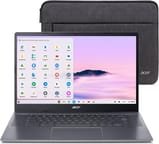 Acer Chromebook Plus 515 | Acer Chromebook Plus 515 | |
| Price | List Price: $393 Amazon Prices: Loading prices... | List Price: $399 Amazon Prices: |
| Model number | CB515-2HT | CB515-2HT-33M4 |
| Performance Rating | 7.1 | 7.2 |
| Chromebook Plus | Yes | Yes |
| Processor | Hexa-core 3.30 Ghz (max 4.40 Ghz) Intel Core i3-1215U Processor | 5-core 1.60 Ghz (max 4.50 Ghz) Intel Core i3-1305U |
| RAM | 8 GB | 8 GB |
| Internal Storage | 256 GB UFS | 256 GB UFS |
| Screen Size | 15.6" | 15.6" |
| Screen Resolution | 1920x1080 | 1920x1080 |
| Screen Type | IPS | IPS |
| Touch Screen | Yes | Yes |
| Stylus / Pen | No Stylus Support | No Stylus Support |
| Dimensions width x length x thickness | 14.2 x 9.33 x 0.79 inches (360.68 x 236.98 x 20.07 mm) | 14.2 x 9.33 x 0.79 inches (360.68 x 236.98 x 20.07 mm) |
| Weight | 3.7 lbs (1.68 kg) | 3.7 lbs (1.68 kg) |
| Backlit Keyboard | Yes | Yes |
| Webcam | 1080p | 1080p |
| WiFi | Wi-Fi 6E (802.11ax) | Wi-Fi 6E (802.11ax) |
| Bluetooth | Bluetooth 5.1 | Bluetooth 5.1 |
| Ethernet | No | No |
| Cellular Modem | No | No |
| HDMI | Full-Size HDMI | Full-Size HDMI |
| USB Ports | 1 USB 3, 2 USB-C USB-C ports support DisplayPort and USB charging | 1 USB 3, 2 USB-C USB-C ports support DisplayPort and USB charging |
| Thunderbolt Ports | No | No |
| Card Reader | No Card Reader | No Card Reader |
| Battery | 50Wh, Li-ion | 50Wh, Li-ion |
| Battery Life | 10 hours | 10 hours |
| Fanless | No | No |
| Auto Update Expiration Date | June, 2032 | June, 2032 |
Related Chromebooks
-
 Acer Chromebook Plus 516 GEThe Acer Chromebook Plus 516 GE is a cloud-gaming Chromebook with a 16-inch 2560x1600 120Hz…
 -
 Acer Chromebook Spin 714The 2023 Acer Chromebook Plus Spin 714 (CP714-2WN) is a 14-inch convertible built on a 13th-gen…
 -
 ASUS Chromebook Flip CX5 (CX5601)A large 16-inch 2-in-1 convertible Chromebook Plus with Thunderbolt 4 connectivity and a garaged…
 -
 HP Chromebook Plus 15aThe HP Chromebook Plus 15a is a Chromebook Plus laptop with a 15.6-inch Full HD display, an Intel…
 -
 ASUS Chromebook Plus CX15 (CX1505)The ASUS Chromebook Plus CX15 (CX1505) is a 15.6-inch 1920x1080 Chromebook Plus on an eight-core…
 -
 Lenovo IdeaPad Flex 5i Chromebook PlusThe Lenovo IdeaPad Flex 5i Chromebook Plus is a 14-inch convertible Chromebook Plus on Intel's Core…
A durability-tested plastic shell around Core i3 internals

The lid wears a plain brushed finish that hides fingerprints, and the all-plastic build keeps weight to 3.7 pounds while still passing MIL-STD-810H durability testing, so it tolerates the knocks of daily commuting. The keyboard is backlit and rated to shrug off accidental liquid spills up to 30ml. At 14.2 by 9.33 inches and 0.79 inches thick, it takes the desk space a 15.6-inch laptop usually does, and the width goes to key spacing instead of a number pad.
The Intel Core i3 keeps everyday work moving, with quick boot times and no noticeable lag across browser tabs or when running Android apps alongside a Linux container. Both builds pair it with 8GB of LPDDR5X RAM and 256GB of UFS storage. UFS is faster than the eMMC in cheaper Chromebooks but slower than an NVMe SSD, and it cannot be upgraded later.
Two USB-C 3.2 Gen1 ports handle power, data, and display output, while a full-size HDMI port and a USB-A 3.2 Gen1 port cover peripherals without dongles. The Intel Wi-Fi 6E AX211 chipset adds the 6GHz band on top of 2.4GHz and 5GHz, and Bluetooth 5.1 handles wireless accessories. There is no SD card slot, so camera cards need a USB adapter.
Reviewer Insights

MergeDroid: a short-list pick for a bigger screen
MergeDroid reviewed an i3-1305U unit after about three weeks of use and liked it overall: “the full plastic build… does feel well put together without any flex.” He praised the OceanGlass touchpad’s glass-like feel, measured 50% charge in roughly 30 minutes with the included 65W USB-C charger, and concluded “this Acer Chromebook 515 should definitely be on your short list” for a larger-screen Chromebook. He tested the non-touch configuration; the build, charging, and performance notes carry over to the touch CB515-2HT.
TechteamGB: mushy keys, a poor trackpad, and 5 hours at full brightness
TechteamGB tested a higher-tier Core i5-1235U configuration. He measured the panel at 285 nits (under 300) and was blunt about the inputs, calling the keyboard “mushy and soft” and the trackpad “just outright poor” with frequent missed movements, and noted battery life of only around 5 hours at full brightness. He said “this is for consuming media, not creating it,” and despite testing the i5 he steered value buyers to the cheaper i3 as the better deal.
TechRadar wanted more from the battery
According to TechRadar’s review, the Chromebook Plus 515 earns a 4/5 rating as “a solid productivity machine in its own right, with specs tailor-made for work, and a surprisingly balanced laptop that can handle light editing and even native gaming.” The review praises the startup speed, multitasking capabilities, and gaming flexibility, though notes battery life could be better for a Chromebook.
PCWorld picks out the speakers and the typing feel
PCWorld’s review highlights the device’s appeal for casual users, awarding it 4/5 stars. “For a casual-use machine, the Acer Chromebook Plus 515 performs like a real pro,” the reviewer states, praising the zippy performance, good audio quality from the upward-firing speakers, and nice typing experience. The 1080p webcam with privacy shutter and strong build quality for under $500 are noted as key strengths.
Tom’s Guide on the audio and the live captions
Tom’s Guide’s coverage focuses on the audio quality, with the reviewer stating “I couldn’t believe how good this Chromebook sounds” and calling it “a $400 laptop with killer speakers for the price.” The review also appreciates the Chromebook Plus AI features, including live caption generation for video and audio content.
Customer Reviews
Across just 3 ratings on Amazon, the Acer Chromebook Plus 515 averages 4.2 stars, so there is not much owner feedback to draw on yet. Two are five-star and one is three-star, with no one- or two-star ratings on record. Only one of those buyers left written text.
A verified buyer using the name Kyle222 titled it “Easy to use and great functionality.” and wrote: “This Chromebook exceeded my expectations with the included features and durability! Extremely pleased with my purchase!” The note is brief and upbeat, with no detail on day-to-day performance, battery life, or drawbacks, and the three-star ratings carry no written explanation.
Read more owner reviews on Amazon.
A $400 big-screen Chromebook for indoor work
Plus certification puts it above basic browsing, MIL-STD-810H testing covers the commute, and the 1080p webcam and DTS speakers handle note-taking, research, and video calls from a desk; the touchscreen helps with annotation and Android apps.
The limits are the roughly 250 nit panel, UFS storage that cannot be upgraded, the missing SD card reader, and the keyboard and trackpad TechteamGB rated poorly. Anyone working outdoors or shuttling large files locally should shop elsewhere. Starry Hope’s Chromebook Comparison Chart puts these specs beside the rest of the Chromebooks on the site.
Frequently Asked Questions
Is the Acer Chromebook Plus 515 a Chromebook Plus certified device?
Yes. It carries Google’s Chromebook Plus certification, which sets higher minimums for the processor, memory, and webcam, and turns on the built-in AI features such as live caption generation.
What is the difference between the Intel Core i3-1215U and i3-1305U variants?
The i3-1215U is a 12th generation part with 6 cores and 8 threads. The i3-1305U is a 13th generation chip with 5 cores and 6 threads and higher clock speeds. Both builds carry the same 8GB of LPDDR5X RAM and 256GB of UFS storage.
Does the Acer Chromebook Plus 515 have a touchscreen?
The CB515-2HT models use a 15.6-inch Full HD IPS touchscreen at 1920x1080, so tap, swipe, and pinch gestures work across ChromeOS and in Android apps built for touch.
What makes the OceanGlass trackpad special?
It is made from recycled ocean-bound plastic and finished to feel like glass. Reviewers split on how well it tracks: MergeDroid liked the surface, while TechteamGB rated its tracking poorly and hit frequent missed movements.
How long will the Acer Chromebook Plus 515 receive updates?
Google has set the Auto Update Expiration date for June 2032, so ChromeOS updates, security patches, and new features keep arriving for roughly 8 years from release.
Can I connect an external monitor to the Chromebook Plus 515?
Both USB-C ports carry DisplayPort output, and the full-size HDMI port drives a monitor or TV directly, so an external display works without a dock.
Is the Acer Chromebook Plus 515 good for video calls?
The 1080p webcam has a physical privacy shutter and AI enhancements, and the upward-firing speakers and built-in microphone cover the audio end. Low light is where the camera gets inconsistent.
Does the Chromebook Plus 515 support Linux apps?
ChromeOS’s built-in Linux development environment runs Debian-based applications, including code editors and development tools that are not in the Chrome Web Store or Google Play.