

For about fifteen years, the answer to “which Linux distro should I install?” was some variation of Ubuntu. It had the largest community, the most tutorials, the friendliest installer, and a philosophy of shipping something that just worked out of the box. Canonical earned that reputation. Ubuntu made Linux approachable for millions of people who would never have tried it otherwise.
That recommendation has been quietly shifting for the past two years, and in April 2026 it reached something like a tipping point. Fedora 44 shipped with GNOME 50, a Wayland-only desktop, and a package manager that finally feels modern. A week earlier, a Microsoft engineer co-authored a Fedora engineering proposal, and the meeting log around it surfaced Microsoft’s interest in rebasing Azure Linux on Fedora, a plan Microsoft confirmed in May when it announced that Azure Linux 4 uses Fedora as its upstream. On social media, a single post criticizing Canonical’s direction from a midsize account picked up thousands of engagements in days. The Reddit thread on the Microsoft report pulled hundreds of upvotes and over a hundred comments. None of this was coordinated: a lot of small things went right for Fedora and a lot of small things went wrong for Ubuntu, and they arrived at the same moment.
Ubuntu remains a perfectly functional operating system with the largest ecosystem of third-party guides and the deepest hardware vendor support. What changed is the default recommendation (the distro you suggest to someone who asks without strong preferences), and the reasons behind that change apply whether you are choosing your first Linux install or reconsidering your tenth.
The Four Decisions That Eroded Ubuntu’s Trust
Ubuntu lost its default status through a pattern of decisions that prioritized Canonical’s infrastructure control over user autonomy, and each decision compounded the frustration from the previous one.
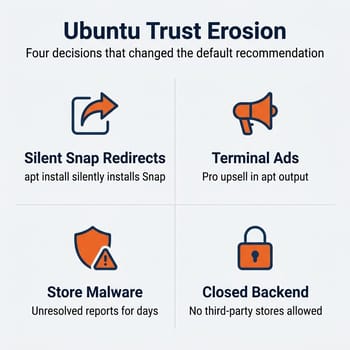
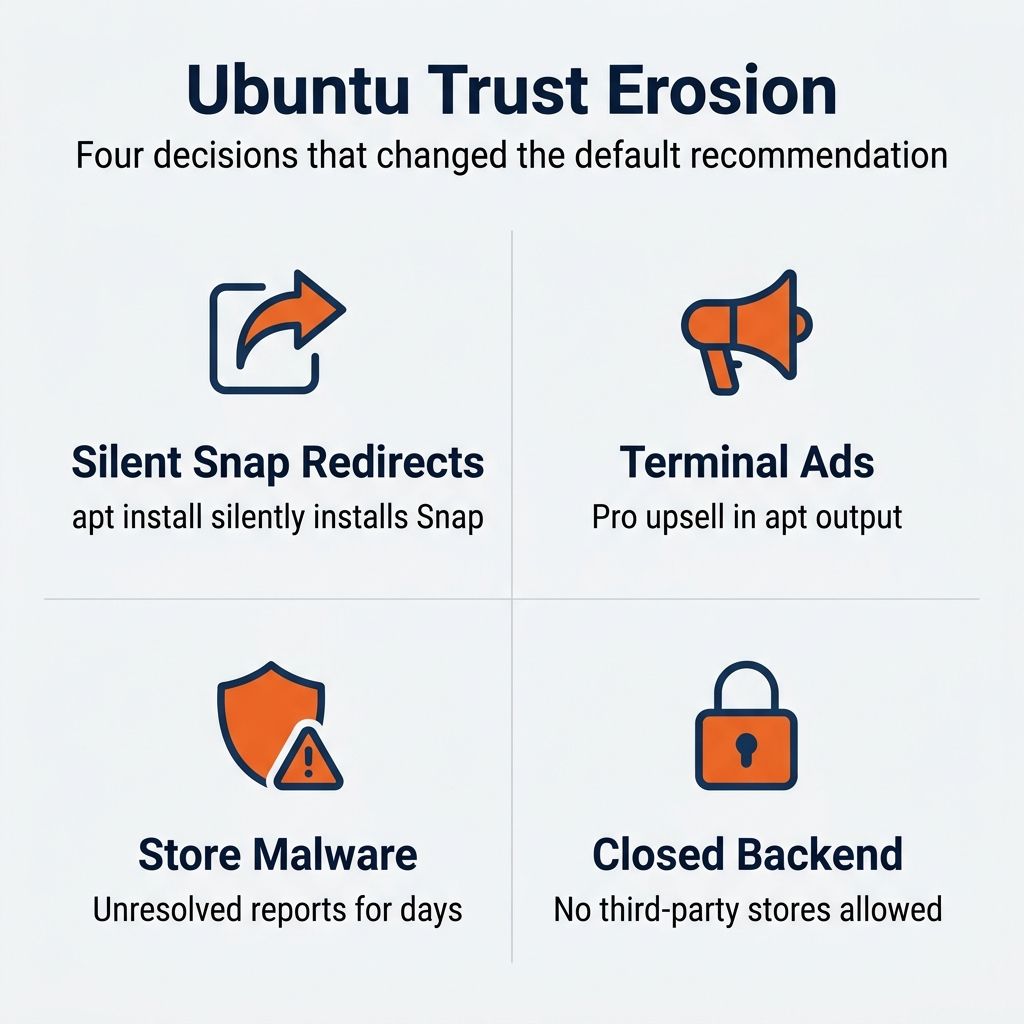
The silent Snap redirect changes what apt installs. When you run apt install chromium-browser on Ubuntu, the system does not install the traditional .deb package. It silently bootstraps the Snap daemon and delivers the Snap version instead, without warning or consent. The binaries end up in /snap/bin/ rather than /usr/bin/, breaking scripts and monitoring tools. Snap packages auto-update independently of your normal apt upgrade cycle, which means production servers can change state without the administrator knowing.
Promotional messages in the terminal turned a professional workspace into an advertising channel. Ubuntu injects Ubuntu Pro upsell messages into apt upgrade output and the MOTD (message of the day) on servers. The MOTD system makes outbound HTTP requests to Canonical’s servers on every login, which means your infrastructure is phoning home to fetch ads. For anyone running Ubuntu in production, this was a trust violation and an operational concern.
The Snap Store malware incidents show the risk of a distribution pipeline that a single vendor controls end to end. Cryptocurrency wallet impersonators reached users through the Snap Store, and according to linuxteck.com’s reporting, one documented victim lost roughly $490,000. Former Canonical employee Alan Pope noted that malware reports could go unresolved for days. Per the same linuxteck.com reporting, observers estimated that approximately fifty packages carried unresolved malware reports at any given time.
The closed-source backend is the structural issue underneath the others. Unlike Flatpak, which uses the community-governed Flathub repository and allows anyone to host their own, the Snap Store backend is entirely proprietary. No third-party Snap stores can exist. No self-hosted mirrors for air-gapped enterprise deployments. Linux Mint recognized this early and blocked Snaps entirely in 2020. When the only store is controlled by one company and that company’s moderation and priorities are the only option, every other trust issue becomes harder to fix.
None of these problems individually would have been enough to change the default recommendation. Together, they created a pattern that made thoughtful Linux users uncomfortable recommending Ubuntu without a list of caveats. And caveats are the enemy of a default recommendation.
Microsoft Chose Fedora as the Upstream for Azure Linux
At a Fedora ELN SIG meeting on April 21, 2026, Microsoft Linux Community Engineer Kyle Gospodnetich appeared as a co-author on a proposal to build x86-64-v3 packages for Fedora 45. During the discussion, Fedora developers noted that Microsoft was one of the driving forces behind the proposal, and a Fedora engineering meeting log captured the rebase pitch directly: “Azure wants to rebase Azure Linux more or less on Fedora and they need x86_64-v3 for performance.”
This was a public statement at a Fedora engineering meeting by a Microsoft employee participating in an open-source proposal process. At the time it was neither a Microsoft corporate announcement nor a confirmed plan. The x86-64-v3 change itself still needed approval from the Fedora Engineering Steering Committee. Before the confirmation, the doubt was fair: Microsoft’s history with open-source commitments includes projects that lost steam over time. The rebase, as it was then described, would mean Azure Linux (Microsoft’s internal server distribution) rebuilds from Fedora’s codebase rather than maintaining independent packages.
Update, May 2026: Microsoft confirmed the plan on May 18 at Open Source Summit North America. It announced Azure Linux 4, which switches to Fedora as its upstream distribution.
Microsoft’s Linux engineers chose Fedora as the foundation worth building on. Enterprise adoption and consumer adoption operate on different timescales, but enterprise signals like this have a way of becoming consumer reality over three to five years. Red Hat Enterprise Linux is built from Fedora (today by way of CentOS Stream), and Fedora has long been the upstream proving ground for enterprise Linux. Microsoft joining that ecosystem makes the proving ground larger and better resourced.
Fedora 44 Ships GNOME 50 and Brings DNF5 to Software Updates
The timing of Fedora 44’s release on April 28, 2026 (one week after the Azure Linux discussion) was coincidental, but it gave people who were already paying attention something concrete to evaluate. And the release is strong.
GNOME 50 is the headline feature, with polish that accumulated across many releases. The desktop feels faster, the Settings app is more coherent, and the Wayland experience has matured to the point where Fedora 44 formally deprecates native X11 support. Variable Refresh Rate (VRR) works stably, fractional scaling has improved in the Settings app, and the kind of display glitches that plagued early Wayland adoption are increasingly rare.
DNF5, Fedora’s default package manager since Fedora 41, is the change that matters most for daily use. Fedora’s package manager has been the butt of jokes for years: “DNF is downloading metadata” became a meme for a reason. In Fedora 44, PackageKit now uses the DNF5 backend for graphical software updates, which means the improvement reaches users who never open a terminal. For anyone who tried Fedora three years ago and bounced off the sluggish package management, DNF5 is worth a second look.
Kernel 6.19 includes the NTSYNC module for better Windows game performance under Wine and community Proton builds like GE-Proton, continuing Fedora’s quietly strong gaming support. KDE Plasma 6.6 ships as an officially supported spin for users who prefer it over GNOME. The Budgie desktop migrated to Wayland.
Fedora 44 has been in the wild since its April 28 release, so calling it “battle-tested” would be premature.
The Practical Costs of Switching From Ubuntu
Fedora is also worse than Ubuntu in several specific, practical ways that will affect your daily experience.
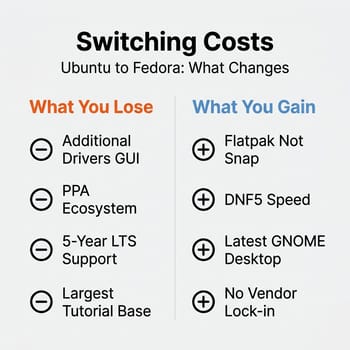
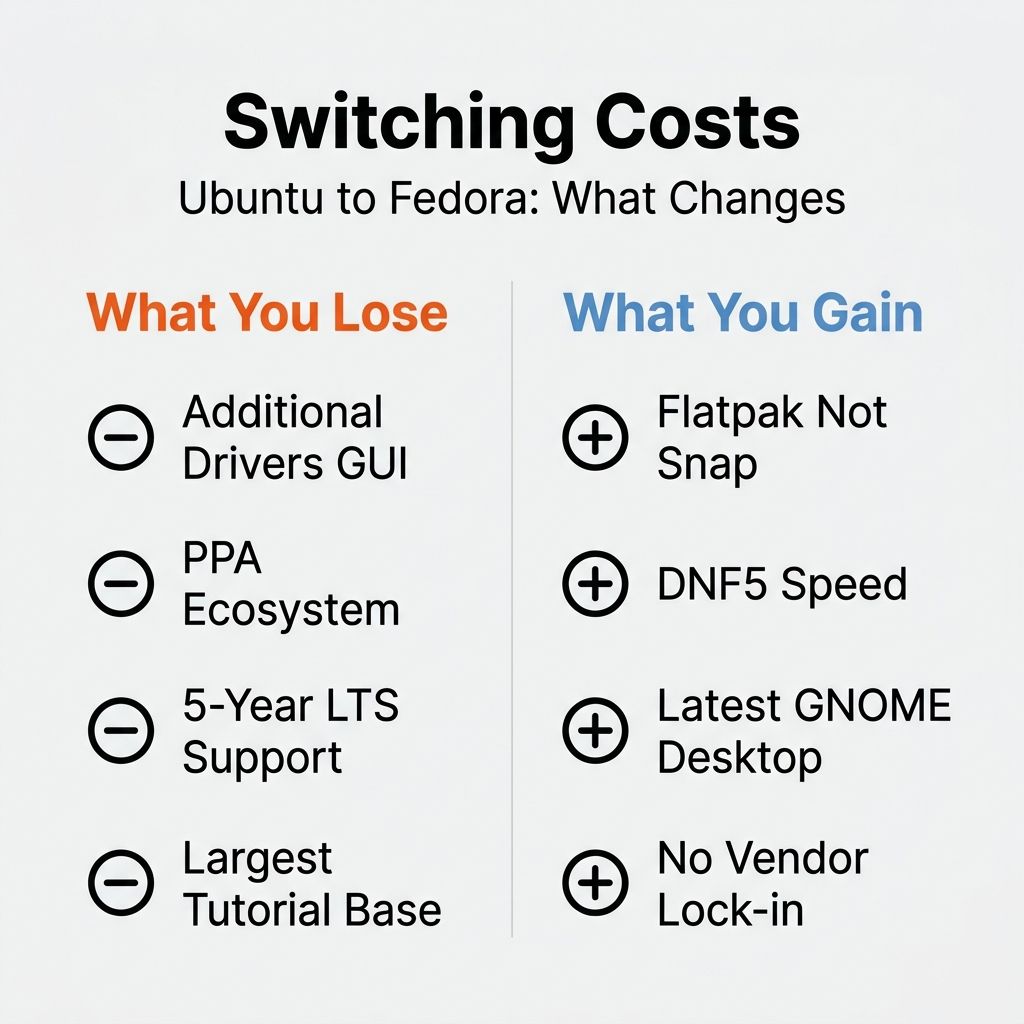
NVIDIA driver installation is harder. Ubuntu ships with an Additional Drivers tool that automatically detects your hardware and presents a curated list of available drivers with human-readable names. You click a button. It works. On Fedora, you need to enable the RPM Fusion NVIDIA repository yourself, either during first setup or in GNOME Software’s repository settings, and then track down the driver package, akmod-nvidia. As one XDA writer who switched after ten years on Ubuntu put it bluntly: this “turned a ten-second task on Ubuntu into five minutes” and “how could anyone intuitively just know that?” the package existed. Five minutes is not a disaster, but it is the kind of friction that trips up newcomers at exactly the moment they need things to work.
PPAs do not exist. Ubuntu’s Personal Package Archives are a significant part of its ecosystem. Software that is not in the official repositories often ships via a PPA that you add with a single command. Fedora has RPM Fusion for common third-party packages and COPR for community-built repositories, but the ecosystem is smaller and the discoverability is worse. If you rely on niche software distributed through PPAs, check whether it is available for Fedora before committing to the switch.
The six-month release cycle means frequent upgrades. Fedora releases every six months and supports each release for approximately thirteen months. Ubuntu LTS releases get five years of standard support. If you want to install an operating system and not think about upgrades for years, Ubuntu LTS is still the more practical choice. Fedora’s cadence suits users who want current software and are comfortable upgrading regularly, but it is a lifestyle difference.
Fractional scaling has improved but is not perfect. Ankush Das, a sub-editor at It’s FOSS and a long-time Linux reviewer, tried switching to Fedora and went back to Ubuntu-based distributions. His primary complaint was fractional scaling: enabling it on a multi-monitor setup caused login failures and blurry application rendering. Fedora 44 with GNOME 50 has improved this significantly, but if you run a mixed-DPI multi-monitor setup, test before committing.
What you gain in return is substantial. You get Flatpak instead of Snap, with the community governance and performance advantages that implies. You get a package manager that no longer makes you wait, a desktop environment that ships as upstream intended without Canonical’s modifications, and kernel and driver updates that arrive months earlier than Ubuntu. The distribution philosophy respects your choices rather than routing them through a single vendor’s infrastructure.
Who Should Switch Now (and Who Should Wait)
If you are setting up a new Linux installation from scratch and you do not have specific Ubuntu dependencies (PPAs you rely on, scripts hardcoded to apt, institutional requirements for Ubuntu LTS), Fedora is the stronger default choice in mid-2026. The package management is faster, the desktop is more current, the distribution philosophy respects user choice, and the community energy is trending in Fedora’s direction.
Production servers running Ubuntu should stay on Ubuntu. Ubuntu LTS’s five-year support cycle and the depth of enterprise tooling built around it (Ansible roles, Docker base images, cloud provider first-party support) make it the pragmatic choice for servers regardless of desktop trends. Server Ubuntu with Snap disabled remains a solid platform.
If you are a long-time Ubuntu desktop user and everything works, there is no urgency. A working Linux system is worth more than a theoretically better one. Wait for your next hardware upgrade or your next LTS cycle and evaluate Fedora then. Switching mid-stride creates unnecessary risk for zero immediate benefit.
If you are coming from Windows and are looking for your first Linux distribution, Fedora is not the gentlest landing. Fedora’s installer is good but not as hand-holdy as Ubuntu’s or Linux Mint’s. Linux Mint is the third option in the room: it strips out Snap, keeps the Ubuntu/Debian package ecosystem, so Ubuntu tutorials still apply, and provides the most Windows-like experience. If Linux Mint fits your needs, it is a perfectly valid choice that avoids both Canonical’s Snap decisions and Fedora’s learning curve.
A Chromebook’s built-in Linux container runs a Debian-based environment, not Ubuntu or Fedora. The distro debate is relevant if you are considering a dedicated Linux laptop, but inside ChromeOS the choice has already been made for you.
Where to Run Fedora: Hardware That Works
One of Ubuntu’s historic advantages was hardware vendor certification. Canonical worked with Dell, Lenovo, and HP to ship Ubuntu preinstalled on specific models, which meant guaranteed driver support and a warranty that did not vanish when you installed Linux.
Fedora’s hardware story is catching up. Framework sells its laptops with an official Fedora image and provides first-party support for Fedora installations. The modular, repairable Framework 13 and 16 are arguably the best Fedora laptops available today, from a company committed to Linux. System76 ships its own Pop!_OS (which is Ubuntu-based, ironically), but their hardware runs Fedora without issues. Star Labs in the UK builds Linux-first laptops with Coreboot firmware that work cleanly with Fedora.
None of these manufacturers ship Fedora preinstalled as a default option the way Dell ships Ubuntu on certain XPS models. But Fedora’s hardware compatibility in 2026 is substantially better than it was even two years ago, and the community support for hardware-specific issues has grown alongside the distribution’s popularity. If you are buying a laptop specifically to run Linux, checking the Fedora hardware wiki before purchasing is a few minutes well spent.
Start With Fedora and Expect the Usual Linux Friction
The shift from Ubuntu to Fedora as the default recommendation is grounded in concrete decisions by both Canonical and the Fedora project rather than hype or tribal loyalty. But changing the default recommendation does not make Linux easier. You will still hit driver issues, still encounter software without a Linux version, still spend time in the terminal solving problems that macOS and Windows solve invisibly. What changed is which distribution handles those inevitable friction points with more respect for your time and autonomy. In 2026’s broader Linux moment, that distinction matters more than it used to.
The social media metrics (the thousands of likes, the Reddit threads, the Microsoft meeting notes) are directional signals from power users, not evidence of a mass migration. Most computer users will never install any Linux distribution. Whether Fedora 44’s early polish holds up under six months of real-world use, and whether Canonical reverses course on Snap, will play out over the next year. As it stands today, if you are choosing a Linux distribution in mid-2026 without strong existing preferences, start with Fedora.


