

Canonical’s Inference Snaps, first introduced in late 2025, hit their stride alongside the Ubuntu 26.04 LTS release in April 2026: six shipping models that bundle optimized AI with automatic hardware detection, installable with a single snap install command and removable just as easily. The current lineup includes DeepSeek R1, Gemma 3, Gemma 4, NVIDIA’s Nemotron 3 Nano (plus its multimodal Omni variant), and Qwen VL. Each snap probes your system at install time, figures out whether you have an NVIDIA GPU, an Intel NPU, or just a plain CPU, and deploys the best-matching engine without asking you to choose between CUDA versions or quantization formats.
The tech press covered this extensively. Tom’s Hardware reported on the roadmap and Phoronix covered the multi-release rollout schedule. It’s FOSS explained the privacy angle clearly. The hardware question is the one left over: which systems benefit from this today, and whether Inference Snaps should change what you buy.
Inference Snaps Are a Packaging Layer
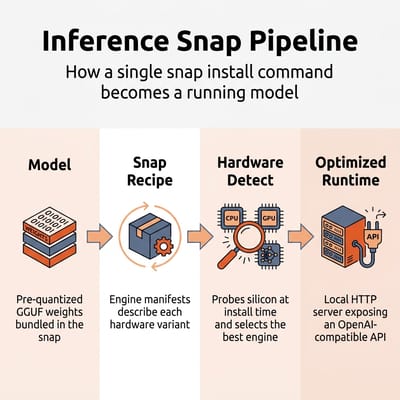
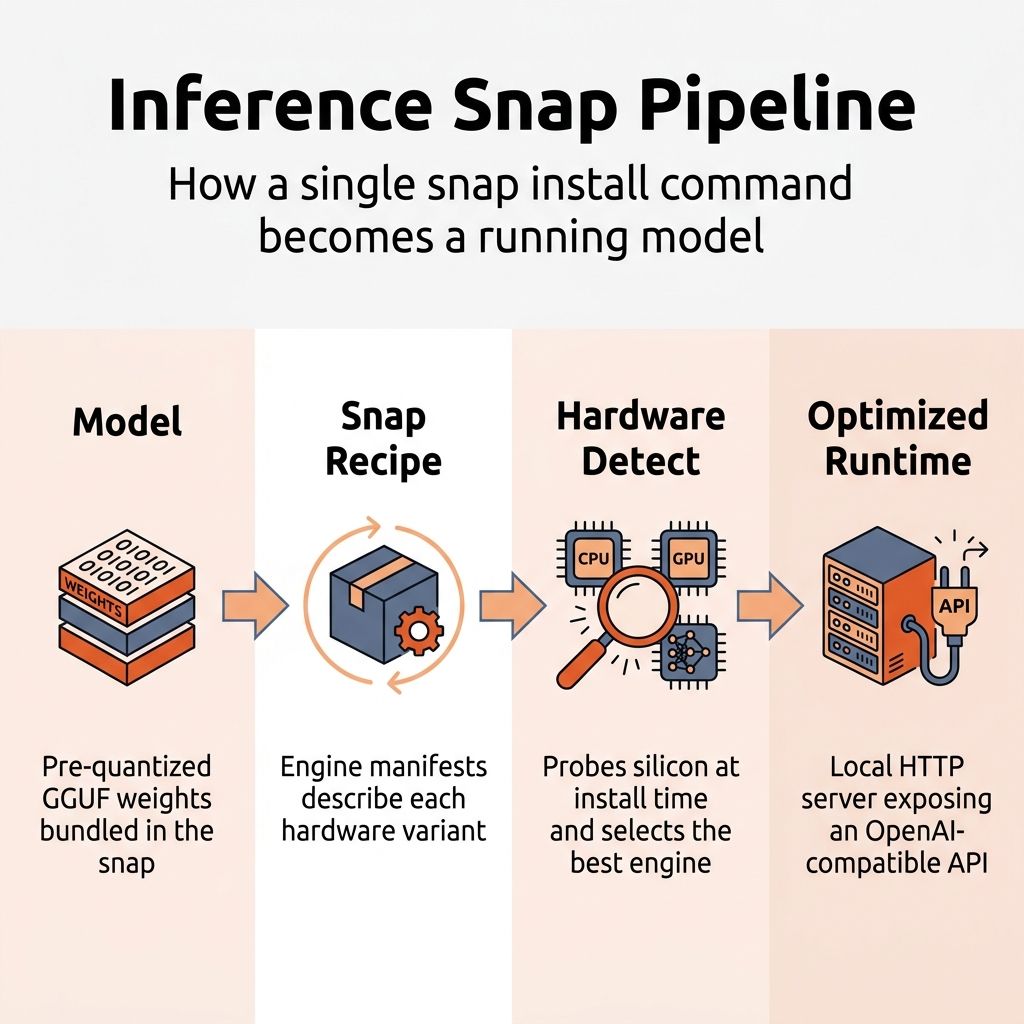
Inference Snaps are a packaging and distribution layer built on top of Ubuntu’s existing Snap system. Each snap bundles a pre-quantized model in GGUF format, an inference engine (typically llama.cpp), and a set of engine manifests that map hardware capabilities to optimized configurations. When you install one, the engine manager reads your CPU flags, checks for GPU drivers and NPU hardware, and selects the engine variant that matches your silicon.
The result is a local HTTP server that exposes an OpenAI-compatible API. You get a chat CLI out of the box (deepseek-r1 chat), but the API endpoint is what any application, IDE plugin, or local tool connects to. It is the same interface you would get from a self-hosted Ollama or llama.cpp setup, just pre-configured and delivered through Ubuntu’s package manager.
Jon Seager, Canonical’s VP of Engineering, framed the philosophy clearly: local inference, not cloud processing, is the default path unless users manually connect to external AI services. There is no kill switch because there is nothing to kill. The snaps are standard packages: install them if you want AI, uninstall them if you don’t. Canonical has been deliberate about positioning this as enhancing Ubuntu rather than transforming it into an “AI product.”
Canonical is building a convenience layer on top of open tooling. If you already run Ollama or llama.cpp manually, Inference Snaps solve the same problem with less configuration. If you have never touched local AI, they lower the barrier to entry. But they are not the only way to run models on Ubuntu, and the hardware that works well for Inference Snaps is the same hardware that works well for local AI in general.
NVIDIA Has the Broadest Hardware Coverage
Inference Snaps do not support all accelerators equally. The official documentation and the GitHub repository spell out exactly which hardware backends each model supports.
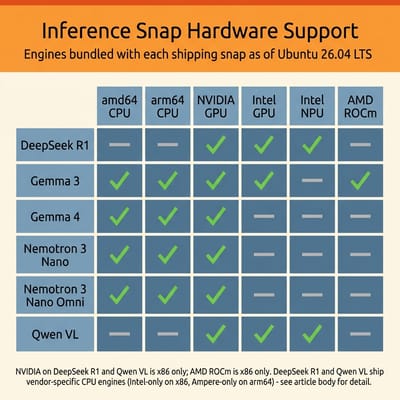
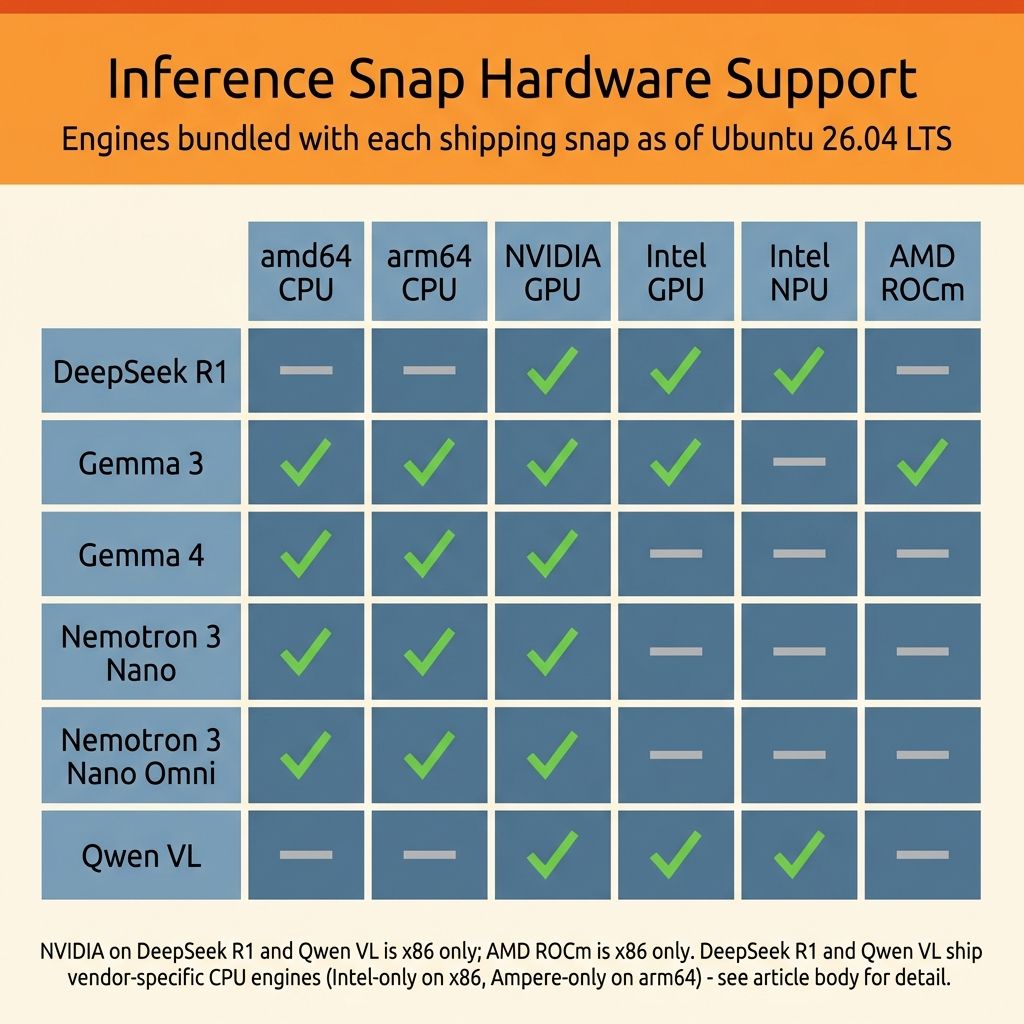
All six shipping models include CUDA-accelerated engines on x86, and four of them (Gemma 3, Gemma 4, Nemotron 3 Nano, and Nemotron 3 Nano Omni) also support CUDA on ARM. You need driver version 575 or higher (CUDA 12.9), which ships natively in Ubuntu 26.04 LTS, so if you have a recent GeForce or Quadro GPU, every Inference Snap will detect it and use it automatically; on an ARM board like a Jetson, only those four do. If you want the smoothest Inference Snap experience today, an NVIDIA GPU is the most reliable path.
Three of the six models (DeepSeek R1, Gemma 3, and Qwen VL) include Intel GPU engines with user-space drivers bundled directly into the snaps, covering both integrated and discrete Intel graphics. Lunar Lake and Battlemage GPUs may need a hardware enablement kernel, but the driver situation is otherwise straightforward. DeepSeek R1 and Qwen VL also support Intel’s neural processing units on Meteor Lake and Lunar Lake chips, though you need to install the intel-npu-driver snap separately before the engine manager will detect and route to the NPU automatically.
Only Gemma 3 includes an AMD GPU engine via ROCm, and only on x86. The other five models have no ROCm path at all, which means if you have a Radeon GPU or the integrated graphics on a Ryzen processor, most Inference Snaps will fall back to CPU. More notably, AMD’s Ryzen AI NPUs are not supported by any shipping snap. This is the biggest gap. The Minisforum AI X1 Pro has a 50 TOPS NPU, the Beelink SER9 packs Ryzen AI silicon, and several other popular mini PCs include hardware accelerators that Inference Snaps cannot currently use. The hardware is capable; the software packaging has not caught up yet.
Every model ships at least one CPU-capable engine, but DeepSeek R1 and Qwen VL only target Intel CPUs on x86 and Ampere on ARM rather than offering a generic CPU fallback. In practice this means Inference Snaps work on most Intel and Ampere-ARM Ubuntu machines regardless of GPU or NPU availability, but AMD-CPU-only systems will find no matching engine for those two snaps. The other four (Gemma 3, Gemma 4, Nemotron 3 Nano, and Nemotron 3 Nano Omni) ship generic CPU engines on both amd64 and arm64, so they fall back to CPU on essentially any hardware. Gemma 3 additionally bundles Intel-specific CPU optimizations alongside its generic engine, giving Intel CPUs a small edge even without discrete acceleration.
Ollama and llama.cpp Cover the Same Models on AMD
Inference Snaps are one tool in a broader local AI ecosystem that includes Ollama, llama.cpp, vLLM, and an expanding set of containerized inference servers. The hardware that runs Inference Snaps well is the same hardware that runs all of these tools well, and in many cases the alternatives have broader hardware support today.
If you own an AMD Ryzen mini PC and want to run local models on Ubuntu, you are not locked out. You just will not use Inference Snaps for it. Ollama supports AMD ROCm across most Radeon and integrated GPUs, and llama.cpp with the Vulkan backend works on essentially any GPU that supports Vulkan. Our Strix Halo local LLM guide covers this workflow in detail, and the Project N.O.M.A.D. build guide shows how to set up a complete offline AI station with Ollama on a budget mini PC.
The Inference Snaps gap is a Canonical packaging issue, not a hardware capability issue. AMD’s Ryzen AI processors run large language models well through the broader ecosystem. What they lack is the one-command snap install convenience that NVIDIA and Intel users get today. That convenience matters for adoption and for new users coming from Windows. But it should not be the sole criterion for a hardware purchase that will serve you for years.
Most Users Do Not Need Dedicated AI Hardware
If you are switching from Windows 10 and buying your first Ubuntu machine, most of the hardware you are considering will run Inference Snaps at the CPU fallback tier, whether it is a Linux-certified laptop or a budget mini PC. That means local AI will work, just slowly. For the implicit AI features Canonical plans to roll into Ubuntu 26.10 (improved speech-to-text, smarter search, accessibility enhancements), CPU-level performance is likely sufficient. You should not pay a premium for GPU or NPU acceleration solely for Inference Snaps unless you already know you want to run larger models interactively. Our Windows 10 to Linux migration guide covers the broader decision.
A dedicated local AI workstation is a different case. NVIDIA discrete GPUs remain the safest investment for Ubuntu-based AI work in 2026, not because of Inference Snaps specifically, but because the entire Linux AI ecosystem runs best on CUDA, including PyTorch, llama.cpp, and Stable Diffusion. Inference Snaps simply extend that advantage to the packaging layer. The DGX Spark and local AI hardware landscape covers the high end of this spectrum.
AMD Ryzen AI mini PCs like the Minisforum AI X1 Pro or GEEKOM A7 offer excellent performance for local AI through Ollama and llama.cpp, and their NPU hardware may eventually get Inference Snap support as Canonical expands its backend coverage. They are not a bad buy for AI work; they just will not get the one-command snap convenience today. Intel-based mini PCs and laptops with Meteor Lake or Lunar Lake chips have a smaller advantage. Their NPUs already work with two Inference Snaps (DeepSeek R1 and Qwen VL), and their integrated GPUs work with three. If you value the snap workflow specifically and want a compact system, Intel’s current platform has an edge for this particular use case.
Canonical Has Signaled Opt-In AI Features for 26.10
Canonical has signaled that Ubuntu 26.10 will be the first release with AI-powered features integrated into the desktop experience, though these will be strictly opt-in. The Inference Snaps infrastructure is the delivery mechanism: the OS features will run through the same local models, the same hardware detection, and the same snap confinement. Seager has emphasized that the initial release will focus on implicit features (improvements to existing capabilities like text-to-speech and accessibility) rather than explicit ones (new additions like generative text or file-management agents).
For hardware buyers, the relevant question is whether Canonical will expand backend support before 26.10 ships. The GitHub repository is active, the engine manifest system is designed to add new hardware backends without changing the user-facing snap, and Canonical has referenced “strengthening silicon partnerships” in their public messaging. AMD ROCm support beyond Gemma 3 and AMD NPU support are both technically feasible given that Ubuntu 26.04 LTS now ships ROCm natively via apt. But “feasible” is not “shipping,” and hardware buying decisions should be based on what works today, not what might work in six months.
The Snap Workflow Should Not Decide Your Purchase
Inference Snaps are a useful addition to Ubuntu’s toolkit. They get a working local model running on your hardware without an afternoon of configuring drivers, quantization formats, and runtime environments. For new Ubuntu users, especially those arriving from Windows 10, the difference between “install a snap” and “follow a 12-step guide to set up Ollama with ROCm” is the difference between trying local AI and not trying it at all.
NVIDIA gets first-class treatment because the CUDA ecosystem is mature and Canonical’s silicon partnerships started there. Intel gets partial treatment on the strength of an NPU and GPU driver story on Linux that has improved substantially. AMD gets the short end because ROCm integration in snap-confined environments is harder than it should be, and NPU support across Linux is still a kernel-level work in progress.
For most people this should not change the purchase. Buy the hardware that fits your budget and your use case. If you end up with an NVIDIA GPU or an Intel NPU, Inference Snaps will be a pleasant convenience. If you end up with AMD, Ollama and llama.cpp will give you the same models with a bit more setup.
If you are one of those buyers who cares deeply about a one-command AI setup and wants the smoothest possible experience on day one, then yes, NVIDIA discrete or Intel NPU hardware has an edge for the snap workflow today.


