

In April 2026, France announced it would migrate 2.5 million government workstations to Linux. A national directive, with migration plans due by autumn. France’s national gendarmerie has run Linux since 2008 and now operates over 100,000 workstations on it, saving an estimated two million euros a year in licensing fees. Now the rest of the government is following.
If an entire country’s civil service can make the switch, an individual certainly can. But that does not mean it is easy, or that every distro is right for every person. The “which Linux?” question is where the switch usually stalls.
This guide is for Windows 10 users on hardware that cannot run Windows 11. You just need your computer to keep working, safely, after the security updates run out.
The Windows 10 Cliff
Microsoft ended free security updates for Windows 10 on October 14, 2025. If you are still running it today, you are likely on the consumer Extended Security Updates program. That program was supposed to be a one-year bridge, but in June 2026 Microsoft quietly extended it for a second year. Consumer ESU now runs through October 12, 2027; devices already enrolled roll over to the new date automatically, and the second year keeps the same enrollment options: free if you sync your PC settings to a Microsoft account, 1,000 Microsoft Rewards points, or a one-time $30 charge. When that window closes for good, your machine will still boot and run, but it will stop getting security fixes, and every month that passes after that makes it a softer target.
The reason millions of Windows 10 users are in this position is hardware, not preference. Windows 11 requires an 8th-generation Intel Core processor or newer, or an AMD Ryzen 2000 series or newer. Canalys estimated that 240 million PCs did not meet those requirements. Other analysts put the number higher; PIRG estimated up to 400 million of the roughly 1 billion Windows 10 devices in use would be left behind. Either way, we are talking about hundreds of millions of functioning computers that Microsoft has effectively orphaned.
You have three choices:
- Pay for a new computer that runs Windows 11.
- Keep running Windows 10 without security updates.
- Install a different operating system.
If your hardware still works fine, if it boots quickly, runs your browser, and handles your daily tasks, that third option deserves serious consideration.
The Best Linux Distro for Windows Users Is Usually Mint
There are hundreds of Linux distros, and that is part of the problem. Most of them differ in ways that matter only to people who already know what they want. For people coming from Windows 10, the meaningful choices collapse to two distros and one alternative path.
Linux Mint Keeps a Windows-Style Desktop
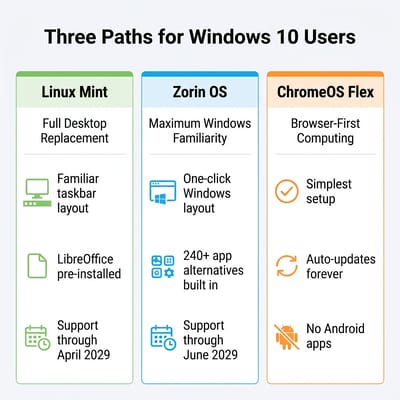
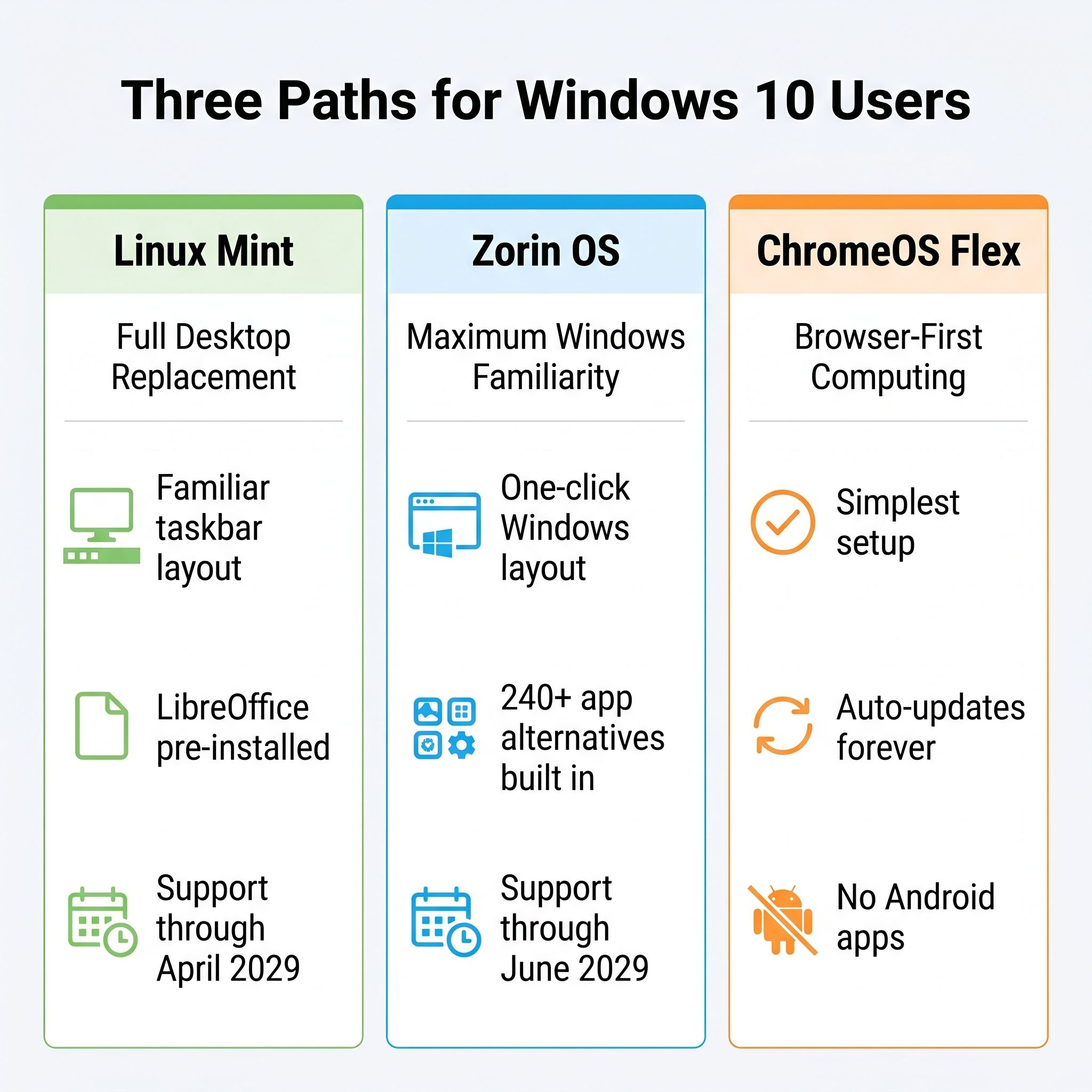
Cinnamon, Mint’s default desktop environment, puts the taskbar at the bottom, opens the application menu from the left, snaps windows to edges, and ships a file manager that works like File Explorer. You will not feel lost on day one.
Mint 22.3, codenamed “Zena,” shipped in January 2026 with a redesigned application menu, a new System Information tool that shows your hardware details without opening a terminal, and support through April 2029. Mint also ships Firefox and Thunderbird as traditional packages, not Snap containers, which means they launch faster and behave more predictably.
Zorin OS Copies the Windows 10 Layout Most Closely
Zorin OS 18.1, released April 15, 2026, includes a Zorin Appearance app that lets you switch your entire desktop layout with one click. You can make it look like Windows 10, Windows 11, or macOS, depending on what feels natural.
Zorin now includes a Windows app detection system that covers over 240 applications; when you try to open a Windows program, it suggests the best native Linux alternative. The project saw one million downloads in the five weeks after Windows 10’s end of support. Zorin runs on Linux kernel 6.17 and is supported through June 2029.
ChromeOS Flex Suits Browser-Only Users
ChromeOS Flex is not Linux in the traditional sense. If your computing life is almost entirely in a web browser, if you use Google Docs instead of Word, Gmail instead of Outlook, and Netflix instead of locally installed media software, ChromeOS Flex turns your existing PC into something that works like a Chromebook. Google and Back Market even sell a $3 USB stick that handles the installation.
The trade-offs, per Google’s own documentation: Flex does not support the Google Play Store or Android apps at all, and the Linux development environment that full ChromeOS ships with is available only on specific certified models. If your old PC is on that certified list, you can still install Linux desktop apps like GIMP, LibreOffice, and VS Code; if it is not, you really are limited to the browser. If you only browse, that limitation costs you nothing. For everyone else, Mint or Zorin gives you a full desktop platform with guaranteed Linux app support on the same hardware.
Which One Fits How You Use Your Computer
If you work in an office or handle documents regularly, Linux Mint is the safer pick. LibreOffice comes pre-installed and handles Word, Excel, and PowerPoint files with reasonable fidelity. You will run into occasional formatting quirks when collaborating with Windows users, especially with complex spreadsheets, but for internal documents and everyday writing, it works. Mint’s file manager, Nemo, supports pausable file operations and dual-pane mode, both features that make managing large file collections less painful than the default Windows Explorer.
If you are setting up a computer for a parent or a family member who calls you for tech support, Zorin OS is worth the effort. The Windows-like layout means fewer “where did the button go” phone calls. The Zorin Appearance app makes it simple to restore a familiar look if someone accidentally changes a setting. The Lite edition, built on XFCE, runs well on older hardware with limited RAM, which is exactly the kind of machine you are likely repurposing.
If you run a small business, the decision is harder. Linux handles email, browsing, document creation, and video calls well. But industry-specific software like accounting packages, point-of-sale systems, and specialized design tools may not have Linux versions. Check your critical applications before committing. If your business runs primarily through a web browser and cloud services, either Mint or Zorin will work.
If you mostly browse the web, stream video, and check email, ChromeOS Flex is the simplest path. It boots fast, updates automatically, and there is almost nothing to configure or break. Google has been merging Android and ChromeOS into Aluminium OS, though, so the long-term trajectory of ChromeOS Flex specifically is worth watching.
What You Will Lose in the Switch
Creative Software and Competitive Games Do Not Transfer
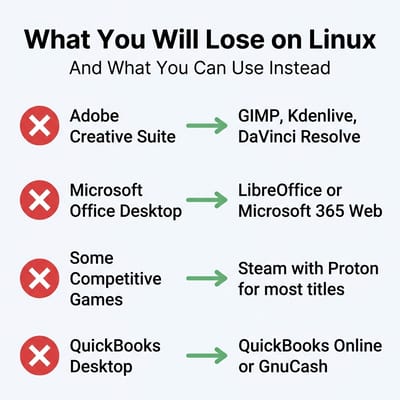
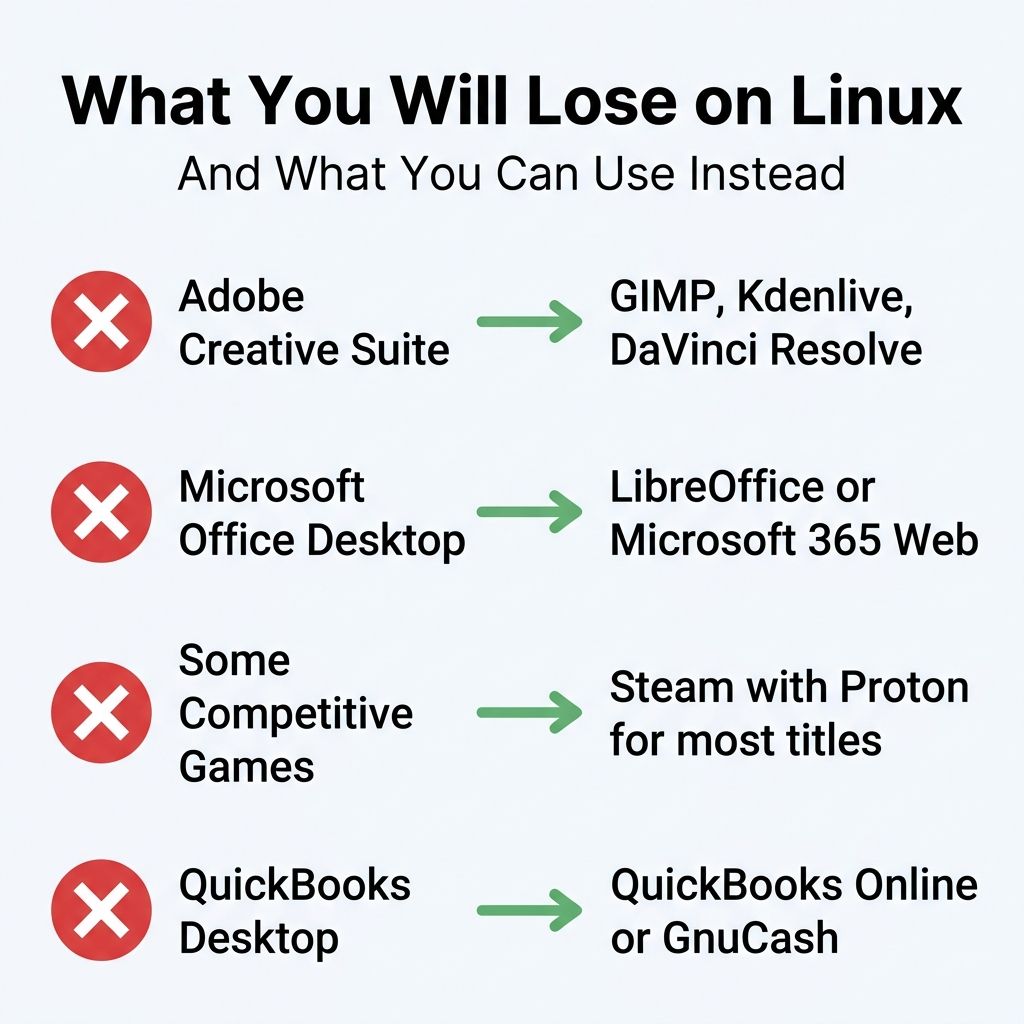
Adobe Creative Suite has no Linux version. Photoshop, Illustrator, Premiere, and Lightroom do not run on Linux natively. GIMP is a capable image editor but it is not Photoshop; the interface is different, the workflow is different, and if you have years of muscle memory in Adobe’s tools, the transition will be frustrating. Kdenlive and DaVinci Resolve (which does have a Linux version) cover video editing. For casual photo editing, GIMP is more than enough. For professional creative work, Linux is not there yet.
Some games will not work. Steam runs on Linux, and Valve’s Proton compatibility layer handles a large number of Windows games. But titles with kernel-level anti-cheat, like Valorant and Fortnite’s competitive mode, do not work and may never work on Linux. If competitive gaming is central to your life, this is a constraint. Casual and single-player games, however, work far better on Linux than they did even two years ago.
Office, Accounting, and Peripherals Are Mostly Covered
Tax and accounting software is spotty. TurboTax runs in a browser now, so it works fine. QuickBooks Desktop does not have a Linux version; QuickBooks Online does. If you use desktop accounting software, check whether there is a web version before switching.
Microsoft Office desktop apps are not available. LibreOffice handles most documents well, and Microsoft 365 works in the browser. But if you rely on complex Excel macros, Access databases, or heavy PowerPoint animations, you will run into limitations. Google Workspace is another option that works identically on Linux and Windows.
Peripheral support is mostly fine, with exceptions. Printers and scanners from major brands (HP, Brother, Canon, Epson) generally work. Specialty peripherals like fingerprint readers, some webcams, and certain Bluetooth adapters may not. The safe approach is to boot from a live USB and test your specific hardware before committing to a full installation.
How to Try Before You Commit
You do not have to wipe your hard drive to test Linux. Every major distribution lets you create a bootable USB drive that runs the entire operating system from the USB stick, leaving your Windows installation completely untouched.
Download the ISO file from linuxmint.com or zorin.com, use a tool like balenaEtcher or Rufus to flash it to a USB drive, and restart your computer with the USB inserted. You will boot into a fully working Linux desktop. Browse the web. Open LibreOffice. Connect to your Wi-Fi. Try your printer. If something does not work, pull out the USB and you are back to Windows, no harm done.
Five minutes with a live USB will tell you more than any article, including this one. If your Wi-Fi works, your display looks right, and your workflow apps are available, you can install with confidence.
If you decide you want to keep Windows available as a fallback, both Mint and Zorin offer a dual-boot option during installation. This puts Linux and Windows side by side on your hard drive and lets you choose which one to boot each time you start your computer. It is a good middle ground for people who are not ready to commit fully.
Governments Are Moving to Linux Desktops for Practical Reasons
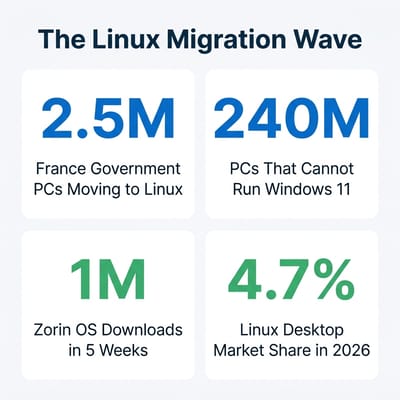
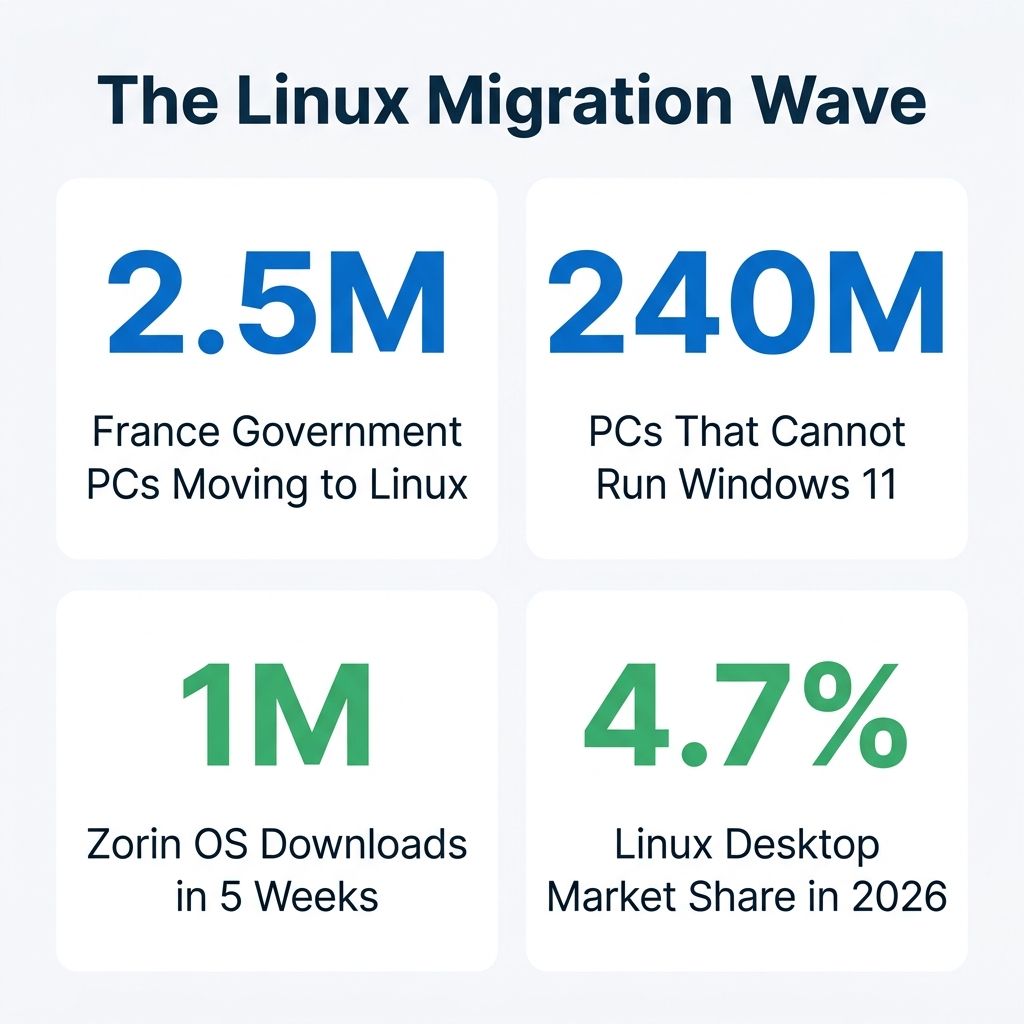
Market share numbers climbing to 4.7% are the highest they have ever been. Some switch on open-source principle. Many choose Linux because their hardware still works and they do not want to throw it away or pay for a new computer just because Microsoft changed the system requirements.
The End of 10 campaign has organized around exactly this message. Backed by organizations including Debian, Fedora, GNOME, KDE, and Zorin OS, it connects people with local volunteer groups and repair cafes that help with Linux installations in person. It is intentionally distro-agnostic, which is refreshing; the campaign’s FAQ explicitly states that the best distribution depends on the user’s needs and what local support is available.
Germany’s Schleswig-Holstein state is migrating 30,000 government workstations to Linux and LibreOffice. Denmark has started a similar initiative. France’s 2.5 million workstation directive is the largest yet. These are operational decisions by organizations that need their computers to work reliably every day.
Linux has changed in the five or ten years since you might have tried it. Driver support is better, the desktop environments are polished, and the installation process takes less than thirty minutes. Distros like Mint and Zorin have specifically designed their onboarding experience for people who have never touched a terminal.
If you are still on the fence, there is no rush. Your Windows 10 machine will keep getting ESU patches through October 2027 if you are enrolled. Use that time to boot a live USB, test your hardware, and see if the transition feels manageable. And if you decide you want purpose-built Linux hardware instead of repurposing an old PC, our Linux laptop buyer’s guide and Linux mini PC roundup cover the best current options.


