
CHUWI LarkBox X (2023)
Updated on

The CHUWI LarkBox X (2023) is an ultra-compact mini PC built on Intel’s quad-core N100 (up to 3.40 GHz). It pairs 12GB of soldered LPDDR5 RAM with a 512GB M.2 SATA SSD and runs Windows 11. Connectivity covers USB 3.0, USB-C with display output, HDMI, DisplayPort, dual LAN, Wi-Fi 6, and Bluetooth 5.2. At 5.0 x 5.0 x 1.9 inches and 0.88 lbs, it fits tight spaces or travel.
| Pros | Cons |
|---|---|
| Quad-core Intel Processor N100 for solid performance | Soldered RAM, not upgradeable |
| 12GB of LPDDR5 RAM and 512GB SATA M.2 SSD | No support for 2.5-inch SATA drive expansion |
| Compact and lightweight design | No second drive bay |
| Good port selection including USB-C and dual LAN | No VESA mount included |
| Advanced wireless connectivity with WiFi 6 and Bluetooth 5.2 | Challenging to disassemble for internal access |
| Pre-installed with Windows 11 and compatible with Ubuntu | Limited gaming performance at 1080p |
Related Videos
CHUWI LarkBox X (2023) Comparison Chart
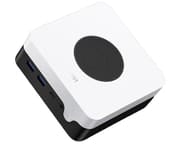 CHUWI LarkBox X (2023) | |
| Price | List Price: $219.99 Amazon Prices: |
| Version | 12GB/512GB/Intel N100 |
| Performance Rating | 4.5 |
| Operating System | Windows 11 |
| Processor | Quad-core 3.40 Ghz (max 3.40 Ghz) Intel Processor N100 |
| GPU | Integrated Intel UHD Graphics |
| RAM | 12 GB |
| Internal Storage | 512 GB |
| Dimensions width x length x thickness | 5 x 5 x 1.9 inches (127 x 127 x 48.26 mm) |
| Weight | 0.88 lbs (0.4 kg) |
| WiFi | Wi-Fi 6 (802.11ax) |
| Bluetooth | Bluetooth 5.2 |
| Ethernet | 2 Ethernet ports at 2.5 Gbps |
| HDMI | 1 Full-Size HDMI Port |
| DisplayPort | 1 DisplayPort |
| VGA | No VGA Ports |
| USB Ports | 4 USB 3, 1 USB-C (USB-C supports display out) |
| Thunderbolt Ports | No |
| OCuLink | No |
| Internal SATA Ports | No SATA ports |
| Card Reader | No Card Reader |
| Headphone Jack | combo |
| Fanless | No |
| VESA Mount | No |
| In the Box | mini PC, manual, and power supply |
| Expandability | Not upgradeable |
Related Mini PCs
-
 Beelink EQ14The Beelink EQ14 is a budget Intel N150 mini PC with 16GB of DDR4, two M.2 slots (up to 8TB), dual…
 -
 BOSGAME E2The BOSGAME E2 is a budget mini PC with an AMD Ryzen 5 3550H (Radeon Vega 8), 16GB of DDR4 (to…
 -
 FREAPP M6GE
 -
 HIGOLE GOLE 2 PROThe HIGOLE GOLE 2 PRO is a Celeron N5095 mini PC with a built-in 5.5-inch touchscreen and battery,…
 -
 ACEMAGIC S1 Mini PCThe ACEMAGIC S1 is a compact Intel N95 mini PC with 16GB of DDR4, dual M.2 slots, dual gigabit…
 -
 Beelink Mini S13A roughly $200 mini PC built around the Intel N150 with 16GB DDR4, dual M.2 PCIe 2280 slots, dual…
A full port set on a machine you cannot upgrade
The quad-core N100 in the CHUWI LarkBox X (2023) handles office work, browsing, and media playback. Intel UHD Graphics is enough for basic creative tasks, older gaming titles, and emulators, and Quick Sync plus AV1 decoding keep high-definition streaming smooth.
Wi-Fi 6 and Bluetooth 5.2 cover the wireless side, an upgrade over the older radios common at this price. A 5.0 by 5.0 by 1.9 inch shell holds a full port set: four USB 3.0 ports, a USB-C port that carries display output, HDMI, DisplayPort, and dual LAN with one gigabit and one 2.5GbE jack.
The chassis has no VESA mounting, so placement means a shelf or a desk surface. Memory is soldered and the machine is listed as not upgradeable, with no 2.5-inch bay for a second drive, so the 12GB and the 512GB M.2 SATA SSD are fixed at purchase.
Reviewer Insights
CHUWI has shipped several LarkBox machines: the original LarkBox, the LarkBox Pro, and a later i3-1220P LarkBox X with socketed SODIMM slots. Both reviews below cover the configuration on this page, the Intel N100 LarkBox X 2023 with soldered 12GB LPDDR5 and an M.2 SATA SSD. In 2026 terms, the N100 carries a PassMark multi-thread score of about 5,643, an entry-level figure that covers browsing, office work, media playback, and emulation up to the PlayStation 2 era, but not current AAA gaming or heavy multitasking.
Robtech: a 28-watt peak and an 81C ceiling
In his review, Robtech found the box running the N100 at its full power target out of the box: “this is the first box to just work at full performance straight up no bios tweaks needed and for that alone it should be praised.” He called the two-tone plastic “better than most of the budget minis I’ve reviewed so far,” and singled out the port layout (one Gigabit and one 2.5 Gigabit LAN port, HDMI 2.0 plus DisplayPort for three total displays, and Wi-Fi 6 “instead of the really old chips like we’ve seen on some budget minis”) as his favorite of the boxes he had tested.
On the bench, Robtech reported placements from a field of other N100 units plus the Beelink EQ12. He put the box within roughly two percent of the EQ12 in single-core, multi-core, and video encoding, second place in the multi-core and encoding runs, and third in his DX11 and DX12 graphics roundups, noting that “the differences between the three top n100s is insignificant.” He confirmed smooth 4K 60fps AV1 playback on YouTube, with “a few frames dropped as you press play” before it settled. He called the idle draw “the lowest of any older Lake and mini so far,” measured a 28-watt maximum that beat the other N100 units in his group, and logged an 81C peak CPU temperature that he rated “a good result” in the middle of the pack. Noise “matched the b-link eq12,” neither the quietest nor loud.
Robtech saw “around 100 FPS” in Dota 2 at 1080p low, dropping “down to the 60s” at the next detail tier, called Valorant playable when locked to 60fps, and found League of Legends at 1080p medium “runs pretty well,” while CS:GO at 720p low “still isn’t great.” He flagged that the Citra 3DS emulator using Vulkan was “very glitchy” with several crashes, but said PS2 emulation at 720p “shouldn’t be a problem for most of the library.” He ended by endorsing it as his new budget pick over his own EQ12: “considering my budget favorite at the time, the Beelink EQ12 costs $40 more at launch and only comes with 8GB of memory, then I personally would go for the CHUWI LarkBox X.”
Team Pandory: clean emulation through the PlayStation 2 era
Team Pandory’s review is gameplay-first and skips synthetic benchmarks by the reviewer’s own admission (“it’s a benchmarks for those who care I just want to play some games”), so his figures are physical measurements and observed frame rates. He measured the unit at a light 380 grams, noted the bundled barrel-plug adapter is rated 12 volts at 3 amps for a 36-watt maximum, and timed the Windows 11 first-boot setup at “around five minutes.” Both video outputs, he confirmed, “can do 4K at 60 hertz.” He was taken with the cooling layout (a top grille with rear air-intake holes plus rubber feet) and guessed it “could be one of the coolest” running mini PCs to date, though he did not attach a temperature reading to that impression.
He found the LarkBox X 2023 “slightly larger than the b-link n95 in both width length and height,” and “if you compare it to the OG law box the new one is four times as large,” confirming this is the newer X model and not the original LarkBox. On gaming, he reported Burnout Paradise at “720p normal settings gives us about 55 FPS” with low settings reaching full speed, while 3D titles like Cuphead, Streets of Rage 4, and Fall Guys “we see 3D games struggling” at 1080p and needed a drop to 720p to play comfortably. The bulk of his testing was an emulation showcase that ran cleanly up through PlayStation 2 (Tekken 5, Gran Turismo 4 at 1.5x resolution), PSP, Wii, Dreamcast, and Sega Model 3. He also booted Batocera Linux and found it “runs fine as is,” with the caveat that Wi-Fi and Bluetooth drivers were “not included in the latest version.” He closed on value and efficiency, calling it “the chewy lockbox X 2023 it’s really good value for money,” a fit for “a family member who cares about their energy bill and wants a small computer that’s capable in Windows,” and for emulation “one of the best budget PCs on the market.”
Robtech supplies the 28-watt peak, the 81C thermal ceiling, and the EQ12-class benchmark placements; Team Pandory supplies the 380-gram weight and the 36-watt adapter rating.
A 12GB N100 desktop for light work and a multi-monitor desk
At a $219.99 list price, the CHUWI LarkBox X (2023) buys a quad-core N100, 12GB of LPDDR5, and a 512GB M.2 SATA SSD in a 0.88 lb shell. Web browsing, office applications, and media playback are what the chip is built for, and HDMI, DisplayPort, and the display-capable USB-C port drive up to three screens, which makes it a workable multi-monitor desktop where a tower will not fit. The 28-watt peak Robtech measured keeps the running cost low enough to sit in a cabinet or behind a TV.
Intensive video editing, 3D rendering, and current AAA games need more hardware than an N100 provides. Soldered memory rules out a RAM upgrade and there is no 2.5-inch bay for a second drive, so anyone who expects to grow the machine later should look at a box with SODIMM slots.
The N100 LarkBox X 2023 is hard to find new now (CHUWI’s current LarkBox X listing is the later Intel i3-1220P version, a different machine), so check the chip before ordering. For comparing other options, Starry Hope’s Mini PC Comparison app is a convenient way to weigh models and specs.
Frequently Asked Questions
What operating system does the CHUWI LarkBox X (2023) come with?
Windows 11 Home is pre-installed. Team Pandory ran Batocera Linux on it; other distributions may need a separately sourced Wi-Fi driver.
Can the RAM in the LarkBox X be upgraded?
No. The 12GB of LPDDR5 is soldered to the board, so the 12GB is fixed at purchase.
Does the LarkBox X support Wi-Fi 6?
Yes, Wi-Fi 6 and Bluetooth 5.2 are both on board.
What type of storage does the LarkBox X include?
A 512GB M.2 SATA SSD ships in the single M.2 slot. There is no 2.5-inch bay for a second drive.
Is the LarkBox X capable of 4K video output?
Both the HDMI 2.0 and DisplayPort outputs run 4K at 60Hz, which Team Pandory confirmed in testing.
Can I mount the LarkBox X behind a monitor?
No VESA mount is included, so a behind-the-monitor setup would depend on a third-party bracket.
What ports are available on the LarkBox X?
The front carries two USB 3 ports and a USB-C port. The back adds two more USB 3 ports, HDMI 2.0, DisplayPort, and two LAN jacks, one of them 2.5GbE.
Is the LarkBox X fanless?
No. A fan sits under a top grille with rear intake holes, and Robtech measured the noise as a match for the Beelink EQ12.
Can I use the LarkBox X for gaming?
eSports titles run with the settings turned down: Robtech saw around 100 FPS in Dota 2 at 1080p low and called League of Legends at 1080p medium playable. Demanding 3D games at 1080p are past what the integrated graphics can hold.
What is included in the box with the LarkBox X?
The box holds the mini PC, a manual, and a power supply, a 12-volt 3-amp barrel-plug adapter rated for 36 watts.