
CyberGeek Nano A1
Updated on

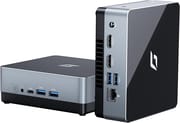
The CyberGeek Nano A1 is a compact mini PC powered by the Intel Processor N100, designed for users who need a small-footprint computing solution without breaking the bank. This 12th generation Alder Lake processor brings modern efficiency to everyday computing tasks, web browsing, media consumption, and light productivity work. With configurations ranging from 8GB to 16GB of DDR4 RAM and storage options spanning 128GB to 2TB, the Nano A1 offers flexibility to match various budgets and use cases. The inclusion of Windows 11 Pro, dual HDMI outputs for 4K displays, and comprehensive connectivity options make it a versatile choice for home offices, digital signage applications, or as a compact home theater PC.
CyberGeek positions the Nano A1 as an affordable entry into the mini PC market, competing against established brands like KAMRUI, Beelink, and GMKtec in the Intel N100 segment. The system measures just 4.88 x 4.39 x 1.67 inches and weighs under two pounds, making it ideal for mounting behind a monitor using the included VESA bracket. While the N100 processor scores around 5,643 on PassMark’s CPU benchmark, putting it firmly in the entry-level category, it delivers surprisingly capable performance for typical office workloads, streaming 4K content, and running multiple browser tabs without stuttering.
Pros and Cons
| Pros | Cons |
|---|---|
| Excellent value starting under $170 | Fan noise under sustained workloads |
| Dual HDMI outputs support 4K displays | Thermal management concerns during extended use |
| Wi-Fi 6 and Bluetooth 5.2 connectivity | Windows 11 driver issues reported |
| Expandable with 2.5” SATA drive bay | Limited professional review coverage |
| Compact, lightweight design | Single M.2 slot limits primary storage options |
| VESA mount included | Customer support responsiveness concerns |
| Linux-compatible (Ubuntu 24.04 verified) |
CyberGeek Nano A1 Comparison Chart
 CyberGeek Nano A1 | CyberGeek Nano A1 | CyberGeek Nano A1 | CyberGeek Nano A1 | CyberGeek Nano A1 | CyberGeek Nano A1 | CyberGeek Nano A1 | CyberGeek Nano A1 | |
| Price | List Price: $375.99 Amazon Prices: Loading prices... | List Price: $299.99 Amazon Prices: Loading prices... | List Price: $169.99 Amazon Prices: Loading prices... | List Price: $199.99 Amazon Prices: Loading prices... | List Price: $219.99 Amazon Prices: Loading prices... | List Price: $199.99 Amazon Prices: Loading prices... | List Price: $239.99 Amazon Prices: Loading prices... | List Price: $214.99 Amazon Prices: |
| Version | 16GB/2TB/Intel N100 | 16GB/1TB/Intel N100 | 8GB/128GB/Intel N100 | 8GB/256GB/Intel N100 | 8GB/512GB/Intel N100 | 16GB/128GB/Intel N100 | 16GB/256GB/Intel N100 | 16GB/512GB/Intel N100 |
| Performance Rating | 5.0 | 5.0 | 4.3 | 4.3 | 4.3 | 5.0 | 5.0 | 5.0 |
| Operating System | Windows 11 Pro | Windows 11 Pro | Windows 11 Pro | Windows 11 Pro | Windows 11 Pro | Windows 11 Pro | Windows 11 Pro | Windows 11 Pro |
| Processor | Quad-core 3.40 Ghz (max 3.40 Ghz) Intel Processor N100 | Quad-core 3.40 Ghz (max 3.40 Ghz) Intel Processor N100 | Quad-core 3.40 Ghz (max 3.40 Ghz) Intel Processor N100 | Quad-core 3.40 Ghz (max 3.40 Ghz) Intel Processor N100 | Quad-core 3.40 Ghz (max 3.40 Ghz) Intel Processor N100 | Quad-core 3.40 Ghz (max 3.40 Ghz) Intel Processor N100 | Quad-core 3.40 Ghz (max 3.40 Ghz) Intel Processor N100 | Quad-core 3.40 Ghz (max 3.40 Ghz) Intel Processor N100 |
| GPU | Integrated Intel UHD Graphics | Integrated Intel UHD Graphics | Integrated Intel UHD Graphics | Integrated Intel UHD Graphics | Integrated Intel UHD Graphics | Integrated Intel UHD Graphics | Integrated Intel UHD Graphics | Integrated Intel UHD Graphics |
| RAM | 16 GB | 16 GB | 8 GB | 8 GB | 8 GB | 16 GB | 16 GB | 16 GB |
| Internal Storage | 2 TB | 1 TB | 128 GB | 256 GB | 512 GB | 128 GB | 256 GB | 512 GB |
| Dimensions width x length x thickness | 4.88 x 4.39 x 1.67 inches (123.95 x 111.51 x 42.42 mm) | 4.88 x 4.39 x 1.67 inches (123.95 x 111.51 x 42.42 mm) | 4.88 x 4.39 x 1.67 inches (123.95 x 111.51 x 42.42 mm) | 4.88 x 4.39 x 1.67 inches (123.95 x 111.51 x 42.42 mm) | 4.88 x 4.39 x 1.67 inches (123.95 x 111.51 x 42.42 mm) | 4.88 x 4.39 x 1.67 inches (123.95 x 111.51 x 42.42 mm) | 4.88 x 4.39 x 1.67 inches (123.95 x 111.51 x 42.42 mm) | 4.88 x 4.39 x 1.67 inches (123.95 x 111.51 x 42.42 mm) |
| Weight | 1.76 lbs (0.8 kg) | 1.76 lbs (0.8 kg) | 1.76 lbs (0.8 kg) | 1.76 lbs (0.8 kg) | 1.76 lbs (0.8 kg) | 1.76 lbs (0.8 kg) | 1.76 lbs (0.8 kg) | 1.76 lbs (0.8 kg) |
| WiFi | Wi-Fi 6 (802.11ax) | Wi-Fi 6 (802.11ax) | Wi-Fi 6 (802.11ax) | Wi-Fi 6 (802.11ax) | Wi-Fi 6 (802.11ax) | Wi-Fi 6 (802.11ax) | Wi-Fi 6 (802.11ax) | Wi-Fi 6 (802.11ax) |
| Bluetooth | Bluetooth 5.2 | Bluetooth 5.2 | Bluetooth 5.2 | Bluetooth 5.2 | Bluetooth 5.2 | Bluetooth 5.2 | Bluetooth 5.2 | Bluetooth 5.2 |
| Ethernet | 1 Ethernet port at 1 Gbps | 1 Ethernet port at 1 Gbps | 1 Ethernet port at 1 Gbps | 1 Ethernet port at 1 Gbps | 1 Ethernet port at 1 Gbps | 1 Ethernet port at 1 Gbps | 1 Ethernet port at 1 Gbps | 1 Ethernet port at 1 Gbps |
| HDMI | 2 Full-Size HDMI Ports | 2 Full-Size HDMI Ports | 2 Full-Size HDMI Ports | 2 Full-Size HDMI Ports | 2 Full-Size HDMI Ports | 2 Full-Size HDMI Ports | 2 Full-Size HDMI Ports | 2 Full-Size HDMI Ports |
| DisplayPort | No DisplayPort | No DisplayPort | No DisplayPort | No DisplayPort | No DisplayPort | No DisplayPort | No DisplayPort | No DisplayPort |
| VGA | No VGA Ports | No VGA Ports | No VGA Ports | No VGA Ports | No VGA Ports | No VGA Ports | No VGA Ports | No VGA Ports |
| USB Ports | 4 USB 3, 1 USB-C | 4 USB 3, 1 USB-C | 4 USB 3, 1 USB-C | 4 USB 3, 1 USB-C | 4 USB 3, 1 USB-C | 4 USB 3, 1 USB-C | 4 USB 3, 1 USB-C | 4 USB 3, 1 USB-C |
| Thunderbolt Ports | No | No | No | No | No | No | No | No |
| Internal SATA Ports | 1 SATA port, includes 2.5" drive bay | 1 SATA port, includes 2.5" drive bay | 1 SATA port, includes 2.5" drive bay | 1 SATA port, includes 2.5" drive bay | 1 SATA port, includes 2.5" drive bay | 1 SATA port, includes 2.5" drive bay | 1 SATA port, includes 2.5" drive bay | 1 SATA port, includes 2.5" drive bay |
| Card Reader | Micro SD | Micro SD | Micro SD | Micro SD | Micro SD | Micro SD | Micro SD | Micro SD |
| Headphone Jack | combo | combo | combo | combo | combo | combo | combo | combo |
| Fanless | No | No | No | No | No | No | No | No |
| VESA Mount | Yes | Yes | Yes | Yes | Yes | Yes | Yes | Yes |
| In the Box | mini pc, VESA mount, power supply, user manual | mini pc, VESA mount, power supply, user manual | mini pc, VESA mount, power supply, user manual | mini pc, VESA mount, power supply, user manual | mini pc, VESA mount, power supply, user manual | mini pc, VESA mount, power supply, user manual | mini pc, VESA mount, power supply, user manual | mini pc, VESA mount, power supply, user manual |
| Expandability | Can be expanded with 2.5" SATA SSD. | Can be expanded with 2.5" SATA SSD. | Can be expanded with 2.5" SATA SSD. | Can be expanded with 2.5" SATA SSD. | Can be expanded with 2.5" SATA SSD. | Can be expanded with 2.5" SATA SSD. | Can be expanded with 2.5" SATA SSD. | Can be expanded with 2.5" SATA SSD. |
Related Mini PCs
-
 CyberGeek Nano J1Harness the power of compact computing with the CyberGeek Nano J1 Mini PC. Featuring Intel Celeron…
 -
 Beelink SER3The Beelink SER3 offers a compact form factor with AMD Ryzen 3 3200U power, dual 4K HDMI output,…
 -
 Bmax B4 PlusThe BMAX B4 Plus Mini PC delivers Intel N100 performance with a unique 2.5-inch SATA expansion bay…
 -
 Bmax B4 UltraThe Bmax B4 Ultra is an ultra-compact mini PC featuring Intel's N150 processor, 12GB LPDDR5 RAM,…
 -
 BOSGAME B100Compact yet powerful, the BOSGAME B100 features Intel UHD Graphics for 4K playback, dual HDMI for…
 -
 BOSGAME B95Compact yet powerful, the BOSGAME B95 Mini PC features an Intel Processor N95, 16GB DDR4 RAM, and…
Detailed Insights
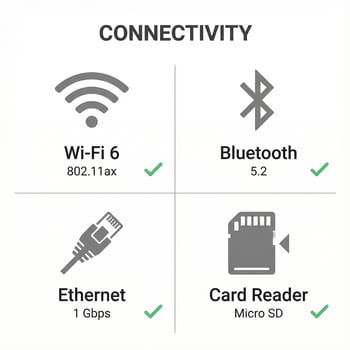
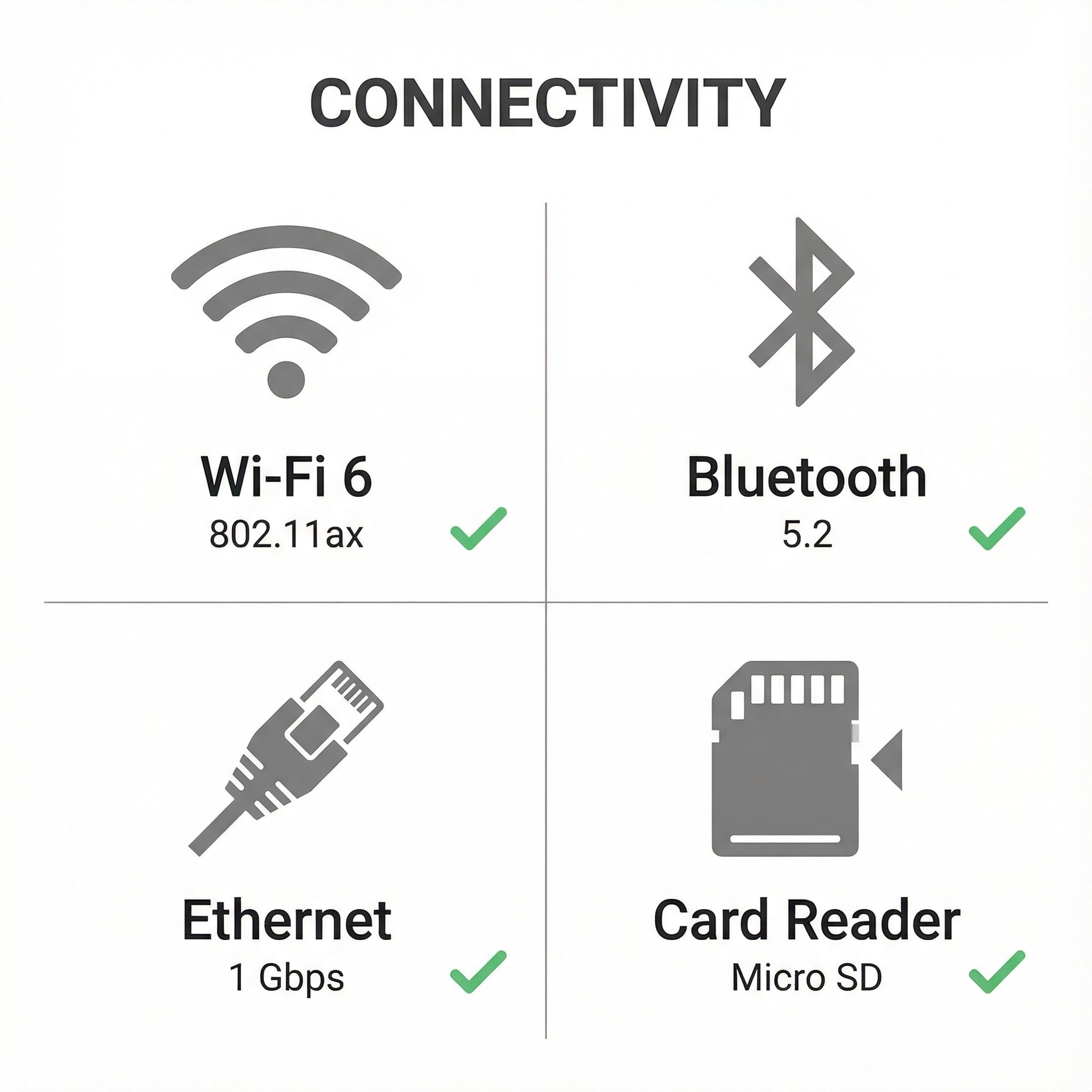
The CyberGeek Nano A1 builds its connectivity around modern standards while maintaining broad compatibility. Wi-Fi 6 networking delivers faster wireless speeds and better performance in congested environments compared to Wi-Fi 5 predecessors, while Bluetooth 5.2 ensures reliable connections to wireless peripherals, headphones, and speakers. The gigabit Ethernet port provides a dependable wired connection for those who prefer the stability and lower latency of a physical network cable. Four USB 3.0 Type-A ports line the sides of the unit, offering plenty of connectivity for keyboards, mice, external drives, and other peripherals, while a single USB-C port adds flexibility for modern accessories.
Display connectivity is handled through dual HDMI 2.0 ports, enabling simultaneous output to two 4K monitors at 60Hz. This dual-display capability makes the Nano A1 particularly suited for productivity workflows where additional screen real estate improves efficiency, or for digital signage applications where multiple displays need to show different content. The integrated Intel UHD Graphics handles hardware video decoding for common formats including H.264, H.265, and VP9, ensuring smooth 4K video playback on streaming platforms without taxing the CPU. The combo headphone/microphone jack on the front panel provides easy access for audio peripherals without reaching around to the rear ports.
Storage expandability represents one of the Nano A1’s more practical features. Beyond the primary M.2 NVMe slot that houses the system drive, the chassis includes space for a 2.5-inch SATA drive, with the necessary SATA data and power cables included in the box. This means users can start with a modest 128GB or 256GB configuration and later add a larger SSD or even a high-capacity hard drive for media storage without replacing the original system drive. The DDR4 RAM configuration features one populated slot with an empty slot available for expansion, allowing users who choose an 8GB model to upgrade to 16GB or beyond by adding a second memory module.
Reviewer Insights on the CyberGeek Nano A1


Mini PC Reviewer’s Assessment
Mini PC Reviewer positions the CyberGeek Nano A1 as a “solid compact computing solution” that excels in multiple roles. Their review highlights the system’s versatility, noting it works well as “a compact office companion, home entertainment hub, and portable powerhouse” depending on how users configure and deploy it. The publication documented strong customer satisfaction with a 5-star average rating across purchasers, suggesting that despite some limitations, buyers generally find the Nano A1 delivers on its promises for the price point.
The review doesn’t shy away from addressing thermal concerns that some users have experienced. Mini PC Reviewer notes that “user-reported issues with thermal management remain a consideration when comparing against alternatives like Intel NUC and Apple Mac Mini.” During prolonged heavy workloads, the cooling fan becomes more audible, and some users report the chassis warming noticeably. For typical office tasks and media consumption, these thermal characteristics rarely present practical problems, but users planning sustained rendering, compilation, or similar intensive workloads should factor this limitation into their purchasing decision.
Kim Briggs on Linux Compatibility
Kim Briggs provides valuable perspective for users considering the Nano A1 as a Linux machine. His hands-on experience confirms strong compatibility with Ubuntu 24.04, with audio, graphics, and networking all functioning properly after installation. However, he cautions potential buyers that the Linux installation process “was not simple” and advises readers to “not attempt this if you don’t know what you are doing.” The technical complexity stems partly from potential conflicts with the pre-installed Windows 11 system and partly from the need to manually address some BIOS-level configurations.
Briggs’ experience with Windows 11 proved less favorable. After performing a clean Windows installation, he found that “both the physical network plug and the sound output device were not recognized,” requiring driver hunting that ultimately proved frustrating. This disparity between Linux and Windows experiences suggests that the Nano A1 may be better suited for users comfortable working in a Linux environment, or those content to use the factory Windows installation without modification. His review also notes occasional wired network dropouts requiring system restarts, a nuisance that potential buyers should consider if rock-solid network stability is essential for their use case.
Customer Reviews of the CyberGeek Nano A1
Amazon customer reviews paint a generally positive picture of the Nano A1, with the system averaging around 4 out of 5 stars across more than 300 reviews for the Windows variants. Buyers consistently praise the value proposition, noting that the combination of an Intel N100 processor, 16GB RAM, and 1TB storage at prices under $300 represents strong competition in the budget mini PC segment. Several reviewers highlight successful deployments as home theater PCs, lightweight office workstations, and digital signage controllers, confirming the versatility CyberGeek advertises.
Common complaints center on the thermal and noise characteristics during demanding tasks, echoing professional reviewer observations. A subset of customers report that the cooling fan becomes noticeably loud when the system works hard, which may prove distracting in quiet environments. Some users note that Windows activation or driver issues required extra troubleshooting after unboxing, though most report that the factory Windows installation works correctly out of the box. The expandability features earn frequent praise, with buyers appreciating the ability to add a 2.5-inch drive and expand memory without voiding warranty or dealing with complex disassembly procedures.
Conclusion
The CyberGeek Nano A1 delivers competitive specifications for its price point, offering a capable Intel N100 platform in a compact package with useful expansion options. The system excels for users seeking an affordable mini PC for office work, media consumption, web browsing, and light computing tasks. Linux enthusiasts willing to invest some setup time will find a capable platform with verified Ubuntu compatibility, while Windows users should expect a functional out-of-box experience with the pre-installed operating system. Thermal management during sustained heavy loads and fan noise under stress represent the primary compromises buyers make at this price point. For users whose workloads fit within the N100’s comfortable performance envelope, the Nano A1 offers genuine value with more configuration options and expansion flexibility than many competing budget mini PCs provide. Compare it against similar models using our Mini PC Comparison Chart.