
CyberGeek Nano A1
Updated on

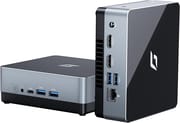
The CyberGeek Nano A1 runs on the Intel Processor N100, a 12th generation Alder Lake chip built for web browsing, media consumption, and light productivity work. Configurations span 8GB to 16GB of DDR4 RAM and 128GB to 2TB of storage, so the same chassis covers a cheap signage box or a 16GB office desktop. Windows 11 Pro ships preinstalled, and the dual HDMI outputs drive two 4K displays. That combination fits a home office, a digital signage install, or a compact home theater PC.
CyberGeek sells it against KAMRUI, Beelink, and GMKtec in the crowded Intel N100 bracket. The case measures 4.88 x 4.39 x 1.67 inches and weighs under two pounds, and the bundled VESA bracket hangs it behind a monitor. The N100 sets the ceiling for what that small a box will do: office documents, 4K streaming, and a stack of browser tabs rather than sustained rendering or gaming.
Pros and Cons
| Pros | Cons |
|---|---|
| Starting under $170 | Fan noise and heat under sustained load, unmeasured by any reviewer |
| Dual HDMI outputs drive two 4K displays at 60Hz | Windows 11 drivers failed for network and audio on a clean install |
| Wi-Fi 6 and Bluetooth 5.2 | Wired Ethernet drops at boot roughly 20% of the time on Ubuntu 24.04 |
| 2.5” SATA bay plus a free SODIMM slot for later upgrades | One M.2 slot, so the system drive is a swap rather than an addition |
| Under two pounds, and the VESA bracket is in the box | Support responses are slow, per both Briggs and an Amazon buyer |
| Linux-compatible (Ubuntu 24.04 verified) |
CyberGeek Nano A1 Comparison Chart
8 configurations
| Configuration | RAM | Storage | Performance | List price | Amazon price | Compare |
|---|---|---|---|---|---|---|
| 16GB/2TB/Intel N100 | 16 GB | 2 TB | 3.1 | $375.99 | Details
| |
| 16GB/1TB/Intel N100 | 16 GB | 1 TB | 3.1 | $299.99 | Details
| |
| 8GB/128GB/Intel N100 | 8 GB | 128 GB | 2.7 | $169.99 | Details
| |
| 8GB/256GB/Intel N100 | 8 GB | 256 GB | 2.7 | $199.99 | Details
| |
| 8GB/512GB/Intel N100 | 8 GB | 512 GB | 2.7 | $219.99 | Details
| |
| 16GB/128GB/Intel N100 | 16 GB | 128 GB | 3.1 | $199.99 | Details
| |
| 16GB/256GB/Intel N100 | 16 GB | 256 GB | 3.1 | $239.99 | Details
| |
| 16GB/512GB/Intel N100 | 16 GB | 512 GB | 3.1 | $214.99 | Details
|
Specs shared by every configuration
| Operating System | Windows 11 Pro |
|---|---|
| Processor | Quad-core 3.40 Ghz (max 3.40 Ghz) Intel Processor N100 |
| GPU | Integrated Intel UHD Graphics |
| Dimensions width x length x thickness | 4.88 x 4.39 x 1.67 inches (123.95 x 111.51 x 42.42 mm) |
| Weight | 1.76 lbs (0.8 kg) |
| WiFi | Wi-Fi 6 (802.11ax) |
| Bluetooth | Bluetooth 5.2 |
| Ethernet | 1 Ethernet port at 1 Gbps |
| HDMI | 2 Full-Size HDMI Ports |
| DisplayPort | No DisplayPort |
| VGA | No VGA Ports |
| USB Ports | 4 USB 3, 1 USB-C |
| Thunderbolt Ports | No |
| OCuLink | No |
| Internal SATA Ports | 1 SATA port, includes 2.5" drive bay |
| Card Reader | Micro SD |
| Headphone Jack | combo |
| Fanless | No |
| VESA Mount | Yes |
| In the Box | mini pc, VESA mount, power supply, user manual |
| Expandability | Can be expanded with 2.5" SATA SSD. |
Related Mini PCs
-
 CyberGeek Nano J1The CyberGeek Nano J1 is a budget mini PC with an Intel Celeron N5095A, 16GB of DDR4, a 1TB NVMe…
 -
 Bmax B4 Plus 2025 (Intel N95)The 2025 Bmax B4 Plus is a palm-sized Windows 11 Pro desktop with an Intel N95, 12GB of soldered…
 -
 Bmax B4 PlusThe BMAX B4 Plus is an Intel N100 mini PC with a 2.5-inch SATA drive bay next to its M.2 slot, so a…
 -
 BOSGAME B100The BOSGAME B100 is a budget Intel N100 mini PC with 16GB of DDR4, a 512GB NVMe SSD, dual HDMI plus…
 -
 BOSGAME B95The BOSGAME B95 is a low-cost Intel N95 mini PC with 16GB of DDR4, a 512GB M.2 SSD, 2.5Gb Ethernet,…
 -
 DreamQuest Pro Mini PCThe DreamQuest Pro Mini PC is a budget Intel N95 box (16GB or 32GB RAM, 512GB or 1TB SSD) with dual…
Dual 4K output and a spare SATA bay
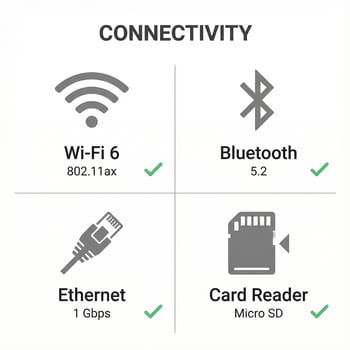
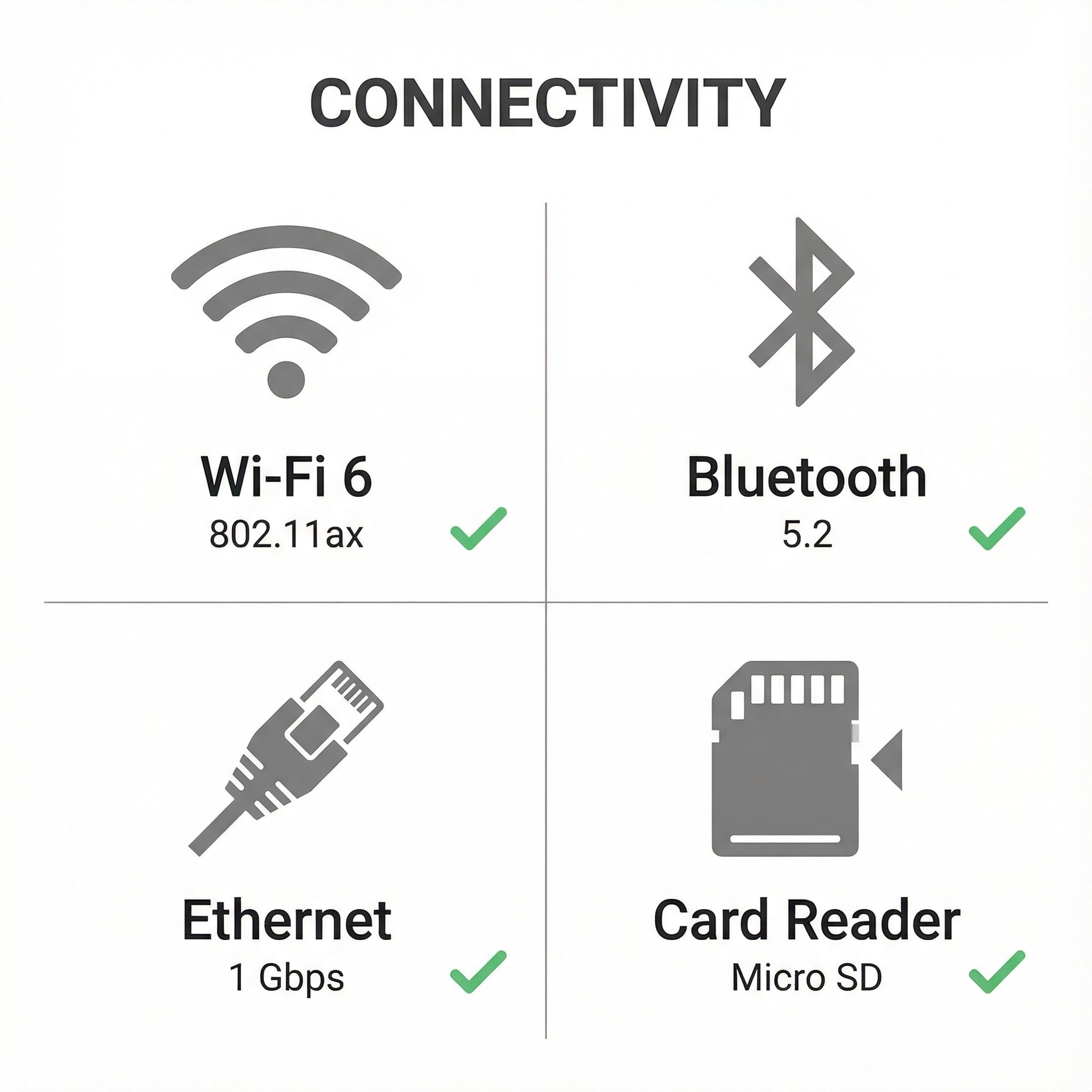
Wi-Fi 6 handles the wireless side, with better throughput in congested environments than a Wi-Fi 5 radio, and Bluetooth 5.2 covers keyboards, headphones, and speakers. The gigabit Ethernet port is there for anyone who wants the stability and lower latency of a cable, worth having on a box that sits permanently behind a monitor or a TV. Four USB 3.0 Type-A ports line the sides for peripherals and external drives, and a single USB-C port takes newer accessories. The combo headphone and microphone jack sits on the front panel, within reach rather than behind the chassis.
Two HDMI 2.0 ports drive two 4K monitors at 60Hz at once. That covers a desk where a second panel holds reference documents, or a signage install where two displays show different content from one machine. The integrated Intel UHD Graphics decodes H.264, H.265, and VP9 in hardware, so 4K streaming plays back without loading the CPU.
The primary M.2 NVMe slot holds the system drive, and the chassis has room for a 2.5-inch SATA drive with the data and power cables supplied in the box. A 128GB or 256GB buy can therefore pick up a large SSD or a mechanical drive for media later without touching the boot disk. Memory works the same way: one SODIMM slot is populated and the second sits empty, so an 8GB unit takes a second module to reach 16GB.
Reviewer Insights


Independent coverage of this model (the Intel N100 Nano A1, not the cheaper N5095A Nano J1 CyberGeek also sells) is thin, and what exists splits between one hands-on Linux writeup and a general overview that published no measurements. No independent power-draw, fan-noise, or synthetic-benchmark test (Cinebench, Geekbench, 3DMark, or per-game frame rates) of the Nano A1 has been published, so the numbers below are the platform-level facts for its processor plus the hardware one owner pulled directly off his own unit.
The Intel Processor N100 is a four-core, four-thread Alder Lake-N part with a 6-watt base power rating and a 3.4 GHz burst clock, and it scores roughly 5,305 on PassMark’s multi-thread CPU test. In 2026 that sits at the floor of the current desktop range: web browsing, 1080p and 4K video playback, light office work, and always-on home-server or digital-signage duty, rather than sustained multi-core rendering or modern gaming. The Nano A1’s cooling and DDR4 memory do not move that ceiling; the N100 behaves here as it does in the other budget mini PCs built around it.
Kim Briggs on Linux Compatibility
Kim Briggs is the one source who tested a unit in depth. His writeup (published June 2024, updated January 2025) pastes selected sudo lshw output straight from his Nano A1, which makes it the most concrete data available for this model. The dump confirms the platform component by component: an Intel N100 reporting four cores and four threads, running at 3,087 MHz against a 3,400 MHz ceiling; 16 GiB of Micron DDR4-3200 in one SODIMM slot with the second slot reported empty; a Samsung NVMe system drive; Intel UHD (Alder Lake-N) graphics on the i915 driver; an Intel I225-V gigabit Ethernet controller; and an American Megatrends BIOS (version DNB20 V0.06, dated 08/29/2023). For anyone planning to open the case, he records that the BIOS key is F2 and the boot menu is F12.
Ubuntu 24.04 brought up the audio, graphics, and networking, but he warns readers plainly to “not attempt this if you don’t know what you are doing!” and that the install “was not simple.” The hardware was also too new for an older base: Linux Mint 21.3, built on a previous Ubuntu LTS, would not support it, which pushed him to 24.04. The dmesg log showed only minor ACPI and iwlwifi messages he judged harmless.
In his January 2025 update Briggs reports that “maybe 20%” of the time the wired network fails to come up at boot and he has to restart to recover it, concluding that “the headaches are probably not worth the cheap price.” His Windows 11 experience was worse: after a clean install from Microsoft’s own media, “both the physical network plug and the sound output device were not recognized.” A later note from July 2024 records a partial fix, where a Windows Update package restored wired networking and HDMI audio while the headphone-out jack and two unknown devices stayed broken. He also flags CyberGeek’s support as a weak point, echoing Amazon complaints that buyers “have trouble getting a response,” and traces the company’s mailing address to Salem, New Hampshire.
Mini PC Reviewer’s Overview
Mini PC Reviewer published a written overview with no wattage, temperature, or benchmark figures in it. The piece frames the Nano A1 around three roles, a “Compact Office Companion,” a “Home Entertainment Hub,” and a “Portable Powerhouse,” and notes a 5.0-out-of-5 rating displayed on its own page (distinct from the lower Amazon average covered below).
The same review says the Nano A1’s standing against the Intel NUC and Apple Mac Mini “remains a subject of debate, particularly given some user-reported issues with thermal management,” and its cons list states the unit “can overheat during prolonged use” and that “the cooling fan can be louder than expected under heavy load.” Those lines restate buyer impressions; the publication put no decibel reading or temperature behind them.
Customer Reviews
Across 14 ratings on Amazon, the CyberGeek Nano A1 averages 4.3 stars, with 77% of raters at 5 stars and 14% at 1 star. Stephen F Grande, a verified buyer replacing aging Dell towers, wrote “These are fantastic PCs for the price!” and credited the 16GB of memory and solid-state drive for making the mini PCs feel “a lot faster” than the towers despite a slower CPU clock. He also called out the two HDMI ports and the cluster of USB ports as practical wins for a dual-monitor desk.
The low-star side points at durability and support. Jim Rollins, also a verified buyer, reported that his unit failed after roughly 15 months with what a repair shop traced to a corrupted boot sector and a likely bad drive; his review is titled “Bad SSD after only 15 months of use.” He described the support experience bluntly: “Customer service is very bad. It takes for ever to get any response from them,” and said he would not buy from the company again. With only a handful of reviews to go on, treat both the praise and that failure report as small-sample signals rather than settled verdicts. Read more owner reviews on Amazon.
Cheap and expandable, with support as the risk
Under $170 buys an Intel N100 desktop with room to grow: a free SODIMM slot, a 2.5-inch SATA bay with the cables already in the box, and two 4K outputs. For office work, media playback, browsing, and signage duty, that is the job done. Anyone pushing past the N100’s envelope should be shopping a tier up instead.
Linux buyers have a verified path on Ubuntu 24.04, with the caveats Briggs documents: an install he calls anything but simple, and a wired connection that fails to come up roughly 20% of boots. Windows 11 Pro is preinstalled and works out of the box, though his clean reinstall lost the network and sound devices until a later update restored most of them. Fan noise and heat under sustained load remain the open question, raised by Mini PC Reviewer without a measurement behind it, and slow support responses are the complaint both Briggs and Amazon buyer Jim Rollins record. Compare it against similar models using our Mini PC Comparison Chart.