
Dell Pro Micro QCM1250
Published on

The Dell Pro Micro QCM1250 is the rebranded successor to the long-running Dell OptiPlex Micro family, a 1.2-liter desktop that Dell aims squarely at corporate refresh cycles, classroom carts, and home offices that need a real Dell warranty without a tower under the desk. The Amazon configurations covered here all ship with the 14-core Intel Core i5-14500T, a 35W Raptor Lake Refresh chip with six performance and eight efficient cores, paired with DDR5-5200 SODIMM memory and dual M.2 NVMe slots. WiFi 6E, Bluetooth 5.3, and a Gigabit RJ45 cover the basics, while a modular Flex I/O bay on the back can carry a second HDMI, a DisplayPort, a serial port, or a 90W USB-C connector. Most notably for buyers upgrading from older OptiPlex Micros, Dell has finally let the HDMI output run at 4K 60Hz instead of the old 1080p cap.
Pros and cons
| Pros | Cons |
|---|---|
| 14-core Intel Core i5-14500T scores roughly 23,016 on PassMark, comfortably handling 20-plus browser tabs | Integrated Intel UHD Graphics 770 only; gaming and 3D rendering are off the table |
| WiFi 6E, Bluetooth 5.3, and front USB-C 10Gbps cover modern peripheral needs | Cooling is louder under sustained load than HP and Lenovo competitors in the same class |
| Two M.2 NVMe slots and a SODIMM pair make RAM and storage user-upgradable to 64GB of RAM | The 14500T configuration ships with one PCIe Gen 4 slot and one PCIe Gen 3 slot, not two Gen 4 slots |
| Modular Flex I/O port adds a second HDMI, DisplayPort, VGA, Serial, or a 90W PD USB-C | Two of the rear USB-A ports are still USB 2.0; cable layout looks dated |
| VESA mountable so the chassis can disappear behind a monitor or under a desk | Gigabit Ethernet only, with no 2.5GbE upgrade path on the motherboard |
| Idle power draw measured around 12W; quiet at light loads | No SD or microSD card reader of any kind |
Related Videos
Dell Pro Micro QCM1250 Comparison Chart
 Dell Pro Micro QCM1250 | Dell Pro Micro QCM1250 | Dell Pro Micro QCM1250 | Dell Pro Micro QCM1250 | Dell Pro Micro QCM1250 | Dell Pro Micro QCM1250 | |
| Price | List Price: $779.99 Amazon Prices: | List Price: $949.99 Amazon Prices: | List Price: $1,099.99 Amazon Prices: | List Price: $1,299.99 Amazon Prices: | List Price: $1,699.99 Amazon Prices: | List Price: $859.99 Amazon Prices: Loading prices... |
| Version | 16GB/256GB/Intel Core i5-14500T | 16GB/1TB/Intel Core i5-14500T | 32GB/1TB/Intel Core i5-14500T | 32GB/2TB/Intel Core i5-14500T | 64GB/2TB/Intel Core i5-14500T | 16GB/512GB/Intel Core Ultra 5 235T |
| Performance Rating | 4.9 | 4.9 | 5.4 | 5.4 | 5.5 | 5.6 |
| Operating System | Windows 11 Pro | Windows 11 Pro | Windows 11 Pro | Windows 11 Pro | Windows 11 Pro | Windows 11 Pro |
| Processor | Fourteen-core 1.70 Ghz (max 4.80 Ghz) Intel Core i5-14500T | Fourteen-core 1.70 Ghz (max 4.80 Ghz) Intel Core i5-14500T | Fourteen-core 1.70 Ghz (max 4.80 Ghz) Intel Core i5-14500T | Fourteen-core 1.70 Ghz (max 4.80 Ghz) Intel Core i5-14500T | Fourteen-core 1.70 Ghz (max 4.80 Ghz) Intel Core i5-14500T | Fourteen-core 2.20 Ghz (max 5.00 Ghz) Intel Core Ultra 5 235T |
| GPU | Integrated Intel UHD Graphics | Integrated Intel UHD Graphics | Integrated Intel UHD Graphics | Integrated Intel UHD Graphics | Integrated Intel UHD Graphics | Integrated Intel UHD Graphics |
| RAM | 16 GB DDR5 SO-DIMM, 2-channel (DDR5-5200 SODIMM, 2 slots, max 64GB) | 16 GB DDR5 SO-DIMM, 2-channel (DDR5-5200 SODIMM, 2 slots, max 64GB) | 32 GB DDR5 SO-DIMM, 2-channel (DDR5-5200 SODIMM, 2 slots, max 64GB) | 32 GB DDR5 SO-DIMM, 2-channel (DDR5-5200 SODIMM, 2 slots, max 64GB) | 64 GB DDR5 SO-DIMM, 2-channel (DDR5-5200 SODIMM, 2 slots, max 64GB) | 16 GB DDR5 SO-DIMM, 2-channel (DDR5-5200 SODIMM, 2 slots, max 64GB) |
| Internal Storage | 256 GB NVMe SSD | 1 TB NVMe SSD | 1 TB NVMe SSD | 2 TB NVMe SSD | 2 TB NVMe SSD | 512 GB NVMe SSD |
| Dimensions width x length x thickness | 1.41 x 7.01 x 7.17 inches (35.81 x 178.05 x 182.12 mm) | 1.41 x 7.01 x 7.17 inches (35.81 x 178.05 x 182.12 mm) | 1.41 x 7.01 x 7.17 inches (35.81 x 178.05 x 182.12 mm) | 1.41 x 7.01 x 7.17 inches (35.81 x 178.05 x 182.12 mm) | 1.41 x 7.01 x 7.17 inches (35.81 x 178.05 x 182.12 mm) | 1.41 x 7.01 x 7.17 inches (35.81 x 178.05 x 182.12 mm) |
| Weight | 3.09 lbs (1.4 kg) | 3.09 lbs (1.4 kg) | 3.09 lbs (1.4 kg) | 3.09 lbs (1.4 kg) | 3.09 lbs (1.4 kg) | 3.09 lbs (1.4 kg) |
| WiFi | Wi-Fi 6E (802.11ax) | Wi-Fi 6E (802.11ax) | Wi-Fi 6E (802.11ax) | Wi-Fi 6E (802.11ax) | Wi-Fi 6E (802.11ax) | Wi-Fi 6E (802.11ax) |
| Bluetooth | Bluetooth 5.3 | Bluetooth 5.3 | Bluetooth 5.3 | Bluetooth 5.3 | Bluetooth 5.3 | Bluetooth 5.3 |
| Ethernet | 1 Ethernet port at 1 Gbps | 1 Ethernet port at 1 Gbps | 1 Ethernet port at 1 Gbps | 1 Ethernet port at 1 Gbps | 1 Ethernet port at 1 Gbps | 1 Ethernet port at 1 Gbps |
| HDMI | 1 Full-Size HDMI Port | 1 Full-Size HDMI Port | 1 Full-Size HDMI Port | 1 Full-Size HDMI Port | 1 Full-Size HDMI Port | 1 Full-Size HDMI Port |
| DisplayPort | 1 DisplayPort (DisplayPort 1.4a; HDMI bumped to 4K@60Hz on this generation) | 1 DisplayPort (DisplayPort 1.4a; HDMI bumped to 4K@60Hz on this generation) | 1 DisplayPort (DisplayPort 1.4a; HDMI bumped to 4K@60Hz on this generation) | 1 DisplayPort (DisplayPort 1.4a; HDMI bumped to 4K@60Hz on this generation) | 1 DisplayPort (DisplayPort 1.4a; HDMI bumped to 4K@60Hz on this generation) | 1 DisplayPort (DisplayPort 1.4a; HDMI bumped to 4K@60Hz on this generation) |
| VGA | No VGA Ports | No VGA Ports | No VGA Ports | No VGA Ports | No VGA Ports | No VGA Ports |
| USB Ports | 2 USB 2.0, 3 USB 3, 1 USB-C Front: 1x USB-C 3.2 Gen 2 (10Gbps), 1x USB-A 3.2 Gen 1 (5Gbps). Rear: 2x USB-A 3.2 Gen 1 (5Gbps), 2x USB 2.0. Optional Flex I/O module | 2 USB 2.0, 3 USB 3, 1 USB-C Front: 1x USB-C 3.2 Gen 2 (10Gbps), 1x USB-A 3.2 Gen 1 (5Gbps). Rear: 2x USB-A 3.2 Gen 1 (5Gbps), 2x USB 2.0. Optional Flex I/O module | 2 USB 2.0, 3 USB 3, 1 USB-C Front: 1x USB-C 3.2 Gen 2 (10Gbps), 1x USB-A 3.2 Gen 1 (5Gbps). Rear: 2x USB-A 3.2 Gen 1 (5Gbps), 2x USB 2.0. Optional Flex I/O module | 2 USB 2.0, 3 USB 3, 1 USB-C Front: 1x USB-C 3.2 Gen 2 (10Gbps), 1x USB-A 3.2 Gen 1 (5Gbps). Rear: 2x USB-A 3.2 Gen 1 (5Gbps), 2x USB 2.0. Optional Flex I/O module | 2 USB 2.0, 3 USB 3, 1 USB-C Front: 1x USB-C 3.2 Gen 2 (10Gbps), 1x USB-A 3.2 Gen 1 (5Gbps). Rear: 2x USB-A 3.2 Gen 1 (5Gbps), 2x USB 2.0. Optional Flex I/O module | 2 USB 2.0, 3 USB 3, 1 USB-C Front: 1x USB-C 3.2 Gen 2 (10Gbps), 1x USB-A 3.2 Gen 1 (5Gbps). Rear: 2x USB-A 3.2 Gen 1 (5Gbps), 2x USB 2.0. Optional Flex I/O module |
| Thunderbolt Ports | No | No | No | No | No | No |
| OCuLink | No | No | No | No | No | No |
| Internal SATA Ports | No SATA ports | No SATA ports | No SATA ports | No SATA ports | No SATA ports | No SATA ports |
| Card Reader | No Card Reader | No Card Reader | No Card Reader | No Card Reader | No Card Reader | No Card Reader |
| Headphone Jack | combo | combo | combo | combo | combo | combo |
| Fanless | No | No | No | No | No | No |
| VESA Mount | Yes | Yes | Yes | Yes | Yes | Yes |
| In the Box | Dell Pro Micro QCM1250, 90W power adapter, Dell KB216 keyboard (Amazon seller bundles may add a mouse or external storage) | Dell Pro Micro QCM1250, 90W power adapter, Dell KB216 keyboard (Amazon seller bundles may add a mouse or external storage) | Dell Pro Micro QCM1250, 90W power adapter, Dell KB216 keyboard (Amazon seller bundles may add a mouse or external storage) | Dell Pro Micro QCM1250, 90W power adapter, Dell KB216 keyboard (Amazon seller bundles may add a mouse or external storage) | Dell Pro Micro QCM1250, 90W power adapter, Dell KB216 keyboard (Amazon seller bundles may add a mouse or external storage) | Dell Pro Micro QCM1250, 90W power adapter, Dell KB216 keyboard (Amazon seller bundles may add a mouse or external storage) |
| Expandability | Up to 64GB DDR5 SODIMM (2 slots), 2x M.2 2280 NVMe slots, optional Flex I/O port for HDMI/DP/VGA/Serial/USB-C with 90W PD | Up to 64GB DDR5 SODIMM (2 slots), 2x M.2 2280 NVMe slots, optional Flex I/O port for HDMI/DP/VGA/Serial/USB-C with 90W PD | Up to 64GB DDR5 SODIMM (2 slots), 2x M.2 2280 NVMe slots, optional Flex I/O port for HDMI/DP/VGA/Serial/USB-C with 90W PD | Up to 64GB DDR5 SODIMM (2 slots), 2x M.2 2280 NVMe slots, optional Flex I/O port for HDMI/DP/VGA/Serial/USB-C with 90W PD | Up to 64GB DDR5 SODIMM (2 slots), 2x M.2 2280 NVMe slots, optional Flex I/O port for HDMI/DP/VGA/Serial/USB-C with 90W PD | Up to 64GB DDR5 SODIMM (2 slots), 2x M.2 2280 NVMe slots, optional Flex I/O port for HDMI/DP/VGA/Serial/USB-C with 90W PD |
Related Mini PCs
-
 Dell OptiPlex 7010 MicroDell's OptiPlex 7010 Micro is a 1-liter, 13th-Gen Intel business desktop built for enterprise…
 -
 ASUS NUC 13 ProThe ASUS NUC 13 Pro is a 4x4 mini PC sold in Core i5-1340P and Core i7-1360P builds with two DDR4…
 -
 Beelink SER6 MAXThe Beelink SER6 MAX pairs a Ryzen 7 7735HS or Ryzen 9 6900HX with Radeon 680M graphics and up to…
 -
 GEEKOM A7 (2026 Edition)The GEEKOM A7 2026 Edition keeps the original A7's half-liter aluminum case and ports but swaps the…
 -
 GEEKOM Mini IT13The GEEKOM Mini IT13 is a 13th-gen Intel mini PC (Core i5-13500H up to i9-13900H/HK) with DDR4 to…
 -
 Glorlin GT105The Glorlin GT105 is a five-inch AMD mini PC sold with either the Ryzen 7 8745HS or the Ryzen 7 PRO…
A 1.2-liter chassis with a swappable Flex I/O bay

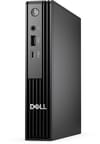
The QCM1250 chassis measures 7.17 by 7.01 by 1.41 inches and weighs 3.09 pounds. That puts it in the same envelope as the OptiPlex Micros it replaces, but Dell has redesigned the front fascia with vertical venting that improves airflow and dropped the chrome trim that used to wrap the old units. The front panel carries the power button, a combo audio jack, a USB-C 3.2 Gen 2 port rated at 10Gbps, and a USB-A 3.2 Gen 1 port at 5Gbps. On the back, you get two more USB-A 3.2 Gen 1 ports, two USB 2.0 ports, a full-size HDMI, a DisplayPort 1.4a, a Gigabit Ethernet jack, and the bay for the Flex I/O module. The base unit can stand vertically on the included foot or mount behind a monitor with the optional VESA bracket, and the new top vents work whether it is laid flat or stood on edge.
The Core i5-14500T is a 14-core, 20-thread part: six performance cores topping out at 4.8 GHz boost, eight efficient cores at 1.2 GHz, and 24MB of L3 cache. PassMark puts the multi-thread score around 23,016, slotting between the i5-14400T below it and the desktop-TDP i5-14500 above. In real terms, that is enough headroom for software development, heavy office multitasking, and 1080p photo editing. The 35W T-suffix part holds its boost clocks well in the QCM1250 chassis under typical office loads, but MH Tech’s deeper test shows the fans climbing higher than they should under sustained Cinebench runs. Anyone who runs the box flat-out for hours will hear it.
Wireless comes from an Intel AX211 module that covers WiFi 6E on the 6 GHz band plus Bluetooth 5.3, and a single Gigabit RJ45 handles wired networking. The Flex I/O module bay accepts modules that turn into a second HDMI port, a DisplayPort 1.4, a VGA port for older monitors, a serial port for industrial deployments, or a USB-C connector with 90W Power Delivery and DisplayPort Alt Mode. With the USB-C module installed, a single cable to the right monitor handles display, power for the host, and a USB hub to peripherals, which is the closest the QCM1250 gets to a Thunderbolt experience.
What reviewers found

MH Tech Supplies UK
MH Tech Supplies UK ran a teardown and a benchmark sweep of the new Pro Micro against the older OptiPlex Micros. They flagged the rebrand to Dell Pro as the most visible change, noted that “previously Dell used to use a very crippled version of HDMI where screen resolution was capped at 1080p” and confirmed that “this time around, they bumped the max resolution to 4K 60 Hz.” That is the change owners of a 7000-series OptiPlex Micro will notice first at the desk.
The 14500T configuration ships with one PCIe Gen 4 M.2 slot and one Gen 3 slot rather than two Gen 4 slots, which they called out as Dell continuing to “cut corners.” They measured idle power around 12W and praised that, but criticized the cooling assembly for being noisier than what HP and Lenovo ship in equivalent micros. The Flex I/O port and the new side ventilation got positive marks, while the rear USB 2.0 ports and dated cable layout were called out as overdue for replacement.
Andrew Marc David
Andrew Marc David reviewed the previous-generation OptiPlex 7000 Micro, the immediate predecessor to the QCM1250, and most of what he found still applies to this chassis family. He stressed the appeal of the form factor for office and home users: “I really like how you can mount this behind the monitor out of the way freeing up your desktop.” He also confirmed the user-serviceable design: “what I really like about this micro computer is that everything is pretty much upgradeable, the SSD, the RAM, the Wi-Fi card.” On performance he was clear-eyed about the limits, warning that with Intel UHD graphics “this is not looking like it’s really meant to do any kind of graphics horsepower such as 4K video editing… certainly you’re not going to play AAA titles.”
His thermal testing held up well under load with no significant throttling, though he measured the fans reaching about 60dB during stress runs. MH Tech reported the same rising fan noise on the QCM1250 itself.
JessTechSpice
JessTechSpice reviewed the Pro Micro from a buyer’s angle. She described the chassis as “extremely slim, kind of makes me feel like it’s like the size of a CD display” and framed the target audience plainly: the Pro Micro is “built for professionals who need powerful desktops in places where space is extremely limited.” Her review walked through accessory mounting options (VESA bracket, under-desk, the optional upright stand) and the same Flex I/O modularity the technical reviewers highlighted, including the legacy Serial and VGA modules that still matter to industrial buyers.
The graphics are integrated only, so “this is not built for heavy gaming, 3D rendering, or anything like that.” And her review unit shipped without a power cable in the box, a reminder that Dell Pro Micro deployments often arrive as bulk enterprise pallets where accessories get sorted at the IT cart, not in the consumer carton.
Modular expansion praised, cooling criticized
The 4K 60Hz HDMI output and the Flex I/O modules are the clearest upgrades over the old OptiPlex Micros. The 14500T configuration carries three drawbacks against that: mixed PCIe generations across the two SSD slots, rear ports still on USB 2.0, and a cooling assembly MH Tech placed below HP and Lenovo’s micros for noise. None of the three reviews treats the integrated graphics as adequate for gaming or 3D work.
A safe business box that stops at Gigabit
Vendor support, warranty coverage, and a chassis that mounts behind a monitor and opens for service are what buyers come to this machine for. The 14-core i5-14500T sold on Amazon holds up under the office stack that brings cheaper four-core mini PCs to their knees: Slack, Zoom, Teams, an IDE, twenty tabs, plus software development and 4K video timeline scrubbing on the side. The Flex I/O bay is worth budgeting for, especially the 90W USB-C module that turns the back of the box into a single-cable docking station.
Discrete graphics for gaming or GPU compute means stepping up to a MINISFORUM MS-02 Ultra or GMKtec EVO-T2 class machine. The newer Intel Core Ultra chips, with their bigger NPU and faster integrated graphics, have to be configured direct from Dell, where Core Ultra 5 235T, Core Ultra 7 265T, and i7-14700T options are available; the Amazon listings here are i5-14500T-only. Wired networking is the other ceiling, since the board stops at Gigabit RJ45 with no 2.5GbE or 10GbE path.
For a head-to-head against other ultra-compact business desktops, see our Mini PC Comparison Chart to weigh this box against HP, Lenovo, and the boutique alternatives.
Frequently Asked Questions
What processor does the Dell Pro Micro QCM1250 use?
Every Amazon configuration uses the Intel Core i5-14500T, a 14-core, 20-thread 35W Raptor Lake Refresh chip that boosts to 4.80 GHz and scores approximately 23,016 on PassMark’s multi-thread CPU benchmark. Dell.com sells the same chassis with Intel Core Ultra 5 235T, Core Ultra 7 265T, Core i3-14100T, and Core i7-14700T processors; those configurations are not stocked on Amazon.
Can I upgrade the RAM in the QCM1250?
Yes. The QCM1250 has two DDR5 SODIMM slots and supports up to 64GB of DDR5-5200 memory. Both slots are user-accessible through the tool-less chassis design, so you can buy a lower-RAM Amazon SKU and upgrade later. Stick with Dell-validated DDR5-5200 SODIMM modules to preserve warranty coverage.
What ports does the QCM1250 have?
Front: the power button, a combo audio jack, a USB-C 3.2 Gen 2 port (10Gbps), and a USB-A 3.2 Gen 1 port (5Gbps). Rear: two more USB-A 3.2 Gen 1 ports, two USB 2.0 ports, a full-size HDMI output, a DisplayPort 1.4a output, a Gigabit RJ45 Ethernet jack, and the Flex I/O module bay. That bay can be configured with a second HDMI, DisplayPort, VGA, Serial, or a USB-C connector with DisplayPort Alt Mode and 90W Power Delivery.
How many M.2 storage slots does the QCM1250 have?
The QCM1250 has two M.2 2280 slots for NVMe SSDs, plus a third M.2 2230 slot reserved for the Intel AX211 WiFi 6E card. On the Intel Core i5-14500T configurations sold on Amazon, one of the storage slots runs at PCIe Gen 4 and the second runs at PCIe Gen 3; Dell does not split the M.2 lanes evenly on this part. The Core Ultra configurations sold direct from Dell get a different lane allocation.
Does the QCM1250 support WiFi 6E?
Yes. The QCM1250 ships with an Intel AX211 module that supports WiFi 6E across all three bands (2.4 GHz, 5 GHz, and 6 GHz) along with Bluetooth 5.3. The wireless card sits in a dedicated M.2 2230 slot and is user-replaceable, so a future WiFi 7 upgrade is mechanically possible if Dell publishes a validated drop-in module.
Can the QCM1250 mount behind a monitor?
Yes. Dell’s optional bracket supports standard VESA mounting, so the box can sit behind any VESA-compatible monitor, under a desk, or on a wall. Dell also sells an upright foot stand for vertical desktop placement and an integrated monitor mount that ships with select Dell business displays. The optional Flex I/O USB-C module pairs well with VESA mounting because it lets a single cable carry display, power, and peripherals between the host and the monitor.
What’s included in the box?
Direct from Dell, the QCM1250 includes the mini PC, a 90W power adapter, and a Dell KB216 wired keyboard. The Amazon listings are sold through resellers who often bundle additional items: several of the variants ship with a Dell MS116 wired mouse, and at least one ASIN advertises a 500GB external USB drive as part of the bundle. The Flex I/O module is purchased separately if you want to use that bay.