
HP ProDesk 4 Mini G1i
Published on

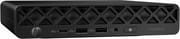
The HP ProDesk 4 Mini G1i is the Arrow Lake generation of HP’s commercial 1-liter desktop, sold under the Pro Series 4 naming HP introduced for this round of business machines. The closest older box in the catalog is the Pro Mini 400 G9, a 14th Gen, DDR4 machine in the same 1-liter class. The chassis is a matte black slab measuring 6.97 by 7.13 by 1.35 inches, 1.09 liters of volume, with a diamond lattice grille across the front face and HP’s usual commercial fittings: a cable lock slot, a retractable padlock loop, VESA mounting support, and an external 90W adapter. Inside is a 35W T-series Intel Core Ultra desktop chip on the Q870 chipset, DDR5-5600 memory in two customer-accessible SO-DIMM slots, and two M.2 2280 sockets for storage. The configurations tracked here run the Core Ultra 5 225T, the Core Ultra 5 235T, and the Core Ultra 7 265T, all with 16GB of memory and either a 256GB or 512GB NVMe drive.
Pros and Cons
| Pros | Cons |
|---|---|
| Core Ultra 5 235T scores about 31,400 in PassMark, roughly 36% above the i5-14500T in the older Pro Mini 400 G9 | Wired networking is still a single gigabit port; no 2.5GbE option for the Mini |
| Two M.2 2280 storage sockets, so a second SSD needs no adapter or bay | No USB4, Thunderbolt, or OCuLink for fast external storage or an eGPU |
| Two rear Flex Port bays add USB-C with 100W power input, extra video, or serial | Flex Port modules are factory-configured only, not a later add-on |
| Three native display outputs (HDMI 2.1 plus 2x DisplayPort 2.1), four with a Flex Port | HP sells 16GB as either one module or two, so a single-module order runs single-channel until you add a stick |
| Rated at 17 dB sound pressure at idle and under random disk writes | Intel UHD graphics on a 35W desktop part is office-tier, not for 3D work |
| DDR5-5600 to 64GB in two customer-accessible SO-DIMM slots | Power comes from an external 90W brick rather than an internal supply |
HP ProDesk 4 Mini G1i Comparison Chart
4 configurations
| Configuration | Processor | Storage | GPU | Performance | List price | Amazon price | Compare |
|---|---|---|---|---|---|---|---|
| 16GB / 256GB / Core Ultra 5 225T | Core Ultra 5 225T | 256 GB SSD | Intel UHD Graphics 2Xe | 5.0 | $1,035.59 | Loading... | Details
|
| 16GB / 256GB / Core Ultra 5 235T | Core Ultra 5 235T | 256 GB SSD | Intel UHD Graphics 3Xe | 5.6 | $1,379.99 | Details
| |
| 16GB / 512GB / Core Ultra 5 235T | Core Ultra 5 235T | 512 GB SSD | Intel UHD Graphics 3Xe | 5.6 | $949.99 | Loading... | Details
|
| 16GB / 512GB / Core Ultra 7 265T | Core Ultra 7 265T | 512 GB SSD | Intel UHD Graphics 4Xe | 6.1 | $1,299.99 | Loading... | Details
|
Specs shared by every configuration
| Operating System | Windows 11 Pro |
|---|---|
| RAM | 16 GB DDR5 SO-DIMM |
| Dimensions width x length x thickness | 6.97 x 7.13 x 1.35 inches (177.04 x 181.1 x 34.29 mm) |
| Weight | 2.64 lbs (1.2 kg) |
| WiFi | Wi-Fi 6E (802.11ax) |
| Bluetooth | Bluetooth 5.3 |
| Ethernet | 1 Ethernet port at 1 Gbps |
| HDMI | 1 Full-Size HDMI Port |
| DisplayPort | 2 DisplayPorts (2x DisplayPort 2.1 HBR3; 3 native outputs, 4 with a Flex Port) |
| VGA | No VGA Ports |
| USB Ports | 5 USB 3, 1 USB-C Front: 1x USB-C 20Gbps, 2x USB-A 10Gbps. Rear: 3x USB-A 5Gbps. |
| Thunderbolt Ports | No |
| OCuLink | No |
| Internal SATA Ports | No SATA ports |
| Card Reader | No Card Reader |
| Headphone Jack | combo |
| Fanless | No |
| VESA Mount | Yes |
| In the Box | Mini PC, 90W external power adapter, HP wired keyboard and mouse, Windows 11 Pro with HP Wolf Pro Security. |
| Expandability | 2x DDR5-5600 SO-DIMM to 64GB, plus a second empty M.2 2280 slot for a dual-SSD build. Two rear Flex Port bays add USB-C with 100W power input, extra USB-A, DisplayPort 2.1, HDMI 2.1, VGA, or serial. |
Related Mini PCs
-
 HP Elite Mini 805 G8HP's 1-liter Elite Mini 805 G8 pairs a 6-core AMD Ryzen 5 PRO 5650G with DDR4 memory, dual M.2…
 -
 HP Elite Mini 800 G9HP's 1-liter Elite Mini 800 G9 packs a 24-core Intel Core i9-14900T, DDR5 memory, dual M.2 storage,…
 -
 ACEMAGIC K1 (Intel Core i5-12600H)The Intel version of ACEMAGIC's K1 pairs the 12-core Core i5-12600H with triple 4K output, seven…
 -
 ACEMAGIC K5 (Ryzen 5 PRO 7640HS)The AMD build of ACEMAGIC's 5-inch K5 chassis pairs a six-core Zen 4 Ryzen 5 PRO 7640HS and Radeon…
 -
 ASUS NUC 14 ProThe ASUS NUC 14 Pro pairs Intel Core Ultra processors with a toolless chassis, two DDR5 SODIMM…
 -
 FIREBAT F1The FIREBAT F1 puts an 8-core Ryzen 7 H 255 and Radeon 780M graphics in a 5-inch square chassis…
Two Flex Port bays, three M.2 sockets, and a gigabit ceiling
The front face carries the ports people reach for daily: one USB-C at a 20Gbps signaling rate with 5V/3A charge support, two USB-A ports at 10Gbps, a combo audio jack that supports both CTIA and OMTP headsets, a dual-state power button, and an SSD activity light. The rear adds HDMI 2.1, two Dual Mode DisplayPort 2.1 HBR3 outputs, three USB-A ports at 5Gbps, the RJ-45 jack, and the barrel power input, which totals six USB ports on a standard unit. HP’s own QuickSpecs put the chassis at 1.09 liters and 2.64 pounds, and rate it at 17 decibels of sound pressure both at idle and during random disk writes. That rating is the kind of number that decides where a box can live, and HP built this one to sit on a reception desk or hang off the back of a monitor in a quiet room.
Two rear bays that HP calls Flex Ports carry whatever connector the buyer orders. Flex Port 1 can be ordered as DisplayPort 2.1, HDMI 2.1, VGA, serial, a USB-C port at 10Gbps with DisplayPort Alt Mode and up to 100W of power intake, or a pair of USB-A 5Gbps ports. Flex Port 2 takes either serial or another pair of USB-A ports. The USB-C option is the one that makes a single-cable desk possible, because it lets the mini PC draw power over USB-C from a compatible monitor rather than the barrel adapter. HP notes that the single power on feature only works when the machine is ordered with the Type-C flex module, and the QuickSpecs mark Flex Port 2 as a configure-at-purchase choice. Every Flex Port choice is made at purchase and cannot be added later.
All three chips tracked here come from Intel’s 35W Arrow Lake desktop tier. The Core Ultra 5 235T in the 16GB/256GB and 16GB/512GB builds runs 14 cores (6 performance plus 8 efficient) and 14 threads with a 2.2 GHz base and a 5.0 GHz turbo on the performance cores, 24MB of L3 cache, and a 114W maximum turbo power ceiling. The Core Ultra 5 225T in the other 16GB/256GB build drops to 10 cores and 20MB of cache, and the Core Ultra 7 265T in the top 16GB/512GB build moves to 20 cores and 30MB of cache. HP’s processor table marks both the 235T and the 265T as vPro parts, so remote management is not exclusive to the top chip; the 225T is the one tier that does without it. None of these parts use Hyper-Threading, so thread count equals core count across the range. PassMark’s public database puts the 235T near 31,400 on the multi-thread test and the 265T near 37,000, against roughly 23,000 for the Core i5-14500T that HP shipped in the Pro Mini 400 G9. That is a generational step for spreadsheets and large browser sessions. The integrated graphics scale with the chip rather than staying fixed across the lineup: HP lists Intel UHD Graphics 2Xe on the 225T, 3Xe on the 235T, and 4Xe on the 265T. Even the 4Xe part on the Core Ultra 7 265T is a display engine for office work; 3D rendering and gaming sit outside what it can do.
Every one of these chips carries a 13 TOPS NPU, and HP markets the machine as an “AI PC” on that basis. That 13 TOPS covers the Windows Studio Effects camera and audio features and Copilot’s on-device work, and it falls well short of the 40-plus TOPS Microsoft requires for the Copilot+ badge. If the NPU is the reason you are shopping, our look at which mini PCs skip the AI tax covers where that silicon does and does not earn its keep.
HP’s configuration matrix lists 16GB two ways for the Mini: a single 16GB module, or a matched pair of 8GB modules. The single-module build leaves the second SO-DIMM slot open for a later upgrade but runs single-channel until something goes in it; the paired build runs dual-channel from the start and uses both slots. None of the retail listings for these order codes say which arrangement they ship, so it is a fair question to put to the seller. Either way the platform takes DDR5-5600 to 64GB across two slots that HP documents as customer accessible, so a single-module order is correctable with one more stick.
HP fits three M.2 sockets: one M.2 2230 for the Wi-Fi card and two M.2 2280 sockets for NVMe drives, with RAID supported when both are populated. The 2.5-inch SATA bay that the Pro Mini 400 G9 offered is gone, traded for that second NVMe slot, the better deal for most buyers. Wired networking has not moved. The Mini uses an Intel I219-LM gigabit controller with vPro support, and the Intel I226-T1 2.5GbE part listed alongside it in the QuickSpecs is an add-in network adapter, and the Mini has no expansion slot to accept it. Wireless is an Intel Wi-Fi 6E AX211 module with Bluetooth 5.3 in the standard build, with Realtek Wi-Fi 6 and Wi-Fi 6E cards as alternates. For a box that can drive three displays natively and four with a Flex Port, a gigabit ceiling is the one spec that feels a generation behind, and our triple monitor workstation guide is worth reading before you plan a multi-screen deployment around it.
Where these specs come from, and what to check before ordering
No independent hands-on review of the ProDesk 4 Mini G1i has been published as of late July 2026. The specifications on this page come from HP’s own QuickSpecs for the Pro Series 4 G1i desktops and HP’s product specification page for this model, cross-checked against the Amazon and Best Buy listings for the exact order codes. The CPU figures come from Intel’s ARK entries and PassMark’s public CPU database, not from a bench run. Nothing here is a measured result from a lab.
Order codes matter here more than they do on a consumer mini PC. This is a commercial SKU sold through several channels, so the same machine carries different prices depending on where the order goes, and comparing the 16GB/512GB code (D32LZUT#ABA) against the 256GB codes is worth doing before you commit. HP also ships that 16GB/512GB Core Ultra 5 235T build under more than one code: BS7M0UT#ABA is a second listing of the same configuration, so an unfamiliar code in search results is not necessarily a different machine.
An HP fleet box for quiet desks, held back by its gigabit port
A business that already runs HP commercial gear gets the most out of this box: a current-generation 1-liter desktop with HP Wolf Pro Security, tool-less access, and next-business-day on-site coverage under the standard one-year warranty. The Arrow Lake T-series silicon is a step up from the 13th and 14th Gen parts in the older Pro Mini 400 G9, the second M.2 2280 slot does more work than the 2.5-inch bay that box carried, and the USB-C Flex Port module lets the machine run from a monitor’s power on a single cable. For a reception desk, a kiosk, or a monitor-mounted office deployment, it does the job quietly.
Buyers outside that profile should look harder. A gigabit-only network port is a real constraint for anyone moving large files or running a home lab, and there is no USB4, Thunderbolt, or OCuLink to fall back on. The integrated graphics drive monitors and stop there. What the commercial price buys is HP’s fleet management, warranty network, and security stack, so a buyer with none of those on the requirements list is paying for parts of the machine they will never open.
For those comparing options, see our Mini PC Comparison Chart to find the best match for your needs.
Frequently Asked Questions
What processors does the HP ProDesk 4 Mini G1i use?
The Mini chassis takes Intel’s 35W T-series Arrow Lake desktop parts. The configurations tracked here are the Core Ultra 5 225T (10 cores, 10 threads, 2.5 GHz base, 4.9 GHz turbo, 20MB cache), the Core Ultra 5 235T (14 cores, 14 threads, 2.2 GHz base, 5.0 GHz turbo, 24MB cache), and the Core Ultra 7 265T (20 cores, 20 threads, 1.5 GHz base, 5.3 GHz turbo, 30MB cache). HP marks both the 235T and the 265T as vPro parts; the 225T is not one. All three include a 13 TOPS NPU, and none of them use Hyper-Threading, so thread count matches core count. Integrated graphics step up with the chip: Intel UHD Graphics 2Xe on the 225T, 3Xe on the 235T, 4Xe on the 265T.
Can I upgrade the RAM and storage in the HP ProDesk 4 Mini G1i?
Yes. The chassis has two DDR5-5600 SO-DIMM slots supporting up to 64GB total, and HP documents all memory slots as customer accessible with tool-less entry. HP lists the 16GB configuration two ways for the Mini: one 16GB module, or two 8GB modules. A single-module machine leaves the second slot open, and adding a matching stick moves it to dual-channel. Storage runs through two M.2 2280 sockets, both available for NVMe drives, with RAID supported when both are populated. A third M.2 2230 socket holds the Wi-Fi card.
What ports does the HP ProDesk 4 Mini G1i have?
The front panel has one USB-C port at a 20Gbps signaling rate with 5V/3A charge support, two USB-A ports at 10Gbps, a combo headphone and microphone jack, a power button, and an SSD activity light. The rear has HDMI 2.1, two Dual Mode DisplayPort 2.1 HBR3 outputs, three USB-A ports at 5Gbps, one RJ-45 gigabit jack, the 90W barrel power input, a cable lock slot, and a retractable padlock loop. Two rear Flex Port bays can be ordered with additional video, USB, or serial connections. There is no USB4, Thunderbolt, or memory card reader.
How many monitors can the HP ProDesk 4 Mini G1i drive?
Three displays run off the native outputs: HDMI 2.1 plus two DisplayPort 2.1 HBR3 ports. HP’s QuickSpecs state that the Mini supports up to four displays when a video-capable Flex Port module is ordered with the machine, which adds a fourth output at the back. The Flex Port choice has to be made at purchase, so a fourth display is not something you can add to an existing unit later.
Does the HP ProDesk 4 Mini G1i have 2.5 Gigabit Ethernet?
No. The Mini uses an Intel I219-LM integrated gigabit controller with vPro support, and that is the only wired option for this chassis. The Intel I226-T1 2.5GbE part listed alongside it in the QuickSpecs is an add-in network adapter, and the Mini’s only internal sockets are the three M.2 connectors, so there is nowhere to fit it. Wireless is an Intel Wi-Fi 6E AX211 module with Bluetooth 5.3 in the standard build, with Realtek Wi-Fi 6 and Wi-Fi 6E cards offered as alternates.
What is the difference between the ProDesk 4 Mini G1i and the Pro Mini 400 G9?
The ProDesk 4 Mini G1i is the newer machine and a different platform. It moves from 13th and 14th Gen Core parts to Intel’s Arrow Lake Core Ultra T-series on the Q870 chipset, swaps DDR4 for DDR5-5600, adds a 13 TOPS NPU, moves the video outputs to DisplayPort 2.1 and HDMI 2.1 where the older box shipped DisplayPort 1.4, and replaces the 2.5-inch SATA bay with a second M.2 2280 slot. It also adds the two configurable rear Flex Port bays. What did not change is the gigabit Ethernet ceiling and the absence of USB4 or Thunderbolt.
Can the HP ProDesk 4 Mini G1i be VESA-mounted?
Yes. HP lists support for the Dual VESA Sleeve V4 Standalone, a Quick Release Bracket, the B200 through B600 mounting bracket family, an Integrated Work Center Stand, and the HP Single Monitor Arm. Mounting hardware is an accessory rather than a standard box inclusion. At 1.09 liters and 2.64 pounds the chassis is well within the load range of a normal monitor arm or VESA plate.