

Two mini PCs can read nearly identical on a spec sheet and carry very different price tags, and in 2026 the reason is usually one block of silicon you will probably never touch. One lane of the market ships an NPU and wears a Copilot+ tag, and that tag adds real cost whether or not you ever run an on-device AI workload. The other lane ships a near-identical CPU with no AI accelerator on the die, and it costs noticeably less for the simple reason that there is less to pay for. The question almost nobody answers head-on is the practical one: if you do not want to pay the AI tax, which boxes are explicitly on the cheaper lane, and what (if anything) do you actually give up by taking it?
This piece is the buyer-protection answer. It is the AMD-and-Intel companion to our Wildcat Lake budget-tier breakdown, which asked the same “buy now or wait” question on Intel’s new 18A chip. Here the framing is not about a generation; it is about a feature you can decline.
The AI tax, defined
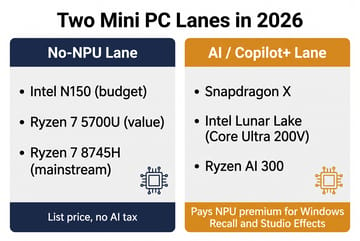
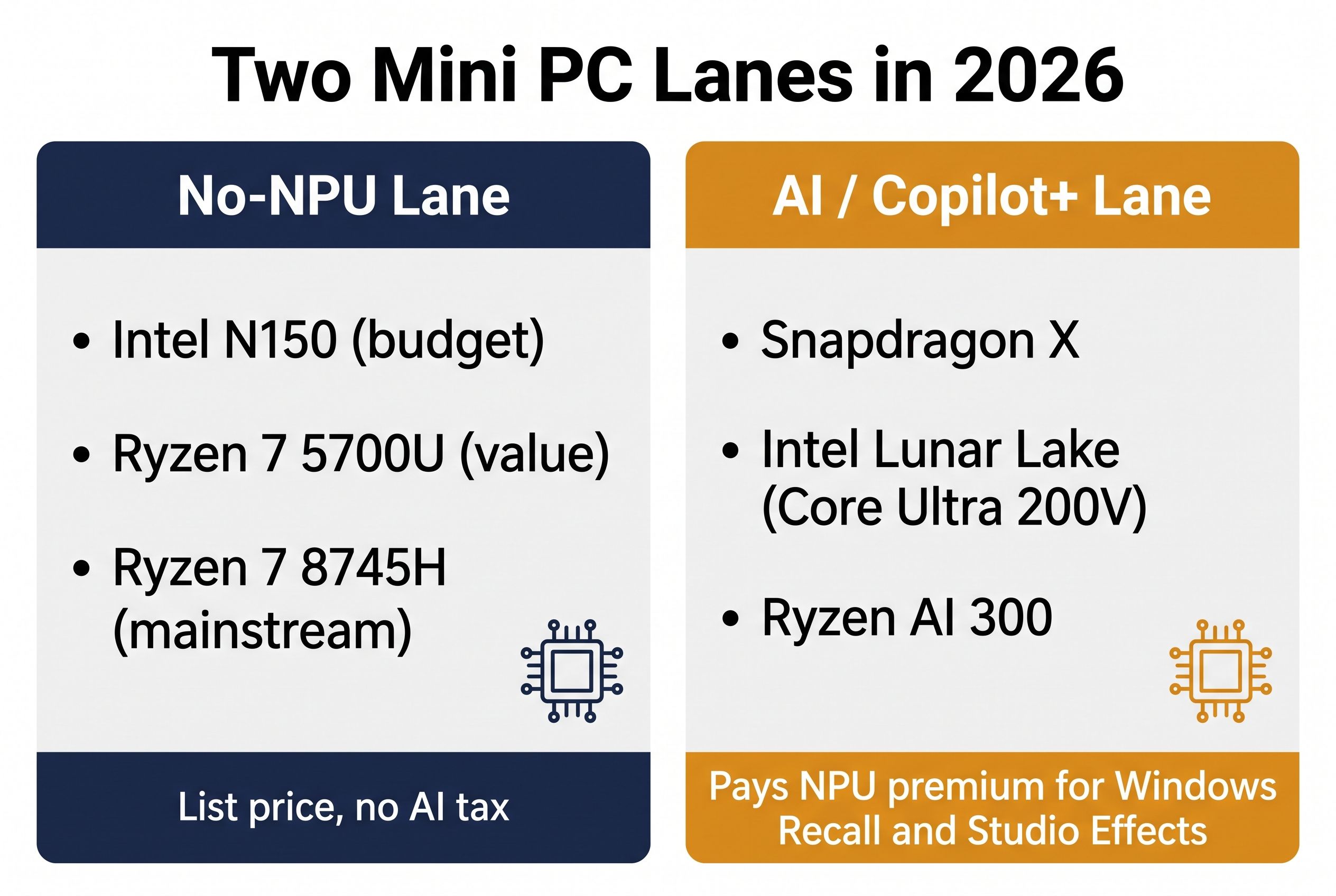
An NPU (neural processing unit) is a small, fixed-function accelerator that runs machine-learning math at low power, separate from the CPU and the integrated graphics. Microsoft built a marketing tier around it: a Copilot+ PC requires an NPU rated above 40 trillion operations per second (TOPS), and only that tier unlocks features like Windows Recall. The chips that clear the 40-TOPS bar in 2026 are Qualcomm’s Snapdragon X, Intel’s Lunar Lake (Core Ultra 200V), and AMD’s Ryzen AI 300 series, and mini PCs built around them sit at the top of the price chart.
There are really two premiums stacked here, and that is the part the spec sheet hides. The obvious one is the genuine Copilot+ tier above, where a Ryzen AI 300 or Snapdragon X box commands a steep premium and a flagship Strix Halo machine like the GMKtec EVO-X2 climbs into workstation-grade pricing (TerminalBytes tracks the AI-focused lane and the LPDDR5 shortage pushing it higher still). The subtler premium is on chips that carry a small NPU without ever reaching Copilot+, and that is where AMD drew a line straight through one model number.
How AMD split one chip into two prices
AMD’s Hawk Point generation is the clean example. The Ryzen 7 8845HS carries a Ryzen AI NPU rated at 16 TOPS, and the otherwise near-identical Ryzen 7 8745H (and its 8745HS twin) ships with that NPU removed entirely, which is exactly why outlets like Tom’s Hardware and Liliputing flagged it as “Hawk Point minus the AI.” Same eight Zen 4 cores, same sixteen threads, same Radeon 780M graphics, same everyday speed; the only thing the 8745H gives up is silicon most buyers were not using. Here is the kicker that makes the whole “AI tax” framing sharper: the 16-TOPS NPU on the 8845HS does not clear the 40-TOPS Copilot+ bar anyway, so even the NPU-bearing Hawk Point chip never gets you Recall. You can pay for the accelerator and still not reach the tier it implies.
The no-NPU lane is wider than just that one stripped chip, and the rest of it skips the NPU for an even simpler reason: those chips predate it. AMD did not ship Ryzen AI until the 7040 “Phoenix” generation in early 2023, so a Ryzen 7 5700U (Zen 2) or a Ryzen 7 6800H (Zen 3+) has no NPU because no consumer Ryzen chip did when they launched. On the Intel side, the budget N-series parts (the Alder Lake-N N100 and the Twin Lake N150 in countless low-cost boxes) ship with no NPU at all, which is the same reason the Wildcat Lake refresh made news for finally adding one at the budget tier. The practical upshot is that the cheap lane is not a single product; it is most of the AMD and Intel chips that real budget mini PCs actually use.
The boxes that skip the NPU and stay worth buying
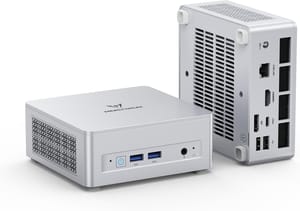
If you want the most capable no-NPU box without crossing into Copilot+ pricing, the strongest pick is the slim Hawk Point family. The Ryzen 7 8745H pairs eight modern Zen 4 cores with Radeon 780M graphics that handle 1080p gaming and light editing, and because it is the NPU-stripped SKU it lands meaningfully below its 8845HS sibling. The Gadgeteer’s May 2026 sub-$500 roundup priced a UM870 Slim configuration at $495, and elsewhere in the same list it called out the 8745HS as the chip that “skips the NPU,” which is the whole pitch in one line.
MINISFORUM UM680/UM760/UM870 Slim
- +Eight Zen 4 cores
- +Radeon 780M for 1080p gaming
- +USB4
- +2.5G Ethernet
- +dual M.2 slots
- +RAM to 96GB
- -No NPU on the 8745H
- -fan spins up under sustained load
- -120W brick
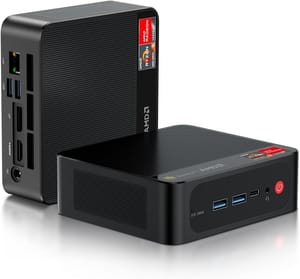
For a quieter, lower-power box where you do not need the newest cores, the older Ryzen 7 chips do the same daily work for less. The Beelink SER5 Pro runs a Ryzen 7 5700U, a Zen 2 part that predates Ryzen AI entirely, which makes it a no-NPU machine by birthright rather than by configuration. Eight cores and sixteen threads still chew through browser tabs, Office, and a stack of Docker containers without complaint.
Beelink SER5 Pro Mini PC
- +Eight cores and sixteen threads
- +VESA mount
- +Wi-Fi 6
- +M.2 plus 2.5-inch SATA bay
- +runs cool and quiet
- -Zen 2 cores are two generations old
- -1Gb Ethernet only
- -modest iGPU
At the cheap end, the Intel N150 boxes are the quiet always-on champions: low wattage, no fan drama on most designs, and plenty for a NAS front end, a Pi-hole replacement, or a living-room media box. The ASUS NUC 14 Essential is the reference-design version with ASUS’s name and warranty behind it, while the Beelink Mini S13 hits an even lower price for the same chip. Lean toward the ASUS if a brand-backed warranty and clean firmware support matter to you, or the Beelink if pushing the price as low as it goes outweighs the badge; both run the same four-core N150, so the choice is about service and cost rather than speed.
ASUS NUC 14 Essential
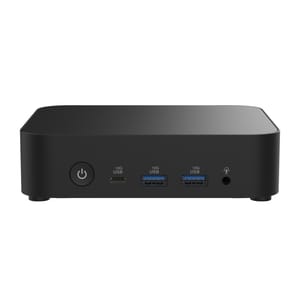
- +Tiny footprint
- +low idle power
- +ASUS warranty
- +dual display out
- +fine for browser and office work
- -Four N150 cores are entry-level
- -single SO-DIMM slot caps RAM at 16GB
- -not for heavy multitasking
Beelink Mini S13
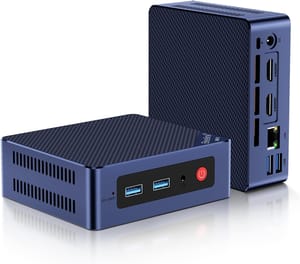
- +Lowest price on this list
- +silent in normal use
- +sips power 24/7
- +easy SSD upgrade
- -N150 ceiling
- -single 1Gb LAN (not 2.5GbE)
- -no USB4
- -basic build
Because these boxes sip power, they also pair well with the always-on math in our 24/7 running-cost piece: the cheaper lane tends to run cooler and pull fewer watts, so the savings show up twice, once at checkout and again on the power bill.
You lose Studio Effects, not Recall
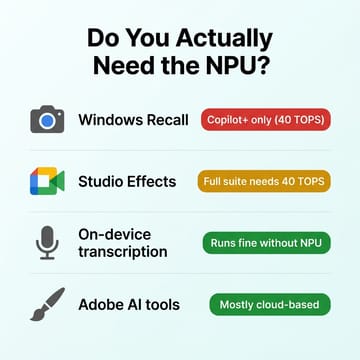
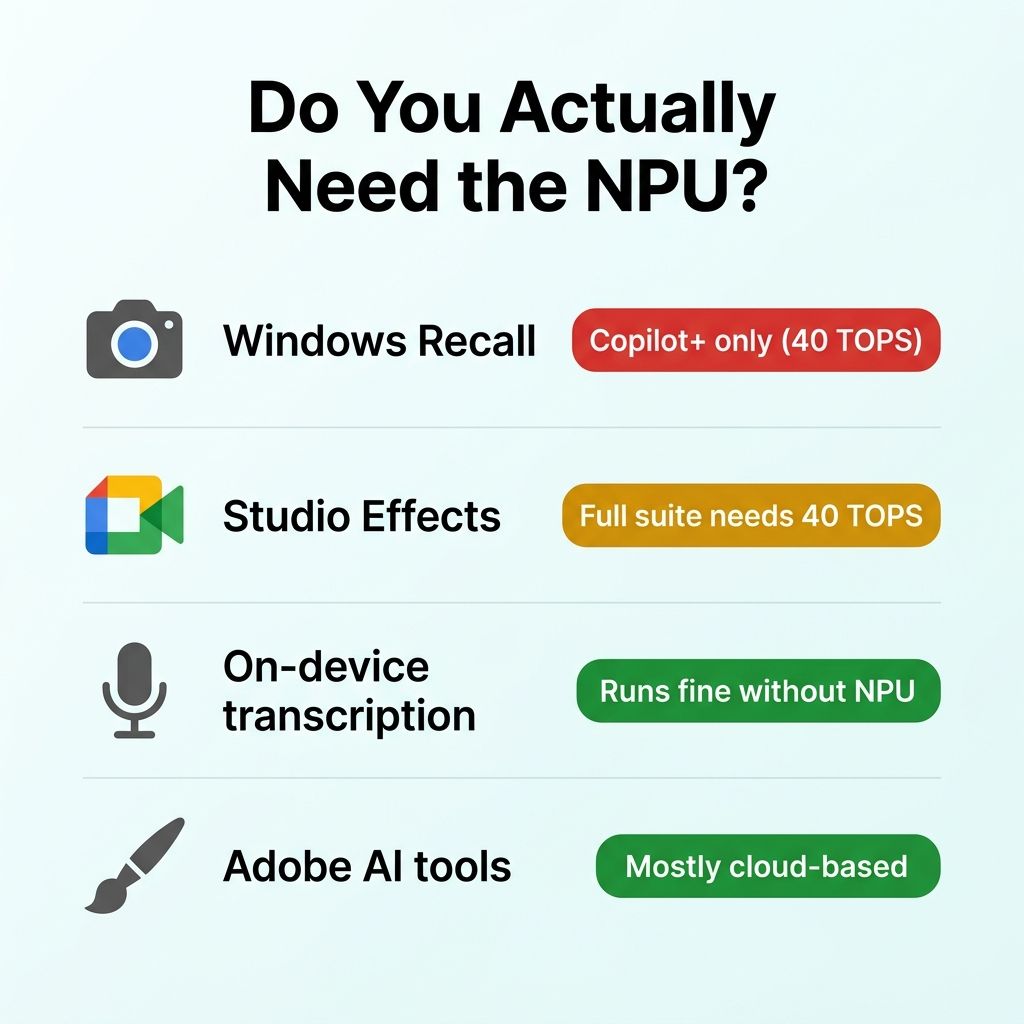
The real accounting of the missing NPU is shorter than the marketing implies. Windows Recall, the screenshot-memory search that is the headline Copilot+ feature, requires a 40-TOPS Copilot+ machine, so a no-NPU box never had it; but neither did the 16-TOPS 8845HS, so you are not losing anything the next tier up would have handed you for a small premium. Windows Studio Effects is the one feature here that needs the silicon: Microsoft gates its system-level webcam enhancements (background blur, eye contact, auto-framing) behind a hardware NPU, with the basic set running on an entry NPU and the full suite reserved for the 40-TOPS Copilot+ tier, so a no-NPU box gets none of it. The catch is how little that absence stings in practice, because the background blur and auto-framing built into Zoom, Teams, and Meet run in software with no NPU at all. If you specifically want Microsoft’s NPU-accelerated effects applied system-wide across every app, that is a genuine reason to climb to an NPU box; for everyone else it is a non-event.
The two workloads people most often worry about turn out not to need the NPU at all. On-device transcription apps (local Whisper and the tools built on it) run on the CPU or the integrated GPU and simply go faster with more compute; the NPU lowers power draw and latency but is not a gate. Adobe’s Firefly generative features run over an internet connection rather than an on-device NPU, so a missing NPU does not lock you out of them. Add it up and the no-NPU box surrenders one niche Copilot+ feature set you were unlikely to use, in exchange for a price cut you will use every day.
Where the cheap lane stops being a discount
The no-NPU framing is a reason to skip AI silicon, not a license to buy any cheap box, and the budget lane has its own traps that matter far more than the NPU ever will. Single-channel RAM is the big one: a box that ships with one memory stick instead of two can halve the integrated GPU’s effective bandwidth, and on these AMD and Intel parts the iGPU is doing real work. Soldered, non-upgradeable RAM is the other; a sealed 16GB box that you cannot ever expand is a worse long-term buy than a slightly pricier model with two open SO-DIMM slots. Check the chassis for dual-channel memory and user-accessible storage before you check for an NPU, because those decide how the machine ages.
There is also a point where the cheaper lane stops being the cheaper lane in any way that matters. If your actual workload is running local large language models, doing sustained AI inference, or you want the full Copilot+ feature set, the AI tier is not a tax; it is the product, and our look at the top of that lane lays out who should pay for it. The mistake the marketing pushes is treating the AI tier as the default and the no-NPU box as a compromise. For the home and office buyer who browses, types, hosts, and games a little, it is the other way around: the no-NPU box is the sensible default, and the AI premium is the upsell you get to decline.
So the buying rule is simple. Decide first whether you will ever use a 40-TOPS Copilot+ feature, and be ruthless about it, because most people will answer no. If the answer is no, pick the no-NPU chip that matches your workload (a Ryzen 7 8745H for real multitasking and light gaming, an older Ryzen 7 for quiet desktop duty, an N150 for an always-on server) and steer the money you saved toward dual-channel RAM and a bigger SSD. That is the spend that makes a 2026 mini PC feel fast, and none of it has anything to do with the NPU.


