

Spend an hour in r/MiniPCs and a pattern jumps out fast. The most consistent traffic on the subreddit is not a flashy benchmark or a teardown; it is some version of the same question, asked by a different person every day. A college student needs a box for a dorm. A parent is shopping for a kid. Someone is buying for an older neighbor, or replacing a Bosgame unit that died after a month. The subreddit’s pinned general guide is the community’s standing answer, and it is useful, but it still leaves the new buyer staring at a wall of near-identical listings: an N100 here, a Ryzen 7 8845HS there, a corporate refurb for less than either, and a Mac mini hovering off to the side.
That sprawl is the actual problem. The hardware is mostly good now. What overwhelms a first-time buyer is that fifty boxes look the same in the thumbnail and cost anywhere from $150 to $900, and nothing on the listing page tells you which differences matter for you. This article is not another ranked list of “best mini PCs.” It is the framework that comes before the list. Settle these five questions in order, and the SKU picks itself.
Before any of them, one quick gate: this guide assumes you have already decided a small desktop box is the right shape for your needs. If you are still weighing a mini PC against a laptop for a job that involves travel or working from the couch, read the mini PC versus laptop case first, then come back. Everything below assumes the form factor is settled.
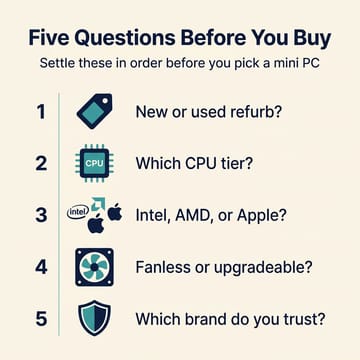
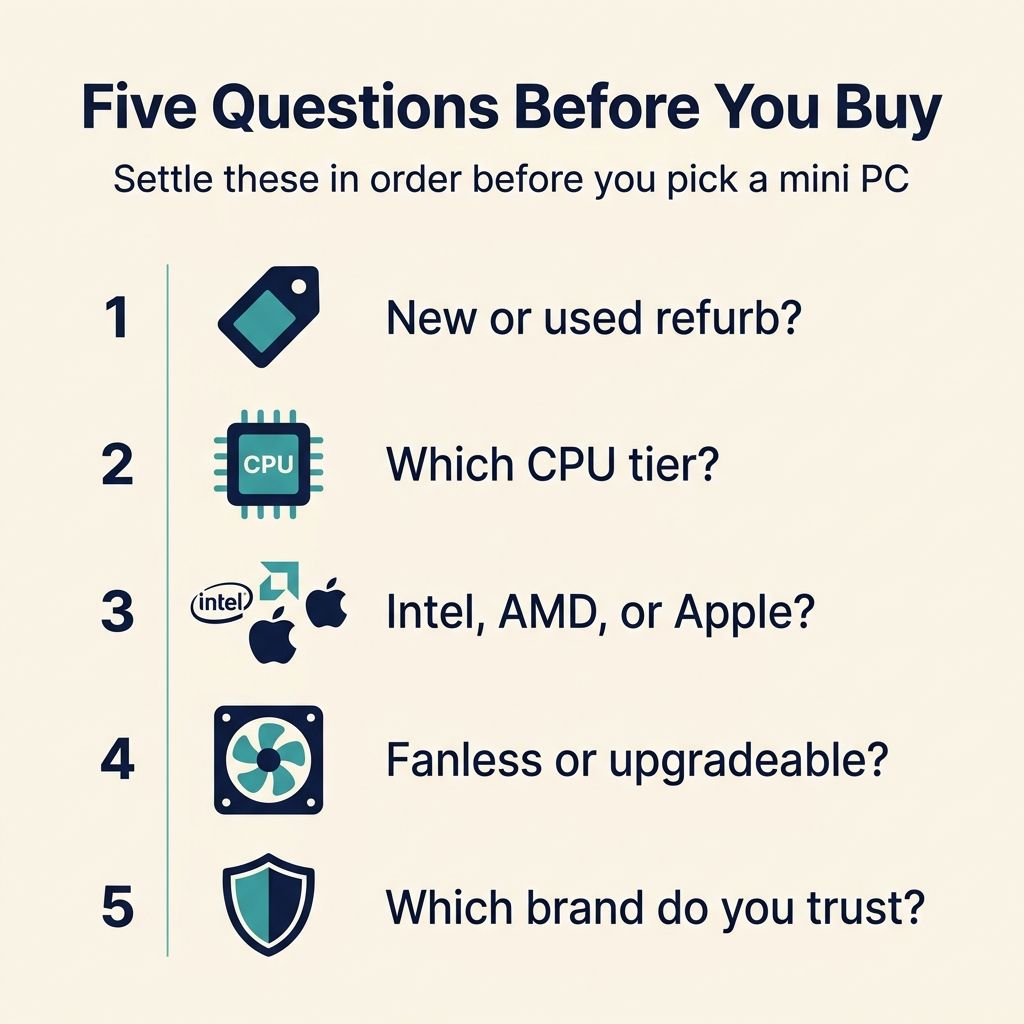
The five questions, in the order that matters:
- New or used corporate refurb? This gates everything else.
- What CPU tier do I actually need? Budget, mid, or premium.
- Intel, AMD, or Apple? The architecture and the operating system that rides with it.
- What physical constraints do I have? Cooling, upgradeable memory, and ports.
- What brand do I trust at this tier? And what will this box never do?
The rest of this piece is one section per question, with a link to the deeper companion guide each answer routes you toward.
Question 1: New or used corporate refurb?
This is the first question because it changes the meaning of every later one. The mini PC market has two distinct supply channels, and a beginner usually does not realize the second one exists until a forum thread mentions an HP EliteDesk for $120.
The new channel is the one most people picture: a current-generation box from Beelink, GMKtec, MINISFORUM, Geekom, or a similar brand, shipped with a warranty, a current power adapter, modern Wi-Fi, and a Windows license already activated. The used channel is the corporate refresh market, where three-year and five-year lease returns flood eBay, B&H Refurbished, and dedicated liquidators with HP EliteDesk Mini, Dell OptiPlex Micro, and Lenovo ThinkCentre Tiny units. Those used boxes often outspec a new budget box for the same money, with a metal chassis, a serviceable fan, and a six-core business-class CPU.
The catch is that the used market rewards homework and punishes the buyer who skips it. A corporate box can arrive with a BIOS supervisor password the seller never cleared, the wrong power brick or none at all, a stripped Wi-Fi card, or a tired fan in a chassis that was never sized for the CPU inside it. None of that shows up in the listing photos. If you find the idea of running a pre-purchase checklist energizing rather than exhausting, the used path is the best value in the category, and our used mini PC worksheet walks through the five specs to verify before you click Buy It Now. If that sounds like a chore, buy new and skip the whole risk surface.
One more factor is running cost. An older corporate box draws more idle power than a current low-power chip, and over years of always-on use that gap turns into real money. We put numbers on it in what a mini PC actually costs to run 24/7; the short version is that power should not flip an 18-month decision by itself, but it does tilt the long haul toward a newer chip. For most first-time buyers who want one box that just works, new is the answer, and the rest of this guide assumes you are shopping the new market unless a section says otherwise.
Question 2: What CPU tier do I need?
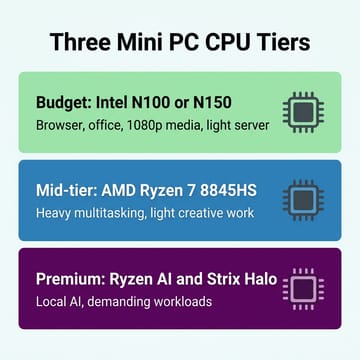
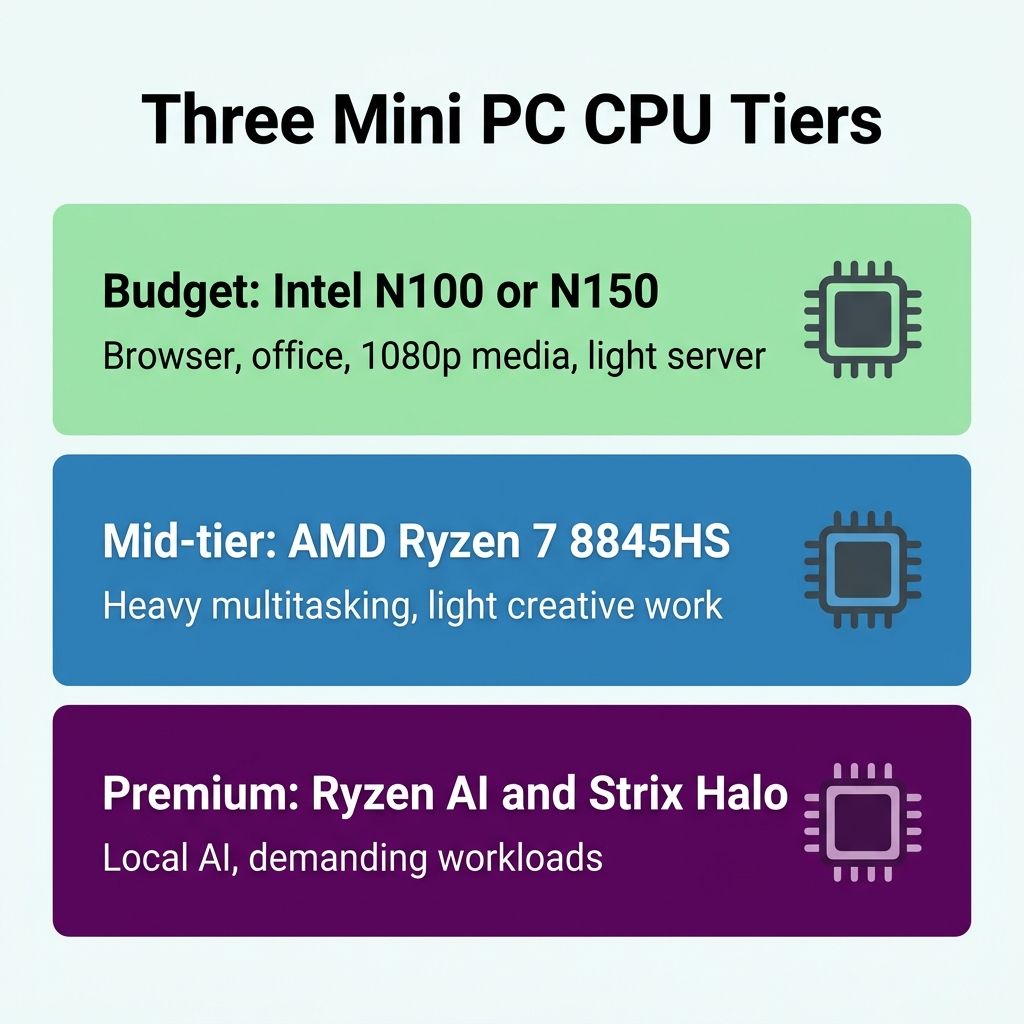
This is where most first-time buyers either overspend or underspend, because the spec sheet does not map cleanly onto “is this fast enough for me.” A processor name like N100 or Ryzen 7 8845HS tells you almost nothing until you translate it into the work you will actually ask the box to do. It helps to think in three tiers rather than fifty model numbers.
The budget tier is built around Intel’s low-power N-series: the N100 that anchored last year’s sub-$300 boxes and the slightly quicker N150 that succeeds it. These chips are enough for a browser with a sensible number of tabs, office work, 1080p streaming, and a light home server like Pi-hole or Home Assistant. They are not enough for heavy multitasking or anything creative. If you need a little more headroom without jumping all the way to a Ryzen mid-tier box, the eight-core Twin Lake Core 3 N350 is the in-between step, a real bump over the N150 while staying in the budget tier. Intel’s newer Wildcat Lake parts (the Core 3 304 on the 18A process) are starting to land in this tier too, but as we explain in the Wildcat Lake buyer’s guide, pricing is still settling, and an on-sale N150 box does the same everyday jobs today without the wait.
The mid-tier is the one most readers underestimate. A box built on AMD’s Ryzen 7 8845HS with its Radeon 780M graphics handles aggressive multitasking, light photo and video work, dozens of browser tabs alongside an IDE, and a busy home lab, all while idling under 10 watts and staying quiet. It costs more than a budget box, but it is the sweet spot for anyone whose realistic answer to “what will I run” is “a lot, eventually.” We make the full case in why mid-tier mini PCs are 2026’s quiet best buy.
The premium tier (Ryzen AI Max and Strix Halo boxes with up to 128GB of unified memory) exists to run local large language models and the heaviest workloads. Unless you already know you need it, you do not; a first-time buyer almost never starts here. Match the tier to the work you will realistically do, not the work you imagine you might.
Beelink EQ14
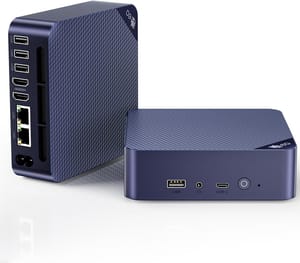
- +Intel N150
- +16GB RAM
- +dual M.2 slots
- +dual Ethernet
- +integrated power supply
- +quiet
- -Single-channel DDR4 memory
- -SATA boot SSD rather than NVMe
- -modest for anything creative
Question 3: Intel, AMD, or Apple?
Once you know your tier, the next fork is the chip vendor, and it carries the operating system along with it. There are effectively three camps.
Intel dominates the budget tier. If you bought into Question 2’s budget answer, you are almost certainly buying an Intel box, and that is fine; the N-series is mature, well understood, and broadly compatible. AMD owns the mid-tier and most of the premium tier, where the Ryzen cores and Radeon integrated graphics simply pull ahead. So in practice your tier choice from Question 2 already narrows the vendor for you most of the time.
The branch that needs its own thought is Apple. A Mac mini is a mini PC by any reasonable definition, and the M4 generation works if macOS suits your life. The question is whether it suits yours: if you are tied to Windows-only software, a Mac mini is a non-starter, but if your work is web, writing, photos, and code, it is one of the quietest and most efficient boxes you can buy. We weigh that trade in is the Mac mini M4 worth it, and because timing matters with Apple, the M5 versus M4 buy-or-wait question covers whether to hold out for the next generation.
One licensing note that catches first-time Windows buyers is that some no-name budget boxes ship with grey-market or unactivated Windows keys, and a few arrive with bloatware or worse. It is one more reason to favor an established brand at this tier (more on that in Question 5), and a reason that the Linux crowd often just wipes the drive and installs their own operating system on day one.
That Linux path is worth a sentence of its own, because mini PCs are unusually good candidates for it. The budget Intel N-series boxes in particular tend to have mature, well-supported hardware that boots a mainstream distribution like Ubuntu or Linux Mint with no driver drama, and wiping the bundled Windows install sidesteps the grey-market-key question entirely. You do not have to decide this on day one; a box that runs Windows fine today can become a silent Linux home server in a year without costing you anything. If you are even mildly curious about that path, the budget Intel boxes are the friendliest place to start.
Question 4: What physical constraints do I have?
The spec that sells a mini PC is the chip. The specs that decide whether you are happy with it a year later are physical: how it cools itself, whether you can upgrade it, and which ports it has. These rarely make the headline of a listing, which is exactly why they trip people up after the box is already on the desk. Three sub-questions live here.
First, fanless or actively cooled? Silent fanless boxes are seductive, but a passive chassis can only shed so much heat, and once a sustained workload outpaces it, the chip throttles. For a Pi-hole-class always-on server or a home-theater box that lives next to a microphone, fanless is the right call. For almost everything else, an actively cooled box is the safer default, and a modern one is effectively inaudible at idle anyway. Our fanless versus active cooling guide has the throttle data; for the bleeding edge, solid-state cooling and ARM designs like the Snapdragon X2 fanless boxes are a third category worth knowing exists, though not yet the safe first-time pick.
Second, can you upgrade the memory? This one bites quietly. A growing number of boxes solder their RAM to the board, which freezes your configuration for the life of the machine, while others use standard SO-DIMM slots you can swap in ten minutes with a screwdriver. If there is any chance your needs will grow, buy a box with a slot, or buy enough RAM up front that you will never care. The trap and how to spot it are laid out in the soldered-RAM mini PC trap.
Third, what about ports and graphics expansion? Most first-time buyers are well served by the HDMI, USB, and Ethernet that every box includes. The thing to know is that the integrated graphics you buy are the graphics you keep; there is no dropping in a desktop GPU later. A small subset of boxes include USB4 or OCuLink for an external GPU enclosure, but that is an enthusiast path with its own caveats. The real limits of the form factor are catalogued in five things mini PCs cannot do, and it is worth reading before you assume a tiny box will replace a gaming tower.
Beelink SER8
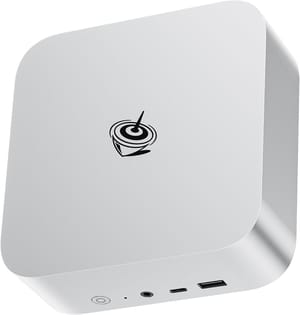
- +AMD Ryzen 7 8845HS
- +DDR5 expandable to 64GB
- +USB4 with Thunderbolt function
- +2.5Gb Ethernet
- +quiet under load
- -Costs more than a budget box
- -integrated graphics still cap demanding gaming
Question 5: What brand do I trust, and what will this box never do?
The final question is the one a spec sheet cannot answer. The budget mini PC space is crowded with white-label brands, and a few of them are notorious for retiring a listing and reusing it for a different unit, or for shipping questionable Windows installs. You reduce that risk by sticking with brands that have a track record and a support presence: Beelink, GMKtec, MINISFORUM, Geekom, and ASUS (which took over Intel’s NUC line in 2023) are the names that show up again and again in long-term reviews from channels like Lon.TV, which has spent years working through these SKUs one at a time. A brand that has been reviewed repeatedly over multiple generations is a safer first purchase than the cheapest unfamiliar listing by a few dollars.
Brand matters beyond the unboxing, too, because the part of a mini PC purchase that goes wrong is usually not the hardware on day one but the support on day ninety. An established brand answers a warranty email, ships a replacement power adapter, and posts a BIOS update when a new Windows build breaks something; a one-off white-label listing often cannot do any of those things because the seller has already moved on to the next rebadge. For a first-time buyer who does not yet have the experience to self-diagnose a flaky box, that support surface is worth more than a small spec advantage on paper. Spending a few extra dollars to buy from a name with a track record is cheap insurance.
This is also the right place to anchor expectations. A mini PC will not take a discrete desktop graphics card, will not match a tower for sustained heavy rendering, and tops out well below a workstation on maximum memory. Going in clear-eyed about those limits is what separates the buyers who love their mini PC from the ones who return it. If you are buying for someone else (a parent, an older relative, a student) the calculus shifts toward serviceability and support, and the case for a mini PC over a laptop for your parents walks through why a separable box plus a monitor beats an all-in-one laptop when you are the person doing the tech support.
Beelink MINI S12 Pro
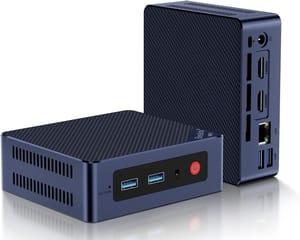
- +Intel N100
- +established brand
- +VESA mount included
- +storage upgradeable
- +very low price
- -No USB-C or Thunderbolt
- -single Gigabit Ethernet
- -N100 is the entry rung
Putting it together
The five questions are deliberately ordered. New versus used decides how much risk and homework you are signing up for. The CPU tier decides how much computer you are buying. The vendor and operating system decide what software you can run. The physical constraints decide whether you will still be happy in a year. And the brand decides whether the box behind the spec sheet is one you can trust. Answer them in that sequence and the fifty-listing wall collapses into a short list, usually a single box.
If you want the one-line default: a current Intel N150 box with 16GB of RAM from an established brand is the safe first mini PC for the majority of people, and you can step up to a Ryzen mid-tier box the day a real workload asks for it. Everything else in this guide is just the reasoning that gets you there, with the deeper companion pieces waiting at each branch when you want to go further.


